![How to Make a Four on the Floor Beat: Kick, snare and closed hat triggers on a sixteen step grid: [[1, 5, 9, 13], [5, 13], [3, 7, 11, 15]].](/assets/guide-art/how-to-make-a-four-on-the-floor-beat-07323d4554.svg)
The pattern is associated with many dance styles, but it is not a complete genre recipe. Tempo, swing, sample choice and the relationship with the bass determine much of its character.
Set up one clear bar
Create a project in 4/4 at 120 BPM. This is an easy practice tempo, not a requirement. Load a short kick, a clap or snare, a closed hi hat and an open hi hat. Use a sixteen step grid representing sixteenth notes.
The four main beats fall on steps 1, 5, 9 and 13. Place the kick on all four. Loop the bar and count aloud. If the hits do not line up with “1, 2, 3, 4,” check whether your sequencer's sixteen steps represent one bar or a different length.
Ableton's rock and house lesson compares different kick placements in a simple beat framework. The basic counting is covered in Beats, Bars and BPM.
TRY IT HERE
Find the pocket
Tap the grid, change the tempo and hear your pattern.
Ready when you are. Audio starts only when you press Play.
Keep experimenting in the beat maker LabMake the kick repeat cleanly
Listen to the kick alone. Does each hit finish before the next, or does its tail overlap? At 120 BPM, quarter note hits occur every 500 milliseconds. A kick tail longer than that can overlap the next trigger, depending on the instrument's playback behavior.
Overlap is not automatically wrong, but it changes the low end envelope. A sustained booming kick may leave little space for a long bass note. For this exercise, use a kick whose tail is short enough that separate attacks remain easy to hear.
If a click appears at every retrigger, do not assume the sample is unusable. A one voice sampler may be cutting the previous waveform abruptly. A tiny fade or appropriate envelope release can help, but too much attack softening will remove the desired punch. Adjust by listening at a comfortable level.
Add the backbeat
Place a clap or snare on beats 2 and 4, steps 5 and 13. These hits coincide with two of the kicks. The combined event should sound intentional, with the kick supplying low weight and the clap or snare supplying a contrasting accent.
If the clap feels late, inspect its sample start. Some clap recordings have a soft lead in before the main burst. Moving the MIDI earlier can compensate, but changing the sample start may be more appropriate. Make a small adjustment and compare with the unedited version.
Do not automatically align every waveform peak. Different sounds have different internal shapes, and a slightly spread clap can be part of the groove. Judge whether the backbeat feels consistent rather than whether the waveforms look identical.
Put the hats between the kicks
Place closed hats on the “and” of each beat: steps 3, 7, 11 and 15. You now have a kick, hat alternation that creates continuous eighth note movement.
Try a slightly stronger hat on step 7 and a softer one on step 15. These are performance choices, not fixed velocity rules. If your sample responds to velocity with a tonal change, listen to both brightness and loudness.
Next replace the hat on step 15 with an open hat. Let it ring into the next bar, then try choking it with the first closed hat of the new bar. Compare which version creates a clearer phrase. You may prefer no open hat at all if another instrument already fills that space.
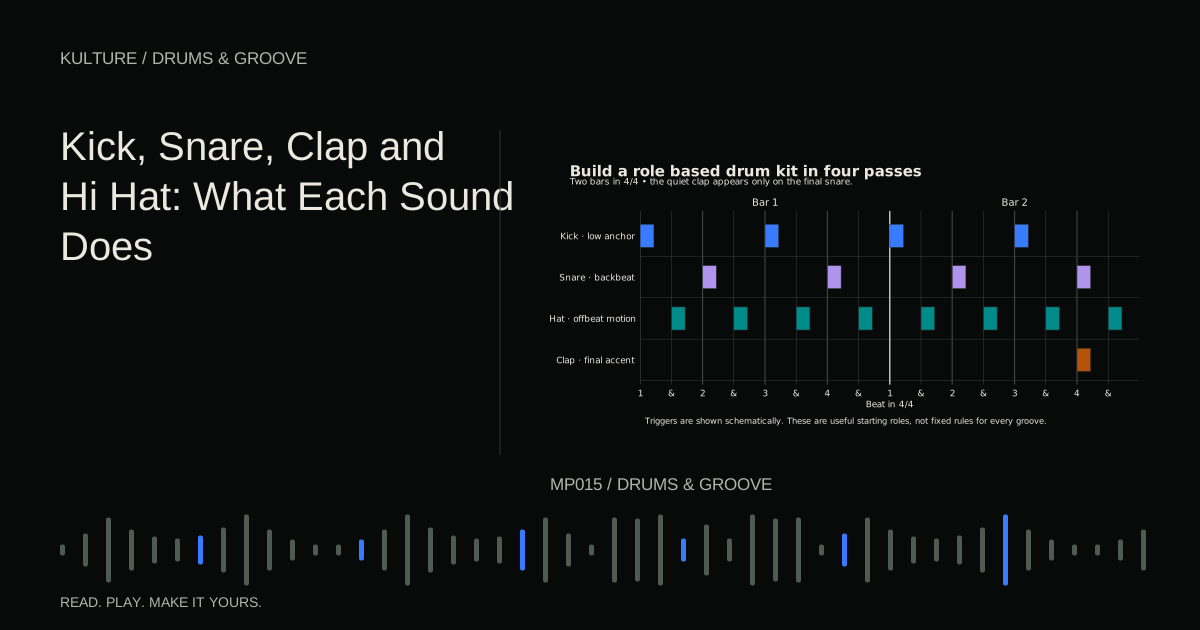
For more on the sound roles, see Kick, Snare, Clap and Hi Hat.
![Kick, snare and closed hat triggers on a sixteen step grid: [[1, 5, 9, 13], [5, 13], [3, 7, 11, 15]].](/assets/guide-figures/theory-four-on-floor-118b9c8c8a.svg)
Add movement without disturbing the anchor
Duplicate the bar so you have a two bar loop. In bar 2, add a quiet closed hat on the last sixteenth before beat 4, step 12. This small pickup leads into the backbeat. Keep the kick pattern unchanged.
Now try removing that pickup and adding a quiet percussion hit on step 8 instead. Choose whichever supports the groove. Do not keep both simply because both are possible.
A steady kick gives listeners a reliable reference, so subtle changes around it can be effective. If every lane becomes busy, the four on the floor foundation may remain technically present while losing its sense of space.
Decide whether swing belongs
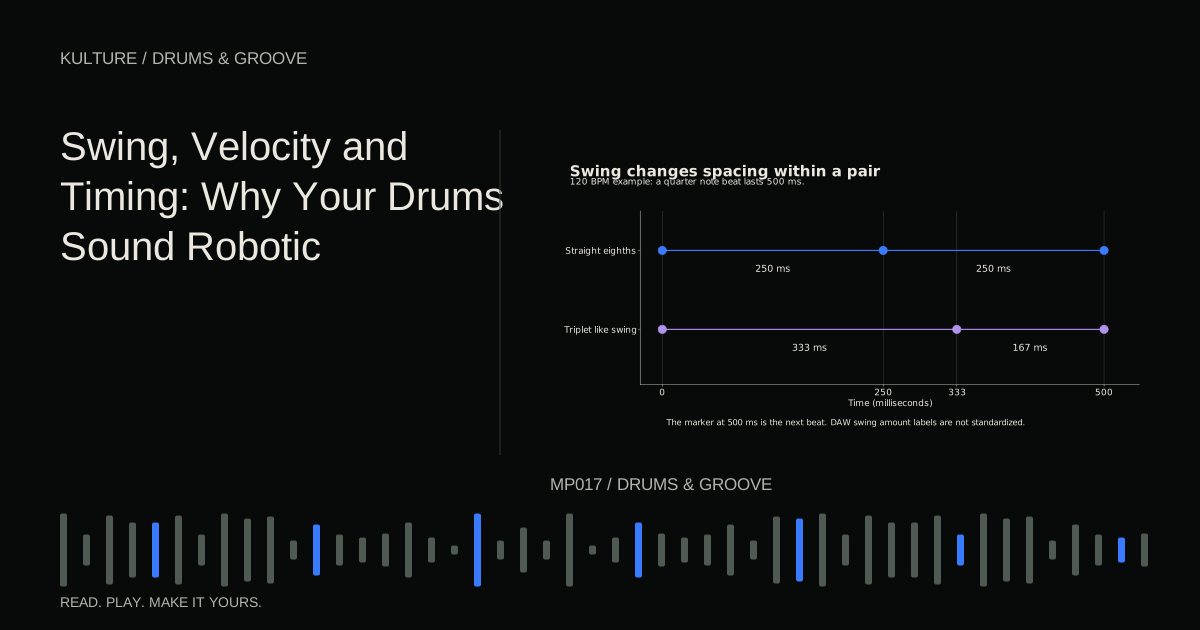
Offbeat eighth note hats can remain straight, or their timing can shift for a different feel. Sixteenth note swing primarily affects alternating sixteenth positions; with only offbeat eighths, some swing settings may produce little or no change.
Add a short sixteenth pair if you want to hear a swing control clearly. Then apply a modest amount to hats or percussion while leaving the kick steady. A groove that sounds natural in isolation may fight a straight bassline, so check the whole arrangement.
Ableton's groove manual explains separate timing and velocity contributions in its implementation. Equivalent controls in other DAWs may use different percentages or naming, so copy the musical idea rather than assuming identical numbers.
Fit a bassline around the kick
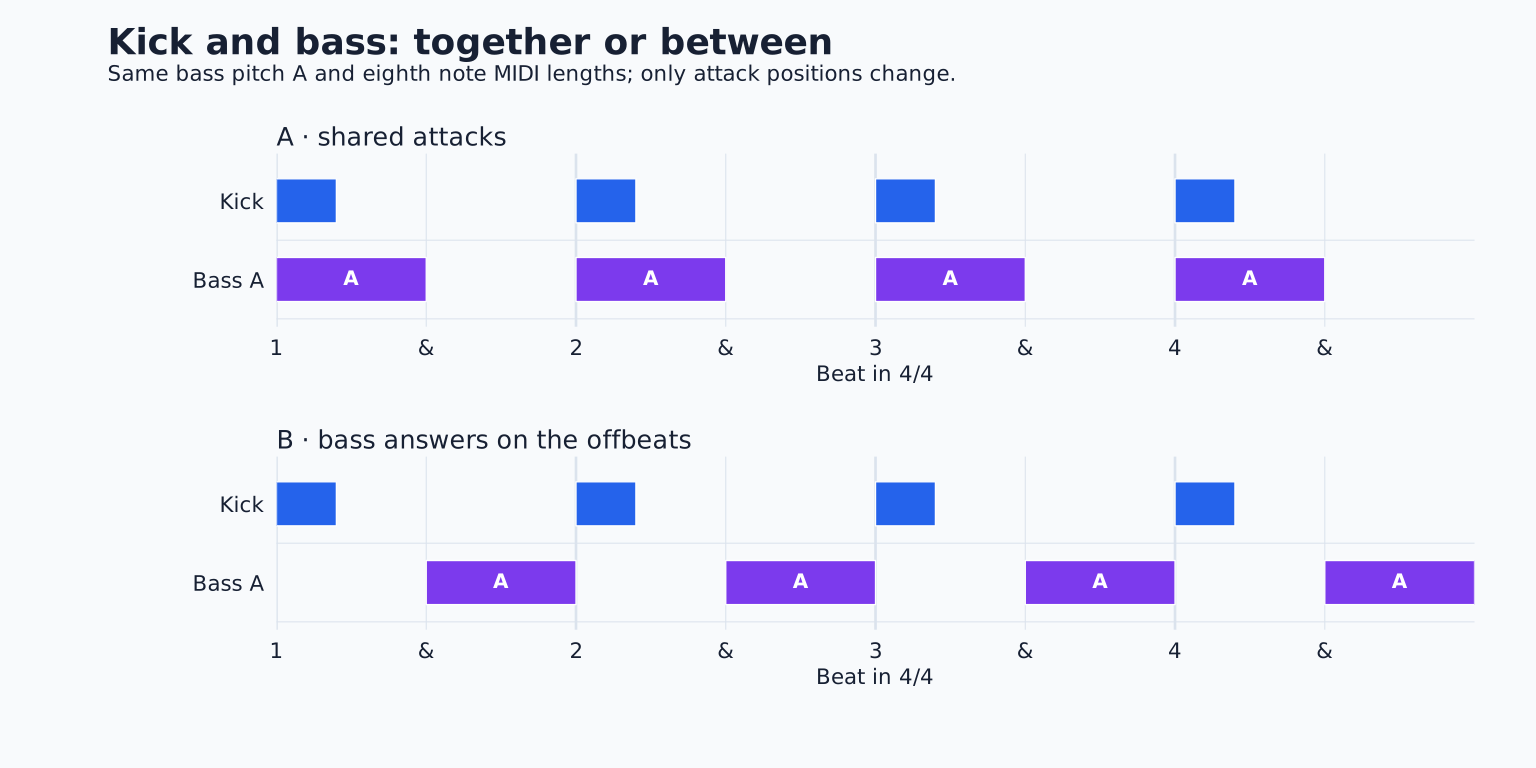
For a simple test, use a short bass note on each offbeat, the same positions as the hats. Choose one root note and keep it consistent for a bar. The kick marks the beat while the bass answers between kicks.
Shorten the bass until it stops before the next kick, then lengthen it slightly and compare. This teaches you how note duration controls overlap. If the bass instrument has a long release, the audible tail may continue beyond the MIDI rectangle.
You can also play bass on the kick hits. That can work well when their attacks and tails complement each other. Four on the floor does not require offbeat bass or sidechain pumping; those are arrangement and processing options.
Turn the loop into eight bars
Use the basic groove for bars 1 to 2. Add the quiet percussion variation in bars 3 to 4. Remove the open hat in bars 5 to 6. In bar 8, omit the final kick or stop the hats for the last beat, then return to the full pattern.
A missing kick is noticeable because you established a strong expectation. Use that contrast deliberately. If the music needs an uninterrupted dance pulse, keep the kicks and create the transition with a clap fill or hat change instead.
Avoid changing everything at the same boundary. One clear gesture can announce the next section more effectively than a simultaneous snare roll, crash, bass slide and kick dropout.
Check the finished result
Listen with the screen hidden. Can you feel a stable quarter note pulse? Can you distinguish the backbeat from the offbeat hats? Does the second bar add interest without sounding like an unrelated pattern?
If the beat feels heavy but static, adjust hat accents or bass articulation. If it feels frantic, remove subdivisions. If the kick loses impact, shorten overlapping tails before increasing its level.
For practice, make three versions at the same tempo: sparse, lightly swung and percussion led. Keep the kick on all four beats in each. You will hear how much character can change around one constant foundation. Continue with How to Make Drum Fills when the groove needs a transition.
TAKE IT INTO YOUR OWN MUSIC
Your next session.
Listen with the screen hidden. Can you feel a stable quarter note pulse? Can you distinguish the backbeat from the offbeat hats? Does the second bar add interest without sounding like an unrelated pattern?
Notes and progress stay in this browser.

![How to Make Drum Patterns: Rhythm and Groove for Beginners: Kick, snare and closed hat triggers on a sixteen step grid: [[1, 9], [5, 13], [1, 3, 5, 7, 9, 11, 13, 15]].](/assets/guide-art/how-to-make-drum-patterns-rhythm-and-groove-for-beginners-109f100272.svg)
![Beats, Bars and BPM Explained With Examples: Kick, snare and closed hat triggers on a sixteen step grid: [[1, 9], [5, 13], [1, 3, 5, 7, 9, 11, 13, 15]].](/assets/guide-art/beats-bars-and-bpm-explained-with-examples-c10817166b.svg)