
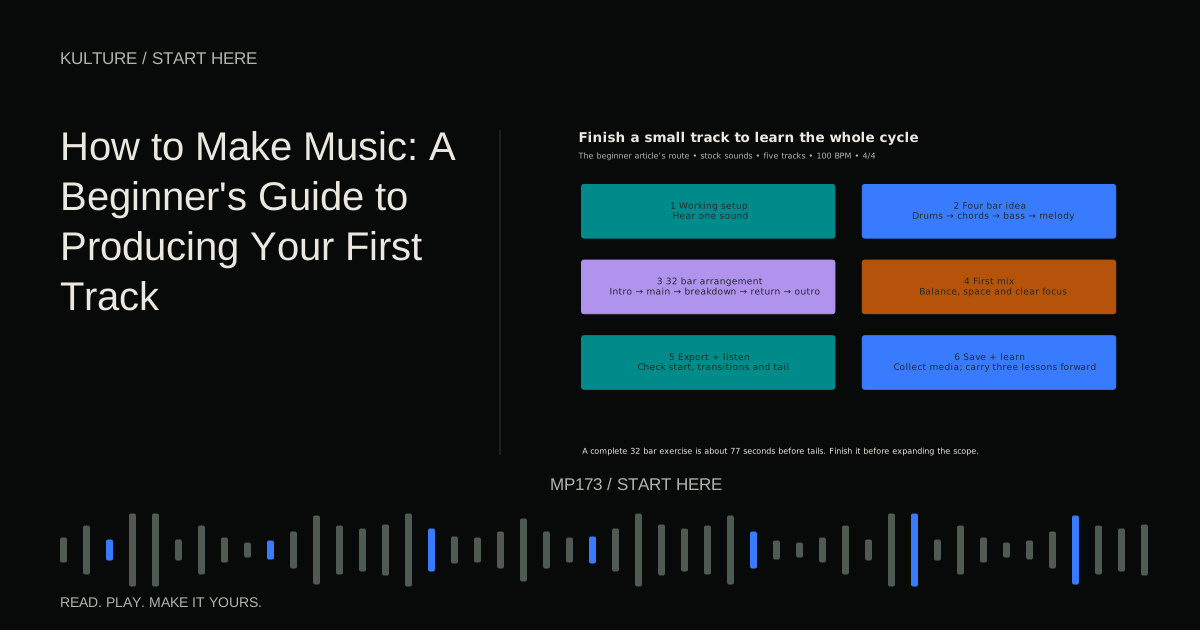
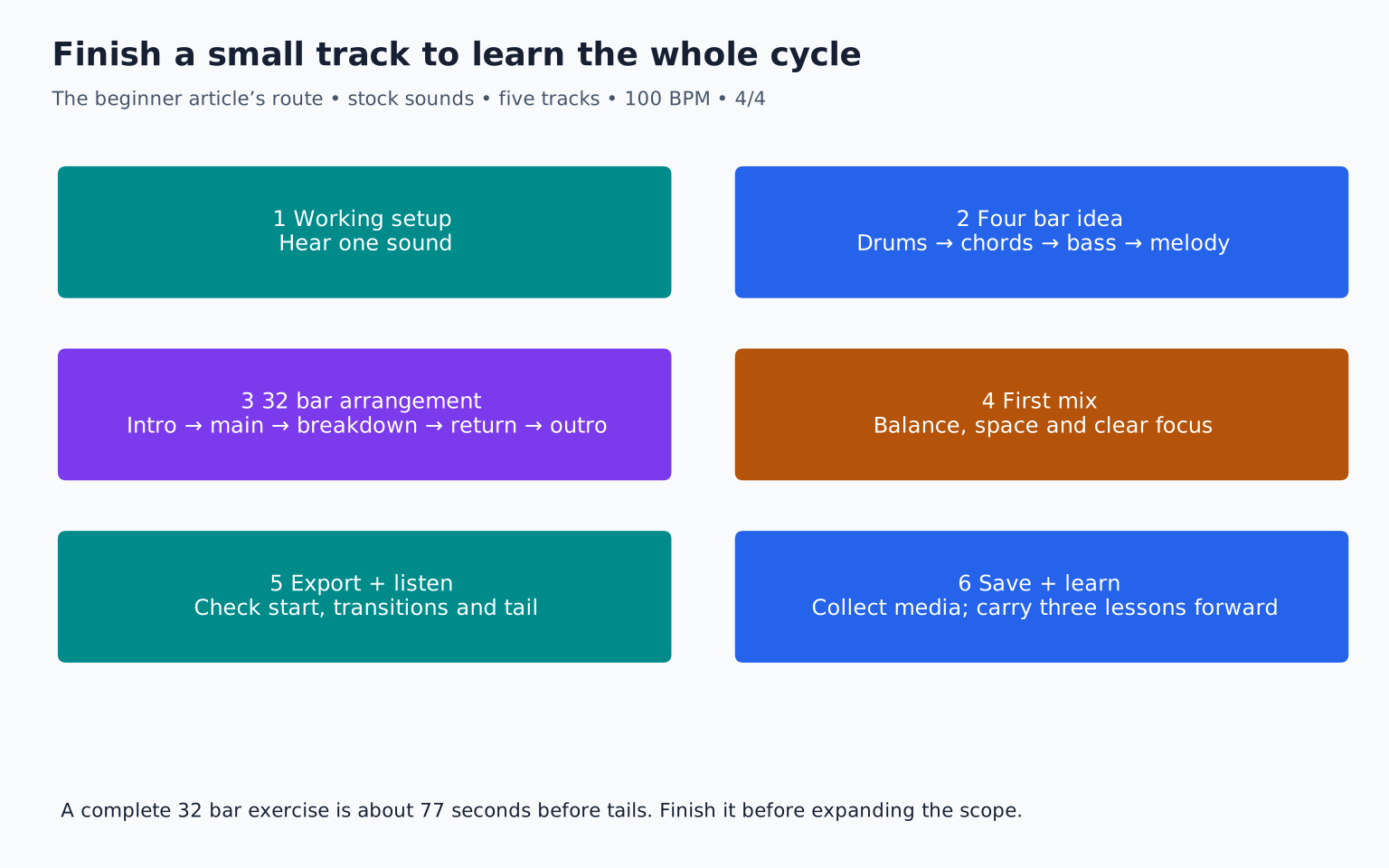
This guide walks through an original instrumental example using five tracks: drums, bass, chords, melody, and one transition effect. The example uses Western twelve note equal temperament and a simple 4/4 groove. It is a learning framework, not a rule for every style of music.
Get one working setup
Use a computer and a digital audio workstation, or DAW, with built in instruments and effects. A DAW is the software in which you arrange, record, edit, and mix music. Headphones or speakers let you hear the result. A MIDI keyboard can be helpful, but you can enter notes with a mouse or the computer keyboard if the software supports it.
If you plan to record a microphone or electric instrument, you may need an audio interface and suitable cables. For this first project, built in sounds remove those extra variables. See music production setup for beginners if your audio output is not yet working.
Keep the listening level comfortable and take breaks. The World Health Organization's safe listening guidance explains that exposure duration and level both matter. A software volume percentage is not a reliable measurement of sound at your ears.
TRY IT HERE
Find the pocket
Tap the grid, change the tempo and hear your pattern.
Ready when you are. Audio starts only when you press Play.
Keep experimenting in the beat maker LabCreate a project with a small goal
Save a new project in its own folder. Name it FirstTrack_v01 rather than Untitled. Choose a tempo of 100 beats per minute for this exercise and a 4/4 time signature. In 4/4, each bar contains four quarter note beats.
Tempo describes the speed of the pulse; it does not determine the genre by itself. Ableton's Learning Music lesson on beat and tempo offers an interactive introduction if those terms are unfamiliar.
Set a four bar loop and create the five tracks. Choose one plain drum kit, a simple bass sound, a piano or soft keyboard patch, and a clear lead sound. Limit the browsing session. The aim is to learn how parts work together, not find the perfect sound before any notes exist.
Build a one bar drum pattern
Count “1 and 2 and 3 and 4 and.” These are eight evenly spaced eighth note positions. Program this starting pattern:
| Position | 1 | and | 2 | and | 3 | and | 4 | and |
|---|---|---|---|---|---|---|---|---|
| Kick | Hit | , | , | , | Hit | , | , | , |
| Snare or clap | , | , | Hit | , | , | , | Hit | , |
| Closed hat | Hit | Hit | Hit | Hit | Hit | Hit | Hit | Hit |
Loop it and listen. The kick provides low impact, the snare marks a backbeat, and the hats make the subdivisions audible. Lower the hats if they dominate. A groove does not improve just because every hit is loud.
Duplicate the pattern across four bars. In the fourth bar, remove the final hat or add one extra kick before the next bar. Compare both choices. A small change can signal a phrase ending without a complicated fill.
Velocity is a MIDI value commonly used to influence how strongly a note is played, though the exact sound response depends on the instrument. Make alternate hats slightly softer as an experiment. Keep the pattern understandable before adding swing or timing offsets.
Add a four chord foundation
Use one chord per bar:
- Bar 1: A minor, A, C, E
- Bar 2: F major, F, A, C
- Bar 3: C major, C, E, G
- Bar 4: G major, G, B, D
Enter each chord as three simultaneous notes held for most of the bar. Use a comfortable middle register. Octave labels vary between DAWs, so choose by listening rather than assuming every program's C3 is the same labelled octave.
Listen with the drums. If the chords feel heavy, shorten them or move them higher before adding EQ. If the sound is too busy, use a plainer patch. The notes and rhythm should work before the effects become elaborate.
Try smoother voicings: instead of moving every chord as a large block, keep common notes nearby. For example, F, A, C and E, G, C share a nearby register while the latter still contains the C major notes. This is an introduction to voice leading, the movement of individual notes between chords.
Write a bass part that supports the harmony
Start with the root of each chord: A, F, C, and G. Use a lower register than the chords, but not so low that your listening system cannot reproduce the sound clearly.
Place a short bass note on beat 1 and another on beat 3 of each bar. This follows the kick and gives you a simple reference. Then shorten one note or move one entry to an offbeat and hear how the groove changes.
If the kick and bass blur together, first adjust note lengths and relative levels. You do not have to reach immediately for sidechain compression. A long bass note can obscure the gap that makes a kick feel distinct.
Check that each bass note sounds intentional under its chord. If a patch has glide or overlapping notes, listen carefully to the transitions. A synthesizer can slide between notes even when the piano roll positions look correct.
Make a short melody with room to breathe
Use the notes A, C, D, E, and G as a starting collection. These form an A minor pentatonic collection in this example. You are not required to use every note, and notes outside the collection are not forbidden; limiting choices simply makes a first melody easier to manage.
Try this two bar idea, where each listed note lasts one beat:
- Bar 1: E, G, A, rest
- Bar 2: C, A, G, rest
Repeat it in bars 3 and 4, changing the final G to E. Listen against the chords. Decide whether the final note feels like a pause or an ending. If the melody sounds crowded, remove notes rather than adding another instrument.
Sing or hum the phrase if comfortable. If you cannot remember it after a few repeats, simplify the rhythm or keep one recognizable opening gesture. A memorable idea does not need many notes.
Turn the loop into a short track
A loop is a useful building block, but a track needs change over time. Duplicate the four bar idea into a simple 32 bar arrangement:
| Bars | Section | Parts and purpose |
|---|---|---|
| 1 to 4 | Intro | Chords and light hats establish the sound |
| 5 to 12 | Main section | Drums, bass, chords, and melody |
| 13 to 16 | Breakdown | Remove kick and bass; simplify melody |
| 17 to 28 | Return | Bring full groove back; add a small variation |
| 29 to 32 | Outro | Remove layers and let the final sound decay |
At 100 BPM in 4/4, 32 bars last about 77 seconds before any extra tail. That is enough for a first complete exercise. You can expand later, but finish this short version first.
Ableton's song structure lesson explains how patterns combine into sections. Your arrangement does not need to match a commercial song length to teach the essential skill of development.
Make transitions with existing material
Before adding a dramatic riser, try removing the kick on the last beat before the return. That brief gap can make the next downbeat feel stronger. You can also stop the chords momentarily, shorten a bass note, or leave a melody phrase unanswered.
For the transition effect track, use a stock noise or cymbal sound at a restrained level. Fade it in or out as appropriate. Check that it supports the musical arrival rather than startling the listener because it is much louder than everything else.
Automation means changing a control over time. Try a small volume fade on the intro chords or a gentle effect increase before the breakdown. Use one clear automation idea before drawing dozens of curves.
Make a first mix with volume and space
Mixing balances the parts so the song's focus is clear. Begin with faders. Lower everything if the combined output clips, then establish drums and bass, add chords, and bring in the melody as the main focus.
Pan supporting parts modestly if it helps separation. Panning places sound toward the left or right. Keep the core low frequency foundation stable while listening to the overall image; do not follow rigid panning rules without hearing the result.
Use reverb sparingly to create a sense of space. A shared reverb return can place several sounds in a related environment. Too much reverb can blur rhythms and hide the melody. Compare with the effect bypassed at similar level.
Use EQ only for a problem you can describe. If the chords mask the melody, first lower or simplify them. A good arrangement often needs less corrective processing.
Check the track before mastering
Listen from beginning to end without stopping. Write down three issues maximum. Perhaps the intro is too long, the bass overwhelms one chord, or the ending cuts off. Fix those before searching for a mastering preset.
Mastering is final preparation of the completed mix. It may involve modest tonal or dynamics changes and technical delivery checks. It is not a way to replace unfinished composition or repair every balance problem. Start with mastering your music when the mix itself feels ready.
There is no universal requirement to force this exercise to -14 LUFS or any other number. Preserve a clean, musical result and follow the requirements of the eventual destination.
Export, reopen, and learn from the result
Export a stereo audio file using your DAW's documented process. Choose an appropriate high quality format for your archive and include the full ending. Do not accidentally export only the four bar loop when you intended the complete arrangement.
Open the rendered file outside the production session. Confirm its duration and listen to the start, transitions, and tail. Then hear it on another familiar system at a sensible level. Note persistent problems rather than expecting identical sound from every device.
Save the project with its required assets. Ableton's project saving guidance illustrates why a project file and its media need to stay together; use the equivalent asset collection process in your DAW.
Your final exercise is to finish this 32 bar track, export it, and write three lessons learned: one about rhythm, one about arrangement, and one about balance. Make the next track with those lessons in mind. Finishing a small piece gives you a complete production cycle to improve, which is more useful than collecting hundreds of unfinished loops.
TAKE IT INTO YOUR OWN MUSIC
Your next session.
Export a stereo audio file using your DAW's documented process. Choose an appropriate high quality format for your archive and include the full ending. Do not accidentally export only the four bar loop when you intended the complete arrangement.
Notes and progress stay in this browser.
