First decide whether the line needs to be interesting on its own. A supportive bass part may be doing its job perfectly while the vocal or lead carries the detail.
Diagnose the kind of repetition
Listen to eight bars with the full track playing. Ask what actually feels static: the bass's rhythm, its pitch contour, its tone, or the entire arrangement? If the melody, drums and chords also repeat unchanged, replacing the bassline may not solve the larger issue.
Then mute the lead. If the bass suddenly sounds active enough, it may not need embellishment. If the track loses all momentum, the bass or drums may need a clearer gesture.
Write one sentence describing the desired change, such as “The last bar should lead into the chorus” or “The second half should feel more energetic.” That gives variation a purpose.
TRY IT HERE
Give the bass some space
Tap steps to add rests. Change the register or slide.
Ready when you are. Audio starts only when you press Play.
Keep experimenting in the piano LabKeep an identity before changing it
Create a two bar bass motif over A minor. A motif is a short recognizable idea. Use A on beat 1 for one beat, E on the “and” of beat 2 for half a beat, and A on beat 4 for half a beat. Repeat it in bar 2.
The rhythm and the A, E, A shape form its identity. If you alter every note, duration and accent in the next bar, listeners may hear a new idea rather than a variation.
Ableton's bassline playground is a useful place to hear how a small set of pitches can support many patterns. The original motif here is a starting exercise, not a genre formula.
Variation one: remove an event
Delete the final A in bar 2. The phrase now leaves a gap before returning. This is often the most effective first variation because it changes expectation without adding density.
Compare the full and shortened versions with drums. If the gap makes the next downbeat more satisfying, keep it. If the track loses too much energy, shorten the missing note rather than deleting it entirely, or let a percussion hit answer in that space.
Subtraction also creates room for a vocal pickup or a chord change. Bass variation should support the whole arrangement rather than compete to be noticed.
Variation two: change the ending
Restore the final A in bar 2 and change it to G, resolving to A at the next loop. Keep the note short. The line now has a stepwise approach into its beginning.
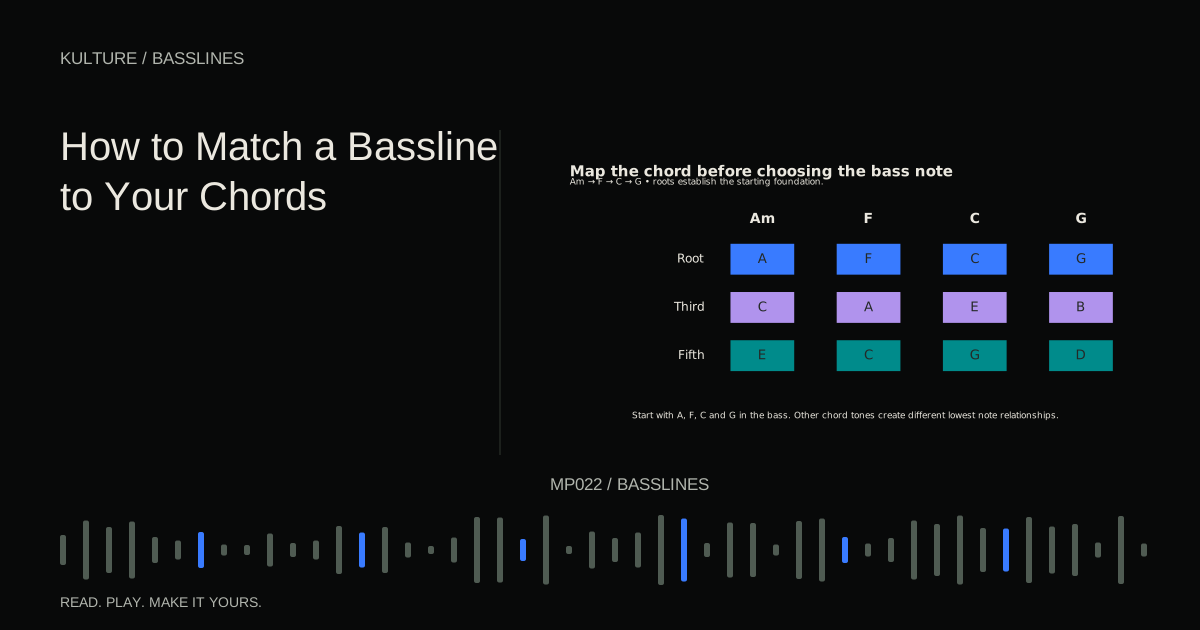
If the next chord is not A minor, choose the destination first. A passing gesture into F should be designed around F, not copied blindly from an A minor loop. How to Match a Bassline to Your Chords explains how transition notes relate to the harmony.
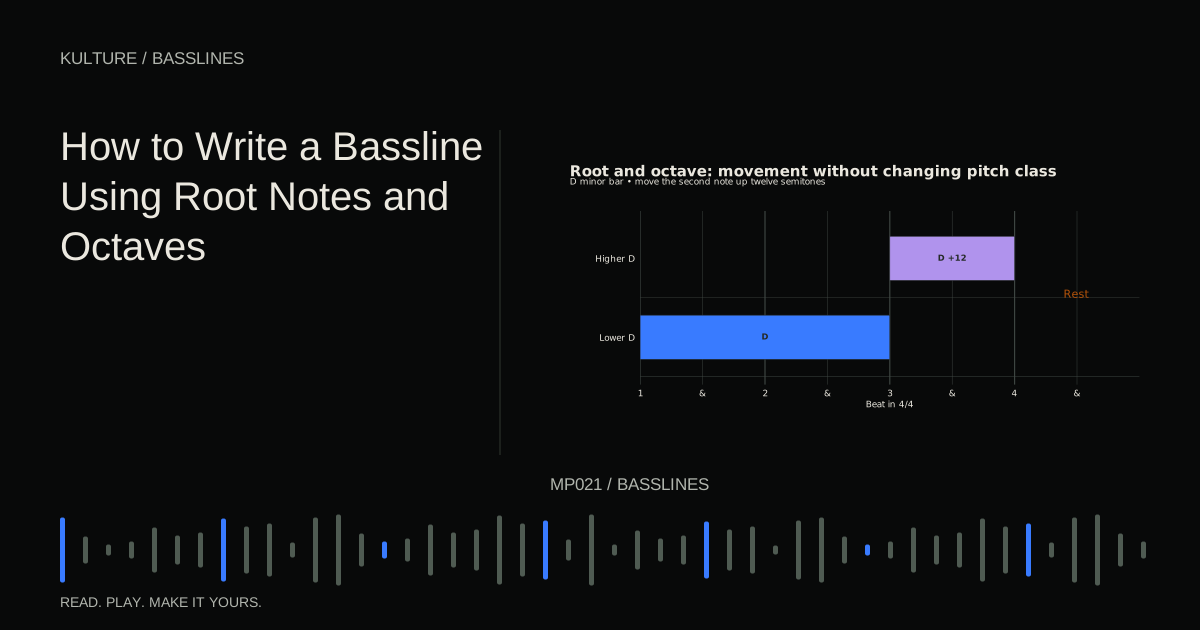
Try a second ending that uses the upper octave of A instead. It changes register while retaining the root identity. Compare whether the stepwise ending or octave ending better signals the phrase boundary.
Variation three: alter duration
Hold the first A of bar 2 until just before the E on the “and” of beat 2, roughly one and a half beats after the bar begins. Leave the other attacks where they are. The phrase begins more sustained, then returns to shorter articulation.
Next try the opposite: shorten that first A to an eighth note. The resulting gap can make the following E feel more prominent. You have changed the groove without changing the pitch sequence.
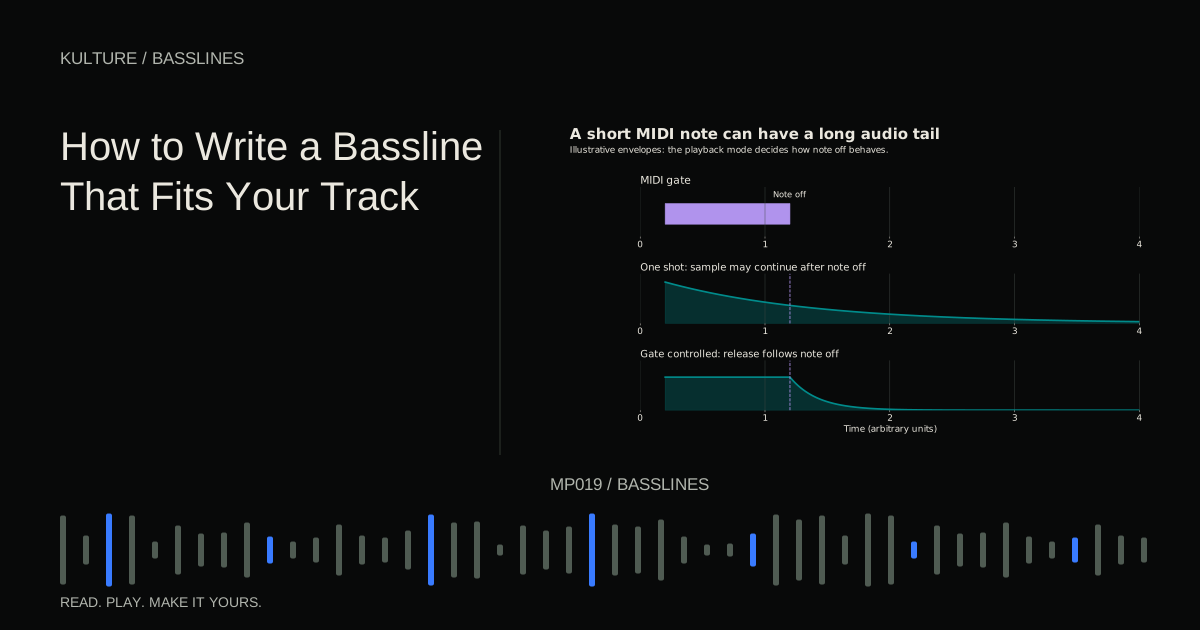
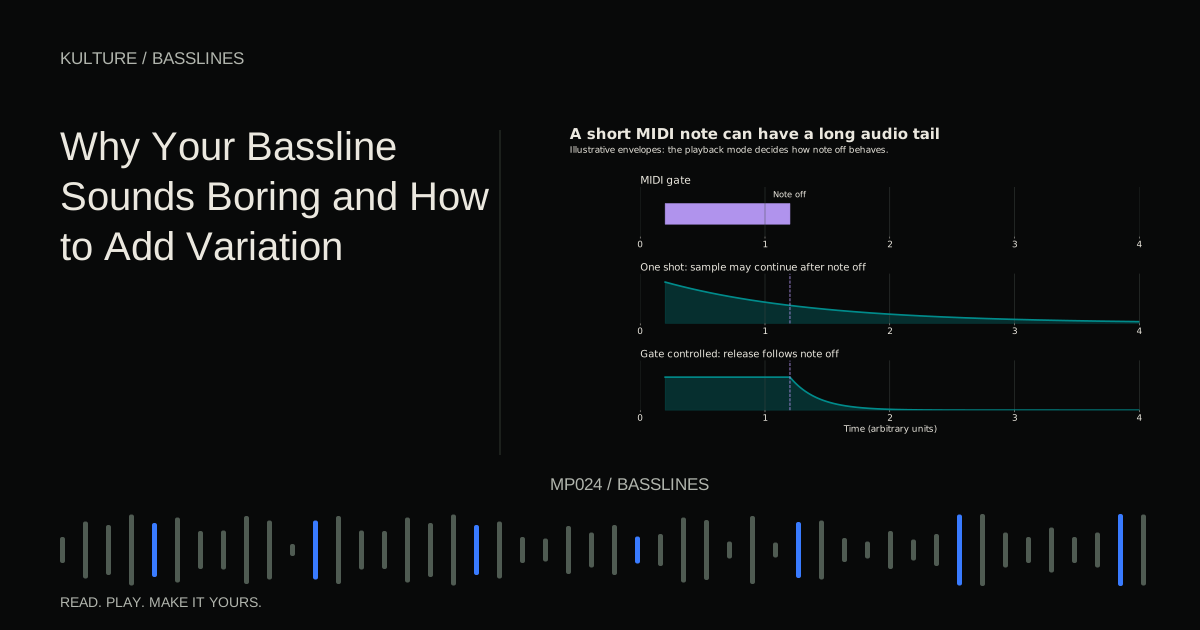
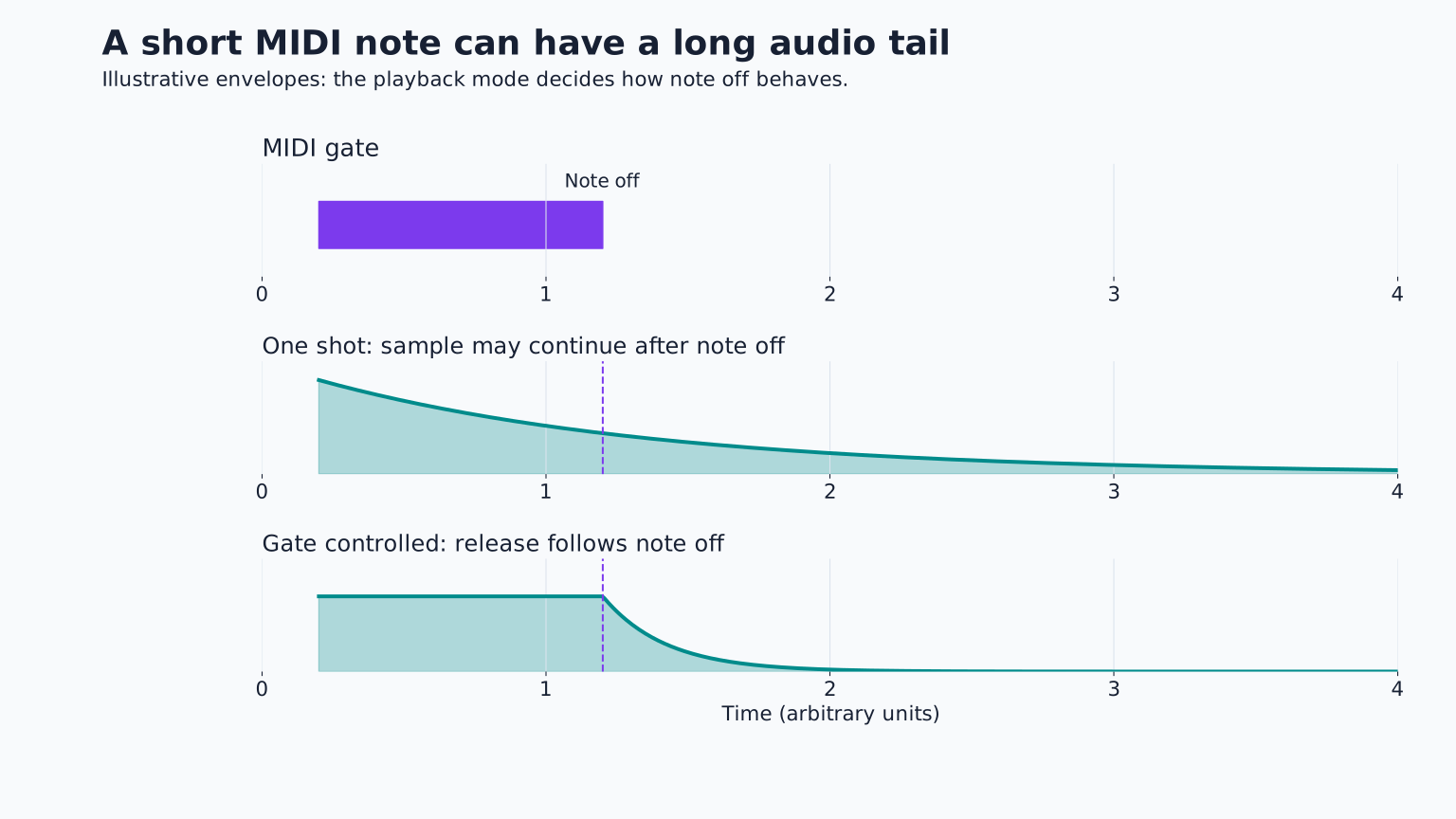
If neither edit seems audible, check the instrument envelope. A one shot sample may ignore note length, and a long release may erase the difference. Use an envelope controlled sound to evaluate the composition before adding effects.
Variation four: shift one attack
Move the E from the “and” of beat 2 to beat 3 in the second bar. The first bar anticipates the beat; the second lands directly on it. This small rhythmic answer can create a clear two bar structure.
Avoid moving every note by a different random amount. You are changing the musical pattern, not merely making the timing less precise. A deliberate placement is easier to hear and repeat than arbitrary humanization.
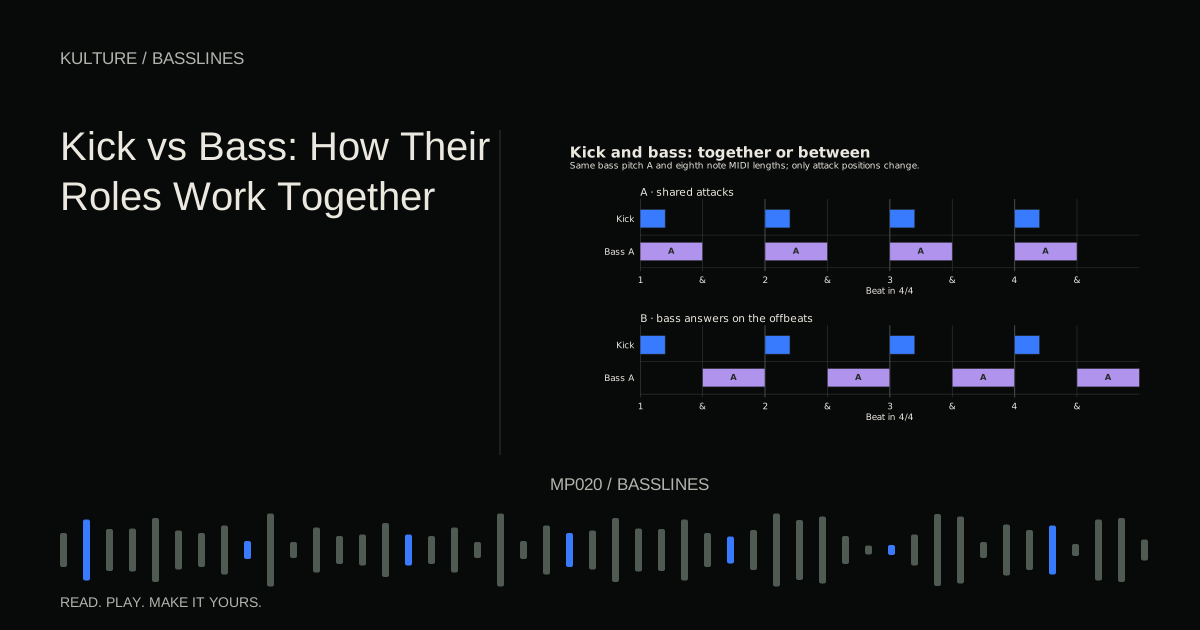
If the kick also lands on beat 3, listen to their combined impact. The new position may be stronger, or it may create too much low end overlap. Keep the change only if it serves the groove.
Variation five: change articulation or tone
A slightly brighter final note can point toward a new section. A shorter, more muted version of the motif can support a verse. These are sound design variations rather than harmonic ones.
Automate one parameter with a clear purpose, such as a modest filter opening across the final two bars. A low pass filter reduces higher frequency content; opening its cutoff reveals more brightness. Compensate level if necessary so you are not simply preferring the louder version.
Do not automate several dramatic effects just to make a static phrase seem busy. If the notes and arrangement do not support the song, moving filters may only disguise the problem temporarily.
Plan variation at more than one timescale
Within a bar, accents and rests create groove. Across two bars, a changed ending creates a phrase. Across eight or sixteen bars, a register or density change can help define a section.
For example, use the simple A, E, A motif for the first four bars. In bars 5 to 6, introduce one octave answer. In bar 8, remove the final note before the chorus. This makes the larger structure audible without changing every bar.
Ableton's melody variation lesson offers a related listening exercise in retaining an idea while changing it. The same principle applies to a bass motif: enough stays familiar for the change to register.
Avoid five common overcorrections
Adding more notes can erase the rests that made the groove work. Adding higher notes can turn a supporting bass into a competing lead. Adding distortion can increase audibility but also crowd the vocal range. Adding slides everywhere can weaken pitch arrivals. Changing every bar can remove the pattern listeners were learning.
When an edit creates a new problem, return to the purpose you wrote earlier. If the goal was a stronger transition, you may need only a different final half beat, not a rewritten bassline.
Also compare at a similar level. A more distorted or brighter version may sound exciting simply because it projects more strongly. Decide whether its new prominence belongs in the arrangement.
Make a variation ladder
Create four copies of an eight bar bass part. Version A is the original. Version B changes one rest. Version C adds a single octave event. Version D changes the final approach into the next section.
Listen from the previous section into each version, then choose the least complicated one that achieves your intended result. Write down which event changed the phrase and why. You now have a reusable variation method rather than a collection of random edits.
For further development, return to How to Write a Bassline That Fits Your Track and check that your most interesting version still supports the chords, drums and lead.
TAKE IT INTO YOUR OWN MUSIC
Your next session.
Create four copies of an eight bar bass part. Version A is the original. Version B changes one rest. Version C adds a single octave event. Version D changes the final approach into the next section.
Notes and progress stay in this browser.