A digital audio workstation stores much more than audio. Its project may contain proprietary instruments, plugin settings, routing, tempo information, and editing behaviour. Another program may not understand those elements even when both programs can open WAV files.
Agree on what must remain editable
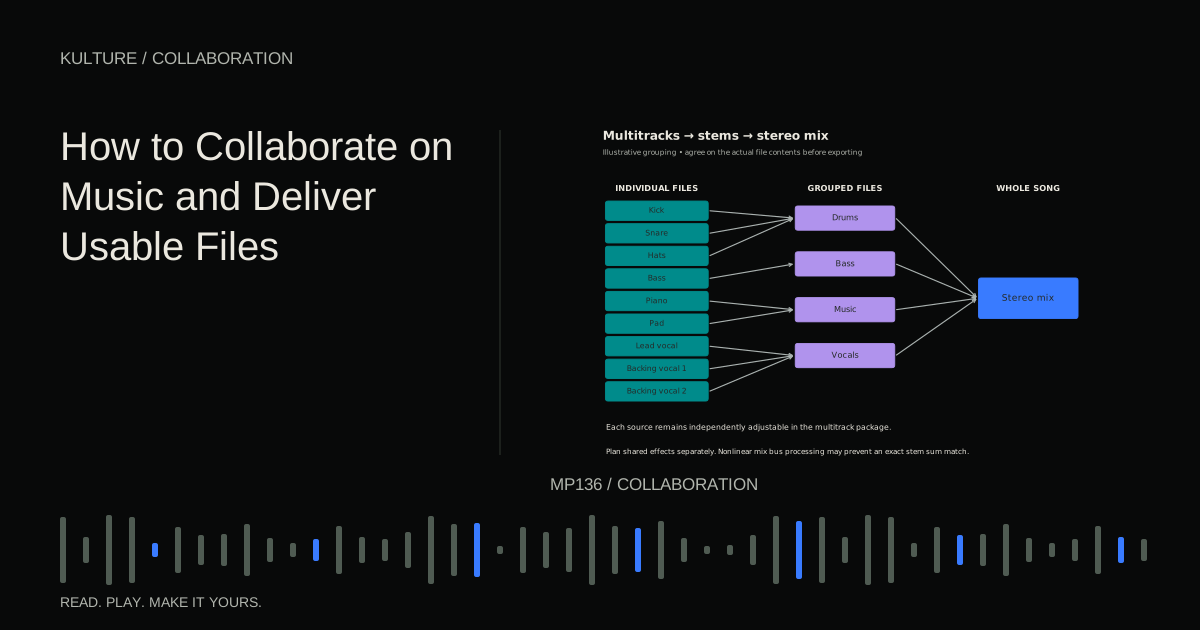
Ask the collaborator what they need to change. A singer recording over your accompaniment may need only a stereo instrumental and a reference vocal. A mixer needs individual audio parts. A co producer rewriting chords may need MIDI plus audio prints of the intended sounds.
Avoid sending the most complicated package by default. More files can create more ambiguity. The goal is enough flexibility for the job, with the original intention preserved.
Use stems versus multitracks to choose whether broad groups or individual sources are appropriate.
TRY IT HERE
Make it your session
Turn the steps into a plan you can save.
Ready when you are. Audio starts only when you press Play.
Keep experimenting in the stem splitter LabCreate a common start point
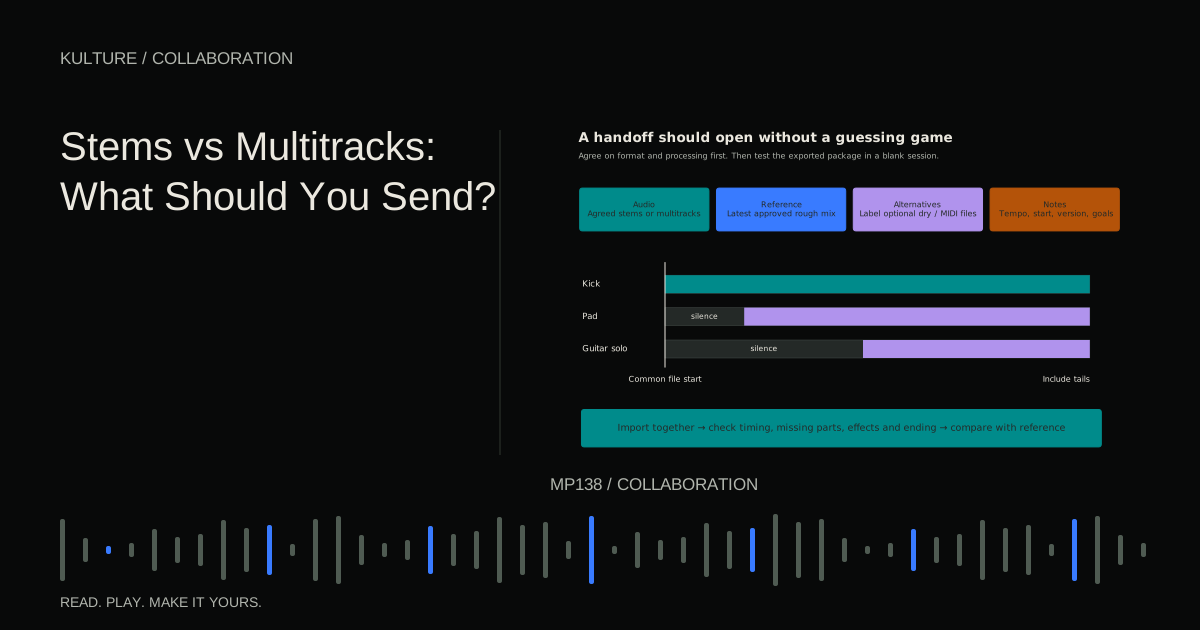
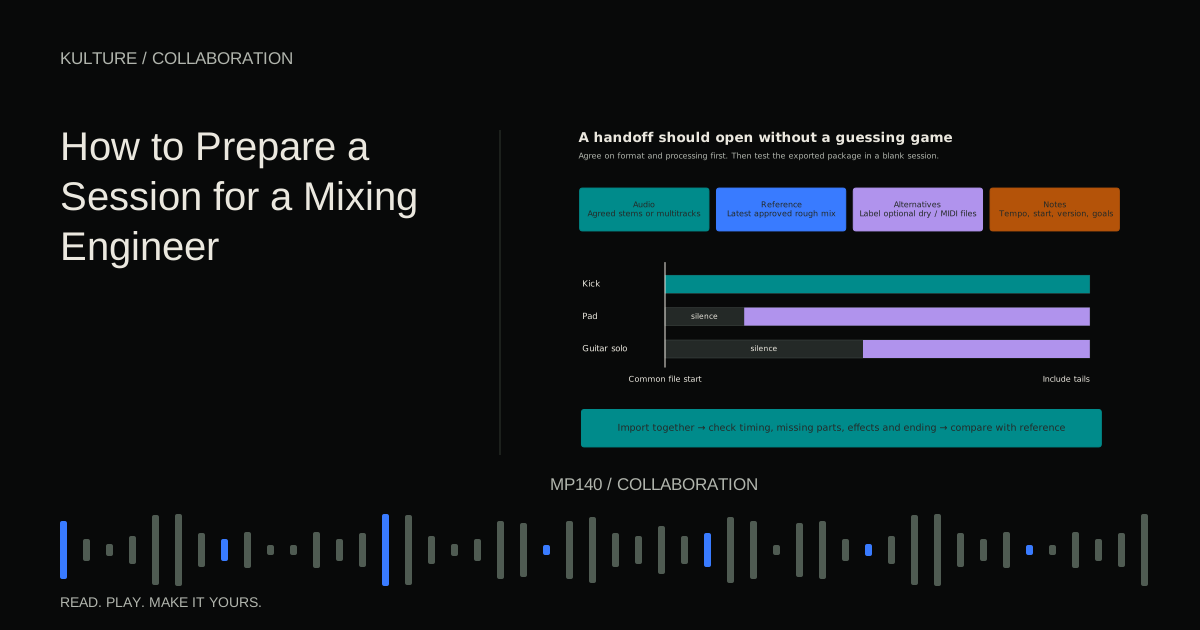
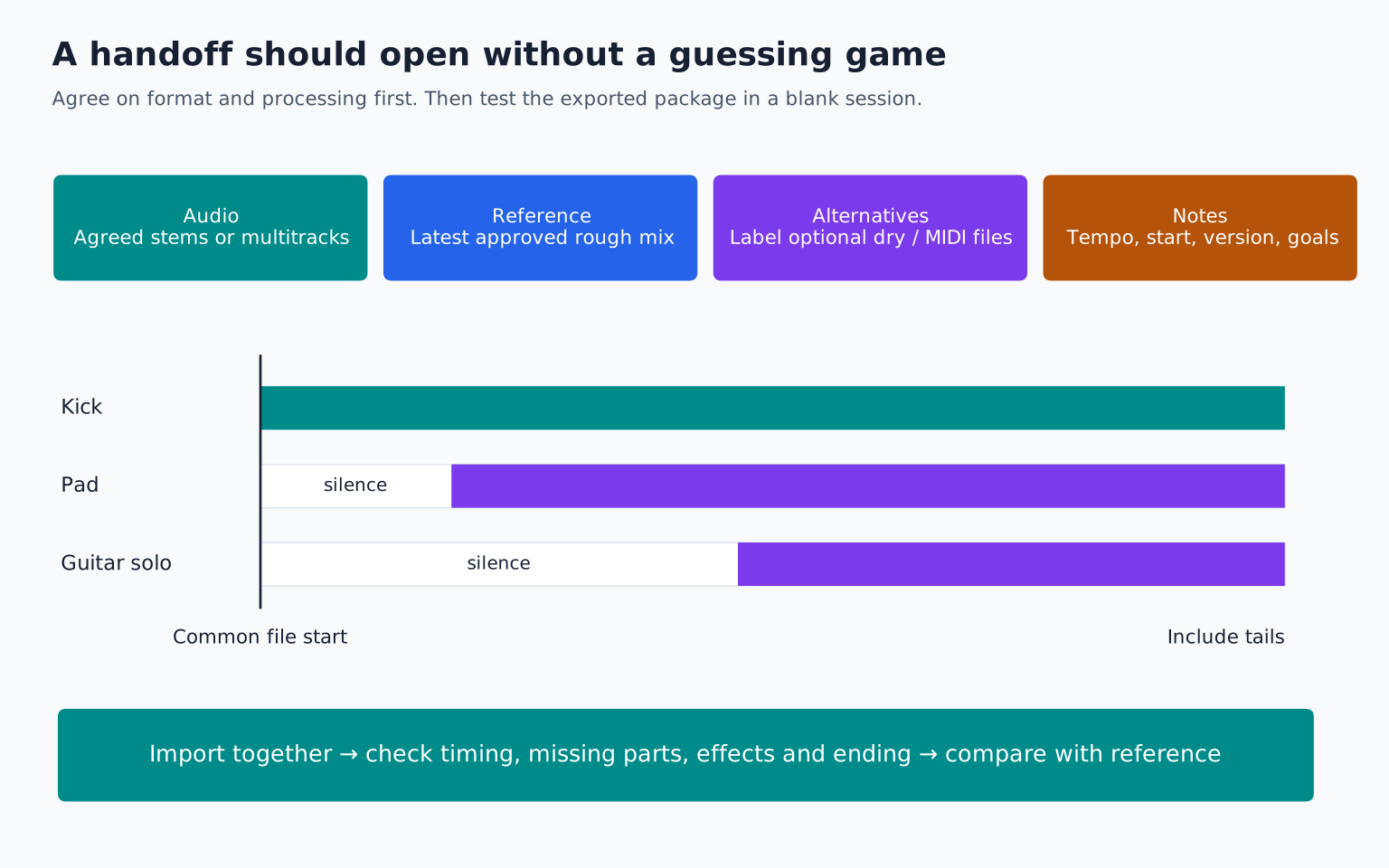
Export every audio part from the same timeline location. Include silence before late entries. If the guitar begins in the bridge, its file can still begin at the agreed project start so alignment does not depend on a handwritten timestamp.
State the tempo, time signature, and where bar 1 begins. Include any pickup, count in, or tempo changes. If the project is tied to picture, also agree on the timecode and video reference requirements rather than treating musical bars as the only timing system.
Use the same intended end point when practical, allowing effects to decay. A part that stops early can contain silence afterward; this makes file lengths easier to verify.
Print the sounds that matter
Render virtual instruments and essential creative effects to audio. A synthesizer preset name is not enough if the collaborator lacks the instrument, the sample library, or the same version.
For a signature sound, provide the approved print and optionally an editable alternative. For example, send both a rhythmic delay synth print and the dry synth audio if the recipient needs timing flexibility. Label which is the intended sound and which is optional.
If external hardware is involved, record its return and verify the print. An offline export may not capture hardware that requires real time playback. Check the DAW's documented behaviour rather than assuming the render includes everything you hear.
Use MIDI as instructions, not as a sound guarantee
MIDI can communicate notes, timing, velocities, and other performance information. It does not inherently contain the audio produced by your instrument. The same MIDI played through another patch can sound radically different.
The MIDI Association's Standard MIDI Files overview explains support for song, track, tempo, and time signature information. What exports and imports successfully still depends on the applications and selected file type.
Include an audio reference for every important MIDI part. Document pitch bend ranges, unusual controller assignments, and instrument assumptions when relevant. If the bass depends on glide between overlapping notes, make sure the recipient knows that note overlap is intentional.
Octave labels can differ between programs, so identify actual note relationships or MIDI note numbers when a register dispute occurs. Do not “correct” an octave solely because the two piano rolls use different labels.
Treat AAF and other interchange formats as tested options
Some DAWs support interchange formats such as AAF, the Advanced Authoring Format. These can transfer aspects of an edited audio timeline, but compatibility and supported features vary.
Apple's Logic Pro AAF export documentation is an example of a specific implementation. It is not evidence that every destination imports every element identically.
Test a short section containing edits, fades, stereo audio, and any critical automation before relying on an interchange file for an entire project. Keep aligned audio exports as a fallback. Do not promise plugin or virtual instrument translation unless the exact workflow has been verified.
Check sample rate and stretching behaviour
Agree on the exchange sample rate and file format. If the recipient's session uses a different rate, make sure their software performs proper conversion rather than interpreting the file at the wrong rate.
Also check automatic tempo detection and time stretching. A long rendered part should not be treated as a short loop that the destination warps to its default tempo. After import, compare a clear transient near the beginning and another near the end. If the start aligns but the ending drifts, tempo interpretation or stretching may be involved.
If the entire file is consistently offset, inspect start positions or latency related printing errors. If only some tracks drift, inspect those tracks' export and import settings individually.
Send a short technical note
A useful note might say:
“Project: Glass Harbour, production v04. Audio is 48 kHz WAV. All files begin at bar 1, with two bars of count in before the song. Tempo is 102 BPM throughout, 4/4. Import without automatic stretching. The lead synth wet print is the approved sound; its dry file is an alternative, not an additional layer. The reference mix includes temporary loudness limiting that is not printed on the individual tracks.”
That paragraph prevents several common errors without requiring a meeting. Add rights or usage restrictions where relevant, especially if source material cannot be redistributed freely.
Verify with a small round trip
Before transferring a full session, send an eight- or sixteen bar test containing the main sound types. Ask the collaborator to import it and return a simple bounce. Compare timing, balance, and essential effects.
If something fails, solve the specific issue before exporting everything again. A missing synth patch suggests an audio print; drifting timing suggests tempo or stretch settings; missing ambience suggests routing or effect return handling.
The collaboration delivery guide provides a broader package checklist. If you later exchange native projects within the same DAW, remember that referenced assets still need collecting. Ableton's project saving guidance illustrates why the project file alone may not contain all media.
Your exercise is to export a short arrangement as aligned audio plus one MIDI part, then import it into a fresh project. Recreate the timing without moving individual clips by eye. If the package works without verbal explanation, it is ready for a collaborator using different software.
TAKE IT INTO YOUR OWN MUSIC
Your next session.
Before transferring a full session, send an eight- or sixteen bar test containing the main sound types. Ask the collaborator to import it and return a simple bounce. Compare timing, balance, and essential effects.
Notes and progress stay in this browser.