You do not need identical computers or software to work together. You do need an agreed starting point, a shared understanding of what is editable, and a way to identify the current version.
Agree on the outcome first
Describe the track in ordinary musical terms. Is the collaborator writing a topline, recording guitar, producing a beat, editing vocals, mixing, or mastering? A topline usually means a vocal melody and often lyrics written over an accompaniment. “Help with production” is too vague if the two people imagine different jobs.
Write down the intended result: a demo, a finished single, a live backing track, or a production ready session. These outcomes require different levels of detail and different deliverables.
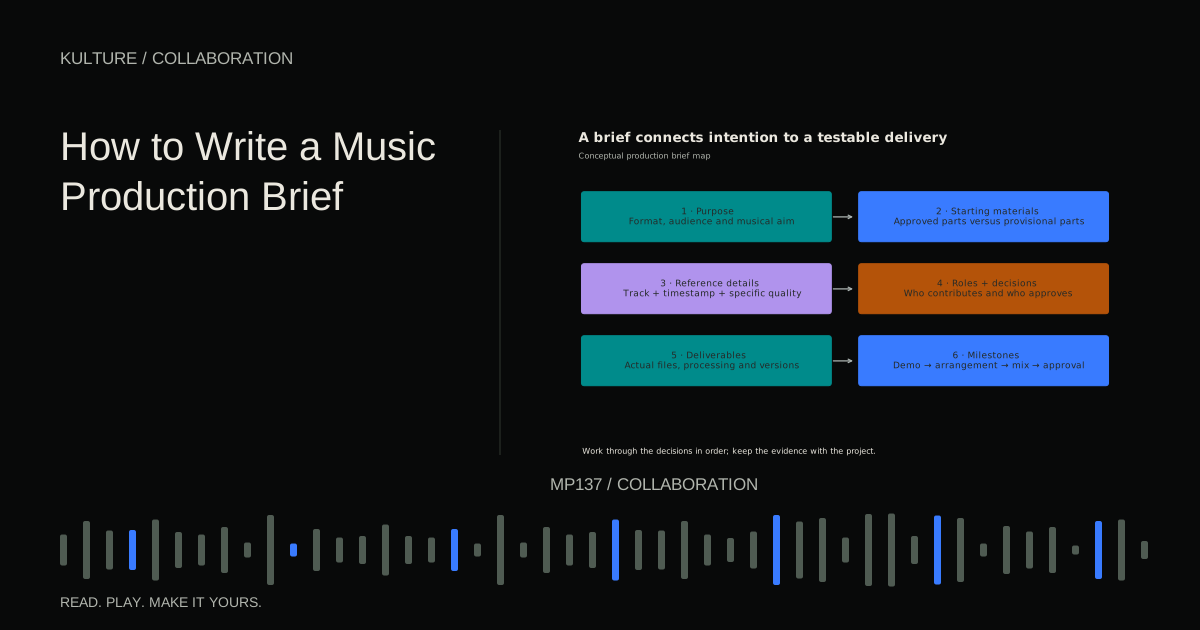
Use references to explain specific qualities. “The dry vocal and restrained bass in the first verse” is more useful than sending ten unrelated songs and saying “this vibe.” The production brief guide turns these ideas into a practical document.
TRY IT HERE
Make it your session
Turn the steps into a plan you can save.
Ready when you are. Audio starts only when you press Play.
Keep experimenting in the stem splitter LabDiscuss credit and ownership separately from the sound
Credit describes a role. Ownership concerns rights. Payment may be a fee, a royalty share, or another arrangement. None automatically answers the other questions.
Before release, discuss composition contributions, recording ownership, performer permissions, expenses, approval authority, and who can distribute the result. This guide is workflow education, not a contract or personal legal advice. Canadian collaborators should review the Copyright Act's ownership provisions and obtain qualified advice where needed.
Do not assume that sending a session transfers ownership, that paying for a recording automatically resolves every right, or that a production credit guarantees a particular percentage. Use credits, ownership, and splits before the project becomes difficult to unwind.
Choose the right handoff format
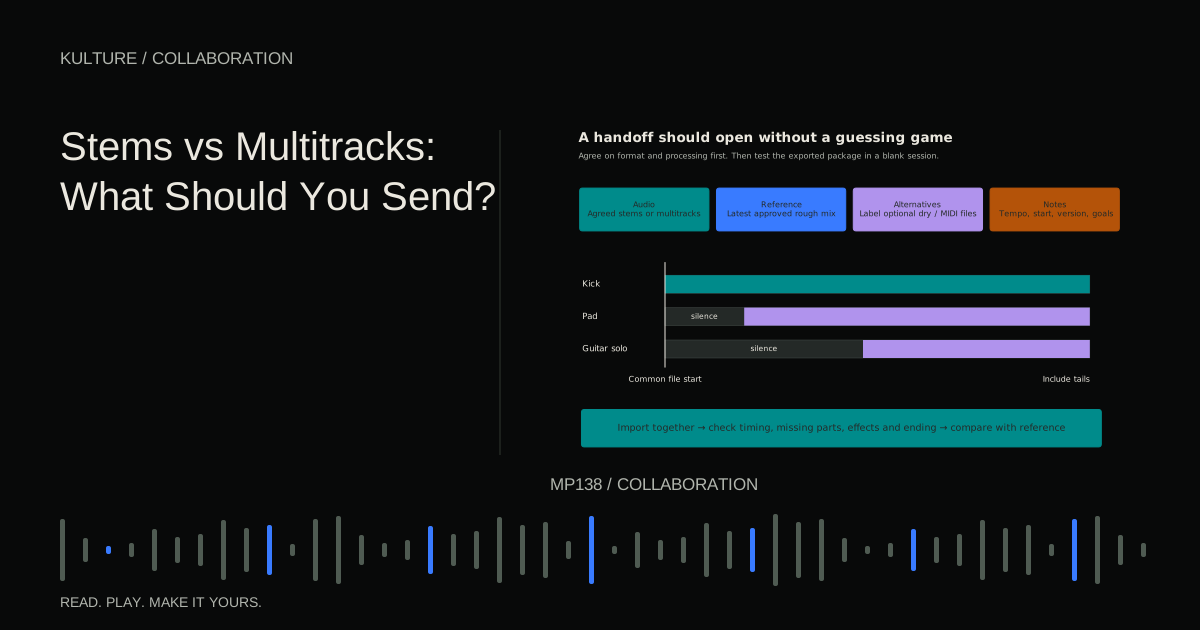
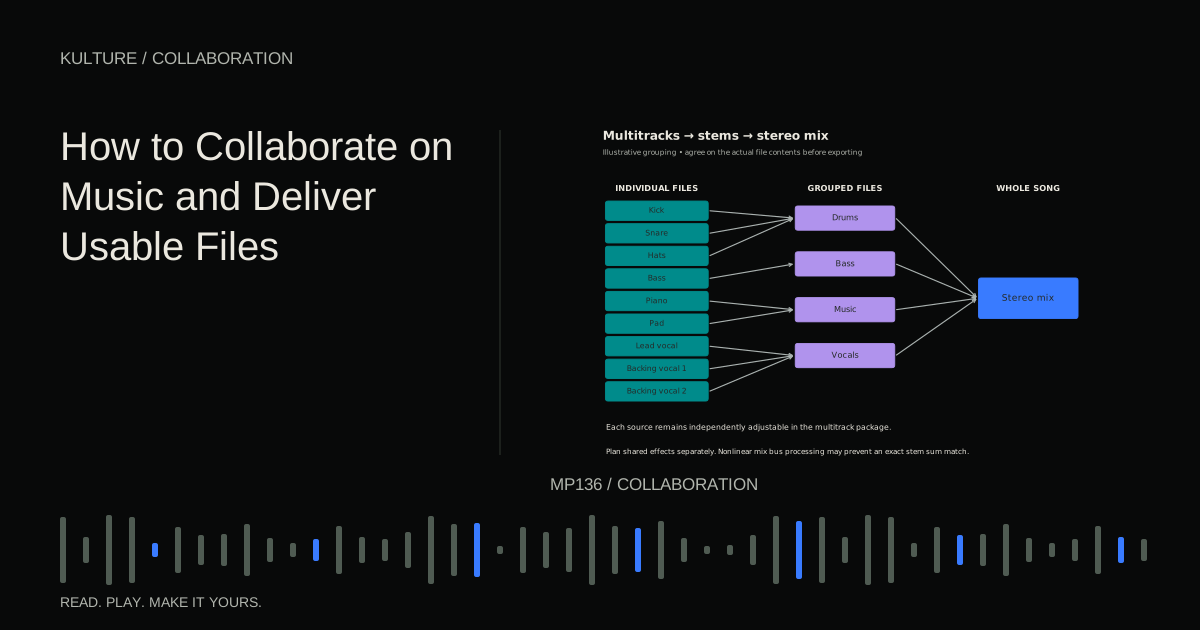
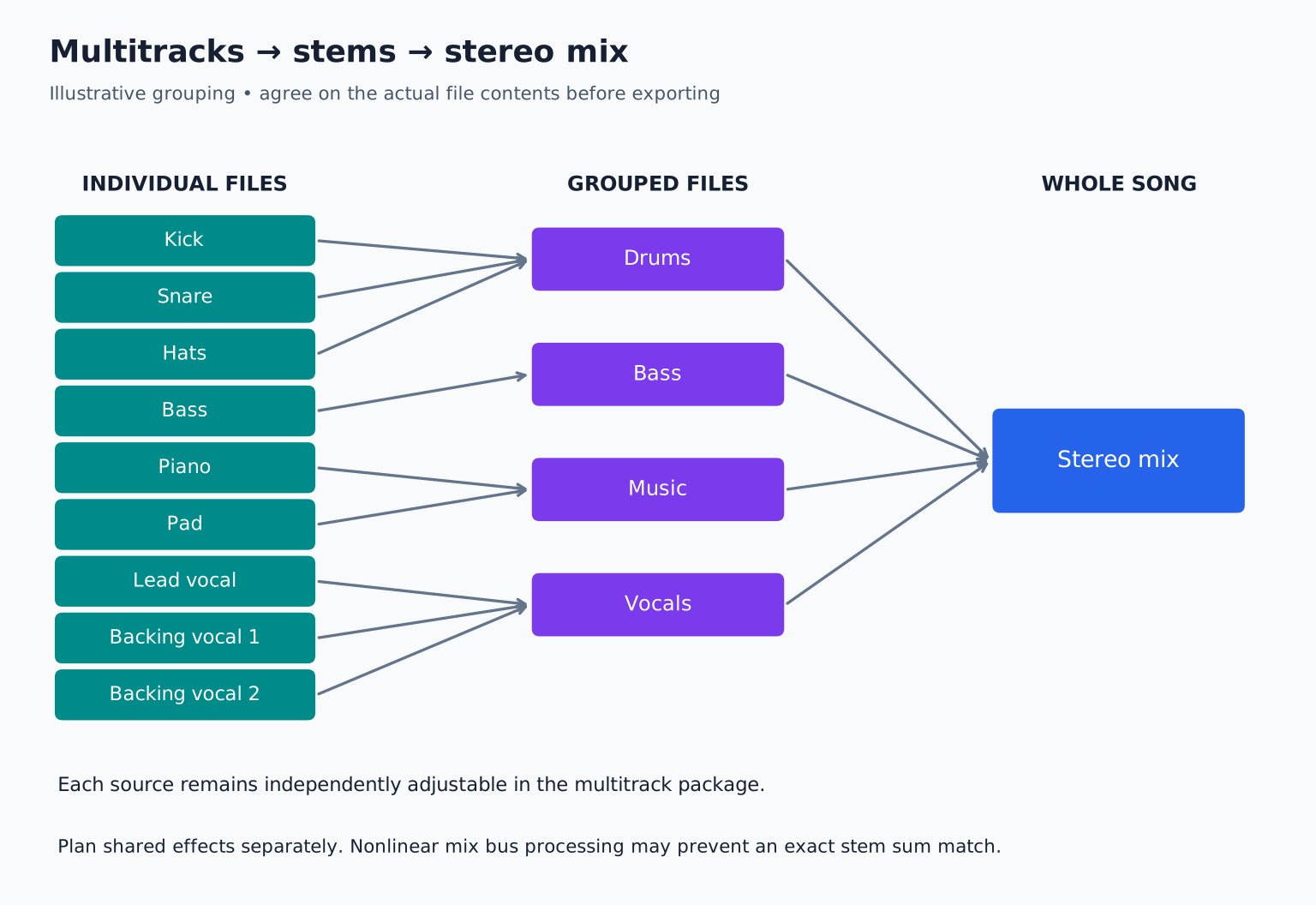
A native DAW session preserves software specific routing, edits, automation, and instruments, but depends on compatible versions and available assets. Audio multitracks provide individual parts in a broadly usable format. Stems are grouped submixes, such as drums, bass, music, and vocals.
Terminology varies, so specify the contents. “Please send every individual drum, vocal, and instrument as a separate audio file” is clearer than “send stems” if detailed mixing is required.
Ableton's stem export guidance illustrates the distinction between grouped stems and individual parts. The stems versus multitracks guide helps choose the level of flexibility.
Establish a common timeline
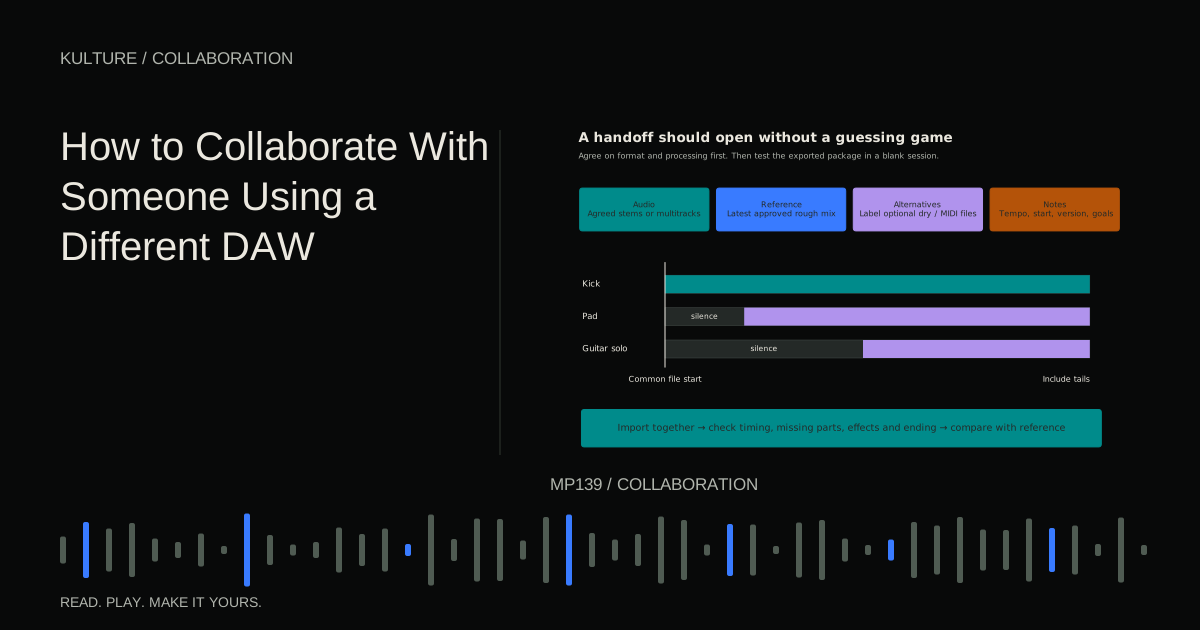
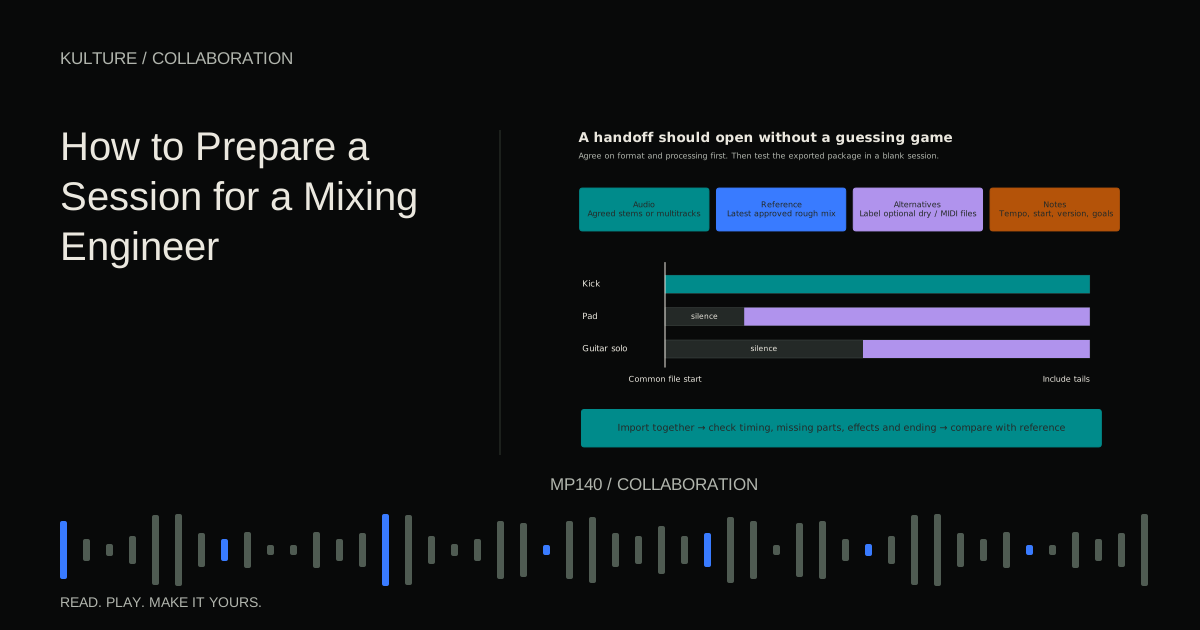
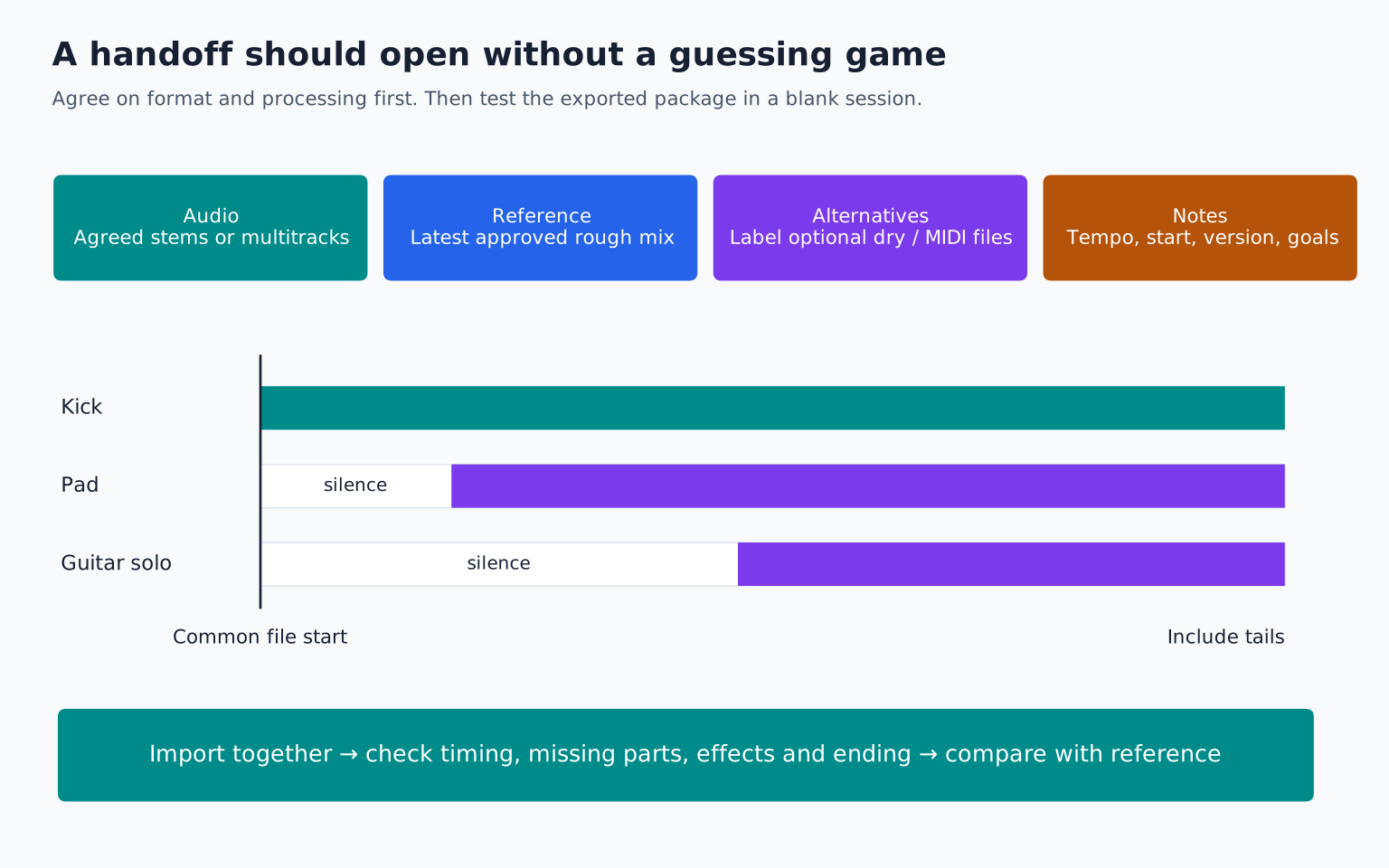
For audio exchange, export all parts from the same agreed start point. A file containing only a guitar solo at bar 49 is easy to place incorrectly if no timing information travels with it. Including silence before that solo makes alignment straightforward when every file begins together.
State the tempo, time signature, and any tempo changes. Tempo is usually expressed in beats per minute, or BPM. If the song changes tempo, a single number is insufficient. Provide a tempo map or a clear bar by bar description, and test whether the recipient's software imports it correctly.
Keep the complete ending, including reverbs and delays. Choose an agreed common export end when practical. Document any deliberate pickup before the first bar or count in required for performance.
Preserve the sounds that define the song
Virtual instruments and third party effects may not exist on the recipient's machine. Print essential sounds to audio. Printing means rendering or recording the processed result into a file.
If a distorted synth or rhythmic delay is central to the composition, provide that committed version. If flexibility is useful, also provide a clearly labelled dry or MIDI alternative. MIDI contains performance instructions rather than the sound itself, so it cannot replace the audio reference.
Avoid overwhelming the recipient with twenty undocumented variations. Label which version is the intended one and which files are optional alternatives. If both wet and dry files should not be played together, say so explicitly.
Handle shared effects and sidechains deliberately
A reverb return may contain several instruments. Exporting it once as a separate effect file can preserve flexibility, but the recipient must know which sources feed it. Printing it into every source can duplicate the ambience if done incorrectly.
Sidechain processing uses one signal to control a processor on another. If a bass compressor responds to the kick, soloing the bass during export may change that response depending on the DAW and routing. Test the export rather than assuming it will retain the groove.
Shared nonlinear processing creates another complication: the sound of all parts through a compressor is not generally equal to the sum of separately processed parts. A stem sum may therefore differ from the full mix. Supply a stereo reference and document the intended reconstruction limits.
Use a small, readable package
A useful delivery folder might contain:
- Audio: the agreed multitracks or stems
- Reference: the latest rough mix
- Alternatives: optional dry prints or alternate takes
- Notes: tempo, start point, version, and creative priorities
Use names like 01_Kick.wav, 02_Snare.wav, and 12_LeadVocal_Wet.wav. Avoid names that depend on private memory, such as Audio_47_new2.wav.
The notes should explain only what someone needs to work: where to start, what is approved, what can change, what must remain, and what you want returned. Include a contact or agreed channel for questions.
Rebuild before you send
Open a blank project at the correct sample rate and tempo. Import the exported files at the common start point. Play them together and compare with the rough mix.
Listen for missing instruments, duplicated reverb, altered sidechains, clipped starts, and truncated tails. Check whether the files retained the expected relative levels. Independent normalization can destroy those relationships, so avoid it unless specifically required and documented.
If the reconstruction differs, identify whether that difference is intended. An unprocessed mixing package will not necessarily sound like the rough mix, but it should contain everything needed to understand and recreate its important decisions.
Give feedback that someone can act on
Use timestamps or bar numbers, identify the current version, and describe the desired result. “At 1:12, the vocal becomes difficult to understand when the pad enters; please keep the words forward” is better than “make it pop.”
Collect feedback from all decision makers before sending a revision round. Contradictory instructions from several people waste time and can pull the track in circles. Choose one person to consolidate notes, while keeping creative input transparent.
Separate corrections from new scope. Fixing a missing vocal is different from requesting a new arrangement after mixing has begun. The revision and sign off guide helps define that boundary.
A practical first collaboration
For a first exchange, send a short section rather than the whole album. Ask the collaborator to import it and return a small test. Verify alignment, sound, and naming before scaling up.
For example, send an eight bar chorus with drums, bass, chords, and lead vocal, all beginning at the same point. Include one rough mix and a note explaining the desired guitar part. When the guitar returns, check that its audio starts at the same point and that any effects are documented.
Your exercise is to prepare this test package and have someone open it without a call. Every question they ask reveals an improvement you can make to the handoff. Once the process works, collaboration becomes less about repairing files and more about making music together.
TAKE IT INTO YOUR OWN MUSIC
Your next session.
For a first exchange, send a short section rather than the whole album. Ask the collaborator to import it and return a small test. Verify alignment, sound, and naming before scaling up.
Notes and progress stay in this browser.