Energy is not the same as loudness. A brighter sound, shorter rhythmic gaps, more obvious accents, or a widening texture can feel more intense even when the measured output level changes very little. Choose the musical change first, then select the control that creates it.
Understand the lane before drawing curves
An automation lane displays time horizontally and a parameter value vertically. Points define values at particular times; lines or curves describe movement between them. Your DAW may also provide clip level modulation, which can behave differently from track automation.
Ableton's automation documentation explains these ideas in Live, including what happens when a control is manually overridden. If an automated knob stops moving in your DAW, check whether you have temporarily overridden playback rather than assuming the data vanished.
Start with one parameter. Name the lane and place explicit beginning and ending values. Without an endpoint, a change can continue into later sections where you did not intend it.
TRY IT HERE
Sketch the arrangement
Switch parts on and off across eight sections.
Ready when you are. Audio starts only when you press Play.
Keep experimenting in the beat maker LabA sixteen bar filter exercise
Set a project to 126 beats per minute. Program a short synth phrase in A minor: A on beat 1, E on 1 and, G on beat 2 and, and E on beat 4. Repeat it for sixteen bars. Use a harmonically rich sound such as a sawtooth based pluck.
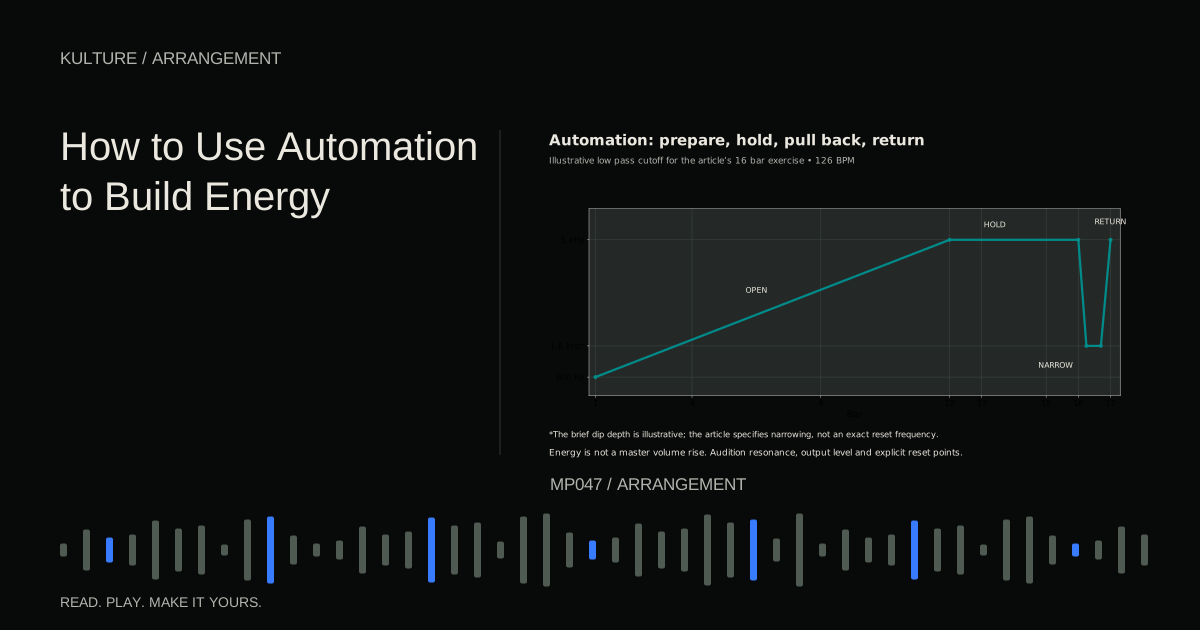
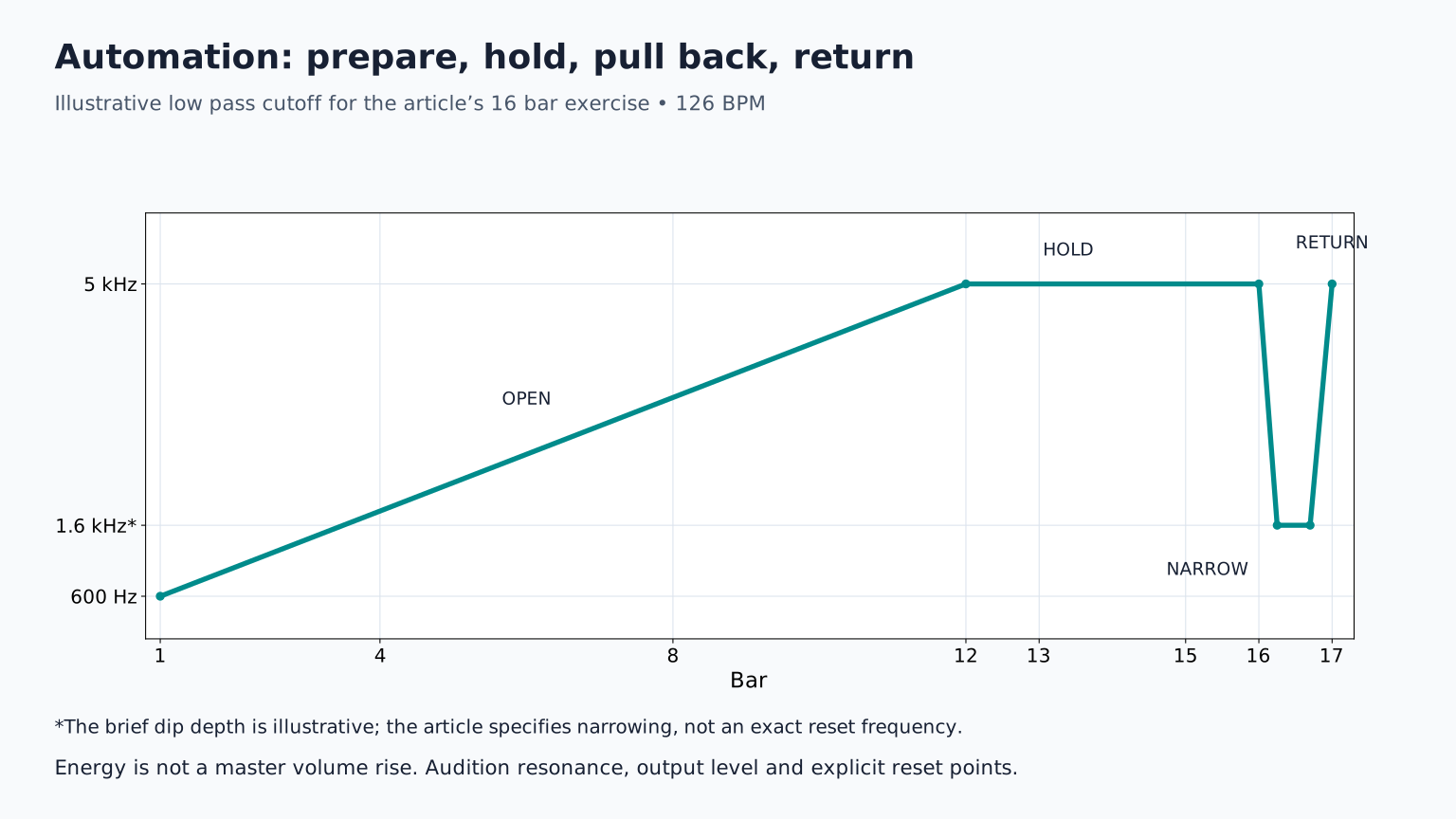
Add a low pass filter, which reduces frequencies above its cutoff region. Begin with the cutoff low enough to soften the phrase while leaving its rhythm audible. As an illustrative starting range, try moving from about 600 Hz to 5 kHz over bars 1 to 12. Different synths and patches respond differently, so adjust by listening.
Hold the brighter position through bars 13 to 15. In bar 16, briefly narrow the sound again, then restore the bright setting on bar 17 when the main groove arrives. This creates a preparation and a payoff rather than one unbroken rise.
Keep resonance, the emphasis near the cutoff, modest initially. Strong resonance can produce sharp level peaks while the filter moves. Lower the source or effect output if necessary, and audition at a comfortable level.
Why the curve's shape matters
A straight line makes a parameter change steadily in its displayed scale. It does not guarantee the sound feels steadily brighter. Frequency controls often use logarithmic scaling, and the audible effect depends on the source's harmonics.
Try three shapes with identical endpoints: a slow beginning and fast finish, a fast beginning and slow finish, and a staircase that opens every four bars. The first can concentrate anticipation near the boundary. The second reveals the sound early and then settles. The staircase makes section level changes clear.
Listen without staring at the curve. If the final quarter of the movement is inaudible, shorten the range or change the curve. A visually elegant envelope is not the objective.
Automate articulation instead of brightness
A synth's amplitude envelope controls how its level changes after a note starts and ends. Increasing decay can make a pluck ring longer; reducing it can make a busy pattern feel tighter.
On the same sixteen bar phrase, keep the filter fixed and increase decay from roughly 120 milliseconds to 450 milliseconds across eight bars. These are test values, not a preset recipe. Listen for notes joining together. If they blur into a wash, reduce the upper value or leave more space between notes.
You can also automate the send to a reverb. Keep the source's direct sound stable while gradually adding space. This can make a breakdown feel expansive. Before the drums return, lower the send so the new section has a more immediate attack. The reverb already sounding may continue, so judge its tail too.
Use volume deliberately
Small volume rides can bring a quiet phrase forward or keep a growing texture from masking the vocal. Volume automation is especially useful when a part's importance changes over the arrangement.
For example, lower a chord track during the singer's words and restore it between lines. Begin with broad phrase level moves rather than drawing a point for every syllable. If the volume visibly pumps, reduce the depth or smooth the transitions.
Avoid using a steady master fader rise as a substitute for a convincing build. It can make the track simply become louder, reduce headroom, and mislead your comparisons. Headroom is the margin before overload. Arrange changes in texture and rhythm first, then use level moves to support them.
Coordinate two controls without losing the baseline
Once a single movement works, pair complementary controls. A filter can open while the instrument's output is gently reduced, preserving perceived balance. A reverb send can increase while the direct source gets slightly quieter, suggesting distance.
Do not automate five unrelated parameters at once. If the result stops working, you will not know why. Save a version before the experiment, then add one movement at a time and compare it with the unchanged version.
For a build, try brighter hats over eight bars while shortening the bass notes. Brightness increases activity; shorter bass releases space for the coming downbeat. This is often clearer than adding another loud layer.
Problems to check before exporting
If a section starts with the wrong sound, place a reset point at its entrance. If a control jumps audibly, smooth the curve or move the jump into a moment with less exposed sound. If repeating a clip loses the intended movement, determine whether the automation belongs to the clip or to the timeline.
If an effect suddenly becomes much louder, inspect feedback, resonance, distortion, and wet/dry balance. Automation can push a stable effect into a very different operating range. Reduce the range rather than relying on a limiter to contain everything.
Finally, play the arrangement from the beginning. Starting halfway through may initialize certain controls differently in some instruments or hosts. A full listening export is the practical test.
Exercise: one loop, three energy stories
Make one version that becomes brighter, one that becomes more spacious, and one that becomes shorter and drier. Keep the notes unchanged. Describe which version feels anticipatory, intimate, or forceful, and why. Then choose the movement that serves your actual section. Pair it with a purposeful transition, and use the full arrangement lesson to place it in context.
TAKE IT INTO YOUR OWN MUSIC
Your next session.
Set a project to 126 beats per minute. Program a short synth phrase in A minor: A on beat 1, E on 1 and, G on beat 2 and, and E on beat 4. Repeat it for sixteen bars. Use a harmonically rich sound such as a sawtooth based pluck.
Notes and progress stay in this browser.