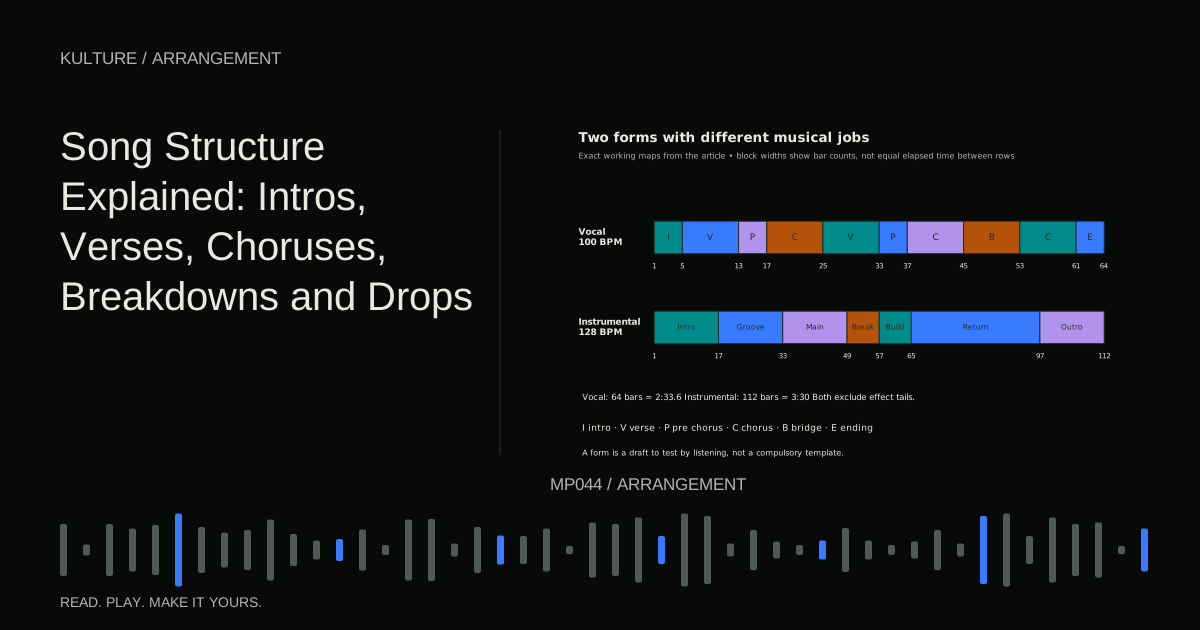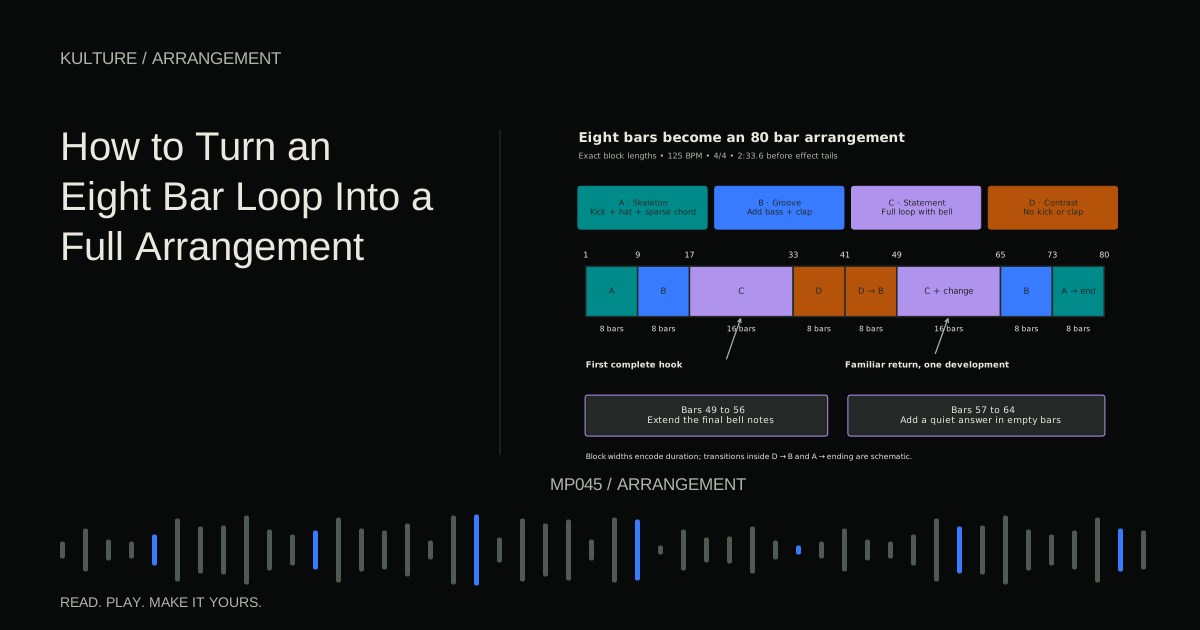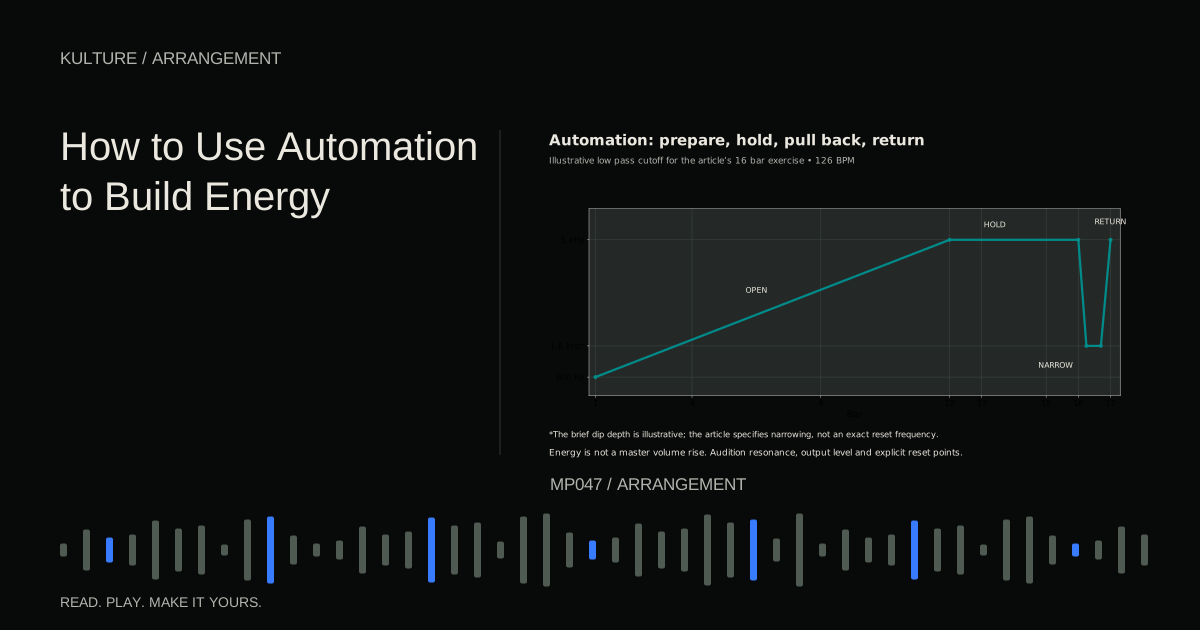
This walkthrough takes a small electronic sketch through arrangement, editing, mixing, and an actual listening export. It works in any digital audio workstation (DAW), the software that records and arranges music. For a more tightly prescribed timeline, use the eight bar arrangement lesson.
Start with a musical promise
Play your loop once, then stop. Describe its strongest feature in one sentence: “The clipped bass answers the bright three note lead,” for example. That relationship is the track's promise. If your answer is only “the sounds are nice,” decide which part a listener should remember.
For an original example, set 4/4 time at 120 beats per minute (BPM). Each bar contains four quarter note beats and lasts two seconds. Write eight bars using these parts:
- Kick on beats 1, 2, 3, and 4; clap on 2 and 4.
- Closed hat on the “and” halfway between each beat.
- Bass: A on beat 1, another short A on 2 and, E on 3 and. In bars 5 to 8, replace the last E with G.
- Chords: A, C, E for two bars, F, A, C for two, C, E, G for two, G, B, D for two.
- Lead: E on beat 1, G on 2 and, A held across beats 3 to 4 in bar 1. Leave bar 2 empty and repeat the question and space relationship.
Put the bass below the chords and the lead above them. Exact octave labels differ between software, so judge register by sound. Keep the bass short enough that successive notes do not unintentionally stack.
This is a starting composition, not a mandatory dance pattern. Its useful feature is that rhythm, harmony, and hook can be heard separately.
TRY IT HERE
Sketch the arrangement
Switch parts on and off across eight sections.
Ready when you are. Audio starts only when you press Play.
Keep experimenting in the beat maker LabCreate a whole timeline before polishing
A subtractive approach starts with material across the timeline and removes parts to reveal structure. Ableton's arranging chapter explains this alternative to building from an empty arrangement. The following map is an original exercise, not a transcription of that chapter.
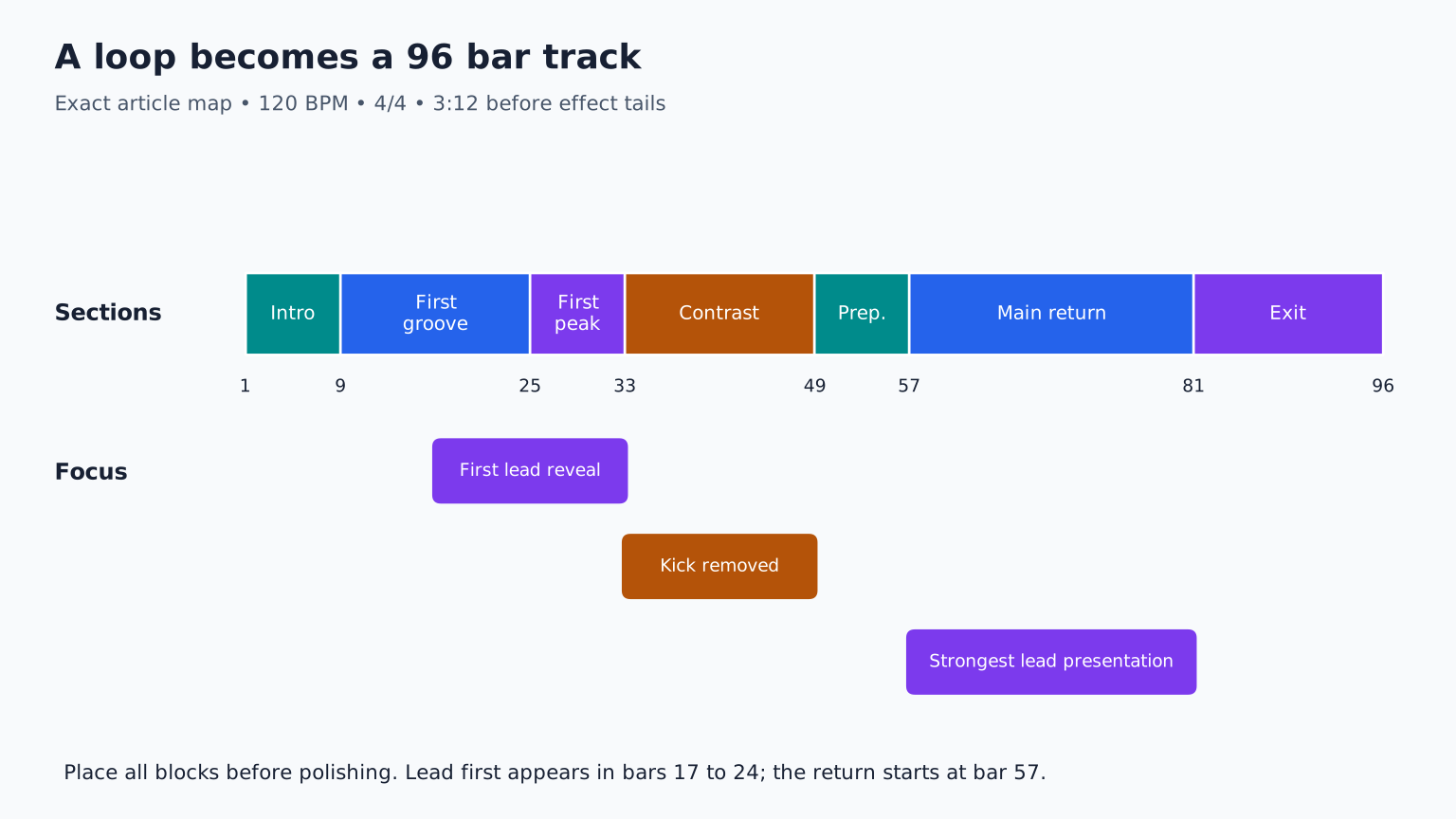
Duplicate the eight bar material until you have 96 bars. At 120 BPM, that is 3 minutes 12 seconds before any reverb tail. Add markers:
| Bars | Role | Main decision |
|---|---|---|
| 1 to 8 | Introduction | Hats and filtered chords establish the world |
| 9 to 24 | First groove | Kick and bass arrive; lead appears only in bars 17 to 24 |
| 25 to 32 | First peak | All core parts, with the lead clearly in front |
| 33 to 48 | Contrast | Remove kick, simplify bass, expose the chords |
| 49 to 56 | Preparation | Restore rhythmic motion, withhold the full bass |
| 57 to 80 | Main return | Full groove; strongest lead presentation |
| 81 to 96 | Exit | Remove lead, then bass; finish on a deliberate chord |
Listen to the complete draft before adjusting a snare sample. A rough beginning to end version reveals problems that a perfect loop hides: a hook arriving too late, an overlong middle, or a climax with nothing new to offer.
Make sections different in more than name
An arrangement marker does not make a section audible. At bar 33, remove the kick and change the chord sound from a short stab to a sustained pad. Keep the same chord notes initially. This changes rhythm and texture without requiring new harmony.
At bar 57, restore the short chord articulation and bass. Move only the final A of the lead up an octave on every second phrase. You have changed register, a note's high or low placement, while preserving the recognizable motif.
Avoid changing everything at each boundary. If all notes, sounds, drums, and effects change together, a listener may hear another song instead of development. Preserve one anchor: the bass rhythm, chord cycle, lead contour, or a recognizable percussion sound.
Give the transitions a cause and an arrival
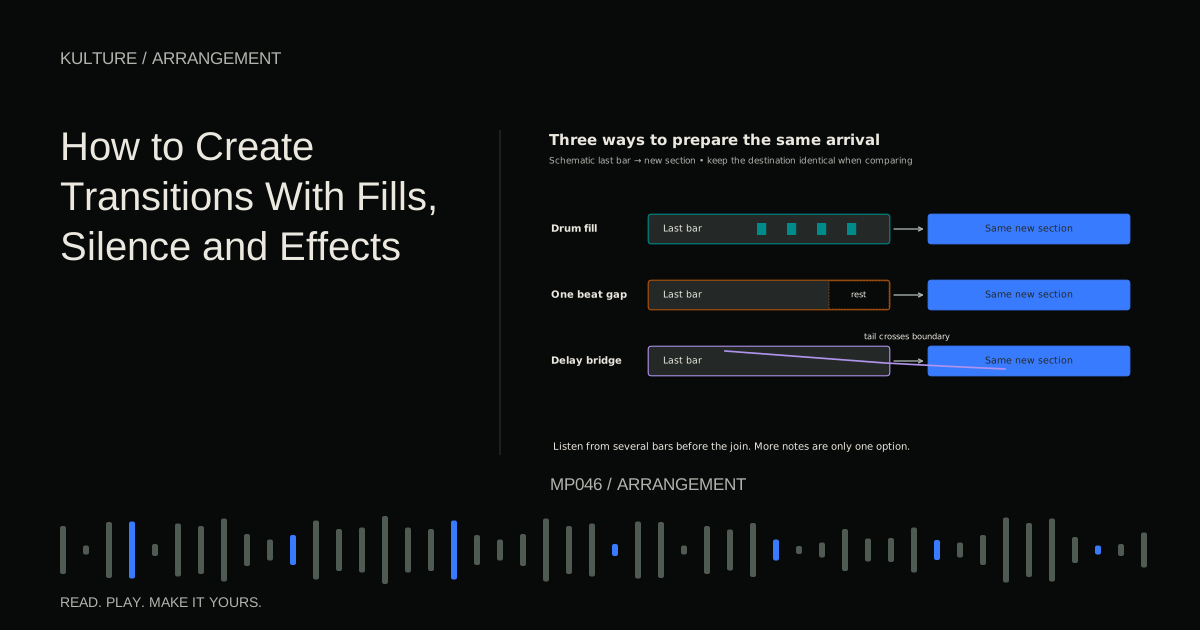
At the end of bar 32, remove the final kick. Let the chord's reverb continue into the quieter section. Before bar 57, try a one beat gap on beat 4 of bar 56. The gap creates anticipation, and the returning low end provides the payoff.
A transition does not need a riser. A held note, a shortening drum fill, or silence can announce change. Learn to make these moves in transitions with fills, silence, and effects.
Check transitions from at least four bars before the boundary. Repeatedly auditioning only the crash can make an excessive effect sound normal. The question is whether the section arrives clearly in context.
Separate musical repairs from mixing repairs
If the lead disappears when the chords enter, first move or remove chord notes during the lead phrase. That is an arrangement repair. Only then consider volume, equalization, or compression. Equalization changes the balance of frequency regions; it cannot reliably rescue two equally busy parts asking for the same attention.
Make a static balance with effects mostly unchanged. Begin with the anchor, add bass, then the hook, then supporting parts. Lower tracks if the master overloads. There is no required channel fader number: recorded and synthesized sounds can have very different starting levels.
Listen quietly enough to judge the hierarchy comfortably. You should still recognize the lead's rhythm and the transition into the main section. Check headphones and another familiar playback system, but avoid chasing differences caused by the devices themselves.
Finish with a small, finite revision list
Export the full track, including the musical ending and natural effect decay. Listen away from the editing screen. Write timestamped observations such as “1:08 loses momentum” or “2:02 lead becomes hard to follow.” Do not write “make everything professional.”
Choose the three changes with the largest effect on the listening experience. Fix those, export a second version, and compare at similar playback loudness. If the first version communicates better, keep it. More work is not automatically improvement.
A finished learning track can still have weaknesses. The useful finish line is a coherent musical statement with no accidental silence, missing sounds, obvious clipping, or unfinished ending. Keep a dated project version and the final listening export so future experiments cannot erase it.
Your exercise
Build the 96 bar draft, then remove 16 bars without losing the musical story. Listen to both versions from start to finish. Explain which change improved pacing and which moment needed more room. That comparison teaches arrangement more effectively than adding another preset. If endless revisions keep interrupting the export, continue with how to finish a track when you keep changing it.
TAKE IT INTO YOUR OWN MUSIC
Your next session.
Build the 96 bar draft, then remove 16 bars without losing the musical story. Listen to both versions from start to finish. Explain which change improved pacing and which moment needed more room. That comparison teaches arrangement more effectively than adding another preset. If endless revisions keep interrupting the export, continue with how to finish a track when you keep changing it.
Notes and progress stay in this browser.