Begin with arrangement and faders, then use processing to solve named problems. A compressor cannot decide which melody matters, and EQ cannot fully repair several parts fighting to play the same idea in the same register. The most useful mixing question is often: what should the listener notice here?
This guide walks through a small electronic arrangement, but the decisions also apply to recorded instruments. You can use stock tools in any digital audio workstation, or DAW.
Prepare a session you can navigate
Create or open a track with kick, snare, hi hats, bass, chords and a lead. Name the tracks clearly. Remove accidental duplicate clips, check that edits do not click and confirm that every sound is intentional. Save a new version before making major changes.
Choose an eight bar section containing most of the arrangement. Also mark a quieter section and the ending. Mixing only the loudest loop can produce a balance that fails elsewhere.
Bypass unnecessary processing, but keep sound design effects that define the instrument. A distorted guitar or a delay based synth phrase may not make musical sense without its effects. The goal is an understandable starting point, not an arbitrary requirement that every track be dry.
Lower levels if the output clips. Digital full scale, written 0 dBFS, is the maximum representable level for a conventional fixed point output. Some internal floating point paths tolerate levels above it, but converters, exports and plugins may not. Keeping clear headroom avoids relying on that tolerance.
TRY IT HERE
Start with the faders
Balance an original drum, bass and chord loop.
Ready when you are. Audio starts only when you press Play.
Keep experimenting in the synth LabChoose a foreground and build a static balance
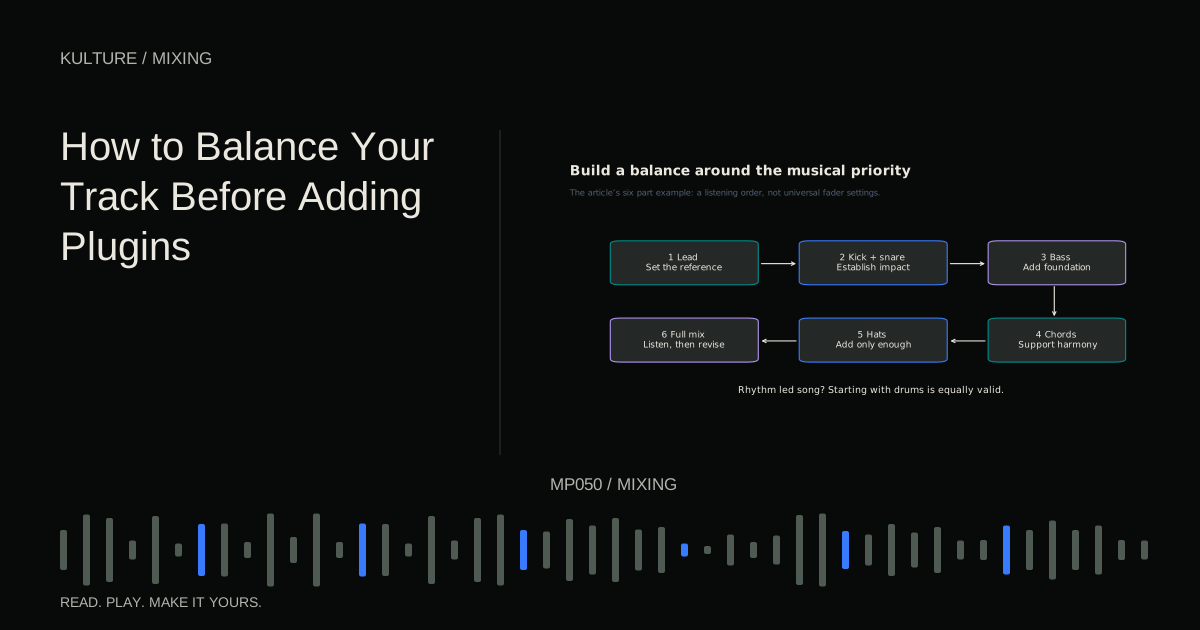
Decide whether the lead, vocal, groove or another element is the main focus. For this example, let the lead carry the tune and the drums provide the pulse. Start with the lead at a comfortable monitoring level, then add kick and snare. Bring in bass, chords and hats afterward.
Raise each supporting part from silence until it contributes enough. Do not leave it louder simply because its solo sound is attractive. Try lowering it slightly after the first successful setting; many crowded mixes contain several individually reasonable parts that are all a little too prominent.
Listen without touching anything for one full pass. Can you follow the melody? Do the kick and bass feel like one rhythm or two competing pulses? Do hats pull your attention away from important notes? Make a short list of problems before opening plugins.
A static balance is a mix made primarily with fixed fader positions and panning. It is not the final mix, but it reveals what actually needs correction. Work through balancing before plugins if this stage feels unfamiliar.
Fix musical overlap at the source
Suppose the chords mask the bass whenever the chorus begins. Mute the lowest chord note and compare. Move the chord voicing up an octave, shorten its release or reduce its level. These changes may solve the problem without filtering either instrument heavily.
Suppose the lead disappears only during a busy snare fill. You might lower the fill, remove one hit or briefly automate the lead upward. A permanent treble boost on the lead changes every phrase, including phrases that were already clear.
Distinguish a continuous tonal problem from a momentary arrangement collision. Continuous problems may need a sound or EQ change; isolated events often need editing or automation. This prevents unnecessary processing across the entire song.
Use EQ to make a specific change
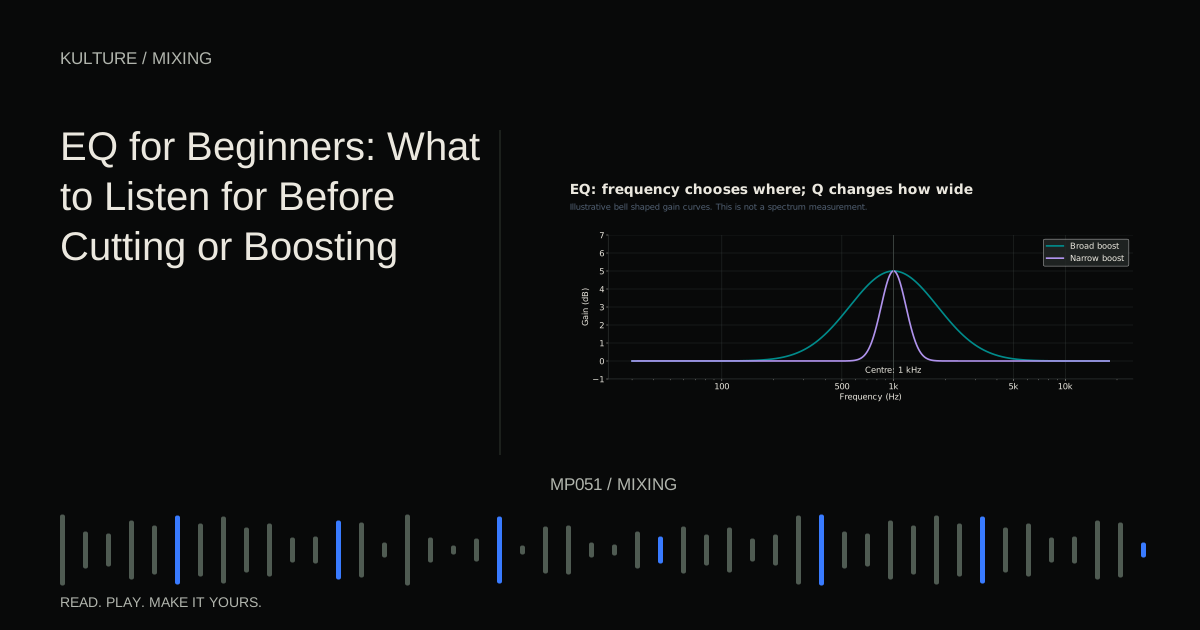
An equalizer changes level by frequency region. A broad bell can adjust body or presence, a shelf changes a broad low or high region, and high pass or low pass filters reduce material toward one end of the spectrum.
Choose the target by listening first. If the chord sound feels cloudy, try a gentle, broad reduction in the region where its body seems to accumulate, then compare in context. The exact frequency depends on the patch and register. A spectrum analyzer can help locate energy, but it cannot tell you which energy the song needs.
Avoid applying a fixed high pass frequency to every non bass instrument. Some parts rely on their lower body. Raise a cutoff until you hear the useful sound begin to weaken, then reconsider whether the reduction is helping the whole mix.
Use small, understandable moves before combining many bands. See EQ for beginners for a controlled listening exercise.
Compress for movement or consistency
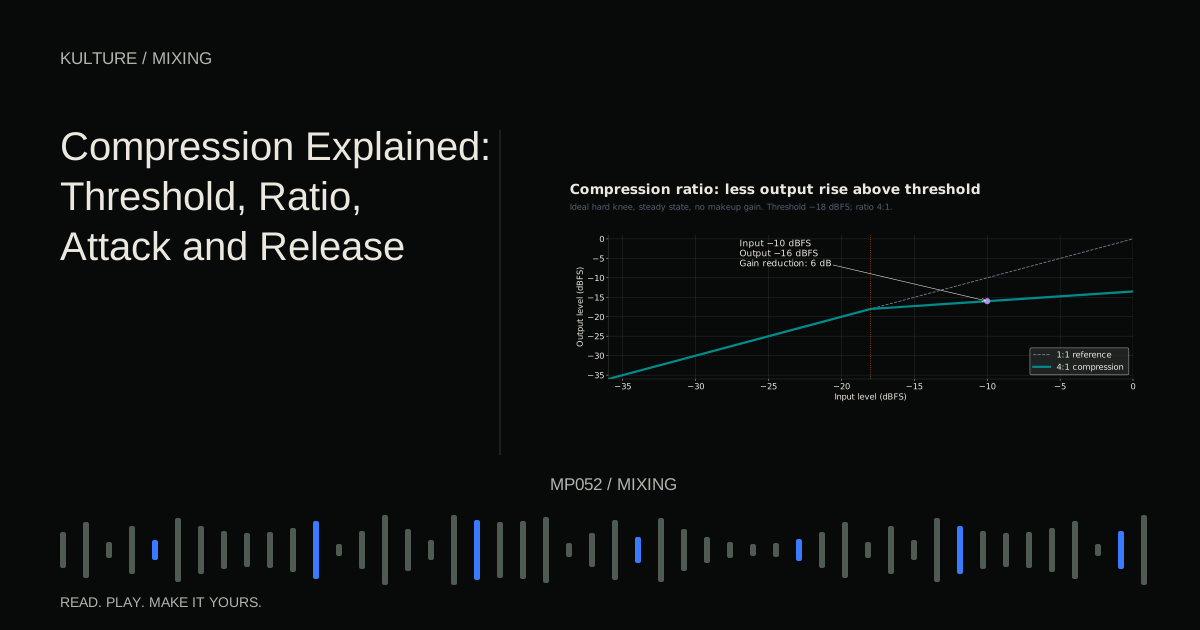
Compression reduces level according to a detector and a set of timing and amount controls. It can restrain uneven peaks, change the front edge of a drum or make a performance feel more consistent. It is not required on every channel.
For the example lead, first automate obvious phrase level differences. If individual notes still jump out, try a moderate ratio and lower the threshold until only the louder notes receive a few decibels of gain reduction. Adjust attack so the beginning retains the articulation you want, and release so recovery does not create distracting pumping.
Match the processed output to the bypassed loudness. Otherwise the makeup gain can make compression seem better simply because it is louder. FabFilter’s timing documentation also illustrates why compressor timing depends on the processor’s behaviour and the incoming material, not just a displayed number.
If drums become small and the song loses contrast, bypass compressors one at a time. More control is not always a better musical result.
Place sounds across the stereo field
Panning changes a sound’s left right position. Start with a dependable centre for essential elements, then place supporting sounds where they become easier to distinguish. A quiet percussion part can become clearer with modest panning without needing a large level increase.
Stereo sources already contain left right information. Their pan control may act as a balance control or provide true stereo positioning, depending on the DAW. Check the tool’s behaviour rather than assuming it works like a mono track’s pan knob.
Periodically sum the mix to mono using a proper mono control. Some change in spaciousness is inevitable, but the main melody and low foundation should not disappear. iZotope’s mono and stereo guide discusses why stereo material deserves this additional check.
Add depth without filling every gap
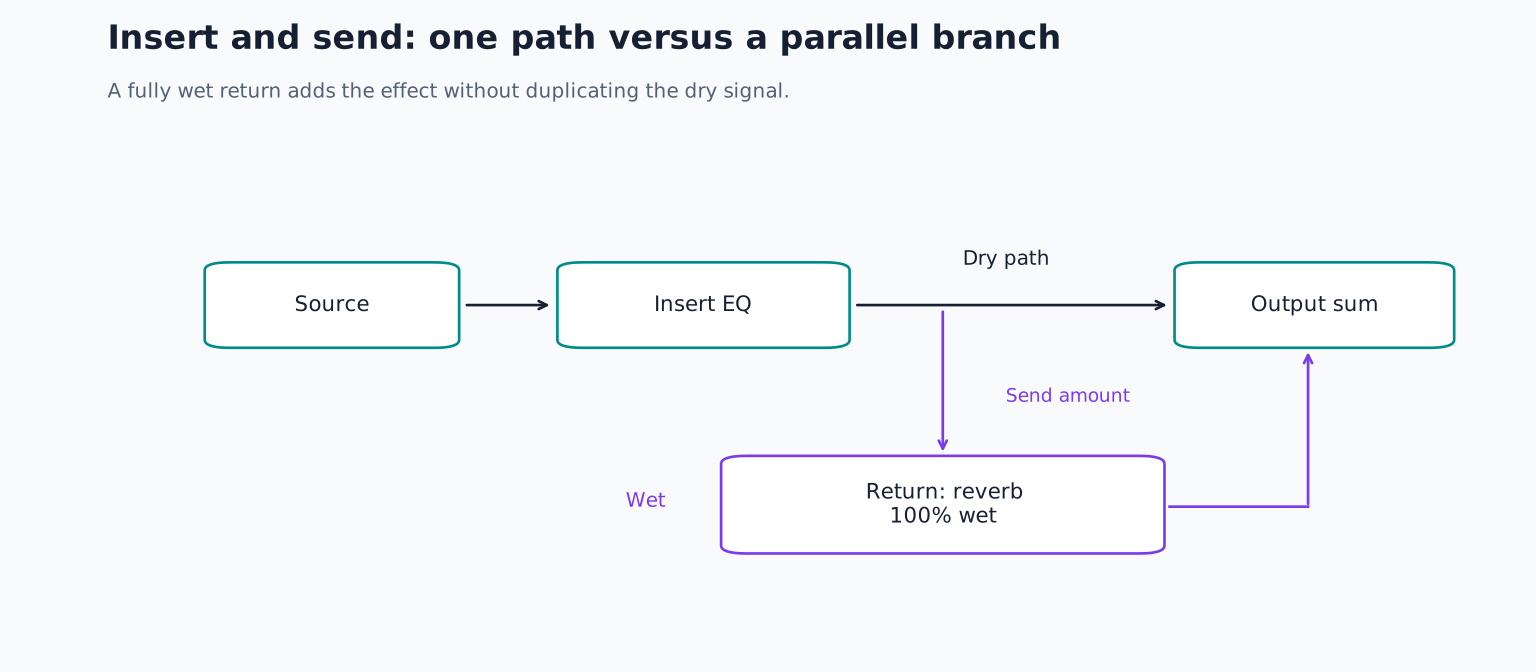
Reverb creates a sense of reflected space; delay creates timed repetitions. Use a shared return for a common room or atmosphere, or insert an effect when it is part of one sound’s identity.
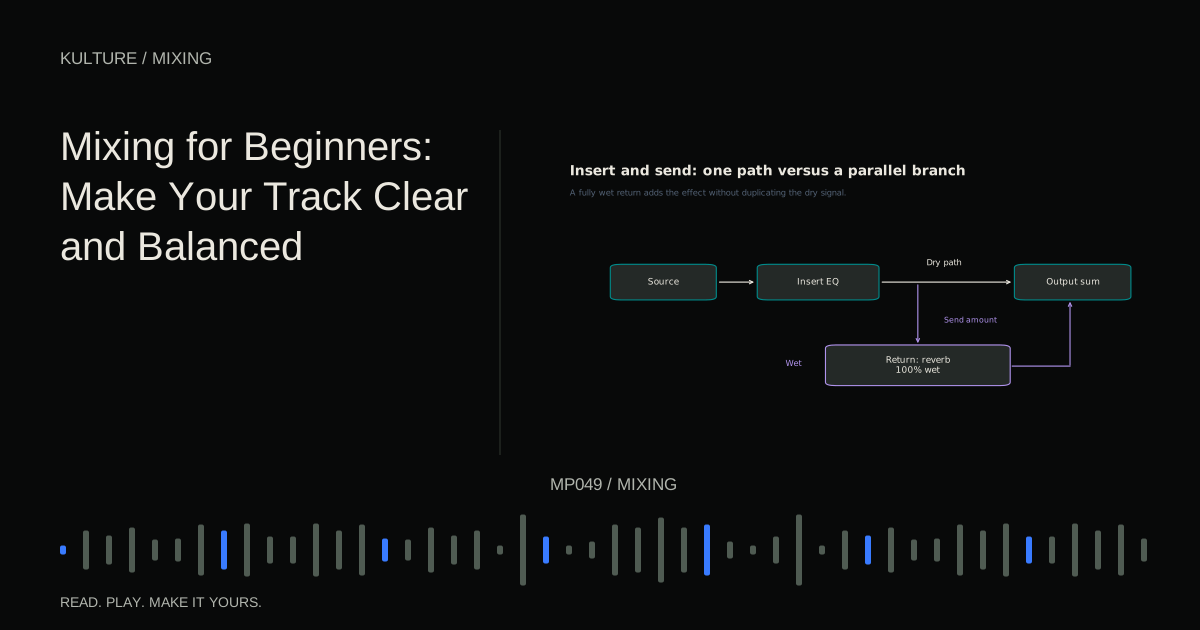
For this arrangement, create one reverb return and send a little snare, chords and lead to it. Keep the return fully wet so the original tracks provide the dry sound. Start with a short enough decay that the next phrase remains clear. If the lead recedes too far, reduce its send before brightening it with EQ.
A quarter note delay on selected final lead notes can create movement while leaving the rest dry. Automating the send allows an effect to appear only where there is space. Learn the routing in inserts, sends, returns and buses.
Mix the song, not only the loop
Play from the beginning. A chorus may need stronger contrast, while a sparse verse may need less reverb or a slightly different lead balance. Use automation, meaning recorded changes to parameters over time, to support those transitions.
Try lowering the chord layer in the verse, then bringing it back in the chorus. Compare that with simply making the chorus’s entire output louder. Arrangement contrast often creates a more convincing lift than a global level jump.
Check the ending carefully. Reverb tails, delay repeats and sustained notes should finish intentionally. A clean export can still sound unfinished if its final tail is cut off.
Verify on more than one playback system
Use familiar headphones or speakers and, when available, a small speaker at a comfortable level. You are looking for repeatable problems, such as the melody consistently disappearing, rather than trying to make every system sound identical.
Compare with a relevant reference at similar perceived loudness. Focus on relationships: how loud is the lead against the drums, how long are the tails, how dense is the low end? Do not force your mix to match a reference’s spectrum when its instrumentation is different.
Write down two or three changes, return to the session and address those. Endless unstructured checking can produce contradictory adjustments.
A finishable first mix exercise
Set a limit of one main correction per track for the first pass. Complete the static balance, solve the biggest masking issue, add one shared space and automate one transition. Export a full length listening file and play it from start to finish outside the session.
Note the exact times of any problems. Correct those rather than rebuilding the whole mix from memory. When the song communicates clearly and the technical checks pass, move to mixing versus mastering and export preparation. Finishing a clear, intentional mix teaches more than indefinitely adding processors to an unfinished loop.
TAKE IT INTO YOUR OWN MUSIC
Your next session.
Set a limit of one main correction per track for the first pass. Complete the static balance, solve the biggest masking issue, add one shared space and automate one transition. Export a full length listening file and play it from start to finish outside the session.
Notes and progress stay in this browser.