
Kulture Lab / Free music tools
Interactive Camelot Wheel for DJs
Choose your track’s key. See which keys to try next.
Open the key wheel
YOUR KEY
A minor
Try mixing into
Blue = your key. Green = suggested matches. Tap a suggested key to plan the next transition.
Free to use. No account needed. Works in your browser.
Keep the key wheel handy
Download the wheel page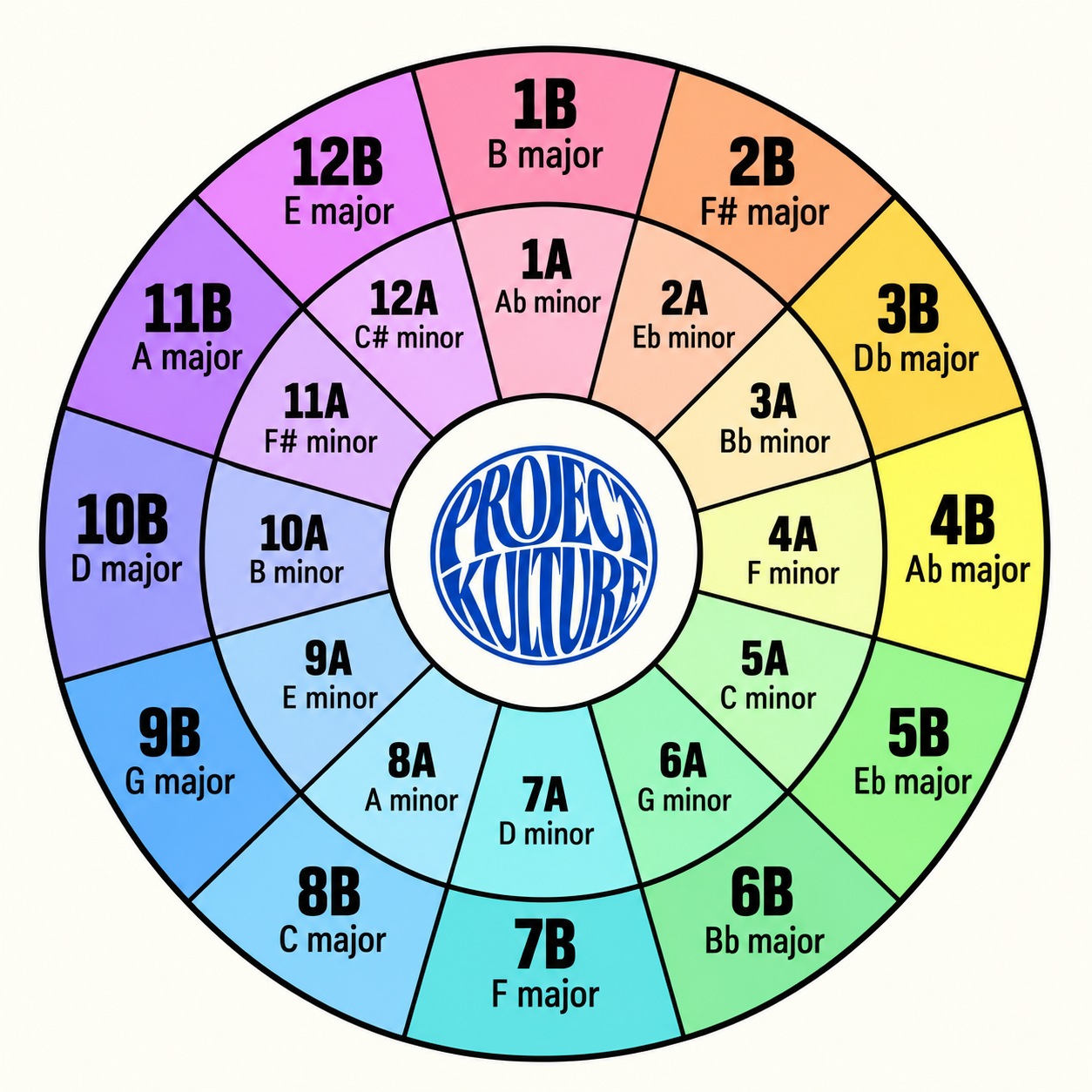
Use the Camelot wheel for harmonic mixing
The Camelot system gives each musical key a number from 1 to 12 and a letter. A means minor and B means major. This interactive key wheel lets you choose a known track key and explore closely related keys for your next mix. It does not detect the key of an uploaded song. Choose a second key to compare the pair directly. “Outside the usual matches” means the pair is outside this basic wheel rule, not that the transition cannot work.
How to use the DJ key wheel
- Find your track’s key in your DJ software.
- Select its Camelot code or musical name in the dropdown.
- Try the neighbouring numbers or the same number with the other letter. Click a suggestion to continue planning.
What works with 8A?
8A is A minor. The usual starting points are 7A, which is D minor; 9A, which is E minor; and 8B, which is C major. Staying in 8A is another option. The wheel wraps around, so 12A sits beside 1A.
These suggestions describe relationships between keys. They cannot guarantee that two recordings will blend well. Listen to the vocals, bass, chord changes and arrangement, and check the transition in headphones. Some tracks change key or contain notes outside the analysed key.
Does a matching key mean matching BPM?
No. Key and tempo are separate. Use the BPM tapper to estimate tempo, then practise your transition in the online DJ mixer. Pitch changes can also affect musical key when key lock is off.