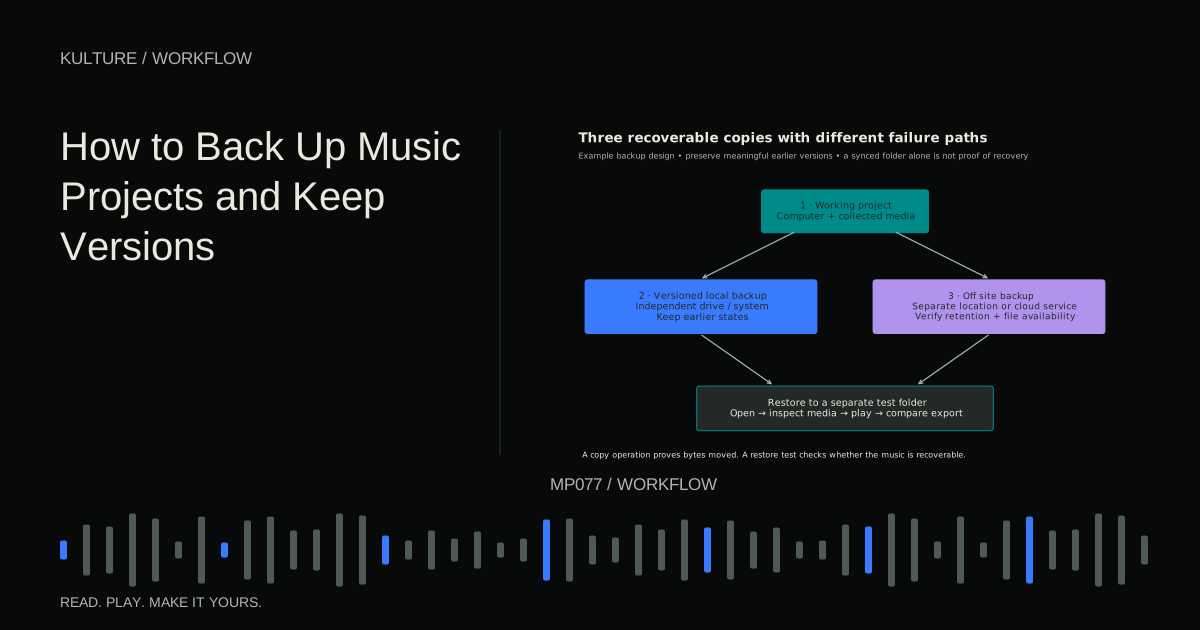
The practical goal is to recover both the latest project and an earlier state when necessary. Those are different needs: redundancy protects against losing a copy, while version history protects against a bad change or deletion that has already propagated.
Know what a project depends on
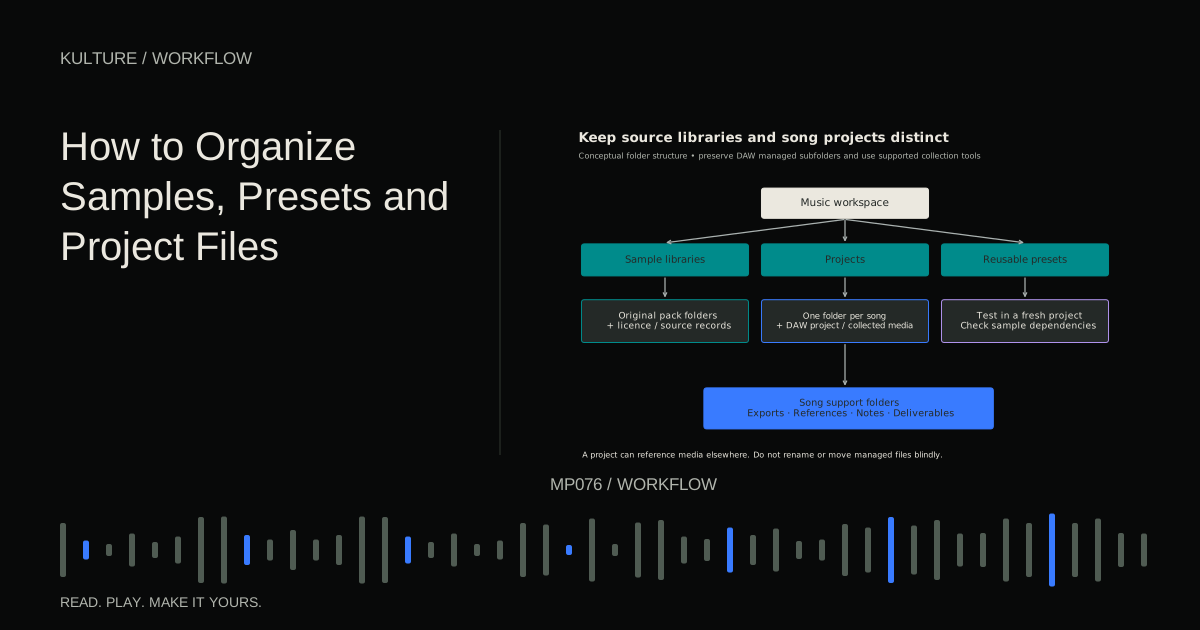
A session may rely on recorded audio, imported samples, instrument libraries, plugin versions, presets, automation, and external hardware. The project file itself may be small because it stores references rather than all that media.
Use your DAW's supported process to collect or consolidate required files into the project. Then check what the process does not include. Factory libraries, third party instruments, licensed sample content, and external hardware settings may need separate planning.
Ableton's external storage and backup guidance is a useful official example. Consult your own DAW's documentation for its project packaging behavior rather than assuming every save command is self contained.
TRY IT HERE
Make it your session
Turn the steps into a plan you can save.
Ready when you are. Audio starts only when you press Play.
Keep experimenting in the beat maker LabUse independent copies with different failure paths
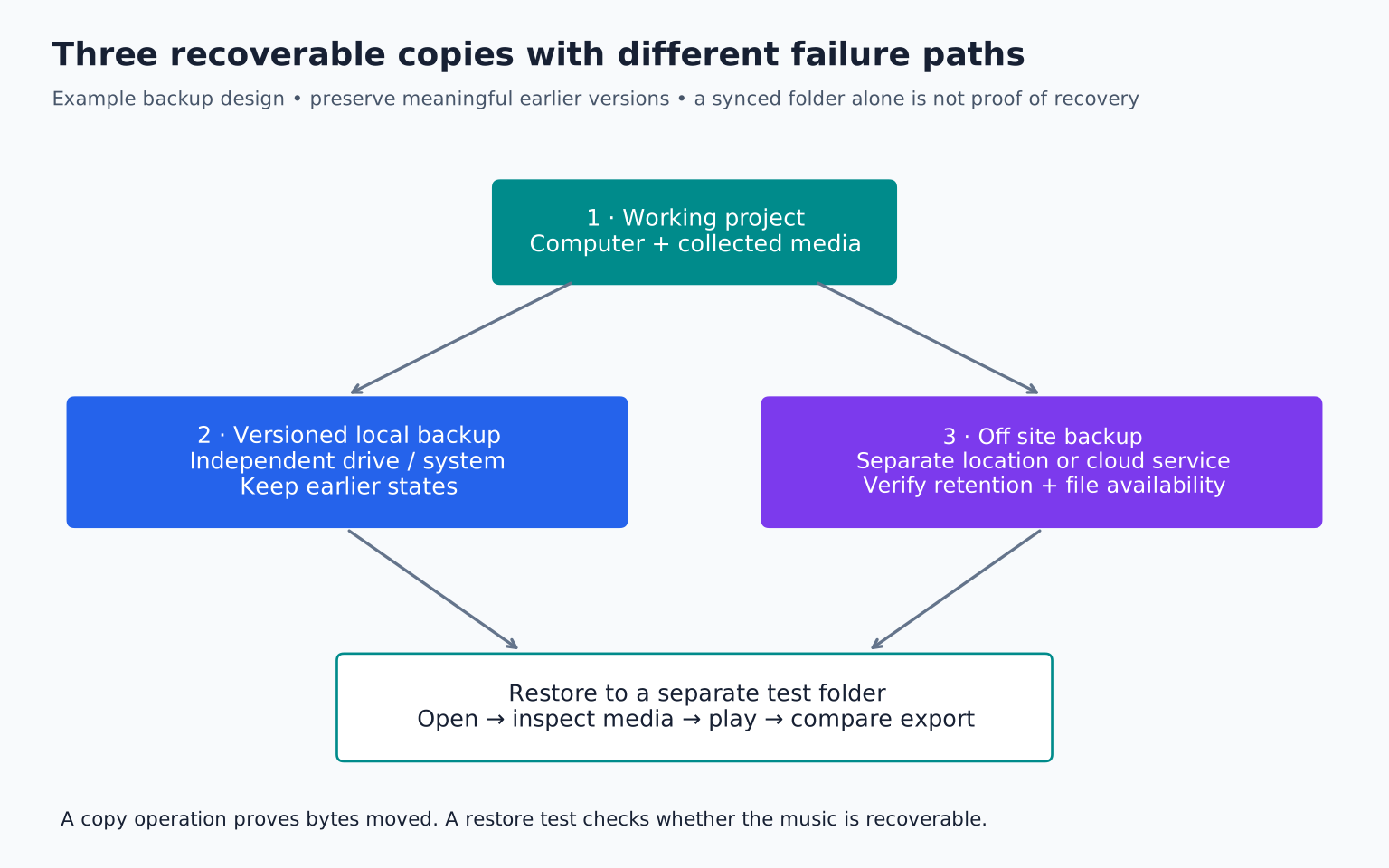
A common planning model is three copies of important data, on more than one storage medium or system, with one copy away from the main computer. The exact implementation depends on your equipment and budget, but independence matters more than the slogan.
For example, keep the working project on your computer, a versioned backup on an external drive, and a separate off site or cloud backup. If all copies remain attached to one computer and can be overwritten together, they share important risks.
Do not treat moving a project to an external drive and deleting the original as making a backup. You still have only one copy. Likewise, a drive permanently connected to the same machine may not protect against every theft, electrical incident, or malicious change.
Separate saving, versioning, and backing up
Saving records the current state. Versioning preserves selected earlier states. Backing up creates a recoverable copy independent of the working location.
Use all three. Save during work, create named versions before major changes, and run backups on a predictable schedule. Automatic session recovery is helpful after a crash, but it is not a substitute for a complete backup strategy.
A practical version sequence might be Harbor_v01_idea, Harbor_v02_arrangement, Harbor_v03_vocals, and Harbor_v04_mix. Add a short note describing the important difference. Do not make every tiny edit a separately named project if that creates more confusion than protection.
Capture sound when software may not survive
A future computer may not have the same plugin, license, operating system, or hardware. Preserve important instrument parts as audio as well as editable MIDI where possible. Keep dry and processed versions when they serve different recovery needs.
For a synth bass, save the MIDI, preset or settings, and an audio render from a common start point. For external hardware, record its output and note the patch or settings. For a vocal, preserve the original recording even if you also save a tuned or heavily processed version.
Audio renders do not replace the editable project, but they can preserve the musical result when exact reconstruction becomes difficult. Label them clearly so you know whether effects are printed.
Be careful with cloud synchronization
A synchronized folder can be convenient, but files may be online only, partially downloaded, or in conflict while a project is open. Some applications write several related files during a save. A collaborator opening an incomplete synchronized state can encounter missing media or inconsistent versions.
Ableton's cloud storage best practices discusses these practical concerns. Ensure required files are available locally, allow synchronization to finish, and avoid simultaneous editing of the same project unless the application explicitly supports it.
Check whether your service retains deleted files and older versions, for how long, and under what plan. Do not assume the presence of a cloud icon proves that the whole project is recoverable.
Test a restore with a small project
Choose a noncritical but complete project. Close the DAW. Restore the backup into a separate test folder, leaving the working copy untouched. Open the restored project and inspect its media references.
If possible, test while the original sample location is unavailable in a safe, reversible way, such as temporarily disconnecting an external source drive after closing applications. Do not rename shared libraries casually or delete originals to force a test.
Play the entire arrangement. Check recorded tracks, sampled instruments, automation, and the ending. Compare with a known listening export. If the project only works because it silently finds media in the original location, the backup is not as self contained as you thought.
Record the test date and what was verified. A successful copy operation proves that bytes moved; a restore test proves that your music can be recovered.
Plan a routine you will actually maintain
At the end of a session, save the project, collect new media as appropriate, and allow the regular backup to run. Before major edits, create a meaningful version. After completing a track, make a more durable archive with project, media, key renders, notes, and final exports.
Check backup status rather than assuming a scheduled job succeeded. A full drive, disconnected device, expired login, or changed folder path can silently interrupt protection. Make failure notices visible and review them.
Keep at least some older states long enough to discover unnoticed mistakes. If every backup immediately replaces the previous one, an accidental overwrite can eliminate the good version everywhere.
Recover calmly when something goes wrong
Stop making unnecessary changes to the affected project. Preserve the current damaged state if it may contain recent work. Restore into a new location rather than overwriting the only remaining copy.
Start with the most recent known good version, then recover newer recordings or edits carefully. If storage hardware appears to be failing, avoid repeated risky writes and consider qualified recovery help before experimenting. A backup routine is far easier than emergency reconstruction.
Your exercise
Today, identify one project that would be painful to lose. List its dependencies, make an independent copy, and restore that copy to a test location. Verify playback and write down what was missing, if anything. Then improve the process until the restore is dependable. Continue with file organization and cross DAW collaboration when preparing portable project material.
TAKE IT INTO YOUR OWN MUSIC
Your next session.
Today, identify one project that would be painful to lose. List its dependencies, make an independent copy, and restore that copy to a test location. Verify playback and write down what was missing, if anything. Then improve the process until the restore is dependable. Continue with file organization and cross DAW collaboration when preparing portable project material.
Notes and progress stay in this browser.