A chain is not a recipe that makes every voice sound finished. It is a sequence of decisions. If you cannot explain what a plugin improves, bypass it and compare at matched loudness before leaving it in the session.
Begin with the unprocessed vocal in the song
Place the vocal against the instrumental and set a rough fader level. Listen for the lyric, emotional distance, and section balance. A vocal may sound excellent alone but disappear behind guitars or keyboards. That can be an arrangement or instrumental balance problem rather than a defect in the voice.
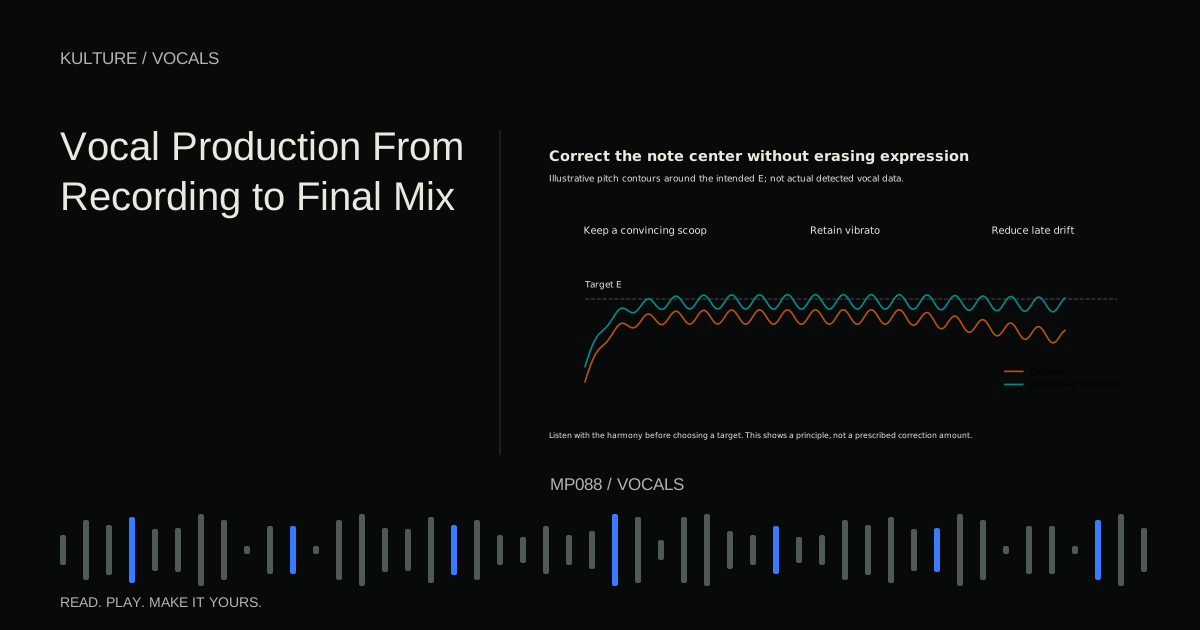
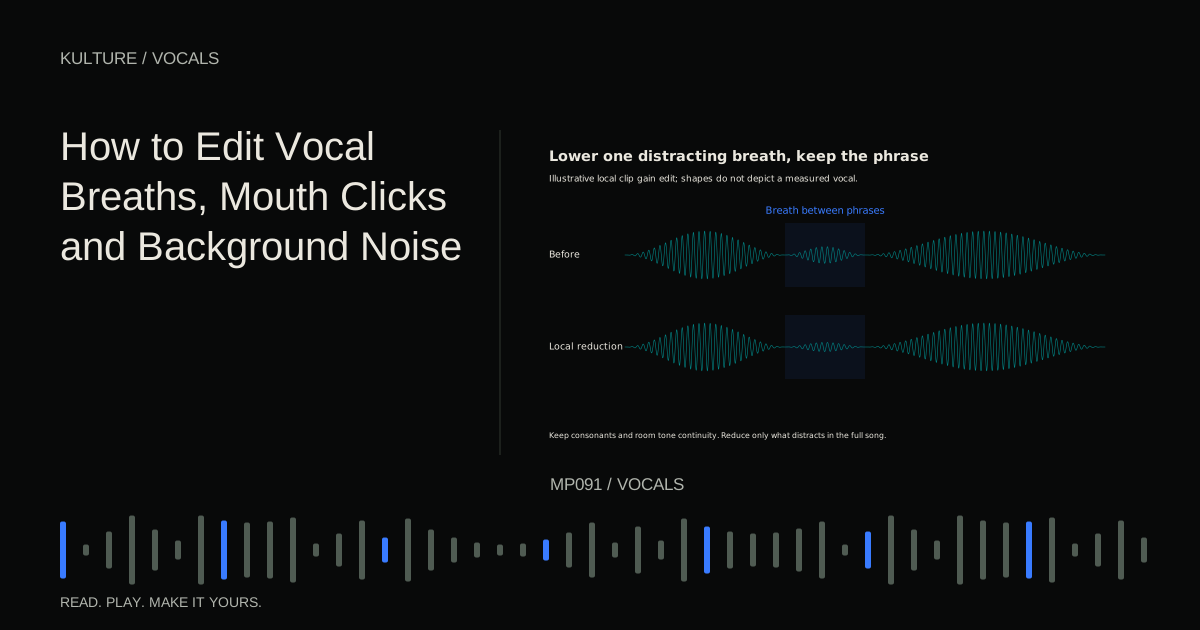
Finish the comp and major cleanup before detailed mixing. Remove obvious clicks, choose the intended tuning treatment, and keep the original file. Vocal production from recording to mix explains the full sequence.
Make a short problem list: “quiet last words,” “boomy close phrases,” “sharp s sounds,” “too dry for chorus.” This gives each processor a job and discourages adding stages out of habit.
TRY IT HERE
Make it your session
Turn the steps into a plan you can save.
Ready when you are. Audio starts only when you press Play.
Keep experimenting in the sample pads LabUse clip gain for uneven words
A compressor works more predictably when the input is not wildly inconsistent. Clip gain lets you raise or lower individual regions before they reach the chain in a typical workflow.
For example, if one word jumps far above the surrounding line, lower that word slightly and smooth its boundaries. If a final word disappears, raise it enough to remain intelligible. Do not flatten every accent; intentional dynamics are part of the performance.
This is different from final fader automation. Pre chain gain changes how the compressor reacts. Post chain automation changes the delivered level without necessarily changing compression. Knowing the difference helps you choose the right stage for each correction.
Remove unwanted low frequency energy carefully
A high pass filter reduces frequencies below its cutoff. It can help with rumble, stand vibration, or excess low frequency noise. It can also remove useful vocal body if set too high.
Start below the voice's important range and raise the cutoff only while listening. Stop before the voice becomes thinner than intended. The correct setting depends on the singer, microphone, proximity effect, and arrangement; a number copied from another session is not a diagnosis.
If only a few phrases are boomy because the singer moved closer, local EQ automation or dynamic EQ may be better than thinning the whole performance. Dynamic EQ changes a selected frequency region according to level, rather than applying the same amount constantly.
Understand what compression should achieve
A compressor reduces level when the signal crosses a threshold. Ratio controls the degree of reduction above that threshold. Attack influences how quickly reduction develops, and release influences how quickly it recovers. Makeup gain raises the resulting output.
For an initial experiment, try a moderate ratio such as 3:1 and adjust the threshold until louder phrases receive a few decibels of reduction. These are illustrative settings. Listen to the consonants and phrase endings rather than chasing a specific meter reading.
If the vocal loses its front edge, the attack may be too fast for the desired sound. If it pumps or breaths surge unnaturally, inspect release, threshold, and input balance. If every phrase sounds squeezed, reduce the amount or use clip gain for the largest jumps.
Match the processed and bypassed loudness. Louder often sounds more exciting during a quick comparison, even when the actual tone or dynamics became worse.
Choose EQ placement intentionally
EQ before compression changes what drives the compressor. Removing a low frequency thump first can prevent it from triggering excessive gain reduction. A high frequency boost before compression can make bright consonants influence the detector more strongly.
EQ after compression shapes the controlled signal without changing that earlier detector response. You may use a small corrective stage before and a gentle tone stage after, but two EQs are not automatically better than one.
iZotope's EQ before or after compression guide explains this order dependent behaviour. Test the same broad move on either side of the compressor and listen to how the vocal's movement changes, not only its brightness.
De ess the actual harshness
A de esser reduces excessive sibilance, usually by responding to energy in a selected high frequency area. Different designs reduce a band or lower more of the signal when triggered.
Find a harsh s or sh, adjust the detection range, and lower it only enough to sit naturally. Then listen to ordinary vowels and consonants. If the singer seems to lisp or lose articulation, the treatment is too strong or too broad.
Compression and bright EQ can bring sibilance forward, so a de esser may work better after those stages. In another recording, controlling strong sibilance before compression helps. You can use modest treatment at more than one point if each stage has a clear purpose, but do not stack processors without checking their combined effect.
Add colour only when the song needs it
Saturation adds nonlinear colour, which may include harmonics and dynamic changes. It can make a vocal feel denser or more assertive, but it may also exaggerate harshness and noise.
Start subtly and level match. If the vocal becomes more audible because its midrange gains useful texture, the effect may help. If it merely gets louder or scratchier, reduce it. Not every intimate or natural recording benefits from distortion.
iZotope's basic vocal chain article introduces common processing roles, but your chain can remain shorter. Stock tools are enough to learn these decisions.
Put reverb and delay on controllable returns
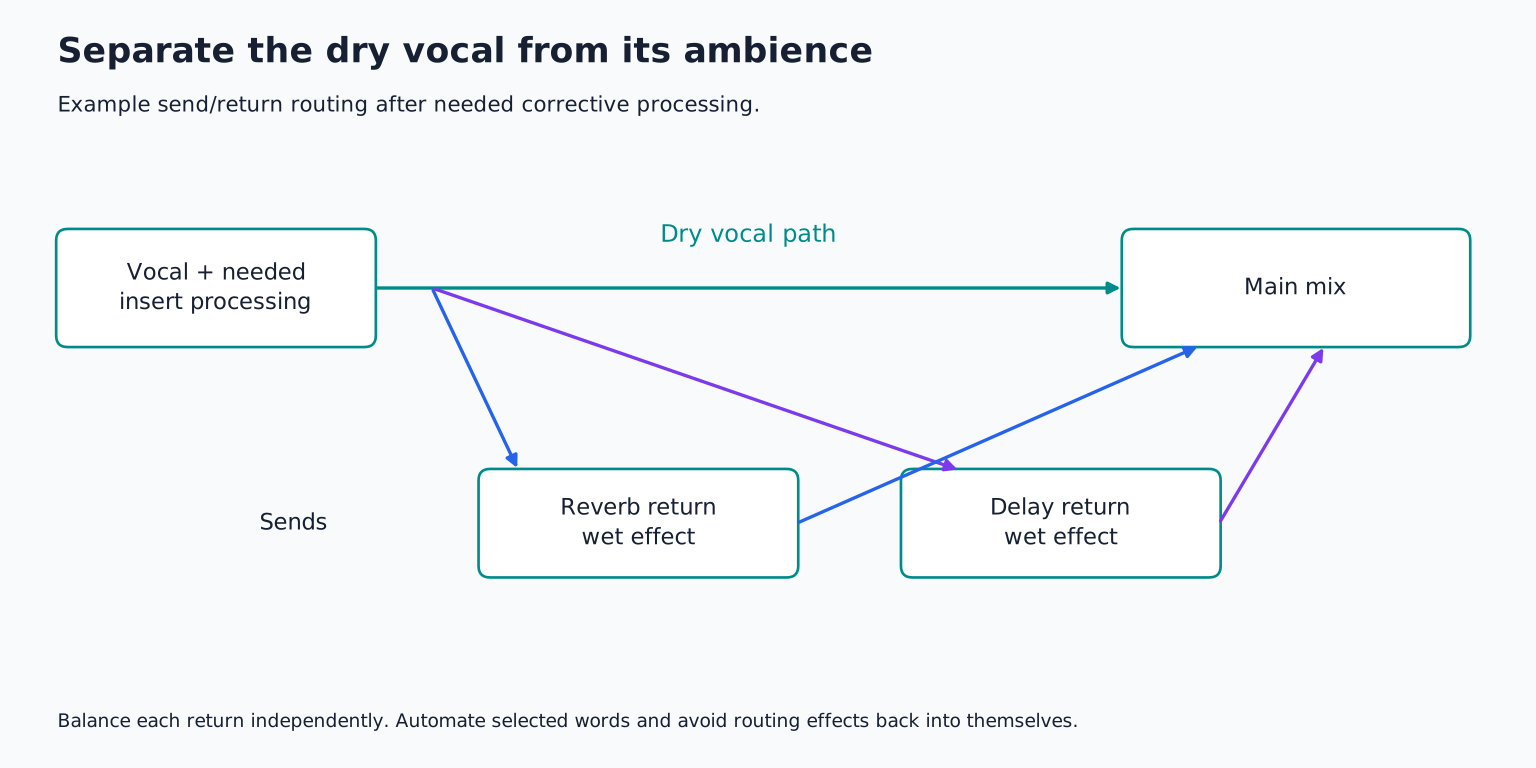
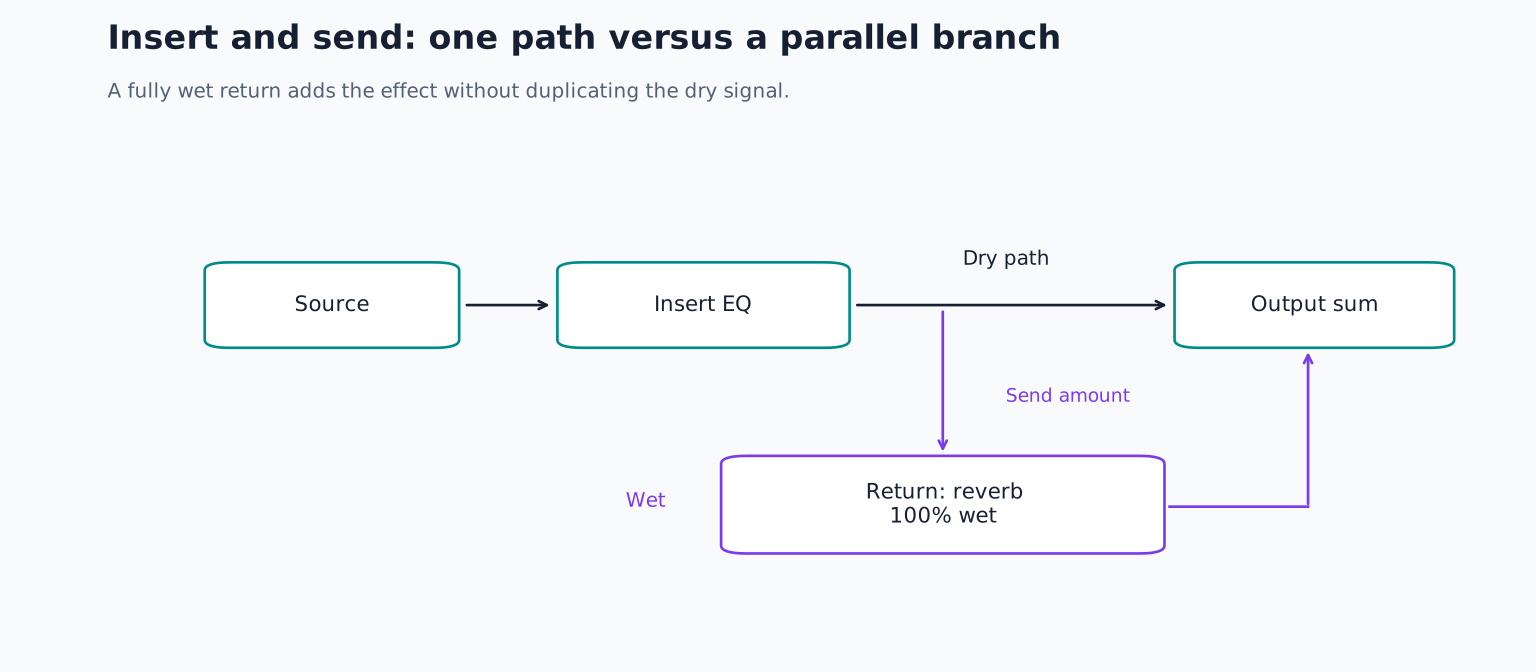
An effects send routes some vocal signal to a separate return track. Set the effect appropriately wet on that return so you can balance ambience independently of the dry vocal.
For a first test, use a modest short reverb and a separate delay that enters only at a line ending. Bring each up until it becomes noticeable, then decide whether that amount supports the mood. Long effects can mask following words, especially in fast lyrics.
Filter the return if its low end clouds the arrangement or its high end draws attention away from the lead. Automate sends for selected words rather than leaving every syllable equally wet. Effects are part of arrangement and phrasing, not only a final layer of polish.
Finish with automation and comparison
Use fader automation for broad section changes and specific words that still need help. A chorus can require a small lift even when the compressor is already working properly. Avoid forcing one compressor to perform every level decision.
Check the vocal with the full arrangement, in mono, and at a comfortable quieter level. Bypass the whole chain and match loudness. The processed version should improve clarity, consistency, or character without losing the performance's intention.
For practice, build a chain with at most five active stages and write one sentence describing each stage's job. Remove any stage whose benefit you cannot hear reliably. Save the result as a session specific starting point, not a universal preset, and revisit vocal cleanup if processing is revealing avoidable recording distractions.
TAKE IT INTO YOUR OWN MUSIC
Your next session.
Use fader automation for broad section changes and specific words that still need help. A chorus can require a small lift even when the compressor is already working properly. Avoid forcing one compressor to perform every level decision.
Notes and progress stay in this browser.