Begin with the role of the voice. An intimate lead, a raw band performance, and a heavily processed pop hook need different treatments. “Professional” does not mean the same brightness, tuning strength, or reverb on every singer. It means the choices support the song and sound intentional.
Define the vocal arrangement before recording
Write down where the lead is alone and where other voices enter. For a simple verse and chorus song, try one lead throughout, two real doubles in the chorus, and one harmony on the last line. A double repeats the same part in another performance; a harmony uses a different melodic line that fits the underlying music.
This small plan is enough to guide the session. You can add spontaneous ad libs, meaning extra responses or expressive phrases, but leave space for them. If the lead already fills every gap, a stack of additional voices may obscure the lyric.
Confirm the key and comfortable range before the main session. If the highest note consistently forces an unwanted delivery, consider transposing the song or changing the melody. Production can enhance a voice; it cannot make every unsuitable arrangement feel natural.
TRY IT HERE
Make it your session
Turn the steps into a plan you can save.
Ready when you are. Audio starts only when you press Play.
Keep experimenting in the sample pads LabPrepare a recording the mix can use
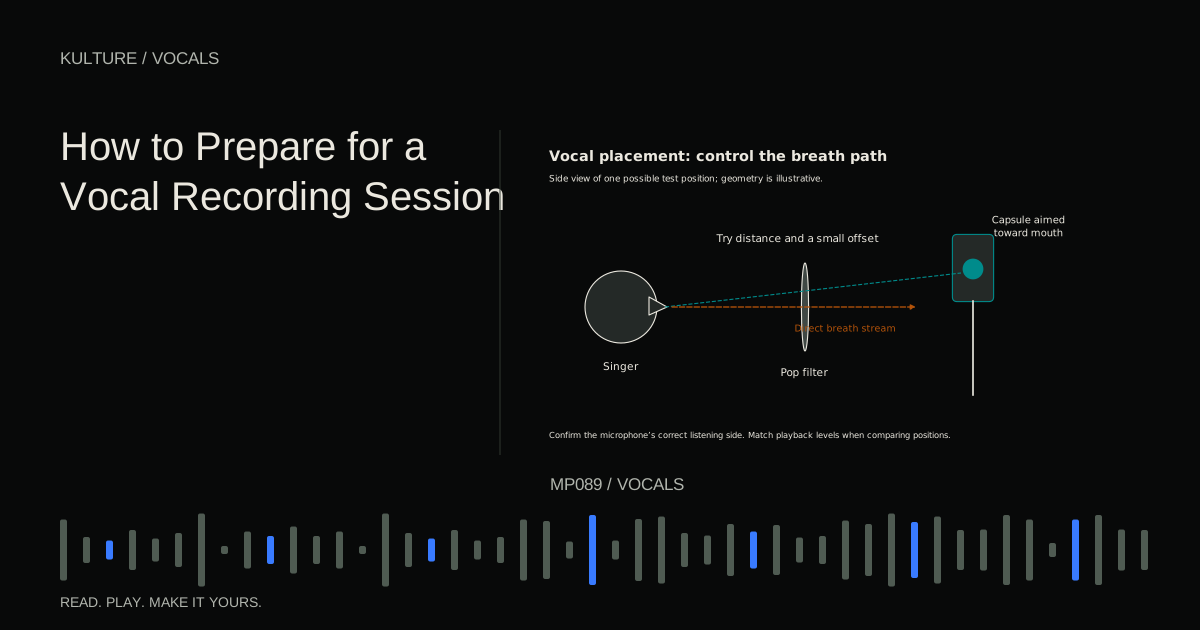
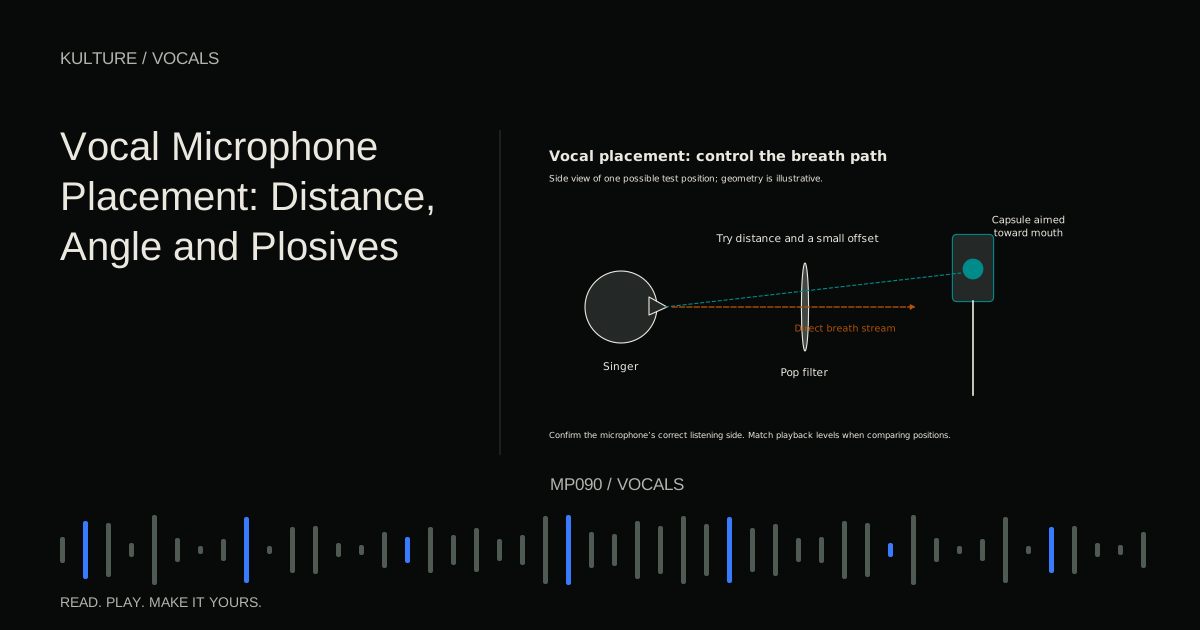
Choose a quiet, workable position in the room. Listen to the singer through the actual microphone, not only from beside them. Check orientation, stand stability, pop filtering, and the balance of direct voice to room reflections.
Set input gain with the loudest real phrase and leave headroom. Many condensers need phantom power, but always follow the specific microphone's instructions. Passive ribbons, active ribbons, boosters, and adapters have different requirements. Mute monitoring and switch power off before changing connections.
Shure's vocal recording guidance supports testing microphone fit and controlling plosives at the source. A plosive is the low frequency burst caused by air from consonants such as p and b reaching the microphone. It is easier to prevent than to remove transparently later.
Give the singer a headphone mix that makes phrasing easy. Too much backing track can encourage unnecessary pushing; too much distracting delay can change timing. Establish a reliable monitoring path before asking for emotional performances.
Record for continuity, then for options
Capture several complete passes of a section. Listen for storytelling and momentum before discussing individual notes. A take that becomes stronger through the chorus may be more useful than one with isolated perfect moments but no direction.
After complete passes, make targeted pickups for genuinely weak lines. Start playback early enough that the singer can enter naturally, and record beyond the replacement. Keep breaths and phrase endings available. Do not stop the recording at the last syllable.
Label takes with specific observations, such as “best verse opening” or “clean chorus ending.” Preserve the source recordings. If you later decide a rougher take had more personality, you should be able to return to it.
Comp before polishing
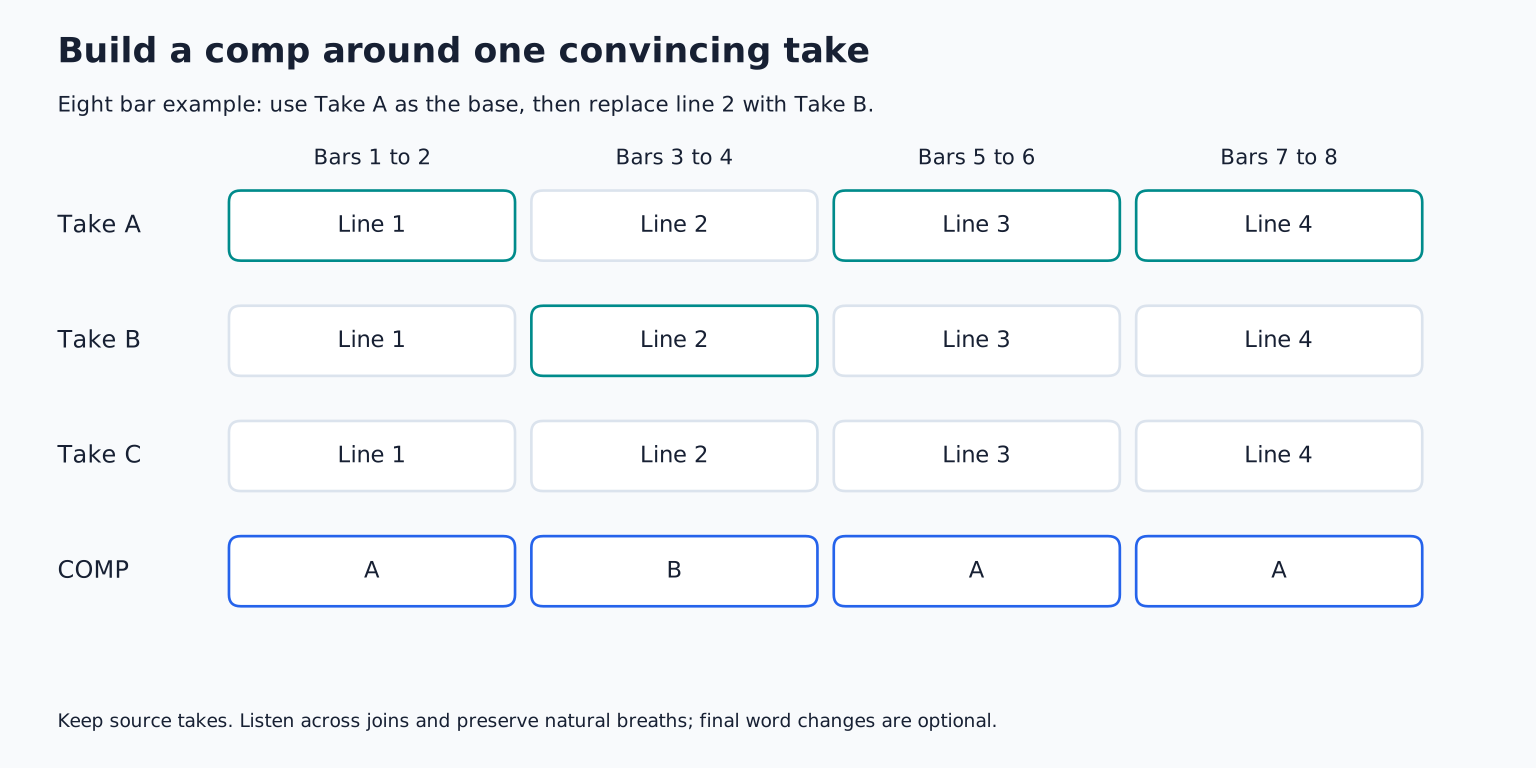
A comp is a composite performance assembled from takes. Choose the best complete pass as a base, then replace a few weak phrases. Compare alternatives with the surrounding lyric and backing track, not only in solo.
Prefer phrase sized changes when connected words make tiny cuts awkward. A vowel can run into the next consonant; replacing only the final word may produce an unnatural transition. Use fades and crossfades to avoid clicks, but listen for doubled consonants, shifting room sound, and implausible breaths.
For example, build an eight bar verse from Take A, replace bars 3 to 4 with Take B, and keep A's final line. That is a coherent starting comp. Replacing every syllable simply because another take exists usually creates work without a clear benefit.
The dedicated comping lesson shows how to preserve alternatives and manage these boundaries.
Clean distractions without removing the person
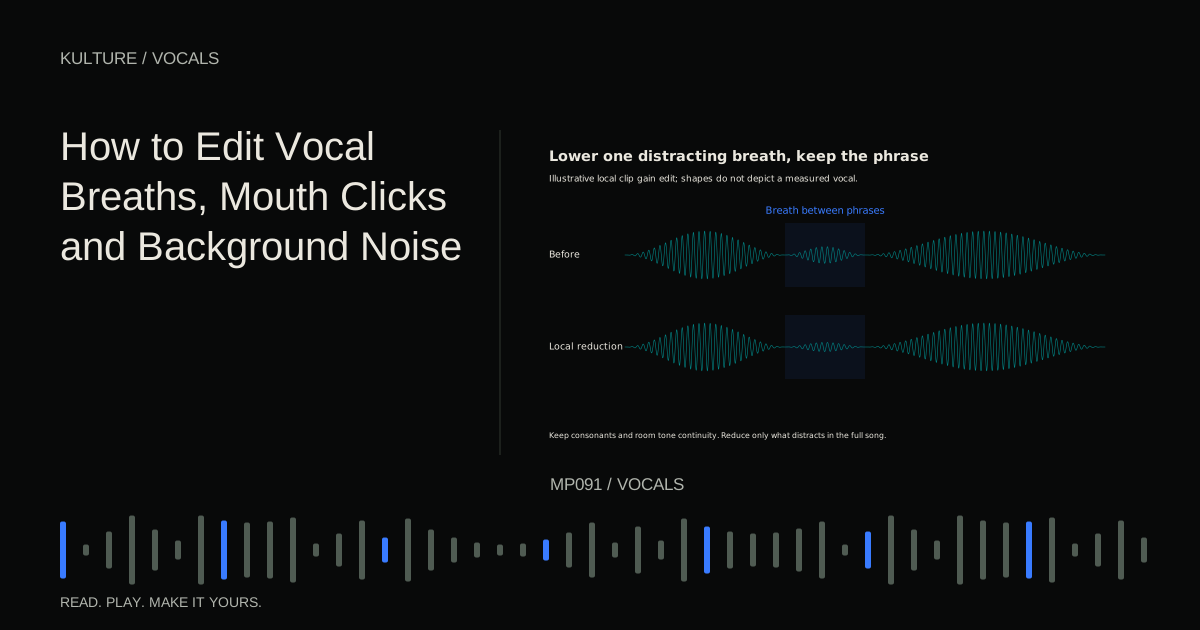
After the performance is settled, reduce obvious handling noise, intrusive clicks, and distracting background sounds. Keep a backup before detailed repair. Use clip gain to lower an isolated breath or noise rather than automatically applying a powerful processor to the entire take.
Breaths convey pacing and effort. Removing all of them can make a vocal feel detached or physically impossible. The right amount depends on the arrangement: a quiet ballad may expose a breath that disappears in a dense chorus. Judge cleanup in both contexts.
If noise continues under every word, a gate cannot remove it while the voice is present. A noise reduction processor may help, but aggressive settings can produce watery or metallic artifacts. Re recording a short passage in better conditions may be faster and sound better.
Tune the musical problem you actually hear
Pitch correction can move a note toward an intended centre, reduce a drifting ending, or create an obvious effect. These are different goals. Choose the correct note targets by listening to the harmony; a key setting alone does not understand every passing note, borrowed chord, or stylistic bend.
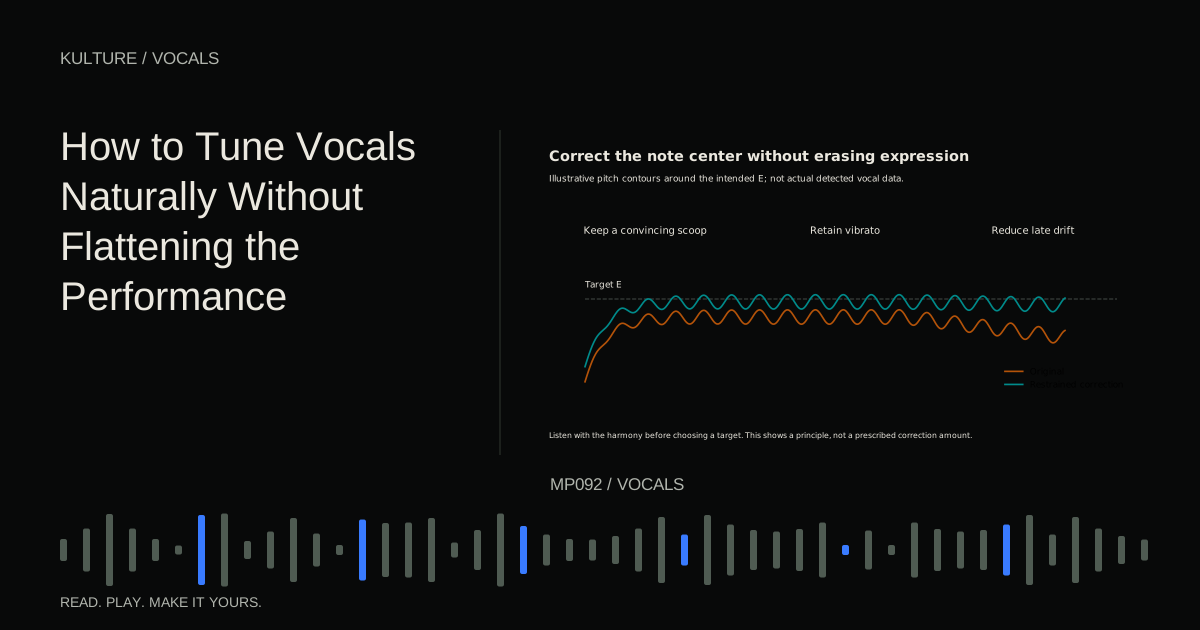
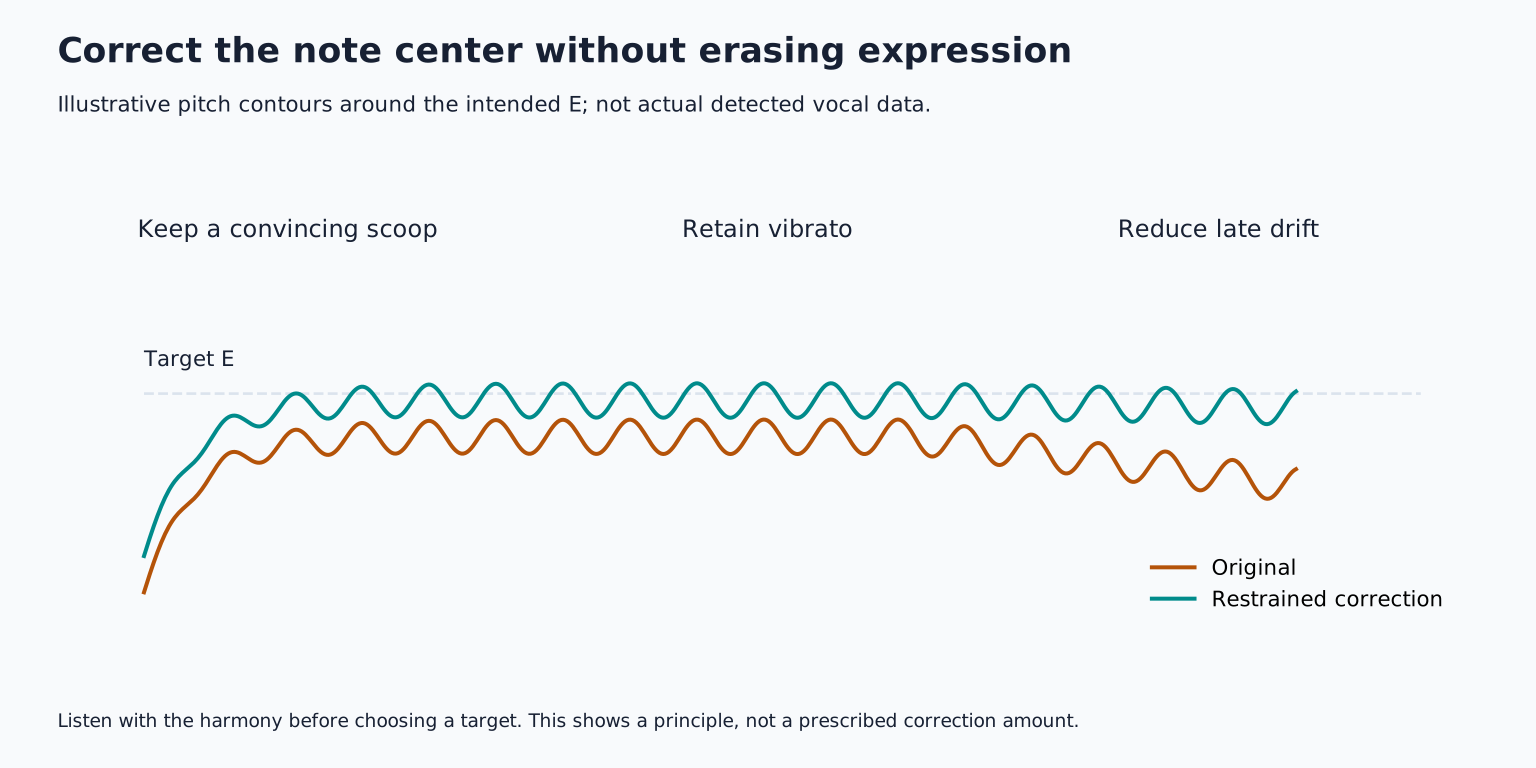
Preserve expressive attacks and vibrato unless they conflict with the desired sound. Vibrato is a repeated pitch fluctuation; it is not automatically an error. Celemony's pitch modulation and drift documentation distinguishes faster pitch movement from slower drift, which helps explain why one correction control cannot solve every note.
For a practical edit, correct a clearly flat held vowel while leaving its leading scoop intact. Compare before and after with the backing track at equal level. If the word becomes less believable, reduce the correction or choose another take. Natural vocal tuning develops this approach.
Build supporting voices deliberately
Record doubles as new performances rather than duplicating the same file. Match the lead's rhythm, word endings, and broad pitch shape, while keeping enough natural difference to create texture. Two identical copies normally just increase level unless processing or timing changes are introduced.
For harmonies, work out notes against the chords instead of moving every lead note by one fixed interval. Over a C major chord, a lead E might be supported by G; over the next chord, a different relationship may be better. Rehearse each harmony as its own singable line.
Edit support parts to reinforce the lead. Tighten distracting consonants and trim unwanted overlaps, but do not erase all movement. Bring them in where the arrangement benefits rather than leaving every track active throughout the song.
Mix from balance outward
Start with the lead fader and the instrumental. Can you understand the lyric? Does the vocal feel emotionally close enough? Adjust competing instruments before assuming the voice needs more high frequency boost.
Use clip gain to reduce extreme word to word level changes, then compression if the performance needs more consistent dynamics. A compressor reduces level according to its settings when the signal crosses a threshold. Attack and release shape how quickly that reduction begins and recovers.
Equalization, or EQ, changes frequency balance. Cut a rumble only if it is unwanted; do not remove the singer's body because a preset says every vocal needs the same high pass filter. A de esser reduces excessive sibilance, the sharp energy in sounds such as s and sh. Set it while listening to actual problem syllables, then check that ordinary words retain clarity.
There is no universal order. Corrective EQ before compression can stop unwanted low frequency energy driving the compressor; tone shaping after compression can finish the result. iZotope's basic vocal chain guide introduces these processor roles. Use only the stages your recording needs.
Add space without hiding the words
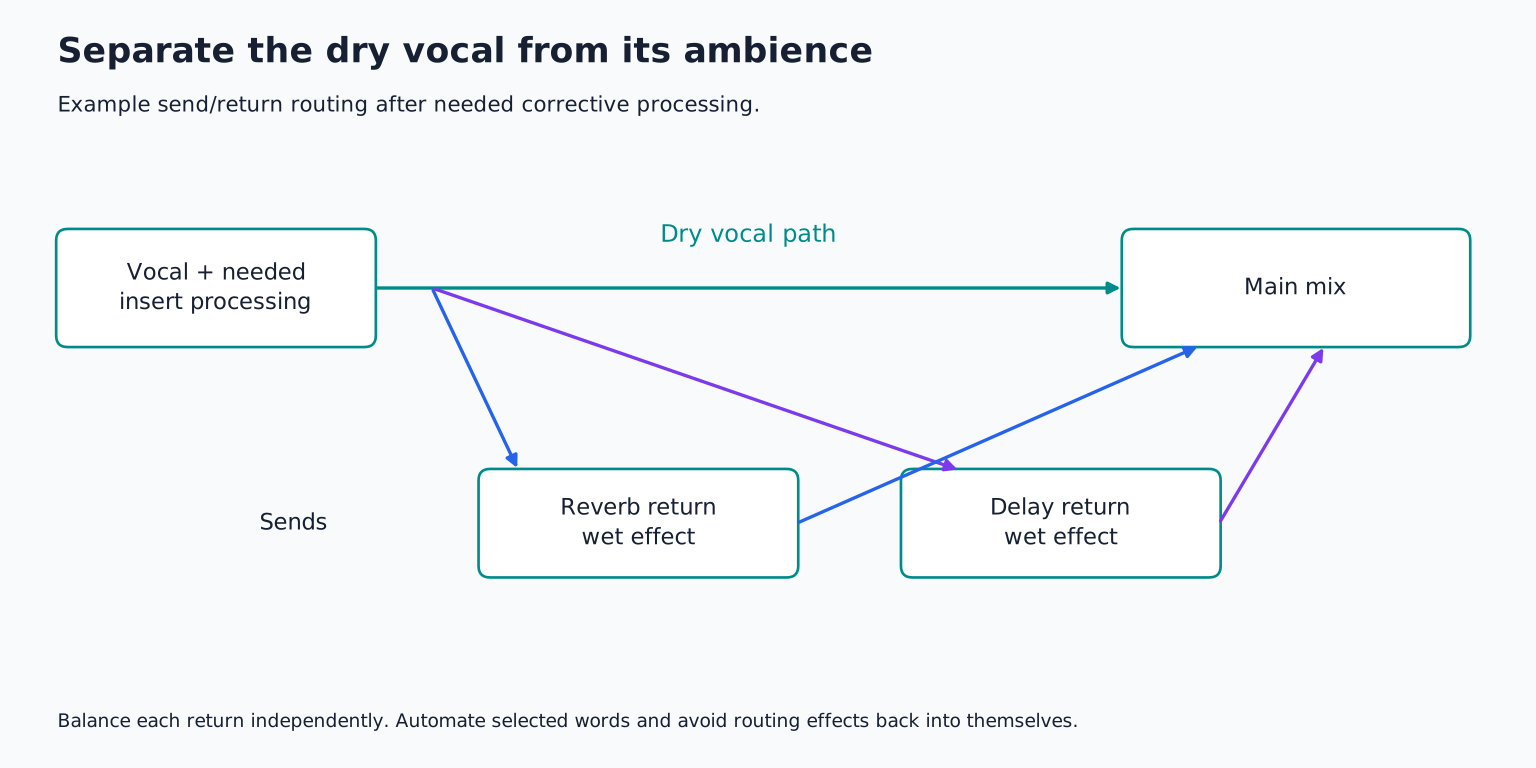
Send the vocal to a reverb or delay return so the dry voice and effect can be balanced separately. Reverb creates a sense of space; delay creates distinct or blended repetitions. Start quietly and increase until the effect supports the atmosphere.
A short space can provide cohesion. A longer delay at the end of a line can fill a gap. If every word feeds a loud long reverb, the next phrase may be masked by the previous one. Automate the send, meaning change it over time, so selected moments receive more effect.
Listen to effects in the whole arrangement. A beautiful solo reverb may disappear or become muddy once guitars and cymbals return. Reduce or filter the effect as needed rather than simply pushing the dry vocal louder.
Finish with automation and a listening pass
Ride the vocal level through sections. A chorus may need more support than a verse, and a quiet final word may need a small lift that a compressor does not provide gracefully. Automation can also reduce a harsh syllable, bring in a harmony, or emphasize an ad lib.
Check in mono as well as stereo, especially if doubles and widening effects are prominent. Listen at a comfortable modest level: if the lyric vanishes there, examine the balance. Then listen without looking at plugins and note only problems that interrupt the song.
For your exercise, produce one verse and chorus with a lead, two chorus doubles, and one harmony phrase. Keep dry originals, a comped version, and a processed version. Compare the final vocal with the comp at similar loudness. Each stage should have a reason you can describe. If it does not, bypass it and see whether the song improves.
TAKE IT INTO YOUR OWN MUSIC
Your next session.
Ride the vocal level through sections. A chorus may need more support than a verse, and a quiet final word may need a small lift that a compressor does not provide gracefully. Automation can also reduce a harsh syllable, bring in a harmony, or emphasize an ad lib.
Notes and progress stay in this browser.