Preparation does not mean removing spontaneity. It means leaving fewer technical distractions between an idea and a recorded performance. You can still change the melody, try another interpretation, or capture an unexpected ad lib once the basic session is dependable.
Agree on the performance you want
Choose a short description of the vocal's role: conversational, restrained, urgent, vulnerable, playful, or deliberately exaggerated. Use references to communicate arrangement and energy, without requiring the singer to imitate another person's anatomy or tone.
Discuss where the song changes intensity. Mark the highest note, fastest lyric, quietest passage, and longest held phrase. Those moments deserve rehearsal and a gain test. If the chorus sits outside the singer's comfortable range, consider a key change before recording a dozen strained takes.
Have the current lyrics available in a readable format. Confirm pronunciations, repeated line changes, and which words should receive emphasis. A lyric revision made halfway through recording should be saved clearly so later doubles do not accidentally use an older version.
TRY IT HERE
Make it your session
Turn the steps into a plan you can save.
Ready when you are. Audio starts only when you press Play.
Keep experimenting in the sample pads LabPrepare the backing track
Make the arrangement stable enough for the singer to learn its cues. Include a count in or a short musical lead in, especially for pickups. If the song starts with a vocal before the downbeat, leave timeline space for that entrance.
Remove distracting guide vocals from the headphone mix unless the singer specifically wants them. A guide can help learn a phrase but can also cause the singer to follow someone else's timing instead of finding their own. Keep it available on a separate muted track rather than deleting it.
Set markers for verse, chorus, bridge, and any difficult lines. Markers are navigation points in the DAW. They let you return to a section without repeatedly searching through the waveform while the performer loses focus.
Check the physical setup
Use a stable stand, a secure microphone mount, and a cable route that does not create a trip hazard or pull on the microphone. Put lyric sheets where they are readable without forcing the singer to turn away from the capsule. Keep pages from rustling near the mic.
Listen for chair noise, jewellery, clothing friction, computer fans, and nearby appliances. Record room tone, meaning the background sound when nobody performs. It helps reveal problems before compression makes them more noticeable later.
Place the singer where the room sounds workable. A small reflective enclosure is not automatically a vocal booth. Soft materials may reduce some reflections, but they do not block outside sound like a properly designed isolated room. Keep the space comfortable and ventilated.
Establish a microphone position
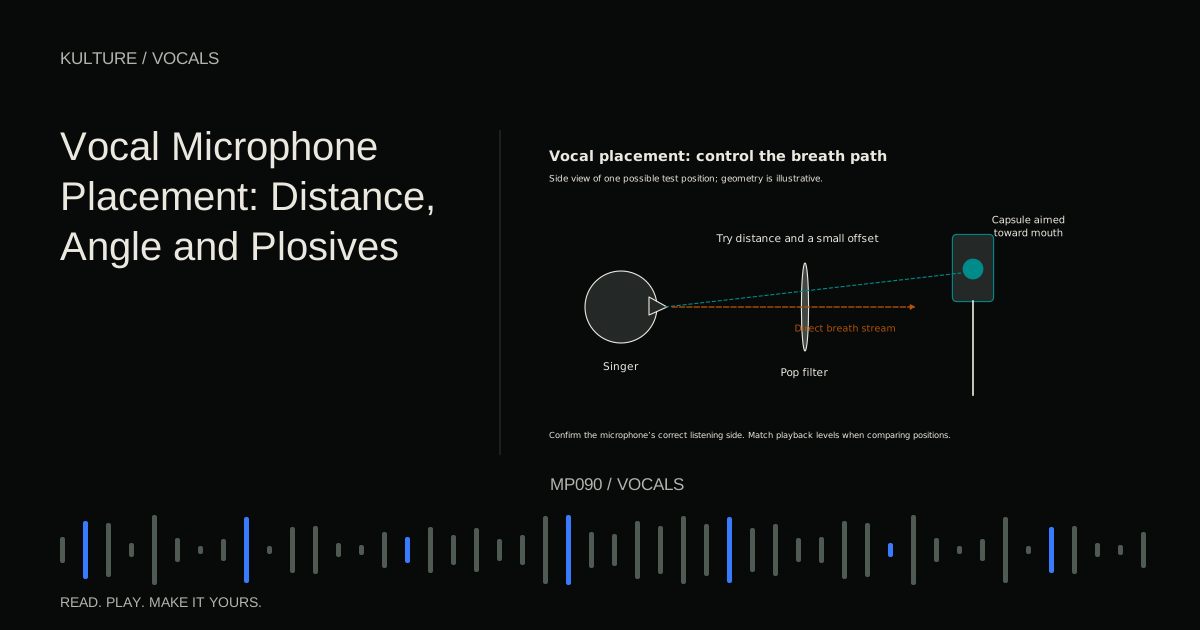
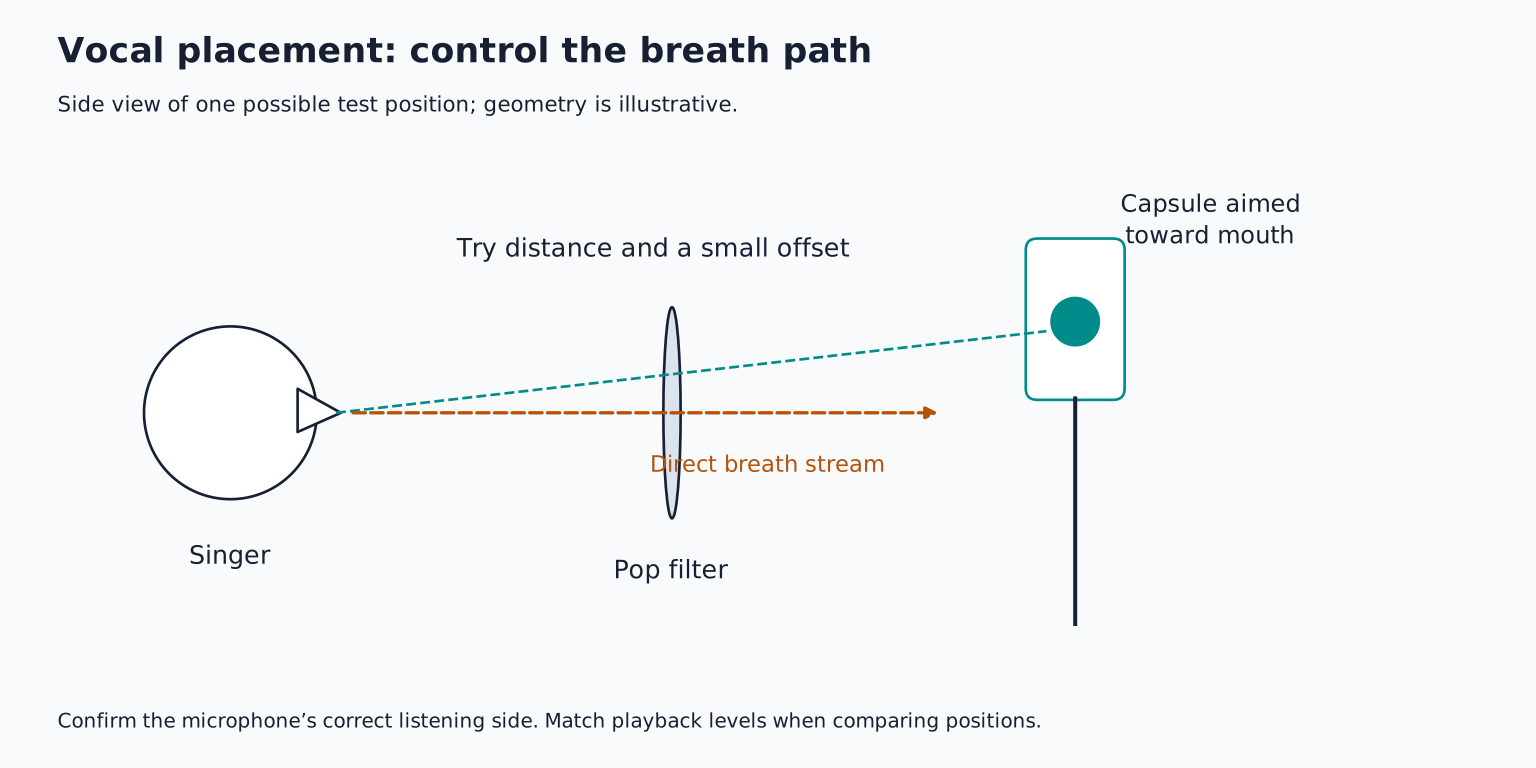
Confirm whether the microphone is side address or end address and identify its front. Add a pop filter when appropriate. Set a starting distance that allows a consistent performance, perhaps around 15 to 20 centimetres for a studio vocal test, then adjust by listening rather than treating that distance as a rule.
Record the same phrase from two positions. Compare plosives, bass buildup, room reflections, and word clarity at similar playback loudness. Shure's vocal recording article explains why microphone fit and proximity effect matter. Proximity effect is the bass increase many directional microphones produce at close distances.
Keep the singer's posture comfortable. Move the microphone to suit the person rather than forcing them to crane their neck to suit a stand. Once a good position is found, mark it discreetly so breaks do not turn into a new setup every time.
Verify power, gain, and recording
Check the microphone's power requirements. Many condensers require phantom power, but some designs use another supply. Ribbon microphones and inline accessories need model specific care. Make connections with phantom off and monitoring muted, then follow the manuals when enabling power.
Set gain while the singer performs the loudest realistic line. Leave headroom for the main take, which may be stronger than rehearsal. Do not turn the preamp up just because the headphone mix needs more vocal.
Record a ten second test and play it back. Confirm the correct input, a clean waveform, and no accidental effects printed into the recording unless that is your intention. A working live monitor does not prove the track is actually recording. Recording gain explains what the meters can and cannot tell you.
Make the headphones help
Ask what the singer needs more or less of, rather than only whether the mix is “okay.” The useful answer may be less percussion, a clearer chord instrument, or less reverb. Keep listening at a comfortable level.
Choose direct monitoring or a tested low latency DAW path. Hearing both can produce a doubled sound. If using software reverb for comfort, know whether it is only being monitored or recorded into the file. Preserve a dry recording when you want later flexibility.
Check headphone bleed during a quiet phrase and pause. An excessively loud click can leak into the microphone and become hard to remove. Lower or change the click sound, improve headphone fit, or use a musical cue if appropriate. Avoid solving every cue problem by increasing overall headphone volume.
Plan takes and breaks
Start with a few complete passes so the singer can build continuity. Do not interrupt every line for a minor issue. Write concise notes and return to targeted repairs afterward.
A useful first plan is two complete verse passes, two chorus passes, then a review. Adjust based on the performer, not a fixed quota. Stop if the performance is tiring or uncomfortable; recording is not improved by treating discomfort as a requirement. Personal vocal health concerns belong with an appropriate qualified professional rather than an internet recording trick.
When giving direction, ask for one change at a time. “Make the final line more conversational” is easier to act on than a simultaneous list about pitch, breath, timing, tone, and microphone distance.
Organize files while the meaning is fresh
Name tracks by role: lead, chorus double left, chorus double right, high harmony, ad libs. Use take names or comments that describe the material. Save a new project version before major editing.
Keep original recordings and ensure the project actually contains its audio files. Make a backup after the session. Do not run a cleanup command until you understand whether it removes unused takes permanently.
Before finishing, play the key sections once and confirm you have every needed lyric, ending, and harmony. It is easier to capture one missing word while the setup is still in place than to recreate the room next week.
For practice, prepare a session for one verse and chorus without recording the final takes yet. Verify every input and cue, then perform one uninterrupted rehearsal. Note anything that breaks concentration and fix it. You are ready to continue with multiple takes and comping when the technology stops demanding attention.
TAKE IT INTO YOUR OWN MUSIC
Your next session.
Name tracks by role: lead, chorus double left, chorus double right, high harmony, ad libs. Use take names or comments that describe the material. Save a new project version before major editing.
Notes and progress stay in this browser.