Start with the recording task: close vocal, acoustic guitar, loud amplifier, quiet instrument, or several sources. Then consider room sound, available gain, power requirements, and the complete cost of stands, cables, and monitoring.
Separate microphone type from pickup pattern
Dynamic and condenser describe broad transducer technologies: how sound becomes an electrical signal. Cardioid, omnidirectional, and figure eight describe pickup patterns: how sensitivity varies with direction. A dynamic microphone can be cardioid, but dynamic does not mean cardioid.
Moving coil dynamic microphones are often robust and useful for close vocals or loud sources. Condenser microphones commonly provide high sensitivity and detailed capture, with active circuitry that requires power. Ribbon microphones use another dynamic transducer design, with their own handling and electrical requirements. These are tendencies, not a ranking from beginner to professional.
A microphone's sensitivity rating describes its electrical output for a specified sound pressure, not a magical ability to hear the room while another microphone cannot. When recordings are level matched, distance, directionality, and frequency response strongly influence the balance of direct sound and ambience.
Shure's recording guide explains microphone characteristics and source specific placement.
TRY IT HERE
Move the listening position
Explore geometry, not a measurement of your actual room.
Ready when you are. Audio starts only when you press Play.
Keep experimenting in the sample pads LabChoose directionality for the situation
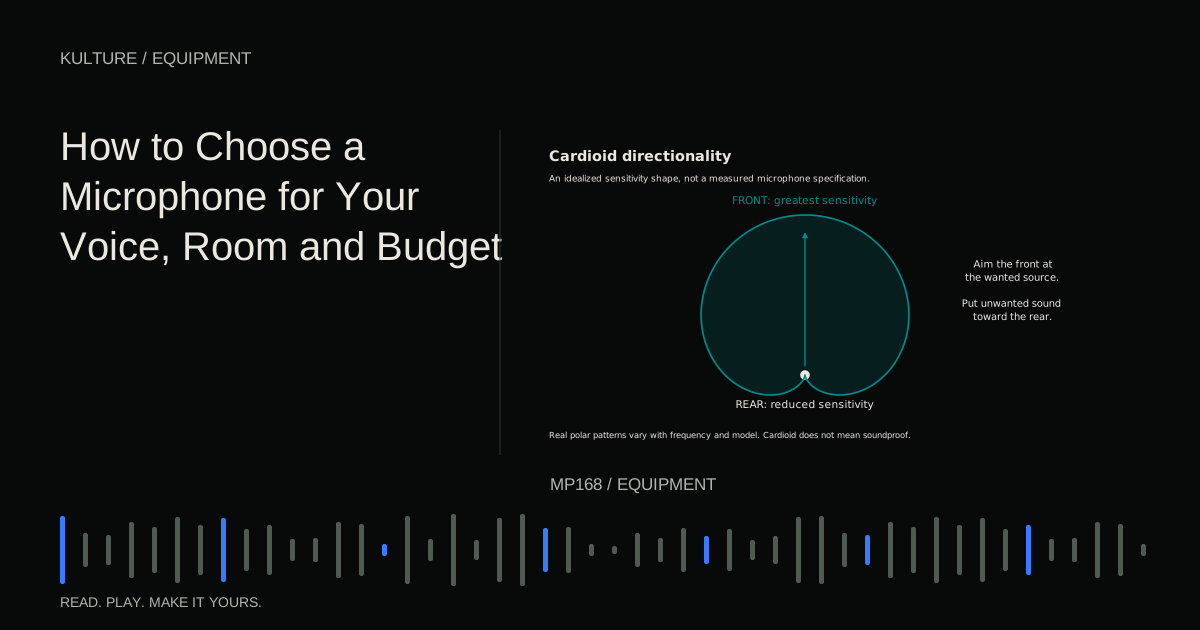
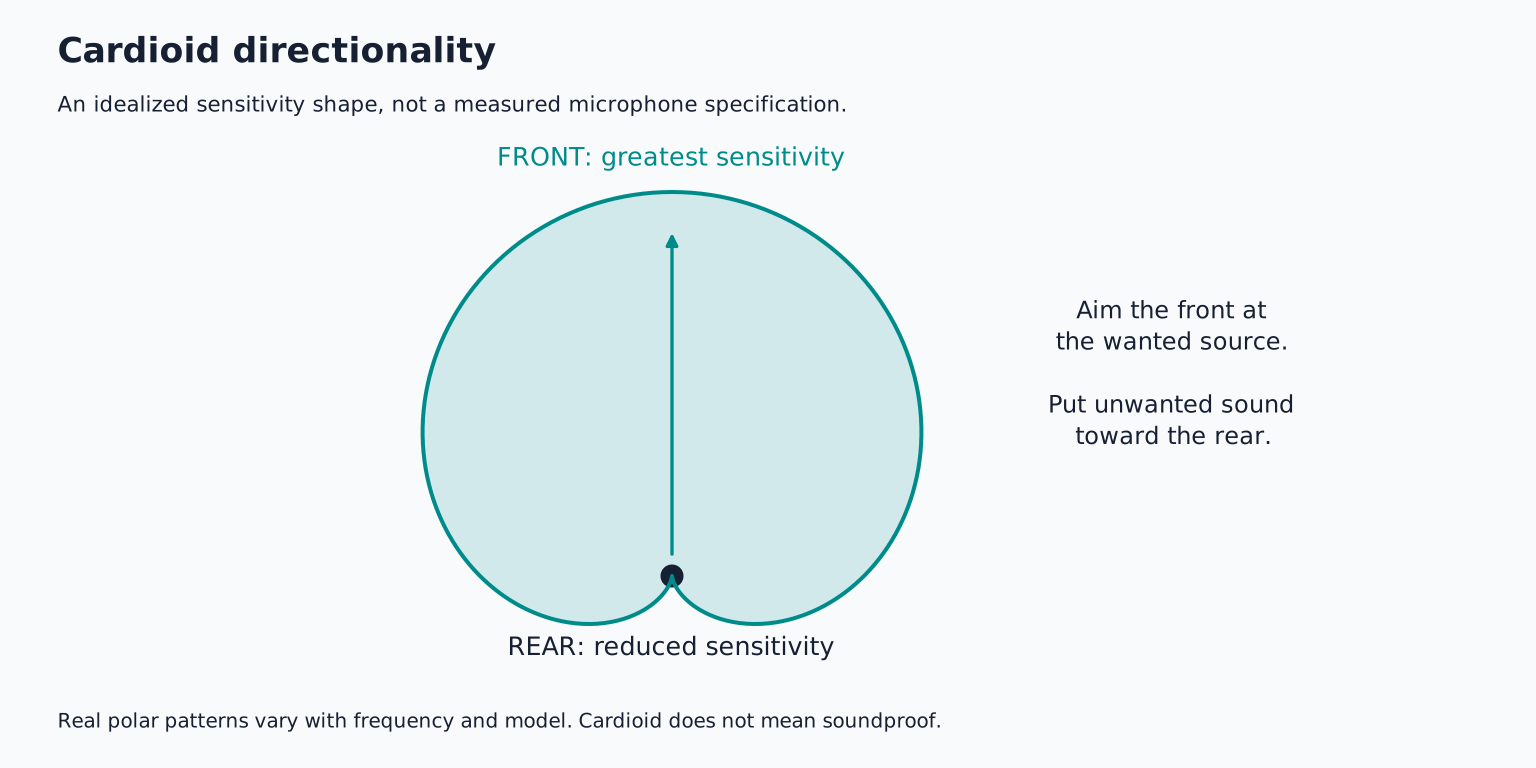
A cardioid microphone generally emphasizes sound from the front and reduces sound from the rear. It can be useful for a single performer when you can position unwanted sound toward a less sensitive direction.
An omnidirectional microphone receives sound from all around, with behavior that still varies by frequency and design. It can capture a natural sense of space in a good room, but it does not provide the same directional rejection as a cardioid.
Figure eight receives from front and rear while rejecting strongly at the sides. That can be useful for specific recording techniques, but the rear pickup matters in a small room. Supercardioid and hypercardioid patterns have different side rejection and rear pickup characteristics; they are not simply “more cardioid.”
Read the polar plot at several frequencies. Directionality is not perfectly identical across the entire audible range. Shure's polar pattern explanation provides a practical introduction.
Let distance do some of the work
For a close vocal test, begin roughly a handspan or two from the microphone with a pop filter, then adjust. Record the same phrase closer and farther away without changing the room or microphone angle. Match playback levels before comparing.
Closer placement often increases the direct voice relative to room reflections, but can exaggerate plosives, mouth sounds, and proximity effect. Proximity effect is a bass increase associated with close use of many directional microphones; its amount depends on the design.
Moving farther away can produce a more integrated sound from an acoustic instrument, but also captures more of the room. Neither distance is automatically correct. Listen for intelligibility, tonal balance, and consistency as the performer moves.
A reflection filter or small foam panel does not turn every room into an isolated studio. Address obvious noise, choose a better position, and use appropriate acoustic treatment where practical. A quieter recording time can matter more than a different microphone.
Match the microphone to the voice rather than a stereotype
A voice with strong sibilance may sound harsh through a microphone with a prominent upper frequency rise. A dark voice might benefit from some clarity, but a bright microphone is not automatically the answer; position and performance can change the result substantially.
Prepare a test phrase containing soft words, a loud passage, “s” sounds, and plosive consonants such as “p” and “b.” Record it at the distance you will actually use. Listen for words becoming thin, boomy, sharp, or difficult to understand.
If comparing microphones, match their playback levels. A louder recording often seems more detailed or impressive even when the difference is mainly gain. Avoid adding different processing chains during the initial comparison.
Do not rely on a reviewer's voice alone. Their room, distance, performance, and interface may differ from yours. A useful review can identify features and tradeoffs, but your source determines the final match.
Check gain and noise as a system
A low output microphone on a quiet source may need substantial preamp gain. That does not automatically mean the microphone is unsuitable or that the gain knob near its maximum is a problem. Listen to the resulting noise and distortion at the required recording level.
Preamp gain range, input noise, microphone output, source loudness, and distance interact. An inline booster can help some combinations, but it is not a universal requirement for every dynamic microphone. It also has its own power and compatibility requirements.
Condenser self noise matters especially for quiet sources and distant recording. In a noisy room, ambient noise may dominate before the microphone's own electronics become the main limitation. Maximum sound pressure capability matters for loud sources, but the interface input can also overload.
Focusrite's low signal troubleshooting illustrates why microphone choice and available preamp gain must be considered together.
USB or XLR depends on your expansion plan
A USB microphone includes conversion and often a headphone output. For one person recording into a computer, that can simplify the setup. Check direct monitoring, headphone controls, operating system support, and whether the device offers the input/output routing you need.
An XLR microphone connects through a suitable interface or preamp. This separates microphone choice from conversion and makes multi microphone expansion more straightforward when the interface has enough inputs.
Some microphones offer both USB and XLR, but their processing and monitoring features may differ between modes. Do not assume every advertised software feature applies to the analog output.
If you expect to record two people or two instruments simultaneously, plan the complete input system. Two independent USB microphones may require more complicated device aggregation and synchronization than a suitable multi input interface.
Treat power requirements carefully
Many condensers use 48 V phantom power through a balanced microphone connection. Other microphones use batteries, dedicated supplies, or different powering arrangements. Read the specific manual.
Do not make blanket assumptions about passive ribbons, adapters, or unbalanced connections. Turn monitoring down and switch phantom power off before changing microphone connections, following the manufacturer approved shutdown and connection sequence. Shure's phantom power guide explains the purpose of the power supply, but model specific requirements take precedence.
Phantom power is not a volume boost or a sound quality mode. If the microphone does not require it, enabling it is not a substitute for correct input gain.
Budget for a usable recording setup
Include a stable stand, cable, pop filter where useful, and headphones. A heavy microphone on an inadequate stand can drift or transmit handling noise. A poor position caused by a short cable can undermine the purchase.
Check mounting threads, shock mount compatibility, warranty, and return terms. If a store permits a home trial, use it to test real recording conditions rather than only speaking into the microphone for ten seconds at a counter.
Your buying exercise is to record the same twenty second phrase at two distances with your current microphone or a borrowed candidate. Match levels and score clarity, room sound, plosives, and noise. Buy only when you can name the specific improvement you need. Then follow the first recording walkthrough and choose an audio interface that supports the microphone and the number of sources you will actually record.
TAKE IT INTO YOUR OWN MUSIC
Your next session.
Include a stable stand, cable, pop filter where useful, and headphones. A heavy microphone on an inadequate stand can drift or transmit handling noise. A poor position caused by a short cable can undermine the purchase.
Notes and progress stay in this browser.