An interface converts incoming analog audio into digital data and converts computer playback back into analog audio. It commonly includes microphone preamps, instrument or line inputs, and headphone or speaker outputs. Focusrite's introductory explanation describes that basic role.
Count simultaneous inputs correctly
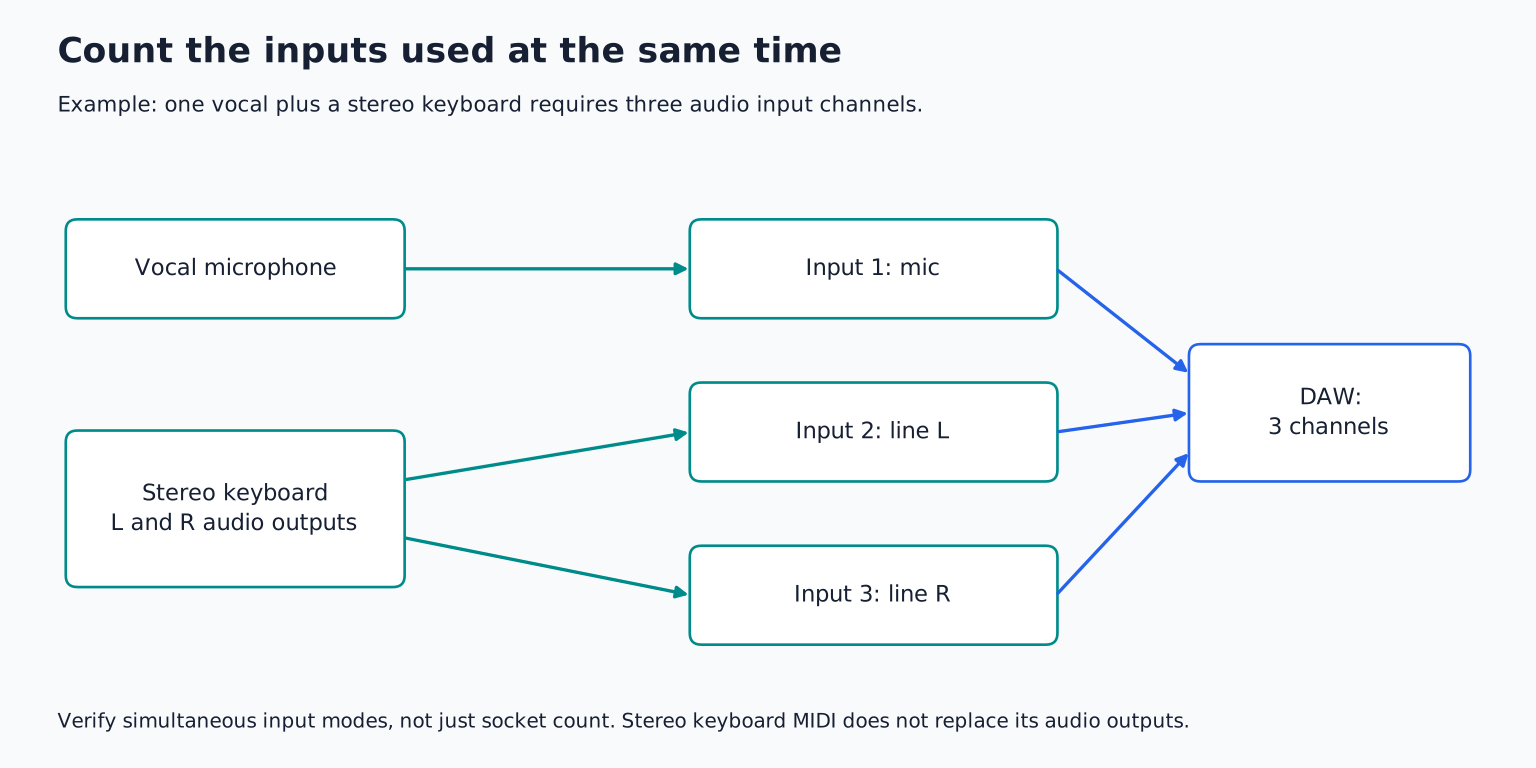
A solo singer recording one vocal at a time may need only one microphone input, even if the finished song contains twenty vocal layers. A singer playing acoustic guitar into a second microphone needs two microphone inputs simultaneously. A stereo keyboard normally needs two line inputs to preserve its stereo output.
Write down your most demanding realistic session:
| Recording plan | Input requirement to verify |
|---|---|
| One vocal | One suitable microphone input |
| Vocal and direct guitar together | One mic input plus one instrument input |
| Vocal and stereo keyboard together | One mic input plus two line inputs |
| Two microphones on acoustic guitar | Two microphone inputs |
| Small band live | Enough separate inputs for the planned microphones and direct sources |
Do not count sockets without reading what they accept. An interface advertised with many inputs may include digital channels that require additional external equipment. Two combo sockets may share functions with other connections rather than providing every possible input simultaneously.
TRY IT HERE
Make it your session
Turn the steps into a plan you can save.
Ready when you are. Audio starts only when you press Play.
Keep experimenting in the sample pads LabMatch microphone, instrument, and line inputs
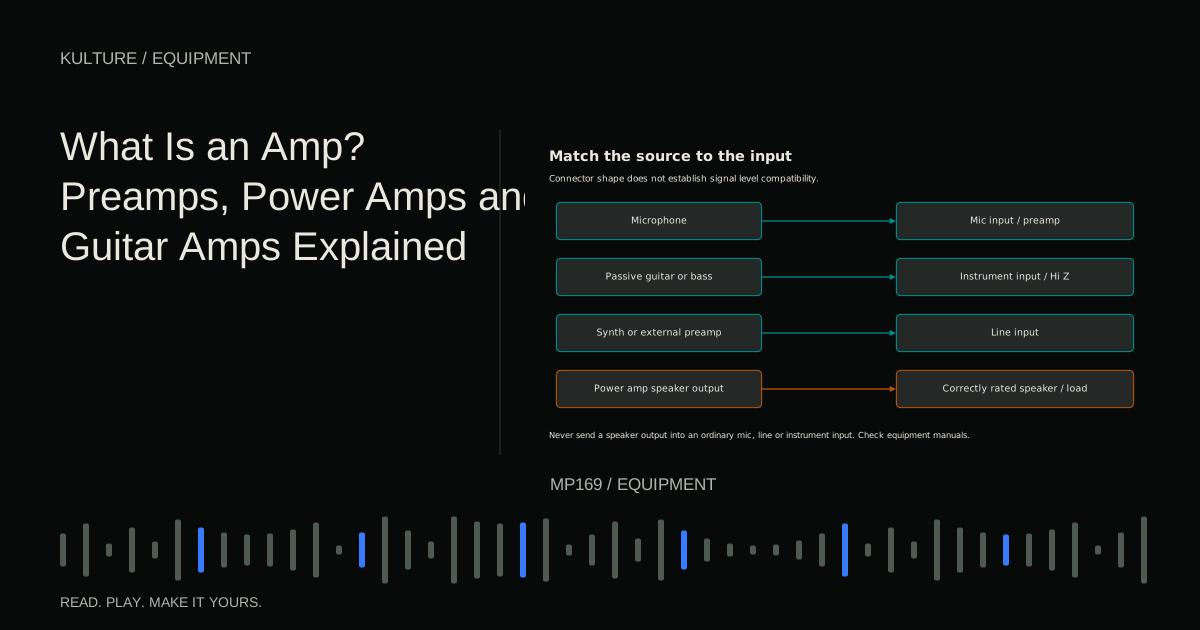
A microphone input includes a preamp designed for microphone level signals. An instrument input, often labeled Hi Z or INST, is suited to sources such as a passive electric guitar or bass. A line input accepts the stronger signal supplied by many keyboards, processors, and external preamps.
A combo connector can accept XLR and quarter inch plugs, but its operating mode still matters. Check whether instrument mode is available on every channel or only selected ones. Check whether line inputs bypass or pass through particular gain stages; designs differ.
Focusrite's line input explanation demonstrates why model specific documentation is more reliable than a blanket assumption about combo sockets.
Never connect a guitar amplifier's speaker output to an ordinary mic or line input. Recording that output requires a specifically rated, manufacturer approved arrangement. An adapter does not make incompatible signal levels safe.
Consider the microphone and preamp together
Check available gain for the microphones and sources you expect to record. A low output microphone on a quiet speaker can need more gain than a condenser close to a loud singer. The gain knob's position alone does not indicate quality; listen for noise and distortion at the required level.
Input noise specifications can help compare preamps, but only when measurement conditions are comparable. Source impedance, bandwidth, weighting, and gain settings affect published figures. Do not choose solely by one impressive number without understanding the test conditions.
If a microphone needs phantom power, verify the interface supplies the required power and whether switching is per channel or shared. Follow the microphone manufacturer's compatibility instructions, especially with ribbons, adapters, or unusual wiring.
Focusrite's gain guidance emphasizes setting gain for the incoming source rather than aiming for a particular knob position. Use the microphone guide to evaluate the whole combination.
Driver support matters more than connector fashion
Verify the exact interface model supports your computer, operating system, and DAW workflow. A USB C socket describes a connector shape; it does not automatically mean Thunderbolt, a particular USB speed, or better audio quality.
Check the supplied cable, required port type, power needs, and any adapter limitations. A bus powered interface may be convenient for mobile recording but still depend on adequate power from the host. A larger interface may need its own supply.
For Windows, inspect the manufacturer's supported driver and update policy. For macOS or mobile devices, class compliance can be useful, but advanced routing or onboard processing may still require compatible control software.
Before buying used, check whether the manufacturer still supports the model on your current system. A low purchase price can be less attractive if the only available driver belongs to an unsupported operating system.
Evaluate monitoring as a workflow
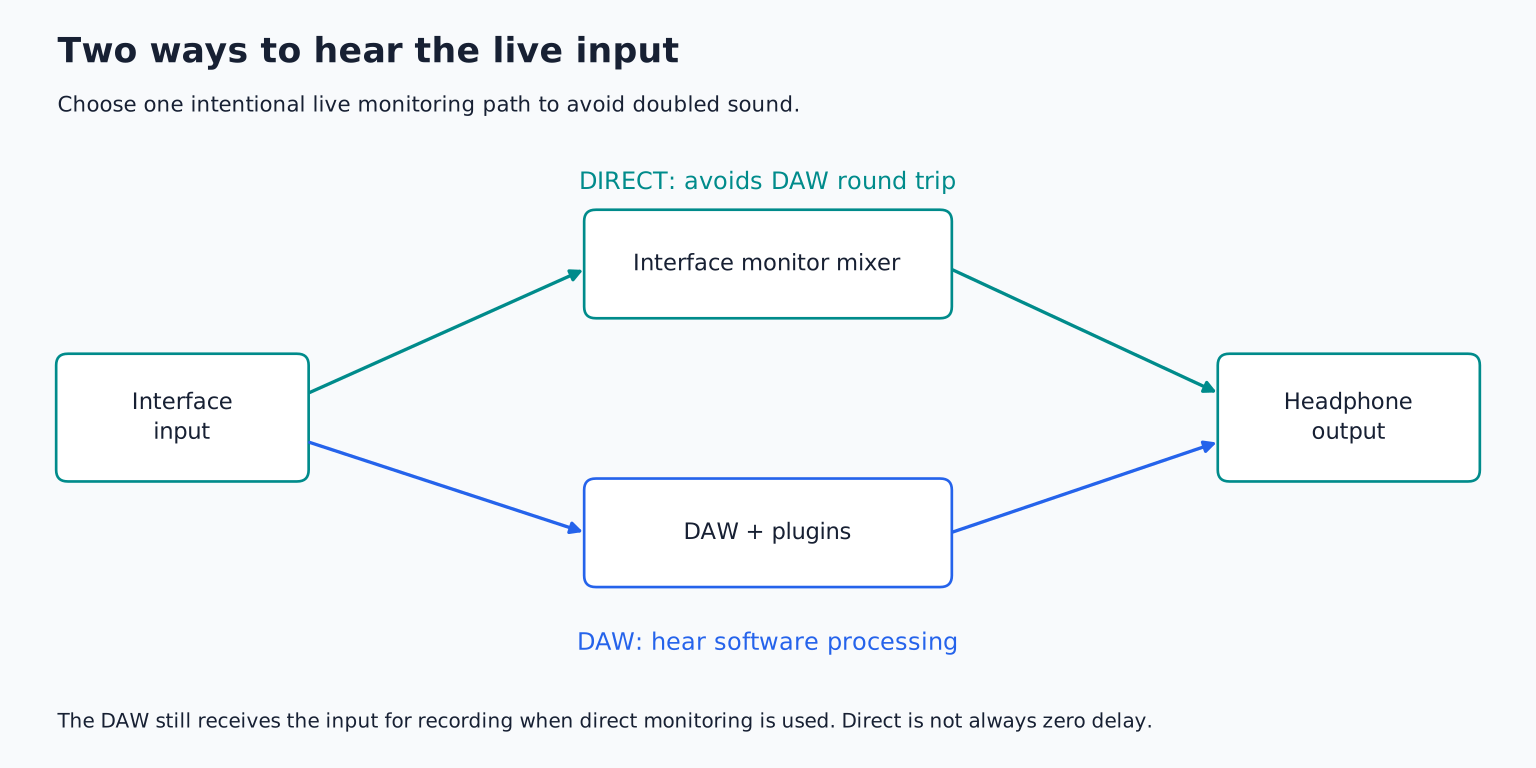
Direct monitoring routes input to the listening output without the normal DAW processing round trip. It can make clean vocal or instrument recording comfortable. Software monitoring lets you hear DAW effects but depends on buffer size, drivers, and processing load.
Check how direct monitoring is controlled: a simple switch, a blend knob, or a software mixer. If you record stereo sources, confirm whether the monitoring path can preserve stereo rather than placing everything centrally.
For two performers, ask whether you need two genuinely independent headphone mixes or merely two sockets playing the same mix. Independent mixes require appropriate routing as well as physical outputs. A headphone splitter adds sockets but does not create separate balances.
Focusrite's control software introduction illustrates the distinction between hardware inputs, DAW playback channels, and output mixes. Other manufacturers organize these controls differently.
Headphone and speaker outputs deserve attention
Check that the headphone output can drive your headphones cleanly at a comfortable level. Impedance alone is not enough to predict the match; sensitivity and output capability also matter. Test your actual headphones if possible.
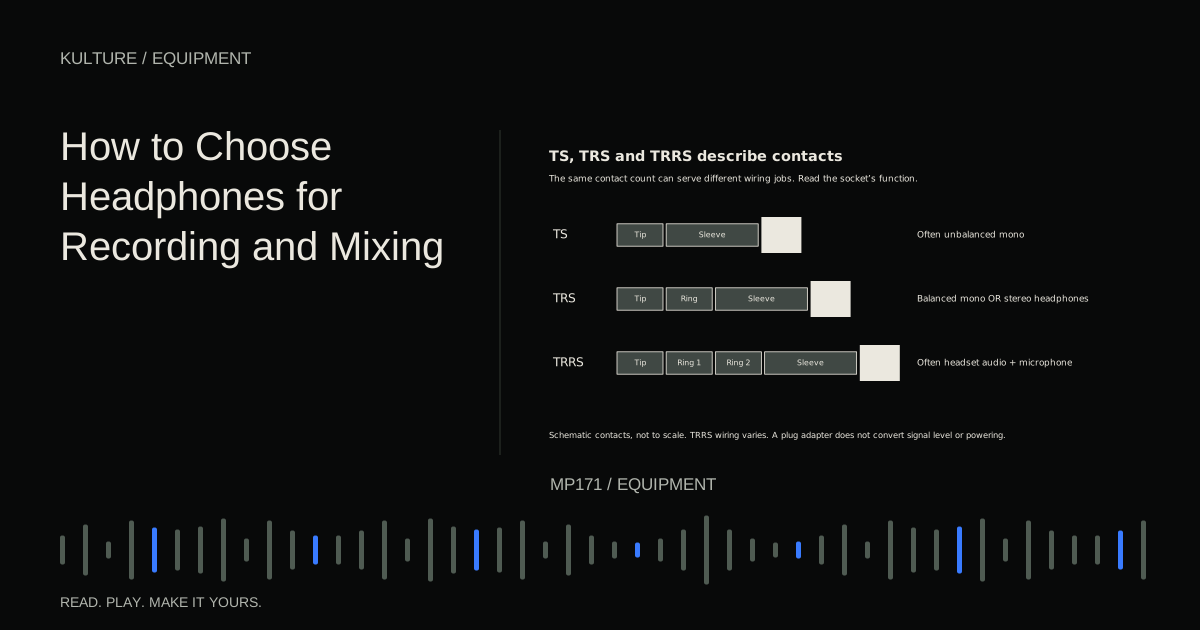
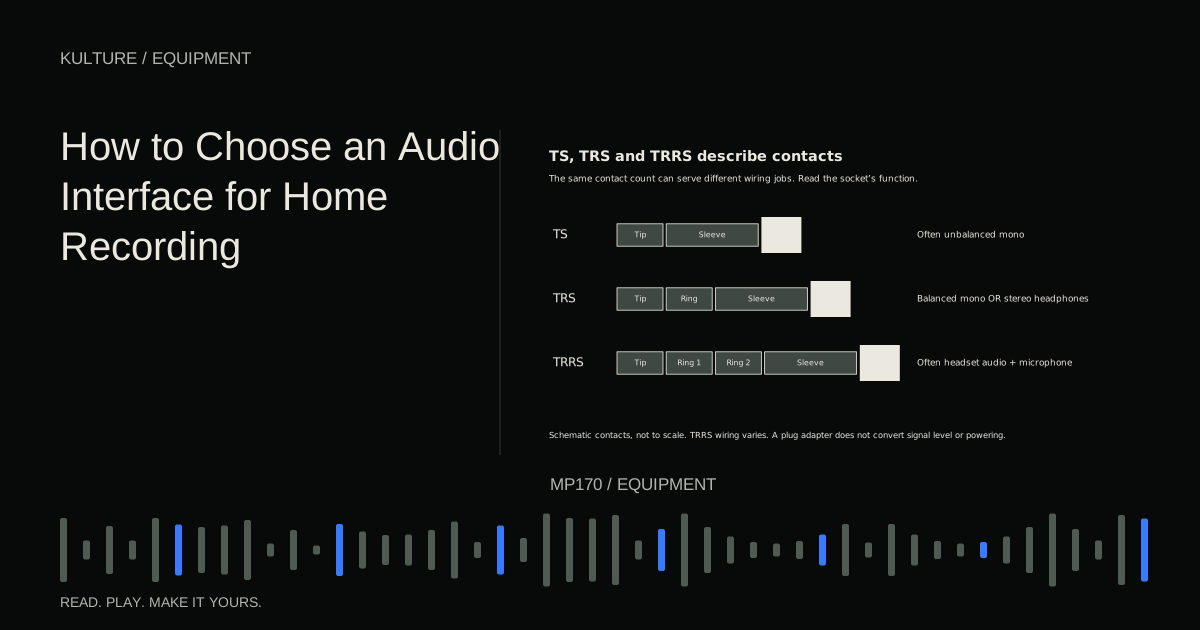
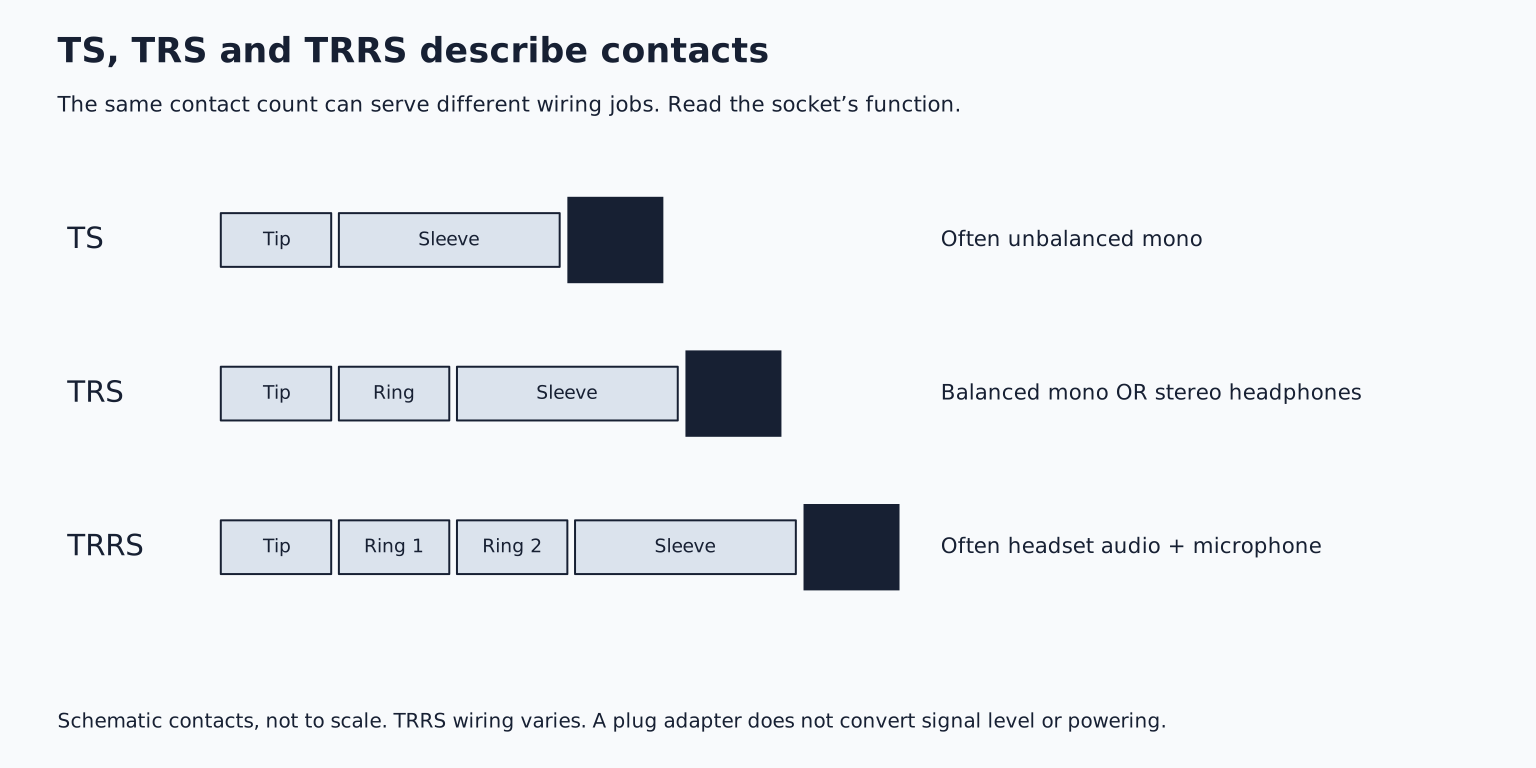
For speakers, verify the number and type of line outputs and the monitor level controls. Balanced connections can help reject interference when both ends and the wiring support them. A quarter inch TRS connection may be balanced mono or unbalanced stereo depending on the socket, so read the labels.
If you want to switch between two speaker pairs, record external hardware effects, or send a click separately from backing tracks onstage, count the independent output channels those tasks require. Two headphone sockets do not automatically provide four independent output channels.
Expansion and loopback are useful when you need them
ADAT optical or S/PDIF can add digital connections when paired with compatible equipment. Channel count can depend on sample rate and implementation. Digital devices also need a correct clocking arrangement, so expansion introduces setup responsibilities as well as capacity.
Focusrite's clock source guide explains why connected digital devices must agree on timing. Do not buy an expansion port assuming it is already an extra bank of microphone preamps.
Loopback routes computer playback into a recording or streaming input. It can be useful for tutorials and broadcasts, but check its exact routing flexibility and how to avoid feedback. It is not necessary merely to record a microphone into a DAW.
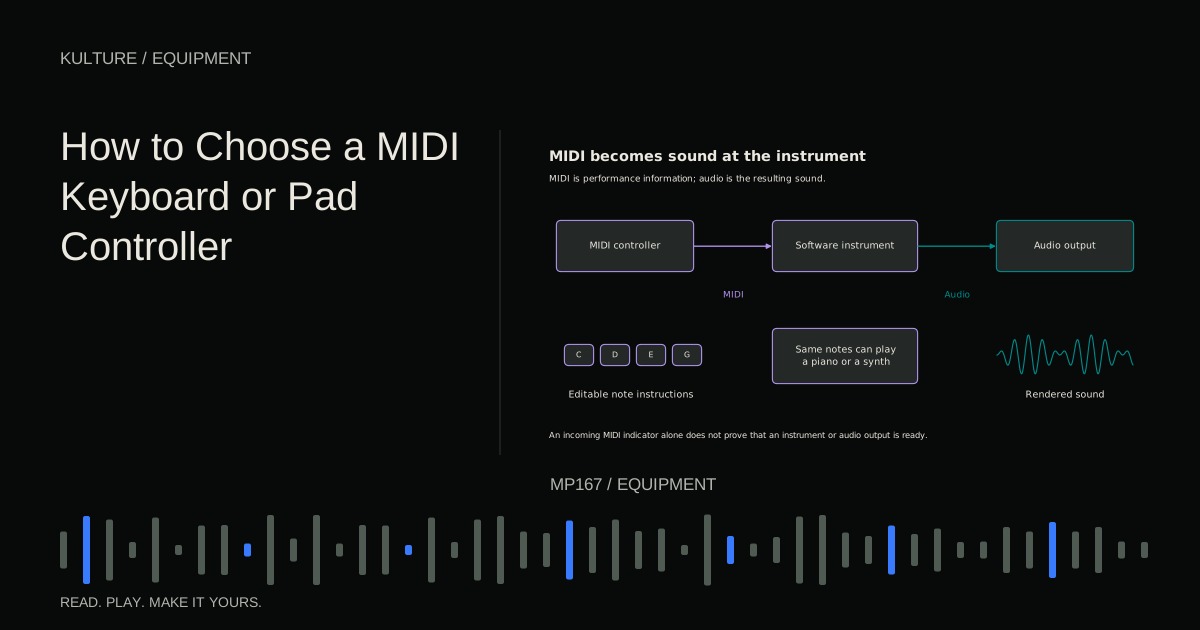
MIDI ports are useful for hardware instruments using traditional MIDI connections, but many USB controllers connect directly to the computer. MIDI capability does not increase the number of audio inputs.
Compare two candidates with a real session plan
Create a checklist containing simultaneous inputs, required input types, independent headphone mixes, computer support, and necessary outputs. Treat those as pass/fail requirements. Then compare conveniences such as meter visibility, knob spacing, portability, and included software.
Do not pay extra for the highest sample rate simply because it is the largest number. A well supported interface operating at an appropriate rate can serve excellent recordings. Room, microphone placement, performance, and gain setup usually deserve attention before extreme specification differences.
Your buying exercise is to draw the connections for your next recording, including headphones and speakers, then verify every socket and route in each candidate's manual. Include cables and any required expansion in the budget. After purchase, follow the first recording walkthrough and save a tested monitoring configuration before inviting someone over to perform.
TAKE IT INTO YOUR OWN MUSIC
Your next session.
Create a checklist containing simultaneous inputs, required input types, independent headphone mixes, computer support, and necessary outputs. Treat those as pass/fail requirements. Then compare conveniences such as meter visibility, knob spacing, portability, and included software.
Notes and progress stay in this browser.