Open back and closed back describe the enclosure, not a guaranteed quality level. Expensive headphones can still be a poor match for a noisy room, a quiet microphone take, or an uncomfortable fit.
Recording and mixing ask different questions
During recording, the performer needs to hear timing, pitch, and expression without the backing track leaking strongly into the microphone. A headphone mix that is comfortable to sing against matters more than an exaggerated sense of detail.
During mixing, you need to judge relationships: voice versus backing, kick versus bass, brightness, reverb, and stereo placement. The goal is a mix that translates beyond the headphones, not one that flatters every source while you work.
If most of your work is programming instruments in a quiet room, leakage may be unimportant. If you record soft vocals beside the computer, it can be a major issue. Write down your dominant task before comparing models.
TRY IT HERE
Make it your session
Turn the steps into a plan you can save.
Ready when you are. Audio starts only when you press Play.
Keep experimenting in the sample pads LabClosed back: useful isolation with tradeoffs
Closed back headphones restrict sound movement through the earcup enclosure. They commonly reduce leakage and outside noise compared with open designs, making them practical for tracking vocals and instruments.
They are not silent to everyone around you, and they do not eliminate all external noise. Seal, pad condition, fit, and playback level affect isolation. Glasses or hair can change the seal and therefore the bass response too.
Some closed designs sound spacious and balanced; others have pronounced resonances or bass emphasis. The construction alone does not tell you which. Listen to familiar material and evaluate the actual model.
For a recording test, play a backing track at the level you normally use, wear the headphones, and record a quiet microphone passage. Listen to the gaps for leakage. Lowering unnecessary backing elements can improve the cue mix without raising overall level.
Open back: useful in a quiet environment
Open back headphones allow more acoustic interaction through the earcup. They often provide a different sense of space and can be comfortable for critical listening, but they leak sound and provide limited isolation.
That makes them less suitable beside an active vocal microphone or in a noisy shared space. Outside noise can mask quiet details and tempt you to increase playback level. Choose the listening environment as carefully as the headphones.
Beyerdynamic's mixing guidance describes why open designs are often used in quiet studio work and closed designs in noisier situations. Treat that as a workflow distinction, not a universal ranking.
Semi open labels describe another design approach, but manufacturers use the term across different constructions. Check actual leakage and isolation rather than assuming the label guarantees a perfect middle ground.
Impedance and sensitivity work together
Impedance, measured in ohms, describes the electrical load the headphones present. Sensitivity describes how much sound output they produce for a specified input. The headphone amplifier's voltage and current capability also affect the match.
A high impedance model is not automatically better, and a low impedance model is not automatically loud enough on every device. Sensitivity figures may use different reference units, such as dB per milliwatt or dB per volt, so compare like with like.
Beyerdynamic's impedance explanation introduces the electrical distinction. For a purchase, check the specific headphone and interface specifications together and, if possible, test them together.
The practical question is whether your output produces clean, comfortable monitoring with useful control range. Do not buy an additional amplifier simply because a forum says every studio headphone needs one. Equally, do not assume a phone output and an interface output will perform identically.
Wired monitoring avoids one common delay
Bluetooth can add enough delay to make live keyboard playing, singing, or guitar monitoring awkward. Codec and device behavior vary, so use a wired path for dependable recording tests.
A wireless headset may also change audio mode when its microphone becomes active, affecting playback quality. That behavior can be mistaken for a DAW fault. A simple wired headphone connection separates these variables.
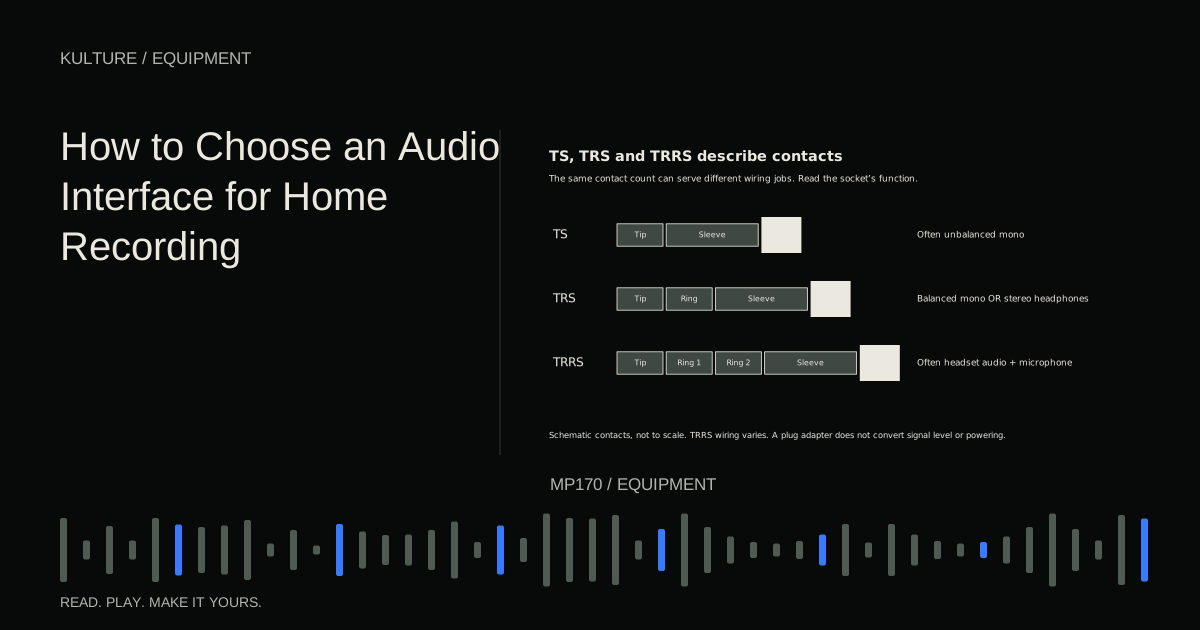
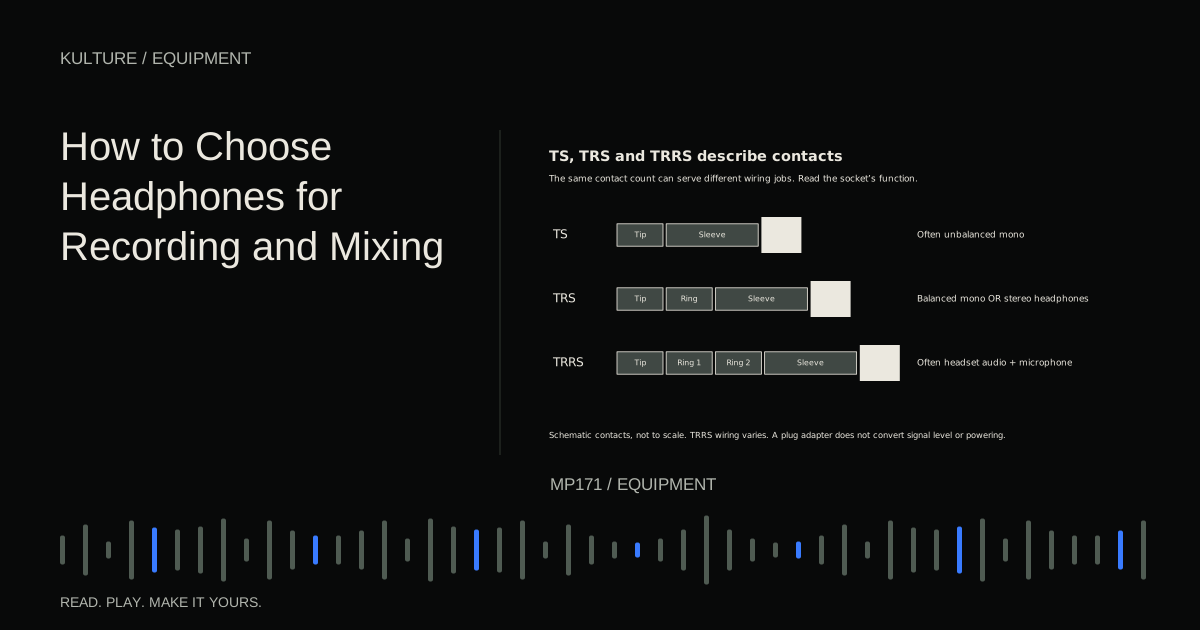
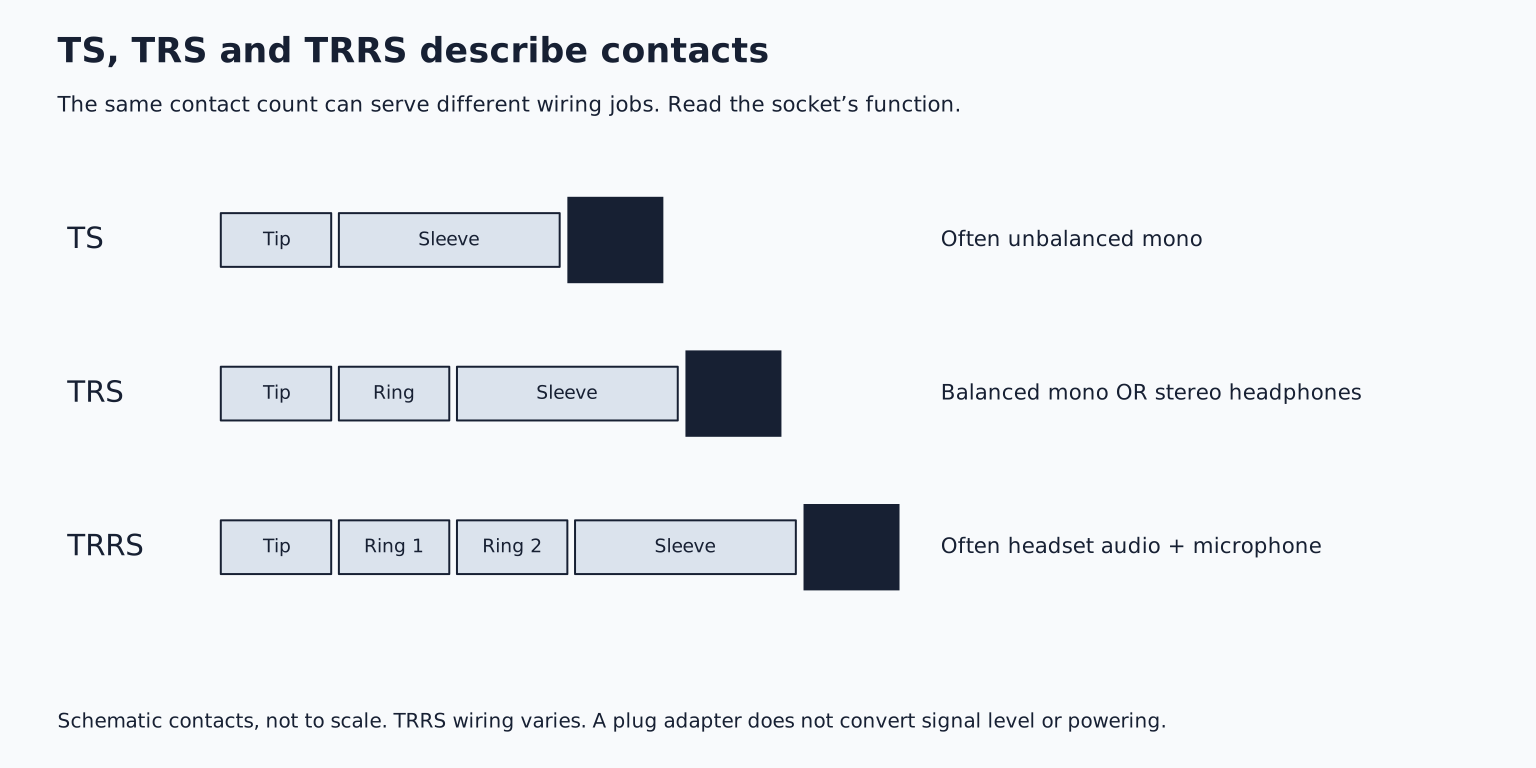
Check connector compatibility. A standard stereo headphone plug and a headset plug carrying a microphone can look similar but use different contacts. Focusrite's headset explanation describes TRS versus TRRS issues with interface headphone sockets.
An adapter changes the physical connection; it does not necessarily provide the microphone input or electrical routing a headset expects.
Comfort changes how consistently you hear
Wear a candidate pair for more than a brief audition if the store or return policy allows it. Check clamp pressure, weight, earcup depth, pad heat, and whether your ears touch the driver covering.
Move your head gently and note whether the bass balance changes with the seal. Try them with the glasses you normally wear. A slightly different fit can affect your judgments more than a small specification difference.
Replaceable pads and cables can extend useful life. Pad wear can alter comfort and acoustic response, so a familiar old pair may not sound exactly like a new pair of the same model.
Mechanical cable noise and cable length also matter. A coiled cable may stay tidy at a desk but pull on the headphones when standing. A long straight cable can be useful for recording but awkward in a compact workspace.
Audition with familiar references at similar levels
Choose three short reference passages you know well: one with a clear vocal, one with defined low end, and one with exposed acoustic detail. Use the same source files and similar playback levels for each headphone pair.
Listen for whether you can follow the bass notes, understand vocal consonants, and distinguish reverb from the dry sound. Notice persistent harshness or a bass balance that makes every track feel oversized. Do not assume a dramatic treble lift is the same as more accurate detail.
Frequency response graphs can provide context, but measurements depend on the test fixture, compensation, fit, and methodology. A single flat looking line is not a complete description of your listening experience.
Avoid choosing solely from the widest quoted frequency range. A specification extending far beyond hearing does not tell you how evenly the important range is reproduced.
Learn translation rather than trusting one perspective
Headphones feed the two ears differently from speakers in a room. Stereo width and center placement can feel different, and very low frequencies lack the same physical room interaction. A mix that feels spacious on headphones may need another check on speakers or a familiar playback system.
Use level matched reference tracks and compare specific relationships. If commercial references all sound bright on your headphones, do not automatically darken your mix until it matches an imagined neutral sound. Learn the system's recurring tendencies.
Headphone correction or crossfeed software can be useful, but it changes the monitoring path and must be configured deliberately. Keep any monitoring only processing out of the delivered audio unless you intentionally want it printed.
The reference comparison lesson provides a structured method for making these judgments.
Protect the ability you are buying headphones to support
Keep playback at a comfortable level, take breaks, and avoid raising volume to overcome a noisy environment. Device volume percentages are not universal sound pressure measurements. Use exposure monitoring or limiting features where available and appropriate.
The World Health Organization's safe listening guidance explains the importance of level and duration. Persistent ringing, discomfort, or changes in hearing warrant professional assessment rather than another gear adjustment.
Your selection exercise is to test two candidates with the same references, your actual output device, and a short microphone recording if tracking matters. Choose the pair that supports your work comfortably and predictably. Then spend time learning it through listening practice before treating every mix problem as a reason to replace it.
TAKE IT INTO YOUR OWN MUSIC
Your next session.
Keep playback at a comfortable level, take breaks, and avoid raising volume to overcome a noisy environment. Device volume percentages are not universal sound pressure measurements. Use exposure monitoring or limiting features where available and appropriate.
Notes and progress stay in this browser.