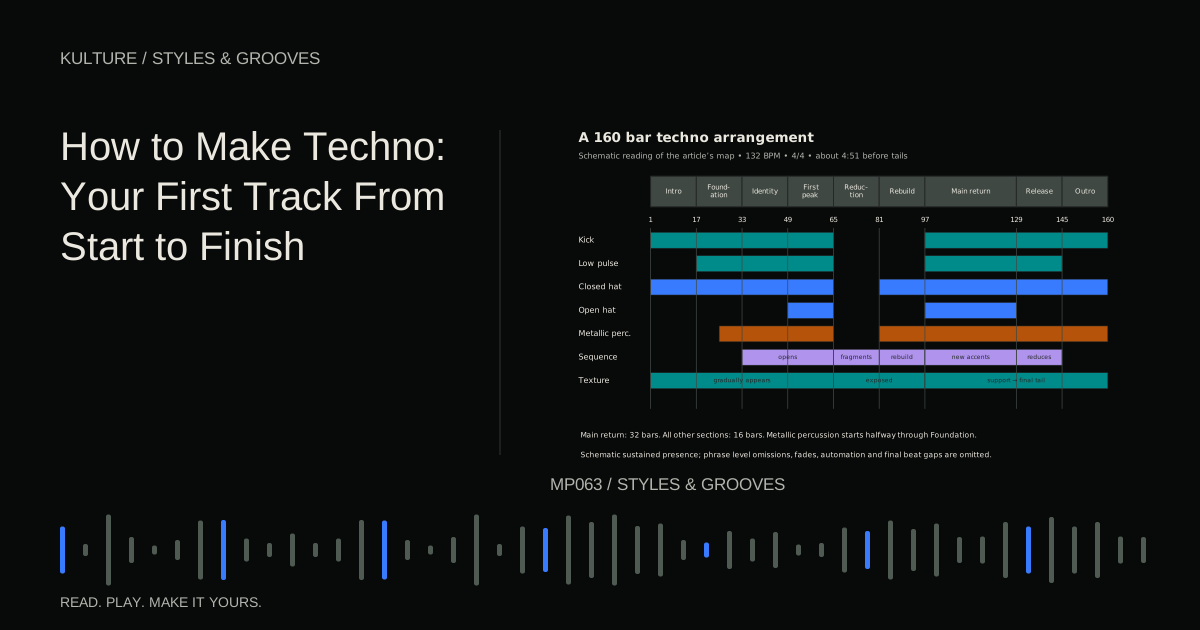
This capstone builds an original, restrained sequencer led track at 132 beats per minute in 4/4. It includes exact patterns, sound choices, a 160 bar arrangement, automation, mix checks, and export review. The finished timeline lasts about 4 minutes 51 seconds before effect tails. These choices are one workable route through techno, not a definition of the genre.
1. Set up a small, readable project
Create tracks named Kick, Low Pulse, Closed Hat, Open Hat, Percussion, Sequence, Texture, and Transition. Add a reverb return and a delay return if your DAW supports send effects. A return receives a portion of another track's signal, allowing several sounds to share an effect.
Start with stock instruments and samples. Save the project into its own folder. Keep the initial master processing simple so you can hear arrangement and balance problems directly. Set a comfortable listening level before auditioning sharp percussion or resonant filters.
Native Instruments' techno guide introduces the genre's use of drum machines, repeated patterns, and synthetic sound. The music below is an independent exercise; you do not need its product specific setup.
TRY IT HERE
Find the pocket
Tap the grid, change the tempo and hear your pattern.
Ready when you are. Audio starts only when you press Play.
Keep experimenting in the beat maker Lab2. Establish the kick before adding low layers
Choose a kick with a clear attack and a decay short enough to leave space before the next quarter note. At 132 BPM, a quarter note lasts about 455 milliseconds. A kick tail does not have to end at a mathematically exact point, but listen for whether successive hits blur together.
Place the kick on beats 1, 2, 3, and 4 of a one bar clip. Repeat for eight bars. Keep the hits consistent initially. If the sample sounds weak, audition another kick before stacking multiple similar kicks.
There is no requirement to tune every kick to the track's key. If the kick has an obvious sustained pitch that clashes with the bass, try a small pitch change or a different sample. Judge the musical relationship rather than trusting a tuner on a short, noisy transient.
3. Program a low pulse with deliberate gaps
Use a monophonic synth, meaning it plays one note at a time. Begin with a sine or triangle based sound and a short amplitude envelope. Set the attack just long enough to avoid an unwanted click, and adjust release so the note ends cleanly.
Use D as the tonal center. Choose a bass register that is audible on your system without forcing the level; octave names differ between DAWs. Program this one bar pattern:
| Position | Note | Length |
|---|---|---|
| 1 and | D | One eighth note |
| 2 a | D | One sixteenth note |
| 3 and | A | One eighth note |
| 4 and | C | One eighth note |
“1 and” is halfway through beat 1; “2 a” is the fourth sixteenth of beat 2. The offbeat placement leaves the kick's attack exposed. In the fourth bar, replace the last C with D and shorten it to a sixteenth, creating a tiny reset before the loop repeats.
Listen to kick and bass alone. If the combination becomes indistinct, first shorten the bass notes or kick decay. Then adjust levels. If needed, use gentle kick triggered compression on the bass: the kick acts as a sidechain control signal that briefly reduces bass level. Set it by the audible recovery between hits, not by copying a universal threshold.
4. Build percussion in layers with different jobs
Add closed hats on the eight eighth note positions in each bar. Make the hats between the main beats somewhat stronger than those on the beats. For example, alternate MIDI velocities around 55 and 80, then adjust for the instrument's response. Velocity is a performance value, not a guaranteed decibel level.
Add open hats only on 2 and and 4 and, removing the closed hats at those same positions. Shorten their decay if they smear into the next kick. If your sampler offers a choke group, use it so a closed hat can stop an open hat naturally, but verify the result rather than assuming the group is configured.
For the percussion track, choose a short metallic or wooden hit. Across two bars, place hits at sixteenth step numbers 1, 4, 7, 10, 13, 16, 19, 22, 25, 28, and 31. Count the two bars as steps 1 to 32. The pattern restarts at the next two bar boundary, producing a recurring displacement against the kick.
Keep this layer quieter than the main pulse. If it sounds like a second lead, shorten it or remove some hits. Try a small timing offset on this layer only while leaving the kick straight. Precision and groove are not opposites; stable anchors let displaced details make sense.
5. Write the sequence that gives the track identity
Use a simple synth with a sawtooth oscillator, a low pass filter, and a short plucked envelope. A sawtooth contains many harmonics, so filtering can change its color clearly. Keep resonance moderate at first.
Make a two bar phrase in a middle register:
- Bar 1: D on beat 1, A on 1 a, C on 2 and, D on 3 e, A on beat 4.
- Bar 2: D on beat 1, F on 2 e, E on 2 and, C on 3 and, A on 4 a.
Use sixteenth note lengths initially. Accentuate the first D and the F in bar 2. Leave the remaining notes softer. This creates a recognizable question and answer without requiring a chord progression.
The notes come from D natural minor: D, E, F, G, A, B flat, and C. You need not use every scale note. The limited palette leaves room for rhythm and tone to carry interest.
If the sequence feels too melodic for the direction you want, reduce it to D, A, and C while preserving the rhythm. If it feels lifeless, change accents before adding notes.
6. Create motion with one controlled parameter
Across sixteen bars, open the sequence's filter from a muted setting to a brighter one. As a starting experiment, try approximately 700 Hz to 4 kHz, but adapt to the synth and register. Add explicit reset values at section boundaries.
Record a second pass changing the filter envelope amount, which determines how far each note's envelope moves the cutoff. Keep whichever movement better articulates the groove. Do not keep both automatically.
Send a little sequence to a tempo synchronized delay. Try a dotted eighth note interval, which equals three sixteenths. Keep feedback low enough that the phrase remains readable. Filter the repeats if they compete with the original attacks. The automation lesson explains how to keep these changes intentional.
7. Add atmosphere only after the groove works
Create a quiet texture from a sustained D and A, a self recorded sound, or a licensed atmospheric sample. If it contains a clear pitch, check it against the sequence. Shape the beginning and ending with fades.
Keep the texture out of the way of the low pulse. This might mean using a higher register, reducing low frequencies, or simply lowering it. Do not apply a steep high pass filter to every sound by habit; remove only what interferes.
Rumble is optional. If you explore it, make a separate copy or send of a percussion sound, add reverb, filter and shape that effect, then balance it against the kick and bass. Do not introduce it merely because you think techno requires it. This exercise already has a complete low end role.
8. Arrange the 160 bar track
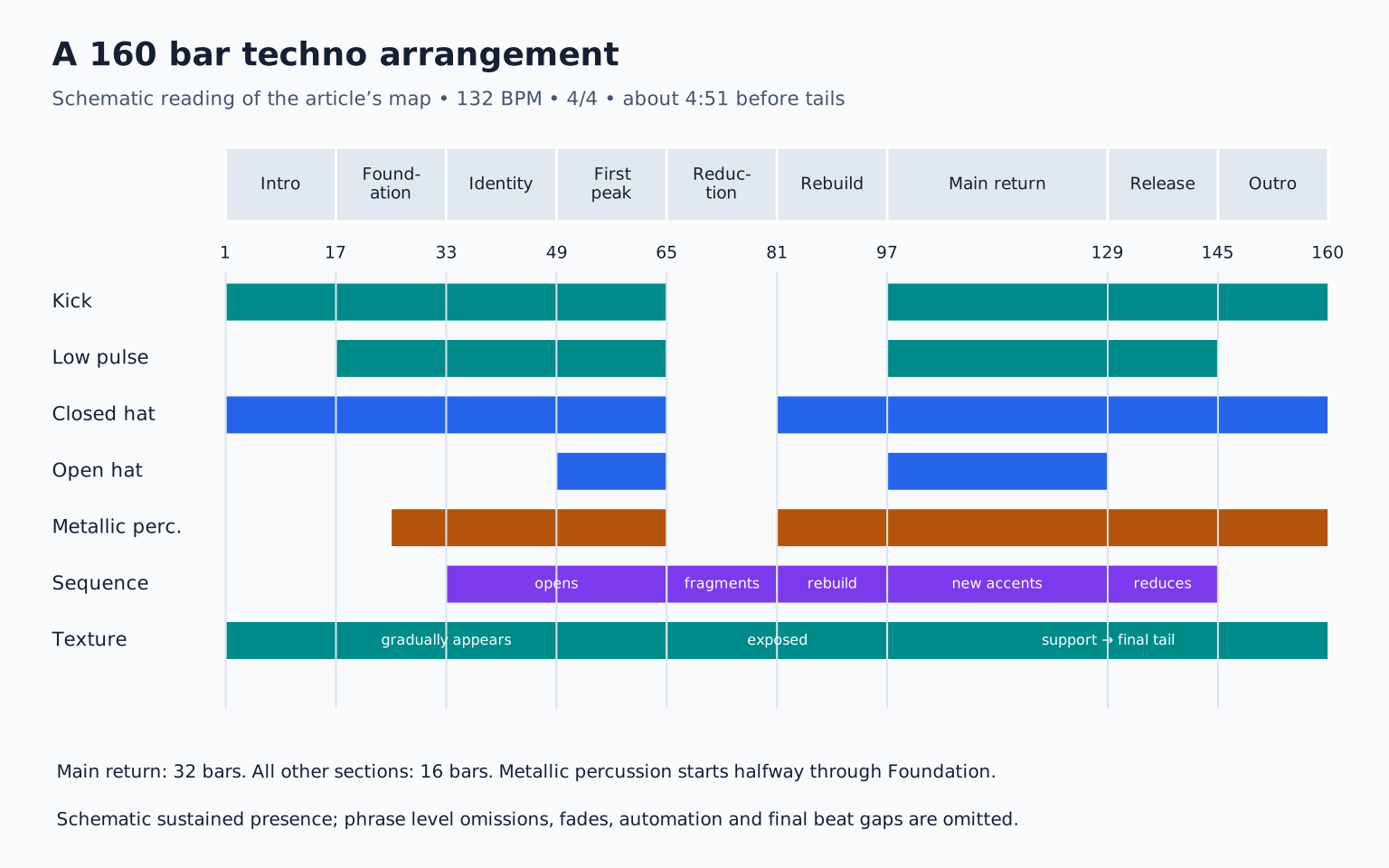
Duplicate your material across the timeline, then remove and vary parts according to this map:
| Bars | Section | Main development |
|---|---|---|
| 1 to 16 | Introduction | Kick and closed hat; texture gradually appears |
| 17 to 32 | Foundation | Low pulse enters; metallic pattern arrives halfway through |
| 33 to 48 | Identity | Muted sequence enters and becomes clearer |
| 49 to 64 | First peak | Open hats and brighter sequence; no new melody |
| 65 to 80 | Reduction | Remove kick and low pulse; expose texture and sequence fragments |
| 81 to 96 | Rebuild | Restore hats and percussion; shorten sequence gaps gradually |
| 97 to 128 | Main return | Full low end; second sequence accent pattern |
| 129 to 144 | Release | Remove open hats and progressively reduce sequence |
| 145 to 160 | Outro | Kick and restrained percussion; deliberate final texture tail |
At the main return, do not simply turn every track up. Change the sequence's accent emphasis from the opening D to the later C and F notes. Add a clap on beats 2 and 4 only if the groove benefits; it is not necessary.
In bars 113 to 128, remove the sequence for the first bar of every four bar phrase. Its absence can make the next entrance more compelling than another added layer.
9. Make three purposeful transitions
Before bar 65, stop the open hat one bar early and let the sequence's delay continue into the reduction. Before bar 97, remove hats and percussion for the final beat of bar 96 while kick and bass remain withheld; let the return supply the impact. At bar 145, stop the main sequence while the percussion continues, making the exit clear without a dramatic crash.
Listen from eight bars before each boundary. If the build at bar 96 is more intense than the return, reduce its effect density. The destination must deliver the promise.
10. Balance the complete arrangement
Start with kick and low pulse, then add the sequence, hats, percussion, and texture in that order. Check the busiest section and the exposed reduction. A balance that works only in the loop is incomplete.
Listen for the sequence disappearing under open hats, low notes overlapping, and delay tails filling intentional rests. Use level and note length changes before complicated processing. If a compressor makes the kick lose attack, bypass it and reassess the need.
Check the mix in mono, where left and right are combined, especially if you used stereo widening. A texture getting narrower is expected; a crucial part almost vanishing deserves investigation. Do not widen the bass merely to make the meter look active.
11. Export and verify the result
Save a new project version and collect required media using your DAW's supported process. Export the full arrangement at the project's intended sample rate and an appropriate uncompressed format for further work. Avoid clipping; a later mastering stage can address final delivery loudness.
Play the exported file outside the DAW. Confirm that the first kick is intact, section changes occur where expected, and the ending includes its intended tail. Write only three high impact revision notes on the first pass.
Your final exercise is to make a second version with sixteen fewer bars and no added instruments. Decide whether the shorter version improves momentum or removes useful hypnosis. That judgment, not the number of plugins, is the core production skill. For another groove led approach, continue with house production.
TAKE IT INTO YOUR OWN MUSIC
Your next session.
Save a new project version and collect required media using your DAW's supported process. Export the full arrangement at the project's intended sample rate and an appropriate uncompressed format for further work. Avoid clipping; a later mastering stage can address final delivery loudness.
Notes and progress stay in this browser.