A board feed alone is not necessarily a complete record of what the audience hears. In a small venue, loud drums and guitar amps may need little reinforcement, while vocals need a lot. The console mix can therefore sound vocal heavy when played outside the room.
Get the recording plan agreed in advance
Ask the performers, venue, and production contact for permission to record and clarify the intended use. Permission to capture a show does not automatically settle permission to publish, distribute, or monetize it. Keep the agreement clear before the equipment arrives.
Coordinate with the front of house engineer, who is responsible for the audience mix. Ask what feed is available, where it can be connected safely, and whether the recording will require any console configuration. Do not unplug stage lines, change phantom power, or alter routing without agreement.
Plan cable runs and stand positions so they do not obstruct exits, sightlines, or audience movement. A recording is not worth creating a trip hazard. Use venue approved positions and securing methods.
TRY IT HERE
Move the listening position
Explore geometry, not a measurement of your actual room.
Ready when you are. Audio starts only when you press Play.
Keep experimenting in the sample pads LabUnderstand the feed you are receiving
Confirm whether the output is analog line level, a digital connection, or a multichannel USB feed. For an analog stereo feed, use two suitable inputs and cables. Set the recorder to the correct input level rather than assuming XLR always means microphone level.
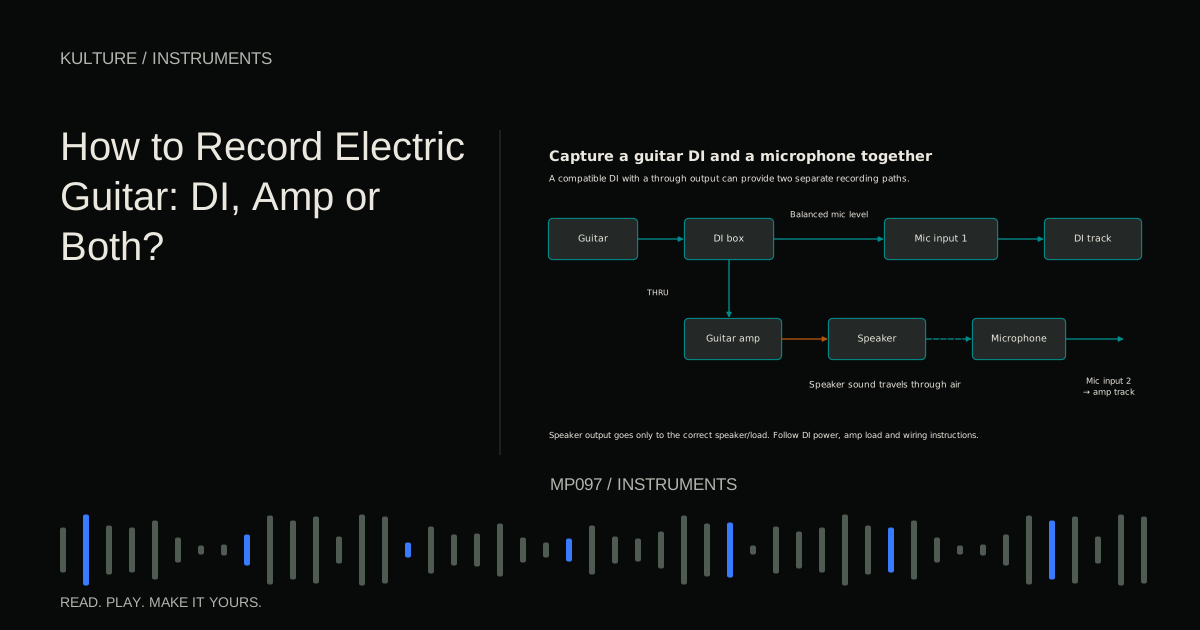
Never connect a power amplifier's speaker output to a recorder or interface mic, line, or instrument input. Ask for an appropriate console recording output. Disable phantom power on inputs receiving the board feed unless the connected equipment explicitly requires and permits something unusual; a normal line feed does not need microphone power.
Ask whether the feed follows the main faders, includes effects, or comes from a dedicated recording mix. An auxiliary mix can be configured differently from the house mix. Yamaha's auxiliary send explanation provides the underlying distinction between independent sends and the main output.
Why room microphones complete the picture
Room microphones hear what reaches their location: PA sound, acoustic stage sound, reflections, and audience noise. That can restore instruments underrepresented in the board feed and make applause feel natural.
TASCAM's live recording case study describes this mismatch between a room oriented board balance and a useful recording balance. The room tracks complement the feed; they are not automatically an improvement at every level.
Place them where the show sounds reasonably balanced, within approved safe locations. Too close to a chatty audience group can produce a recording dominated by conversation. Too far back can exaggerate reverberation and reduce clarity. Too near one PA speaker can make the image lopsided.
Choose a manageable stereo arrangement
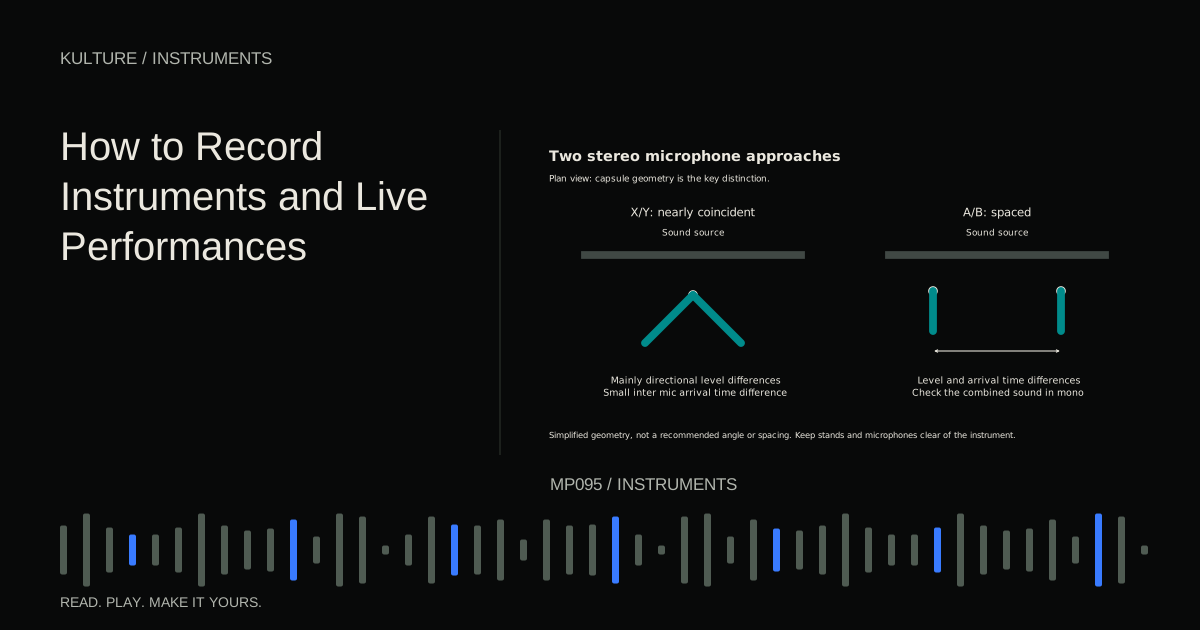
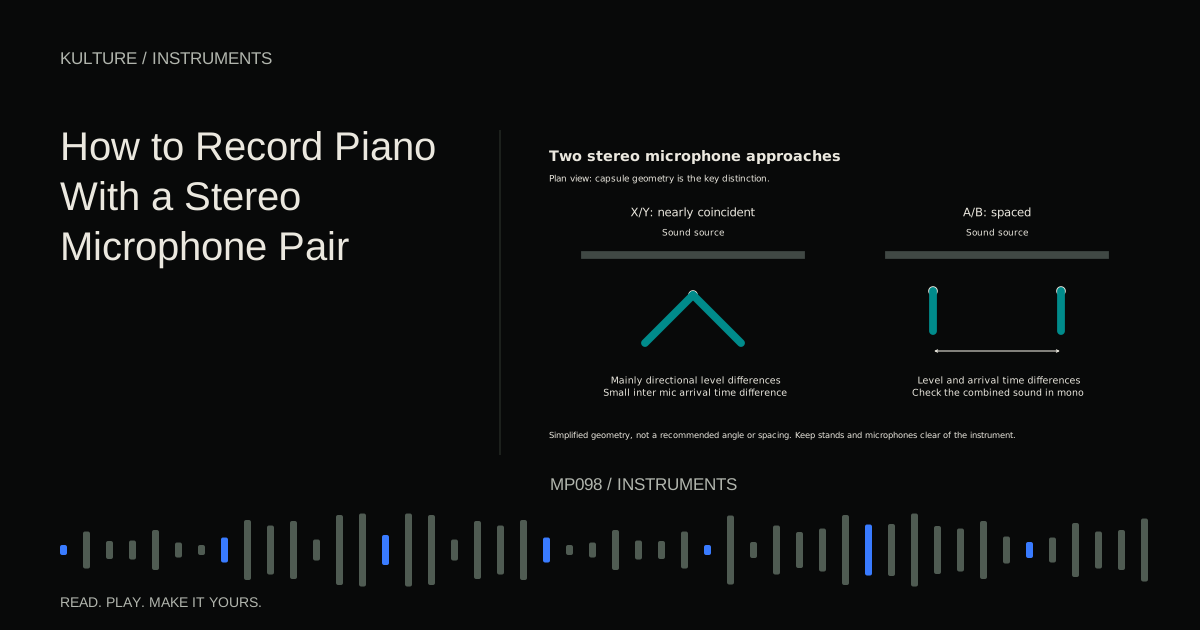
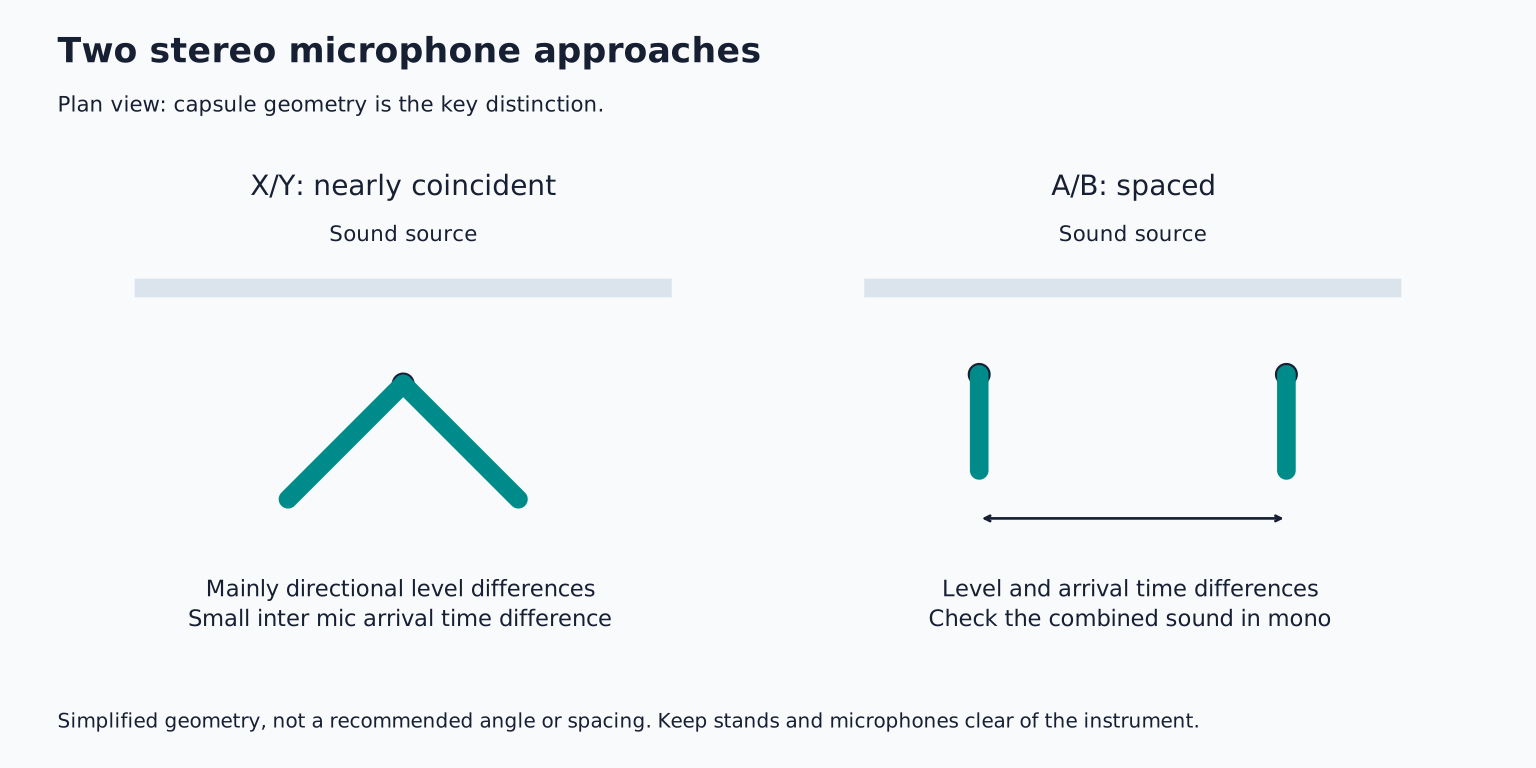
A near coincident or coincident pair can be easier to deploy than widely separated stands in an audience area. A coincident directional pair keeps capsules close together and uses their differing aim to create stereo information.
A spaced pair can capture broad ambience but introduces more arrival time differences and logistical complexity. Do not choose it only because it seems more professional. Use a stable stand or approved mounting arrangement, and keep equipment secure.
Aim for a coherent view of the stage rather than maximum width. Record a soundcheck passage and listen on headphones away from overwhelming room sound if possible. Check mono as well as stereo to identify severe cancellation or an unstable centre.
Use one recorder when practical
Capturing the board feed and room pair on the same multichannel device keeps them on one sampling clock. That simplifies synchronization. You still need to address acoustic delay, but you avoid independent recorder clocks slowly drifting apart.
If using separate devices, set compatible sample rates, record a common audible event during soundcheck when allowed, and keep continuous recordings. A shared clap or clear drum hit can help align files initially, but it does not guarantee that they remain aligned over a long show.
Check power, storage, and file length behaviour before the event. Know whether the recorder splits long recordings and how those files join. Carry appropriate backup power or an independent backup recorder if available, but do not make untested last minute system changes.
Leave headroom and record continuously
Set gains during a strong soundcheck passage, then leave room for louder performance and applause. Audience peaks can be substantial. Avoid chasing every song's level with large gain changes unless necessary.
Record before the performance begins and continue through the final decay and audience response. Starting and stopping between songs risks missing entrances, announcements, and transitions. Monitor status periodically without becoming a distraction.
A 32 bit floating point file format does not guarantee protection from every overload in the microphone, console, or recorder's analog input path. Understand the actual hardware capabilities. A clipped board feed cannot be repaired simply by recording it in a different file format.
Align with a musical reference, then listen
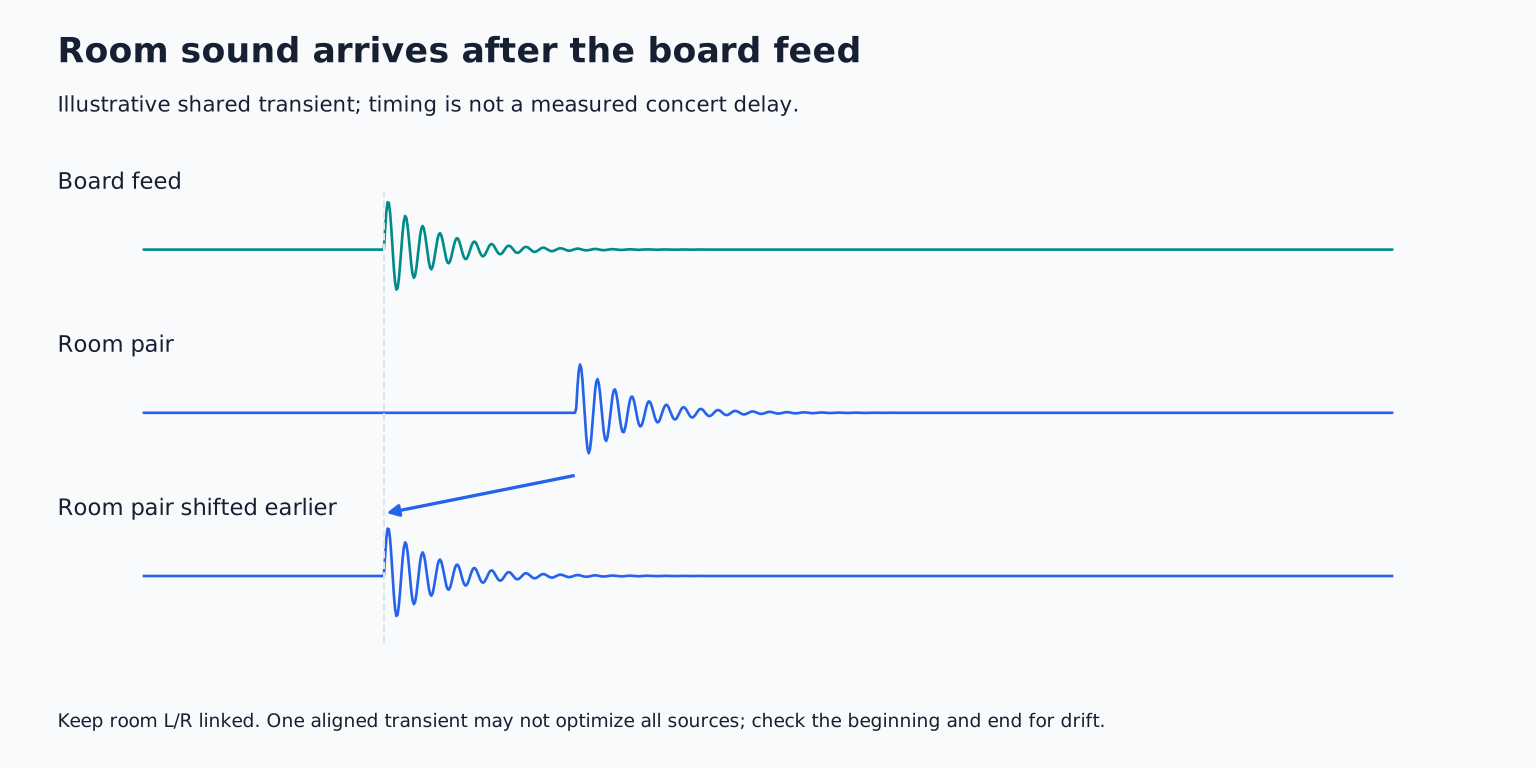
Import the tracks into a new session and preserve originals. Find a clear shared transient, such as a snare hit. The room microphone normally receives the sound later than the electrical board feed because sound takes time to travel through the air, and PA processing may add more delay.
As a rough physical reference, sound travels about one metre in roughly three milliseconds under ordinary room conditions. Use that only to understand the scale; measure the recording rather than calculating alignment from an estimated seating distance.
Try shifting the room pair earlier or delaying the board feed, keeping the stereo room channels linked. Listen to the combined drums and vocal for clarity. Perfect visual alignment of one transient may not optimize the entire show because the room contains several sources and reflections.
Separate delay from clock drift
A constant offset can be corrected with a single shift. Clock drift means the offset changes over time. Check a shared event near the beginning and another near the end.
If separate recorders diverge, use an appropriate small time correction or section based alignment workflow while preserving continuity. Do not keep making arbitrary cuts without listening for gaps or changing pitch. Save a version before correction.
When the room track is mainly for applause and atmosphere, exact musical alignment may matter less than when it contributes strongly throughout the songs. Choose the treatment according to its role.
Blend for clarity and atmosphere
Start with the board feed, then raise the room pair until the recording gains believable space and missing stage energy. If intelligibility falls or drums become smeared, reduce the room level or revisit timing.
Automate the room tracks between songs so audience response can come forward without overwhelming the music. Avoid abrupt switches to complete silence. A continuous sense of place often makes a live recording feel more convincing.
For practice, make a short soundcheck recording using separate board and room tracks. Create three balances: board heavy, room heavy, and a middle version. Compare clarity, instrument balance, and audience perspective. Keep the best starting point and follow the collaboration delivery guide when preparing files for the performers or a mixing engineer.
TAKE IT INTO YOUR OWN MUSIC
Your next session.
Capturing the board feed and room pair on the same multichannel device keeps them on one sampling clock. That simplifies synchronization. You still need to address acoustic delay, but you avoid independent recorder clocks slowly drifting apart.
Notes and progress stay in this browser.