There is no single perfect guitar position. The instrument's size, playing style, pick, room, microphone, and musical role all affect the result. Treat the first placement as a controlled experiment rather than a rule you must preserve.
Prepare the guitar and player
Tune the guitar and listen for rattles, fret buzz, strap noise, and chair squeaks. Check tuning again after a few strong passages. New strings can sound very different from settled ones, so choose the sound intentionally rather than changing them automatically just before the take.
Have the player perform the actual part. Fingerstyle, muted strumming, and open chords distribute energy differently. A microphone position tested with a few gentle chords may become boomy when the real rhythm starts.
Choose a stable, comfortable seat or standing position. Keep the mic stand out of the strumming path. Make sure the headphone cable cannot rub the guitar body, because the microphone may capture that mechanical contact clearly.
TRY IT HERE
Make it your session
Turn the steps into a plan you can save.
Ready when you are. Audio starts only when you press Play.
Keep experimenting in the sample pads LabSet a useful first position
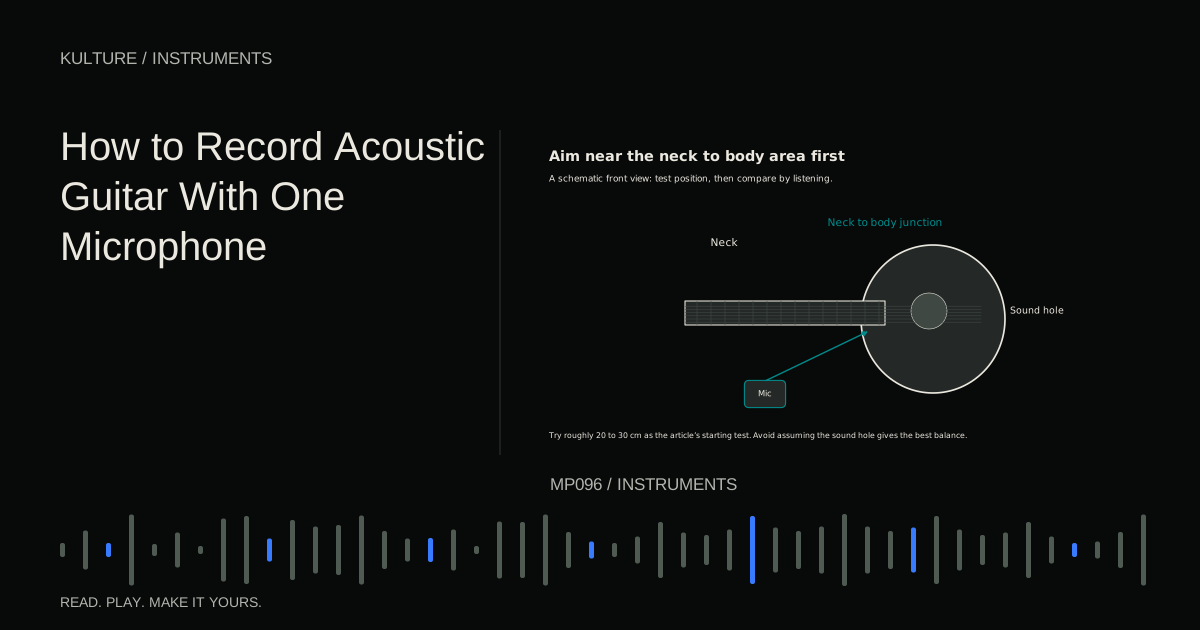
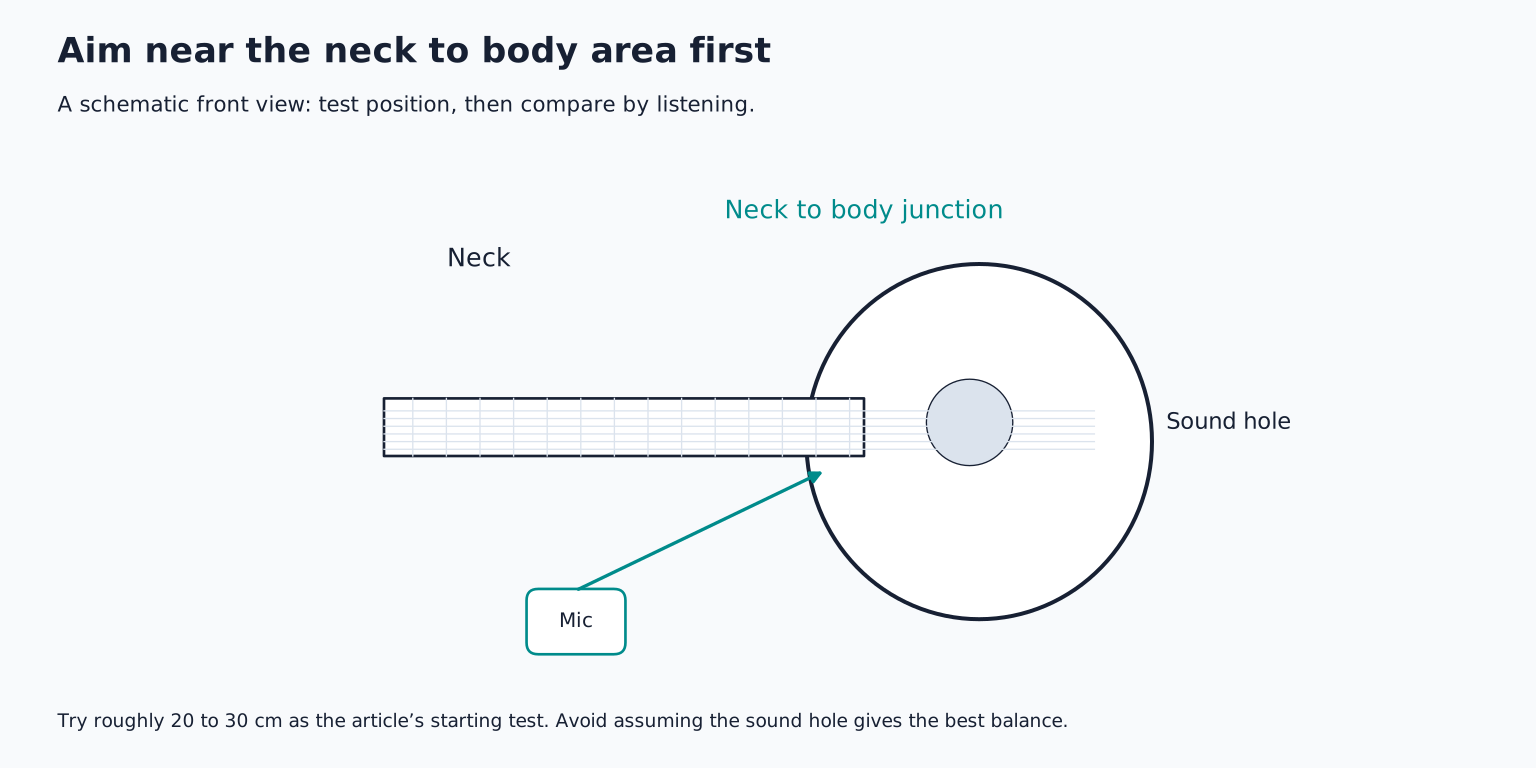
Place a suitable microphone roughly 20 to 30 centimetres from the guitar around the neck to body junction, often near the twelfth fret, and aim it toward that area. This is an illustrative starting point, not a claim that every guitar sounds best there.
Record a short passage and listen. If it is thin, angle slightly toward the body or move to a position that captures more resonance. If it is boomy, aim farther from the sound hole or increase distance a little. If pick noise dominates, change angle or position rather than immediately removing all treble with EQ.
Shure's recording techniques reference presents multiple guitar positions with different tonal results. That variety is the useful lesson: the guitar's sound is not identical at every point in front of it.
Why the sound hole is not always the target
The sound hole can produce strong low frequency resonance. A close microphone aimed directly into it may capture more boom than the arrangement needs. That does not make the position forbidden; it simply makes it a particular sound rather than a neutral default.
The strings and picking area contribute attack and detail. The body contributes resonant character. Moving the microphone changes their proportions. You are effectively making an acoustic tone decision before the signal reaches the computer.
If the guitar supports a busy mix, a focused, less bass heavy recording may fit well. If it carries a solo performance, you may want more body and room. Judge the recording in its intended context.
Compare positions fairly
Record the same eight bar passage in three positions: the initial neck area placement, a slightly more body directed angle, and a slightly farther position. Keep the performance as consistent as practical and label the takes.
Match playback loudness before judging. The closest take may be louder, which can make it seem more detailed or exciting. Listen for low note evenness, chord clarity, pick noise, finger squeaks, and room reflections.
Choose the position that gives the best overall balance, not the one with the most impressive low end alone. Keep the other tests as references so you can hear what the move actually changed.
Use distance to manage movement and room
A very close microphone can provide strong direct sound, but small player movements may create large tonal changes. Moving slightly farther away can make the balance more stable while introducing more room.
If the room sounds harsh or boxy, a farther position may not help. Try moving the player and microphone together to another part of the room. A reflective wall immediately beside the guitar can produce a different result from a more open position.
Do not assume a blanket or foam panel creates soundproofing. It may reduce some reflections, but outside noise and low frequency room behaviour require different solutions. Acoustic treatment versus soundproofing helps identify what you are trying to change.
Set gain for the strongest strum
Connect the microphone to the correct input and follow its power requirements. Many condensers require phantom power, while ribbon microphones need model specific checks. Make connection changes with power off and monitoring muted according to the equipment instructions.
Ask the player for their strongest realistic strumming or accent. Set gain with comfortable headroom rather than maximizing the waveform. A gentle fingerstyle test does not predict the peak of a full chorus.
Record and play back a short test. Listen for distortion as well as watching meters. The recording gain guide explains why lowering a DAW fader does not repair an overloaded input.
Keep the performance consistent without making it stiff
Mark the chair or foot position if it helps the player return after a break. A visual reference is enough; do not force the performer into an uncomfortable pose. The guitar needs to remain reasonably oriented toward the microphone while allowing natural movement.
If the player also sings, decide whether the vocal is part of the intended live recording or a guide. A guitar mic will capture some voice, and that bleed can limit later vocal replacement. For separate overdubs, record guitar without a loud guide vocal coming through speakers.
Use headphones for the backing track and keep them at a comfortable level that does not leak conspicuously. A click audible in the guitar's quiet decay can be difficult to remove later.
Record takes with useful endings
Capture a lead in before the first chord and let the last chord decay. Keep the player's hands still long enough to avoid an accidental scrape across the ending. Record a few seconds of room tone too.
Choose a strong complete take before constructing a detailed comp. When replacing a phrase, start playback early enough for the player to match groove and intensity. Retain the ringing overlap between chords where it belongs; cutting every chord at a grid line can sound unnatural.
If the arrangement needs width, record a second performance and pan the takes as appropriate. Copying the same mono recording to both sides does not create a new performance or a naturally wide pair.
Troubleshoot the actual symptom
Boomy chords suggest a placement or performance balance issue; move away from the sound hole emphasis and compare. Thinness may call for more body contribution, not an automatic bass boost. Excessive squeaks may improve through playing technique, string choice, angle, or local editing.
A hollow or phasey sound in a one mic recording may come from room reflections or duplicate monitoring. Check routing before blaming a multi mic phase problem that cannot exist in the same way with only one capture channel.
For practice, make the three position test and choose one recording with no EQ. Write down why it works in the song. Then record two complete takes and use comping only where it improves the performance. The success criterion is a believable guitar part that fits, not a particular microphone distance.
TAKE IT INTO YOUR OWN MUSIC
Your next session.
Boomy chords suggest a placement or performance balance issue; move away from the sound hole emphasis and compare. Thinness may call for more body contribution, not an automatic bass boost. Excessive squeaks may improve through playing technique, string choice, angle, or local editing.
Notes and progress stay in this browser.