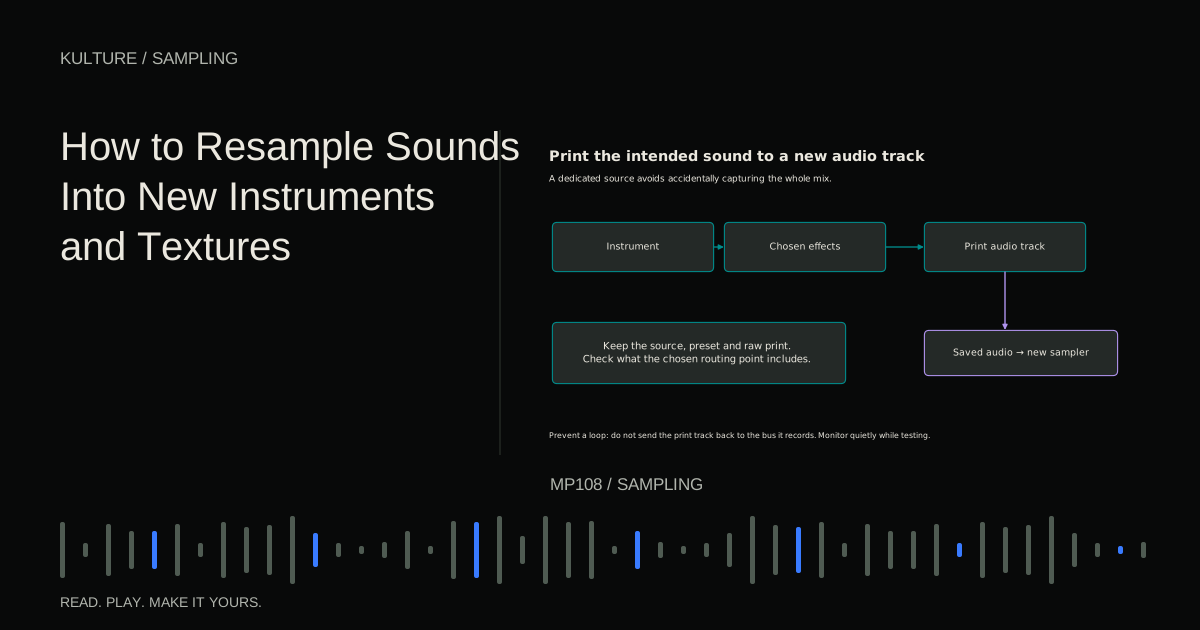
This is different from sample rate conversion, which changes the digital sampling rate of a file. Both terms involve “sampling,” but the creative workflow here is about capturing and reusing audio, not merely converting 48 kHz to 44.1 kHz.
Choose a reason to print the sound
Resample when committing creates a useful next step. A long reverb can become a pad, a layered percussion hit can become one playable sample, or a moving synth phrase can become a set of rhythmic slices.
Printing can also reduce the need to run a heavy processing chain live, but keep the source session if you may want to change it. Audio is easy to cut and reverse; it does not preserve every editable parameter from the original instrument.
Begin with a specific goal such as “make a soft attack texture from this chord” rather than recording random effects indefinitely. A clear goal makes it easier to choose what to keep.
TRY IT HERE
Rebuild the phrase
Reorder four slices of an original melody and play them back.
Ready when you are. Audio starts only when you press Play.
Keep experimenting in the sample pads LabUnderstand what your routing captures
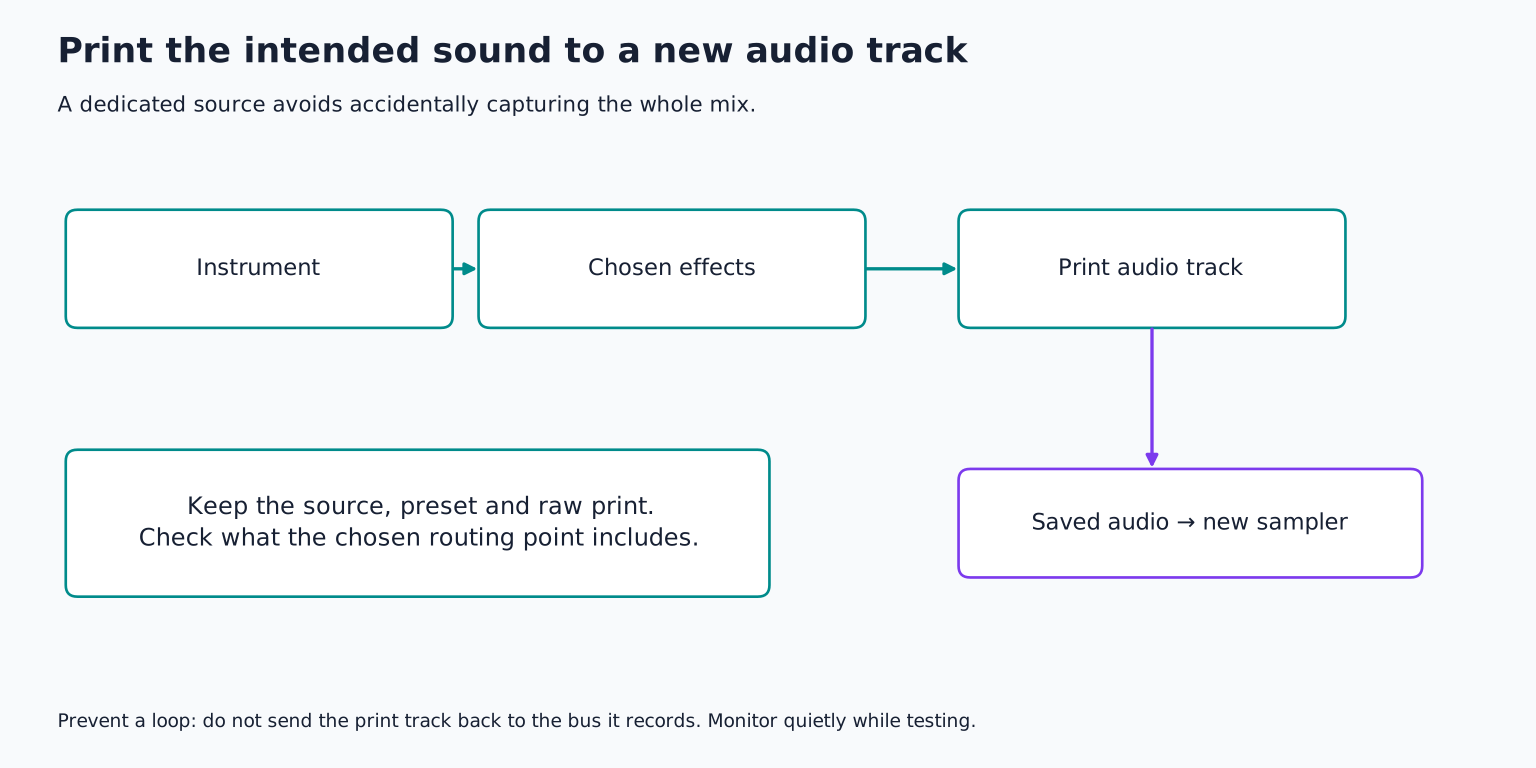
A track can be recorded before effects, after effects, or after its mixer controls, depending on the DAW. Recording the main output may include every audible track and master bus processing. Recording a dedicated bus or track can isolate the intended source.
Ableton's routing and resampling manual documents its Main output Resampling input and separate internal routing points. Other DAWs use names such as bounce, render, print, or record bus output. Check the selected source rather than assuming all these commands capture the same point.
For a clean experiment, mute unrelated tracks and the metronome if it would enter the print. Record a few seconds and listen to the result before committing a long pass. An unnoticed click track can become embedded in every future version.
Prevent accidental feedback
Do not route the recording destination back into the same path it is recording unless you deliberately understand and control the feedback design. A self feeding loop can grow rapidly and produce an unexpectedly loud signal.
Start monitoring quietly, verify the source and destination, and disable unnecessary input monitoring on the print track. Some dedicated resampling features protect against their own output returning to the source; ordinary internal bus routing may not.
If you use external equipment, the signal level rules still apply. A line output goes to a suitable line or adapted input. A power amplifier speaker output must never go directly into an interface mic, line, or instrument input. Creative experimentation does not change electrical compatibility.
Example one: make a chord bloom into a pad
Create an original C minor chord using C, E flat, and G on a simple synth. Play it for about two seconds through a long reverb, then let the tail finish. The exact octave and decay time are creative choices.
Print the chord and tail to audio. Keep an untouched copy. On a second copy, reverse the audio so the reverb grows toward the chord's original attack. Trim a section that has an interesting swell and add fades where needed.
Load the result into a sampler. Use a slower amplitude attack if the remaining boundary is abrupt, and set a release that lets the texture fade naturally. Because the source contains a chord, transposing it moves the entire chord together; it does not turn it into a single note instrument.
Decide whether harmony is embedded
A resampled chord carries its chord quality with it. Playing that sample on different keys creates parallel transpositions of the same internal intervals. That can be an intentional sound, but it may not fit every chord in a progression.
If you want an instrument that plays independent melody notes, resample one note instead. If you want a chord stab instrument, label the source chord and test every transposition against the song.
A texture may be partly pitched and partly noisy. Listen for a strong tonal centre even when the sound seems abstract. An unnoticed low note can clash with the bassline after the texture is transposed or layered.
Example two: create a personal percussion hit
Layer an original hand tap with a short noise burst and a small room effect. Adjust their timing so they behave as one hit, then print the result with enough tail.
Trim the beginning carefully and audition the attack. Load the print into a sampler and trigger a simple rhythm. You now have one repeatable sound instead of several tracks that must remain aligned.
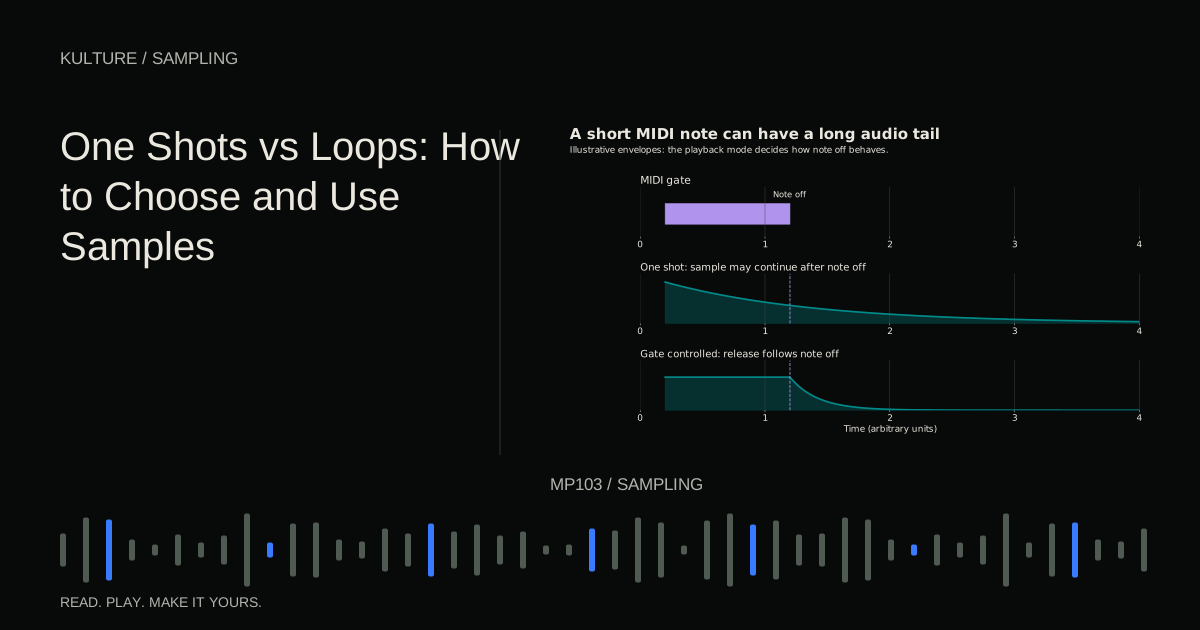
Make a second variation by changing the source performance or processing before printing, rather than only changing the first sample's volume. Alternate the two versions in the pattern to reduce obvious repetition. One shots versus loops explains when a consolidated hit is more useful than a full phrase.
Example three: turn motion into slices
Record an eight bar synth performance while moving one or two controls, such as filter cutoff and delay amount. Keep output levels under control as resonance or feedback changes.
Listen back and mark three or four moments with distinct character. Slice those moments into playable fragments. A stable note, a noisy transition, and a long tail can become different roles in a new pattern.
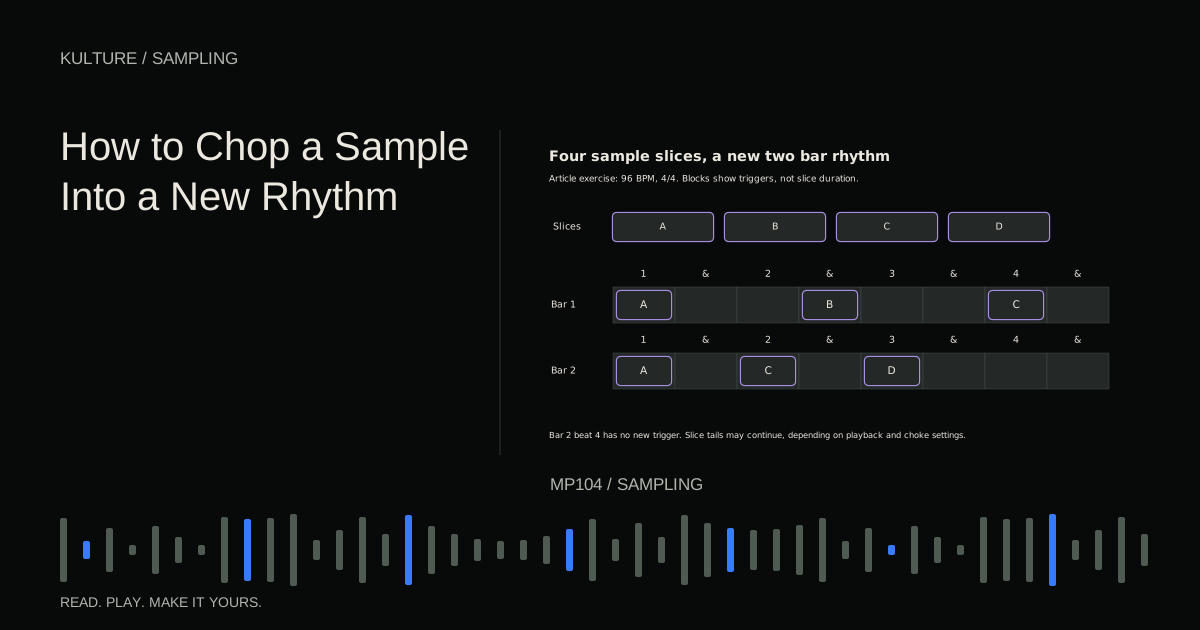
Do not keep every second merely because you spent time recording it. Select the moments that suggest a phrase. Sample chopping shows how rests and repetition turn a set of fragments into an arrangement.
Process in generations, but preserve the path back
You can resample a print again: pitch it, filter it, distort it, reverse it, and capture another version. Each generation can reveal a new texture. It can also accumulate noise, harshness, or stretching artifacts.
Name versions descriptively, such as “ChordOriginal,” “ChordReverseTail,” and “ChordReverseTailLow.” Keep a short note of the key, approximate tempo if rhythmic, and important processing. Do not rely on a folder full of “final2” files.
If the latest version becomes less useful, return to an earlier generation. Commitment should create momentum, not prevent recovery. Keep the source instrument muted or archived in the session when practical rather than deleting it immediately.
Check boundaries, tuning, and level
A printed sound may need different handling from the live chain. Reverb tails can leave long leading or trailing regions. A reversed sound may click at its new start. A loud effect peak may become a problem when several sampler voices overlap.
Use fades, sensible envelopes, and adequate output headroom. Check the root note for pitched single note sources. Compare different keyboard registers because repitching can change length and texture. Building a playable sampled instrument covers that mapping stage.
Resampling does not erase licence restrictions on third party source audio. Keep the source record and permission information alongside the new files, especially if you intend to distribute isolated samples rather than a finished song.
Finish one usable sound
For your exercise, choose one original source and create three prints: a short percussive version, a long atmospheric version, and a rhythmic chopped version. Use one of them in an eight bar musical section.
Save the audio with the project, reopen it, and verify that the sampler can find its files. Keep the version that contributes a clear musical role. The useful outcome is a sound you can play and arrange, not merely a complicated processing history.
TAKE IT INTO YOUR OWN MUSIC
Your next session.
Create an original C minor chord using C, E flat, and G on a simple synth. Play it for about two seconds through a long reverb, then let the tail finish. The exact octave and decay time are creative choices.
Notes and progress stay in this browser.