Begin with audio you recorded yourself or material whose licence permits your intended use. Then learn a small set of operations: trim, trigger, slice, transpose, stretch, loop, and resample. Those operations can generate a wide range of music without requiring a large sample collection.
A sample is audio; MIDI tells it when to play
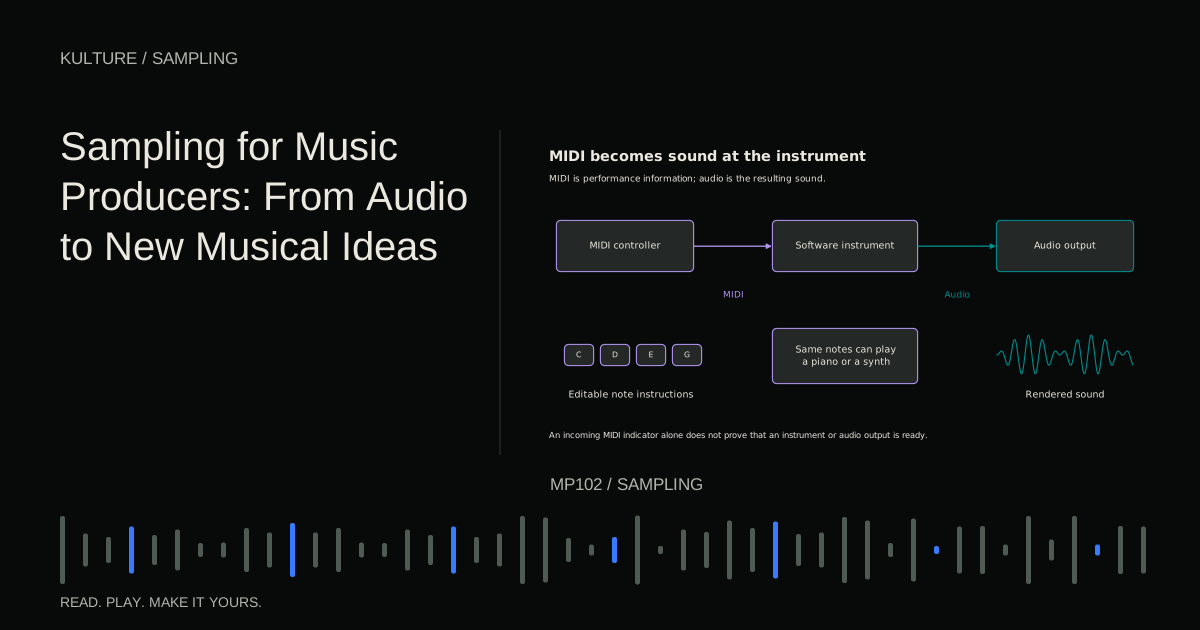
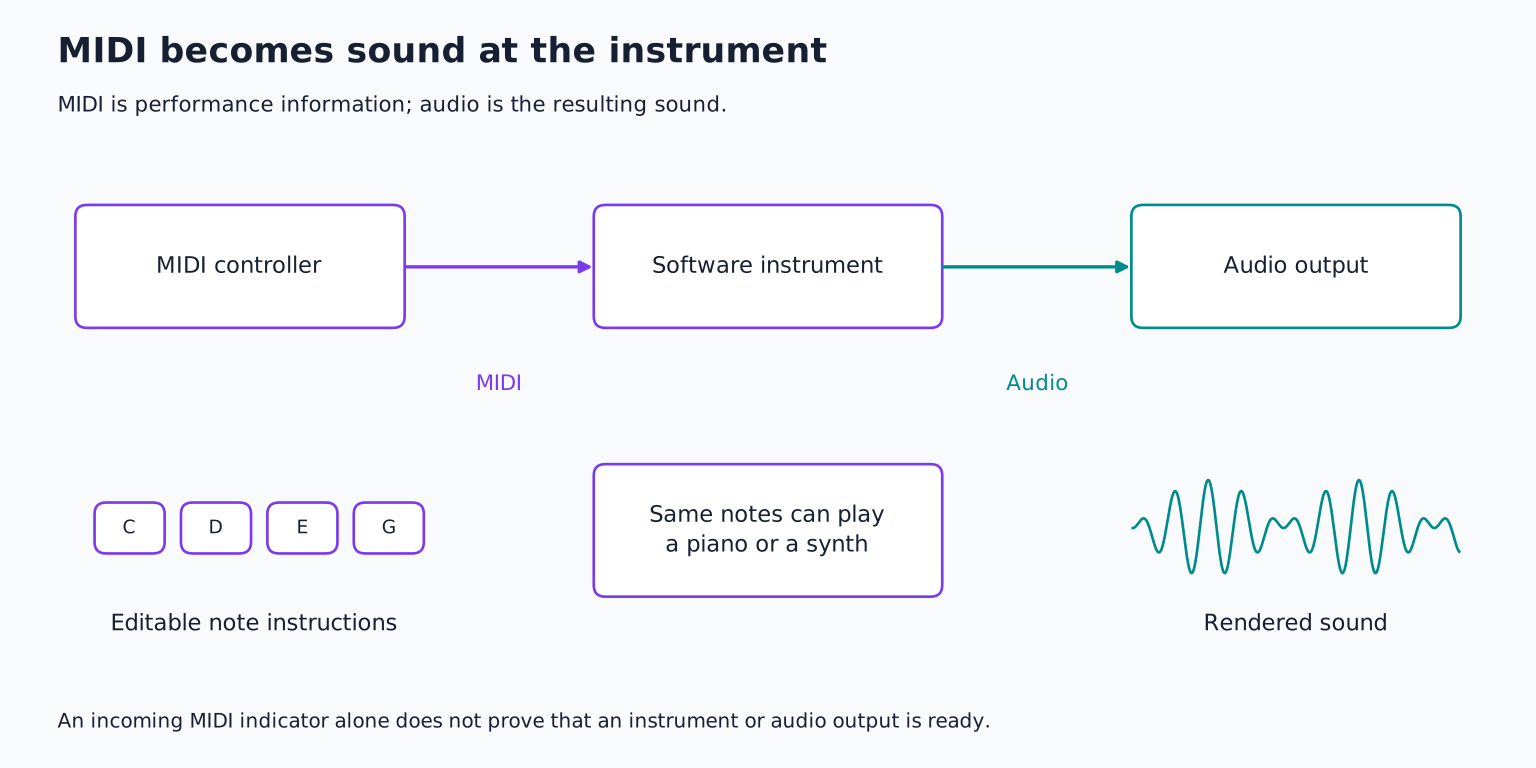
An audio sample contains a recording. MIDI contains performance instructions such as note, timing, and velocity. A sampler receives those instructions and plays audio according to its settings.
If you place a clap recording on a DAW timeline, its position determines when it plays. If you load the same clap into a sampler, a MIDI note can trigger it. The sound is still the recording; the MIDI note is not the sound itself.
This distinction matters when sharing projects. Sending only MIDI does not send the audio sample or sampler settings. Sending only a sample does not send your rhythm. MIDI versus audio explains the two kinds of information in more detail.
TRY IT HERE
Rebuild the phrase
Reorder four slices of an original melody and play them back.
Ready when you are. Audio starts only when you press Play.
Keep experimenting in the sample pads LabChoose material by its musical job
A one shot is a short sound intended to be triggered as an event, such as a kick, clap, or plucked note. A loop is a phrase intended to repeat, often with a known bar length and tempo. Neither label guarantees a particular length or playback mode; they describe common uses.
For a rhythmic foundation, a clean one shot gives detailed control over each hit. A loop supplies an existing relationship among hits, including timing, dynamics, and room sound. For a melodic instrument, a steady recorded note may be easier to map than a phrase containing changing pitches.
Choose a small set before browsing endlessly. For an exercise, use one tap, one clap, one sustained sung or instrumental note, and one short texture. Record them yourself in a quiet setting, leaving space before and after each event.
Keep the source and its permission together
Save the original file, source name, and licence or permission evidence with the project. A file called “free_loop_final.wav” does not explain what you may do with it. “Royalty free” normally describes a licence arrangement, not the absence of copyright or every possible restriction.
For Canadian context, the Canadian Intellectual Property Office's copyright guide distinguishes musical works, performances, and sound recordings. Reusing a commercial recording may involve more than one layer of rights. Shortening, reversing, or pitching it does not automatically settle those questions.
This is general educational information, not personal legal advice. For release planning, read sample pack licences and sampling versus interpolation. For this lesson, self recorded original material keeps the technical exercise straightforward.
Trim a useful event
Load the recording into an audio editor or sampler and locate the sound's beginning. Remove unnecessary silence without cutting off its attack. Add a tiny fade if needed to avoid a click, then preserve enough tail for the intended sound.
A clap may need a short natural decay. A resonant metal tap may need much longer. Do not trim every sample to an identical duration just to make the folder look tidy.
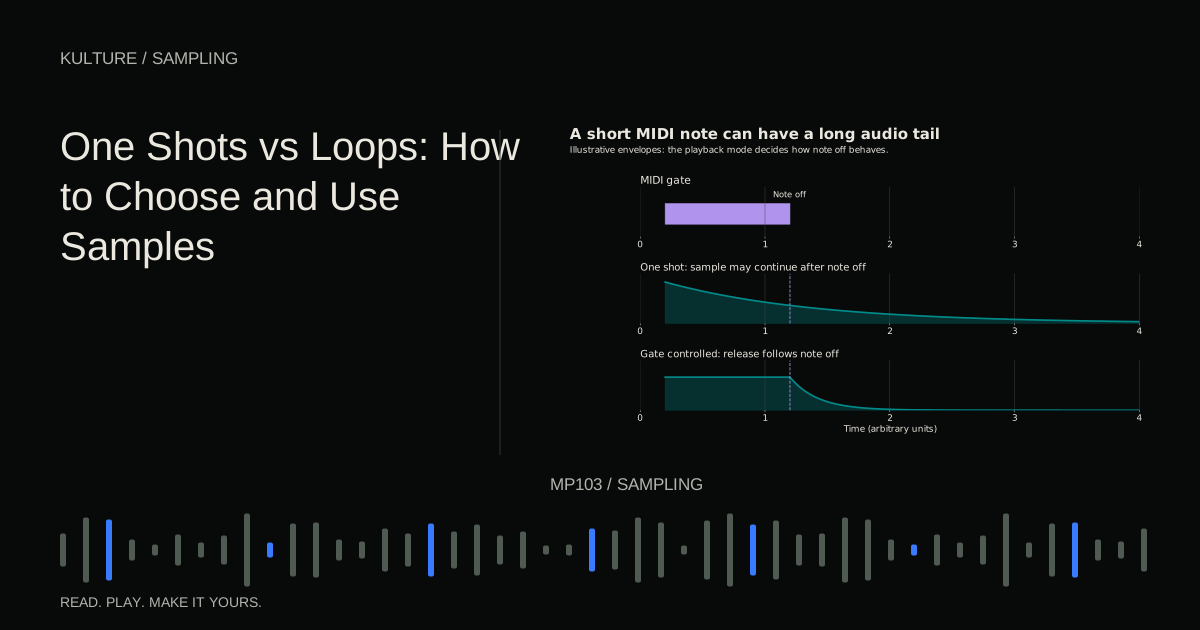
Set playback behaviour. In one shot or trigger mode, a brief MIDI note may play the whole sample. In gate style playback, releasing the note may begin the sample's release or stop it according to the envelope. If the sample cuts off unexpectedly, check this behaviour before changing the file.
Make a rhythm from three sounds
Set a project to 100 BPM in 4/4 for the exercise. Put the low tap on beats 1 and 3, the clap on beats 2 and 4, and a short noisy texture on eighth notes. Count “1 and 2 and 3 and 4 and” to place those eight subdivisions.
Lower every other texture hit slightly and remove one near the end of the bar. The rhythm now has contrast instead of identical repetition. Create a second bar by adding one extra low tap before beat 3 or changing the final texture pattern.
These are compositional choices, not special sampler features. A sample becomes musical through where it enters, how long it lasts, and how it interacts with other parts. One shots versus loops develops that decision.
Chop a phrase into playable pieces
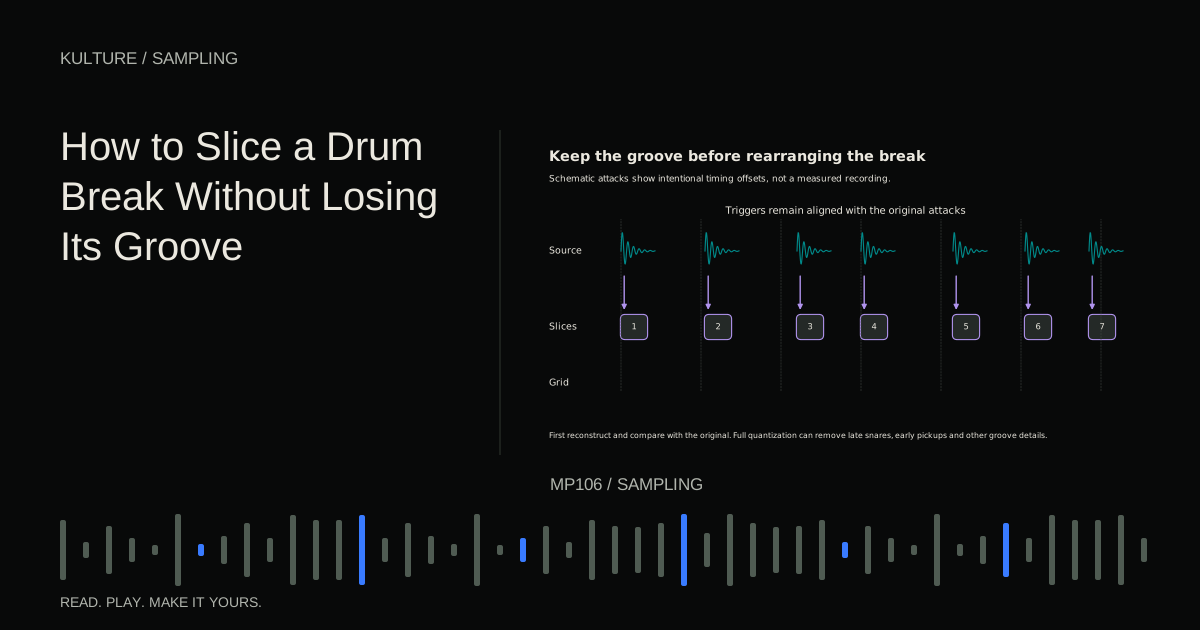
Slicing divides a recording into regions that can be triggered separately. You can cut at transient attacks, musical beats, note changes, or manually chosen points. Automatic detection is a starting proposal, not a perfect understanding of the music.
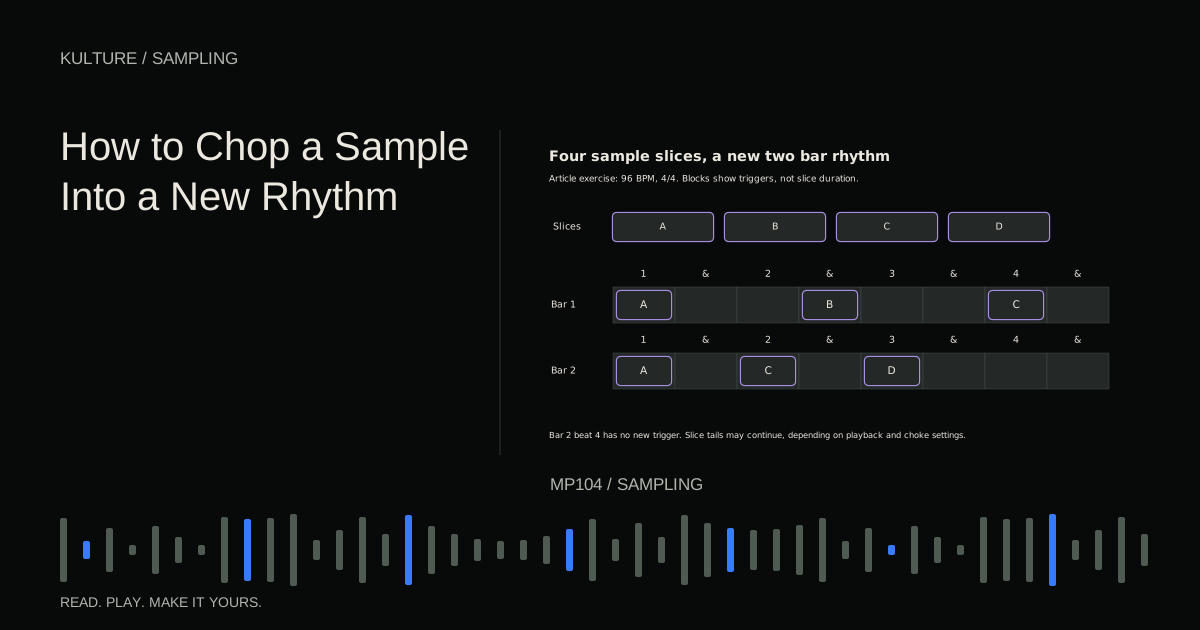
Take a two bar original phrase and divide it into four meaningful chunks. Map them to four pads or notes. Play the order 1 to 2 to 4 to 3 instead of 1 to 2 to 3 to 4, then introduce a rest. Listen to whether the new sequence has a clear beginning and ending.
Ableton's audio slicing documentation provides one software example of mapping slices to MIDI triggers. The general method works in many samplers: the audio fragments stay recognizable while their order and rhythm change.
Separate pitch from duration
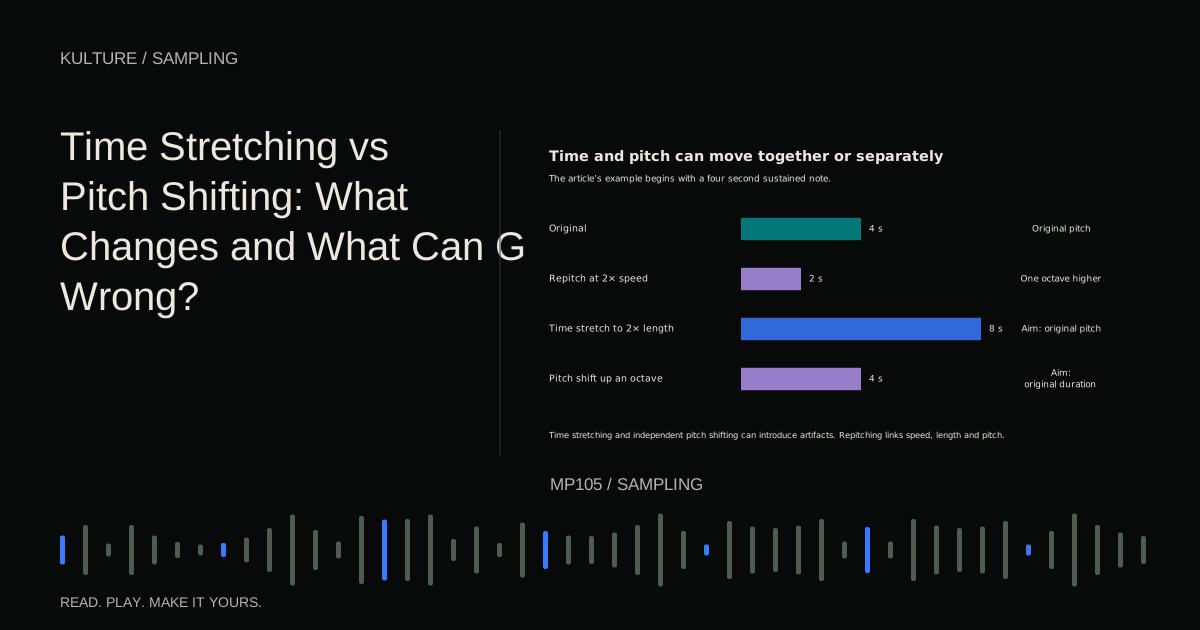
Traditional repitching changes playback speed. Faster playback raises pitch and shortens duration; slower playback lowers pitch and lengthens duration. An octave upward corresponds to doubling playback speed in this mode.
Time stretching changes duration while trying to preserve pitch. Pitch shifting changes pitch while trying to preserve duration. These processes can introduce artifacts because they reconstruct aspects of the audio rather than simply playing it faster or slower.
A drum loop may need a transient friendly algorithm; a sustained vocal or pad may need a different approach. Do not assume the default mode suits every source. Ableton's warping reference documents several source dependent approaches. Compare the result by listening to attacks, tails, and sustained tones.
Match a loop to the project
Determine the loop's real beginning and bar length before stretching. If a two bar loop is mistaken for one bar, tempo detection may be doubled or halved. Count the phrase and listen with a metronome rather than trusting the filename alone.
For a loop recorded at 100 BPM, fitting the same beat count at 120 BPM requires a shorter duration: the target is 100 divided by 120, or about 83.3 percent of the original duration. That describes the timing change, not a recommended amount of stretching for all material.
If the loop develops smeared drums or metallic cymbals, try a different algorithm, smaller tempo change, or slicing and retriggering. Sometimes the best solution is choosing material closer to the desired groove instead of forcing a dramatic transformation.
Turn one note into an instrument
Record a stable note, identify its pitch, and assign the sampler's root key accordingly. The root key tells the sampler which played note should reproduce the recording at its original pitch. If the source is E but the sampler assumes C, keyboard labels will not match the sound.
Play nearby notes and check tuning with a reference instrument. A single sample can become unnatural far from its source pitch because playback or processing changes its texture. You can restrict the useful range or record additional notes and map them across the keyboard.
Shape the amplitude envelope: attack controls the onset, decay moves toward the held level, sustain is that held level, and release controls the fade after note off. Native Instruments' sampling and mapping documentation offers examples of mapping and loop controls. Building your own sampled instrument takes this further.
Resample a result you like
Resampling records a processed sound into new audio. You might print a chord through reverb, reverse the result, trim a short fragment, and load it into a sampler. This makes the processing part of the new source rather than a permanently editable live chain.
Keep the original and the intermediate print. Label what you did so you can return to an earlier stage. Check whether you are printing one track, a group, or the entire mix; an accidental click or unrelated instrument can become embedded in the sample.
Avoid feedback by keeping the recording destination from feeding its own source path. Start playback quietly when testing unfamiliar routing. Digital resampling is a creative audio capture operation here, distinct from sample rate conversion between formats.
Finish an idea instead of collecting fragments
Use your small source set to make an eight bar section with a clear rhythm, one melodic idea, and a contrasting final bar. Remove a part if it does not contribute. Save the samples inside the project and reopen it to verify that nothing is missing.
For the final exercise, make two versions from the same recordings: one that preserves their natural identity and another that transforms them strongly. Compare which version serves a musical idea better. Continue with chopping a sample into a new rhythm, choosing a phrase that gives you meaningful material to rearrange rather than random slices to fill space.
TAKE IT INTO YOUR OWN MUSIC
Your next session.
Use your small source set to make an eight bar section with a clear rhythm, one melodic idea, and a contrasting final bar. Remove a part if it does not contribute. Save the samples inside the project and reopen it to verify that nothing is missing.
Notes and progress stay in this browser.