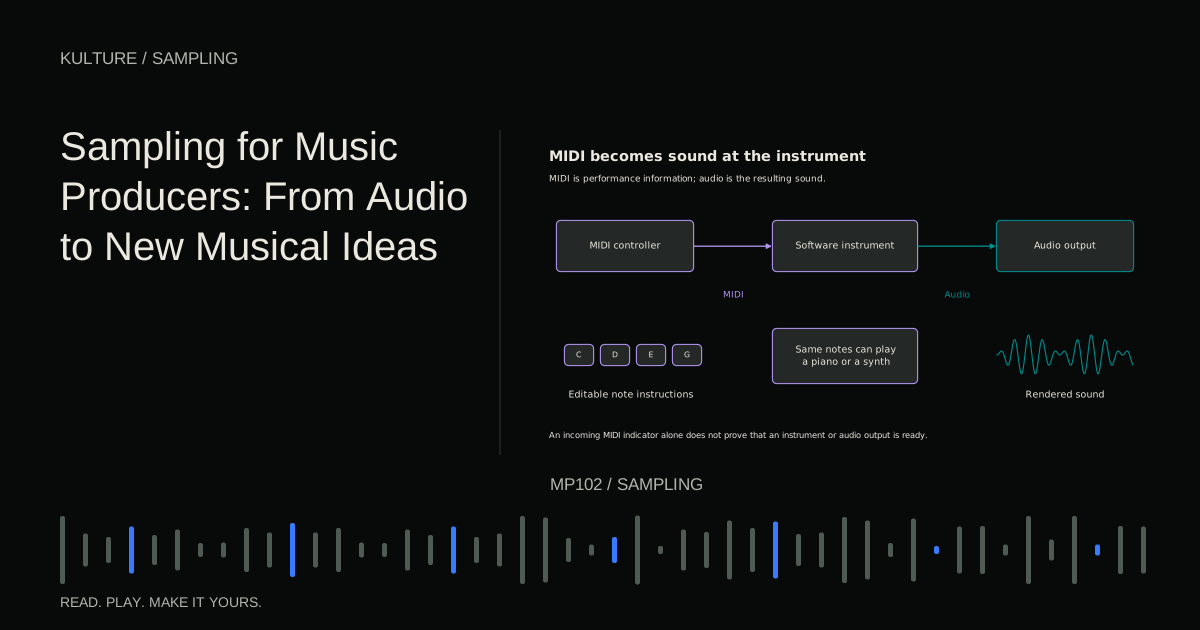
The sampler does not automatically know what your recording means. You must decide its root note, playback mode, envelope, and whether it should sustain. Those choices make the difference between a sound that merely triggers and an instrument that responds predictably.
Choose a source with a clear purpose
For a melodic instrument, begin with a reasonably stable pitched sound. A sustained sung vowel or a plucked string is easier to tune than a recording containing several notes. A metal object may have complex resonances that do not correspond neatly to one pitch; it can still be useful, but may behave more like percussion.
Record in a quiet space with enough headroom for the attack. Leave a little silence before the event and capture its full decay. If using a microphone, follow the correct input and power requirements. Recording music at home covers that capture stage.
Use an original performance and sound source you are entitled to record and reuse. “My recording” does not necessarily mean every underlying composition or third party sound in it is yours. For this exercise, make a simple original note or object sound without background music.
TRY IT HERE
Rebuild the phrase
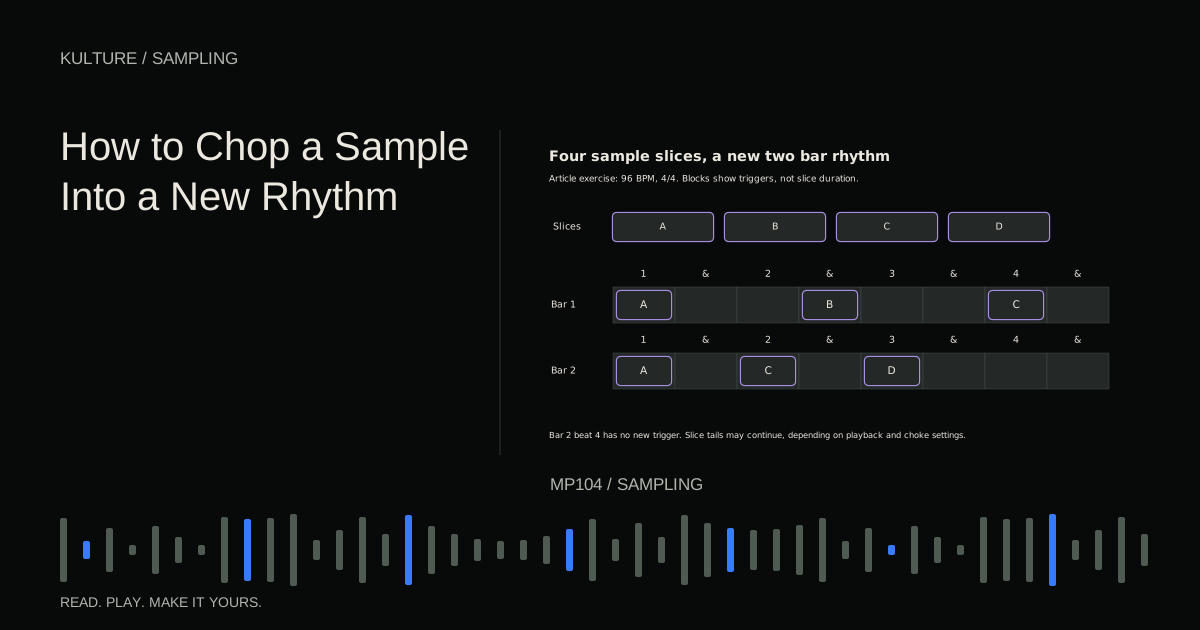
Reorder four slices of an original melody and play them back.
Ready when you are. Audio starts only when you press Play.
Keep experimenting in the sample pads LabPrepare one clean sample
Keep the original file and edit a copy. Trim unnecessary leading silence without cutting off the onset. Remove distracting noise only as needed; heavy repair can make the instrument sound unnatural when the same artifact repeats on every note.
Add a tiny fade at the beginning or end if the boundary clicks. Do not make the attack so long that a pluck loses definition. If the sound has an important tail, keep it until you have chosen the playback behaviour.
Give the file a useful name, such as “NylonGuitar_E3_soft_01.wav,” if the pitch and description are known. Octave naming differs among software, so also document a reference frequency or MIDI note number when exact mapping matters.
Set the root key from the actual pitch
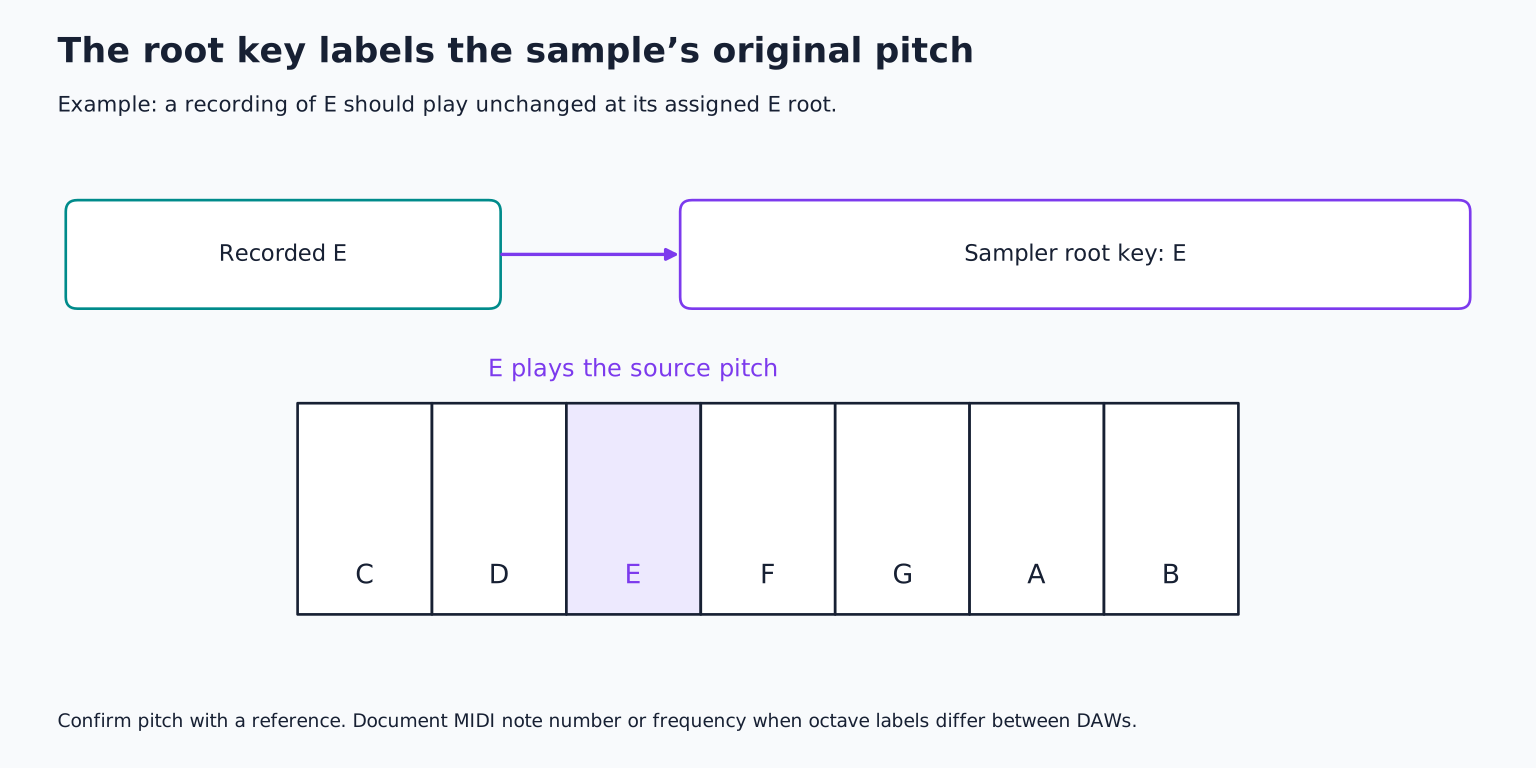
The root key is the MIDI note that should play the sample at its original pitch. If you record an E and assign C as the root without compensating, pressing C will produce E, and the keyboard will be mislabeled musically.
Check the stable part of the recording with a tuner and a reference instrument. Ignore an initial pitch bend or noisy attack if it misleads the detector. Set the root key, then use fine tuning if the source sits slightly sharp or flat.
Play the assigned root alongside the reference. Then test the octave above and a few nearby notes. Ableton's Sampler reference describes root keys and key zones; the same mapping concept appears in many software samplers.
Decide how note length should behave
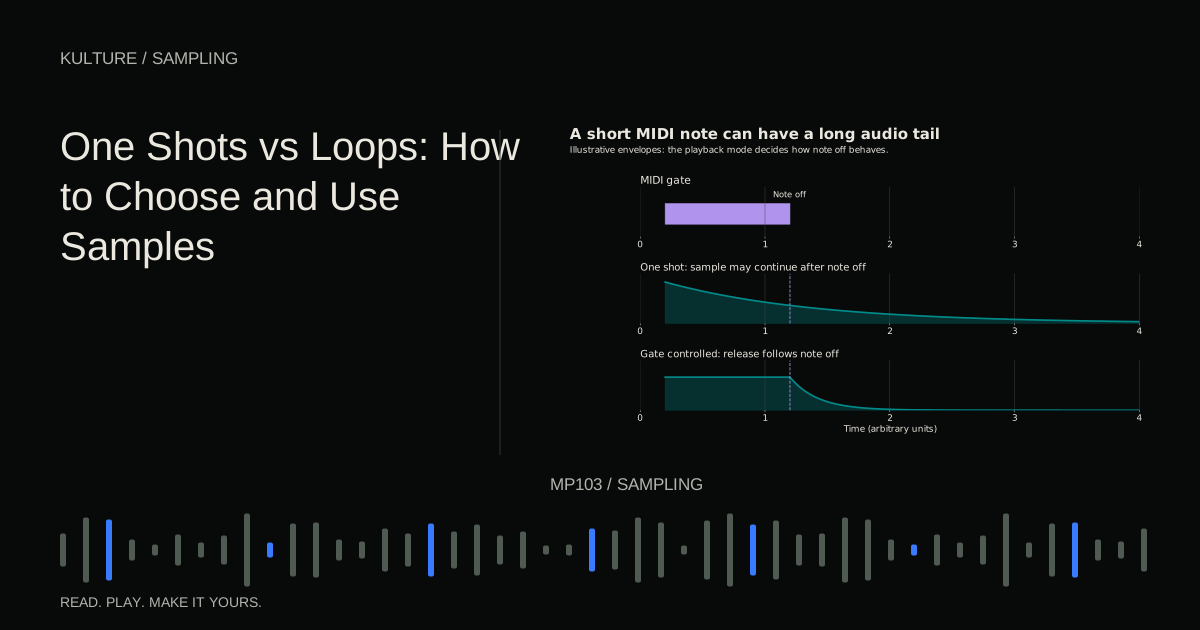
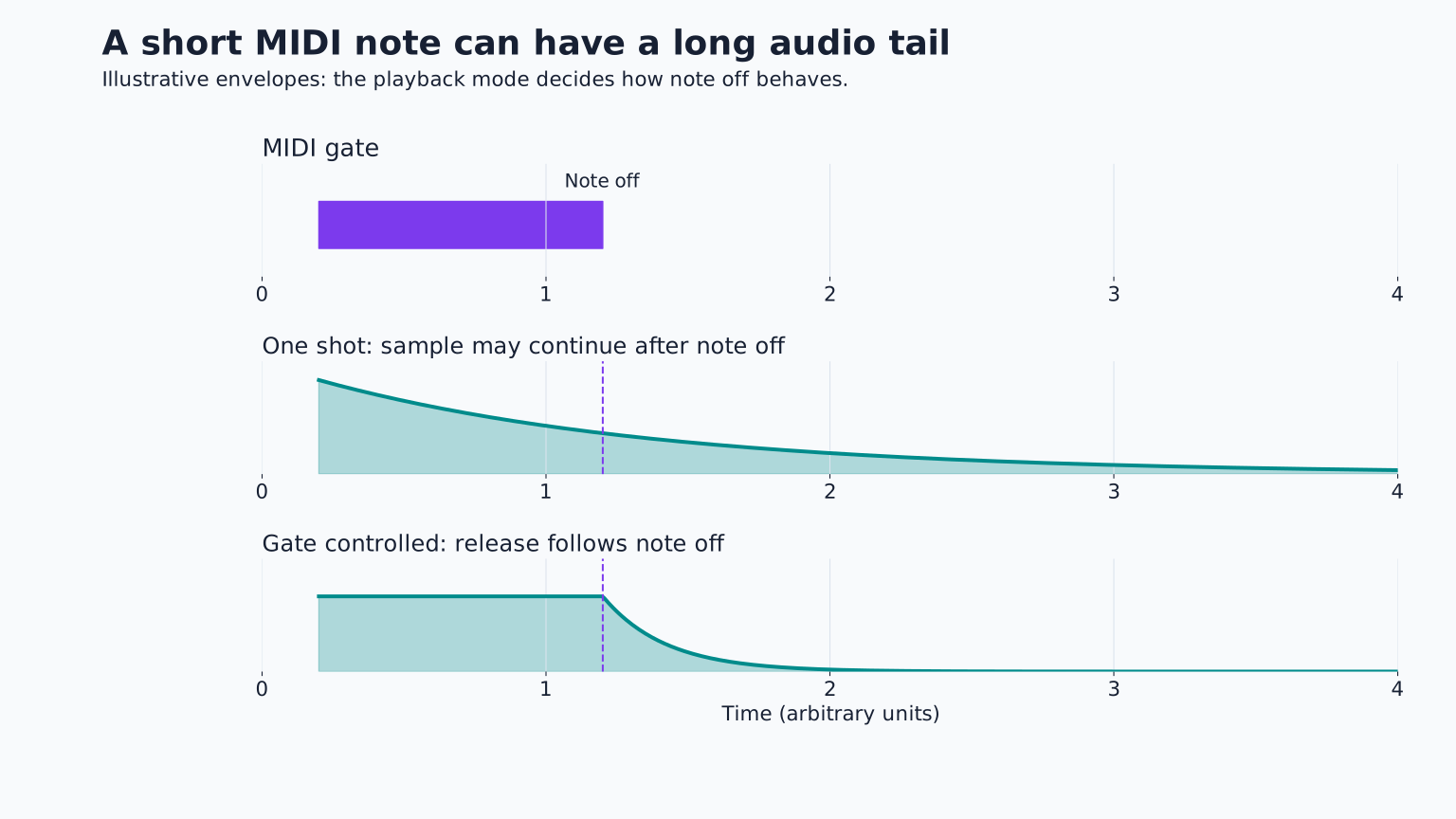
A one shot or trigger mode may play the complete recording from a brief note. A gated or envelope controlled mode responds to note off so you can shape duration with the keyboard.
For a percussion instrument, full one shot playback can be convenient. For a melodic instrument, an amplitude envelope often gives more expressive control. Attack sets how quickly the sound begins, decay moves toward the held level, sustain sets that held level, and release controls how it fades after you release the key.
Try a short attack and a release around 100 milliseconds as an initial pluck experiment, then adjust by ear. A sustained pad may need a slower attack and longer release. These are sound design choices, not realism settings that fit every source.
Make a sustained loop only if needed
A sample naturally ends when its audio runs out. Holding a MIDI note longer cannot create more source material unless the sampler loops or otherwise processes it.
For a sustained instrument, find a stable section after the initial attack and before the final decay. Set loop start and end points there. Listen for clicks, obvious repetitions, and pitch wobble at the seam.
A loop crossfade blends the boundary regions to reduce an abrupt transition. Native Instruments' sampling and mapping documentation explains this control. A crossfade can smooth a seam, but cannot make an unstable source perfectly steady. Try a different loop region if the sound pulses unnaturally.
Keep the attack outside the sustain loop
If the initial pluck repeats every time the loop cycles, the instrument may sound like a machine gun rather than a held note. Let the sample play its attack once, then enter the stable sustain region.
Listen to what happens at note off. The amplitude envelope may fade the loop, or the sampler may support a separate release behaviour. Learn the actual mode before assuming the file's original ending will always play.
For sounds that decay beautifully on their own, skip looping. A short playable bell or pluck can be a complete instrument. Infinite sustain is not a requirement.
Limit the useful range
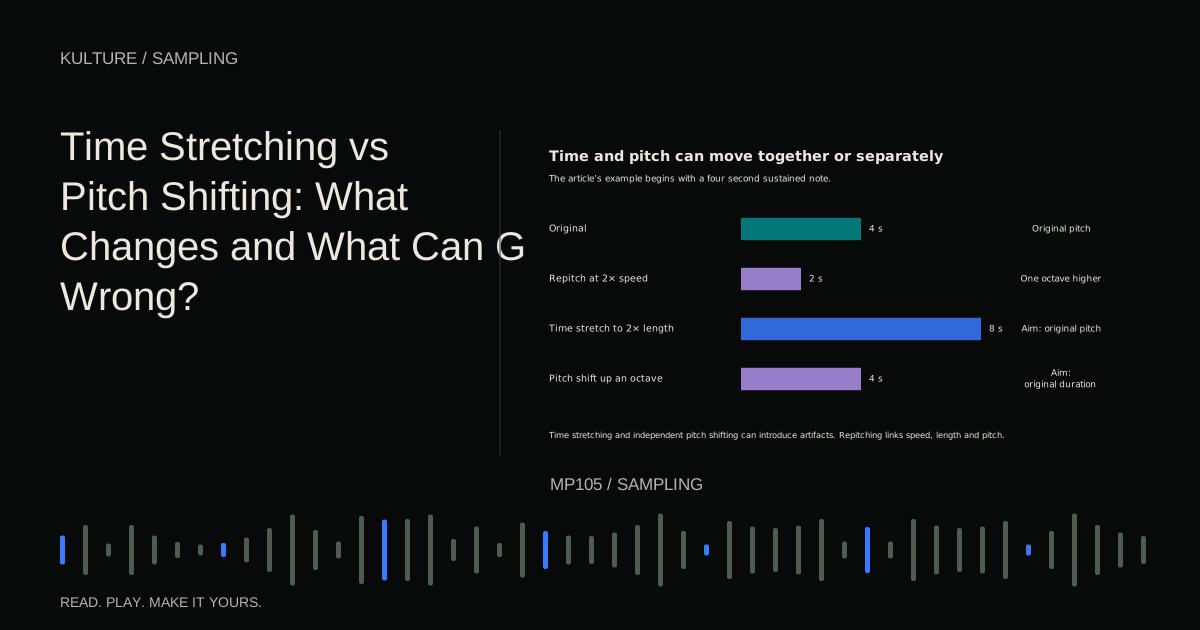
Traditional sampler repitching speeds the recording up for higher notes and slows it down for lower notes. That changes duration and texture as well as pitch. Time independent modes can preserve duration but introduce different artifacts.
Play a scale across two octaves and note where the sound stops serving your goal. A guitar sample may become unnaturally small high up or sluggish low down. Restrict its key zone to a useful range rather than forcing it across the entire keyboard.
If you want a wider natural range, record several source notes and assign each to nearby keys. A key zone is the range over which one sample plays. Place transitions where adjacent samples match reasonably in tone and level. Native Instruments' Kontakt mapping documentation describes this multisample approach.
Add velocity response thoughtfully
Velocity commonly represents how strongly a MIDI note is struck, though it is not audio volume itself. You can map it to loudness, filter brightness, or different recorded layers.
Start with velocity controlling level modestly. Play a phrase with soft and strong notes. If low velocities become inaudible or high velocities jump too much, reduce the response range.
For a more natural instrument, record soft and loud versions separately and use velocity zones to select or blend them. Turning one sample down does not recreate all the tonal changes of a softly played acoustic instrument. Multiple recordings capture those differences more directly, but they also require careful level matching and mapping.
Test it as music, then save the whole instrument
Play a simple phrase such as C, E, G, E if that fits your chosen key, then try short notes, held notes, repeated notes, and a chord. Listen for clicks, stuck notes, excessive overlap, and uneven transitions between samples.
Set polyphony, the number of simultaneous voices, according to the role. A chord instrument needs several voices; a tight bass may use one. Long releases can accumulate even when the notes themselves are short.
Save both the sampler preset and its source audio in a portable location, using the software's collect or export method. Reopen the project and test it. A preset that points to a missing file is not a complete instrument.
For practice, create two instruments from one recording: a short pluck and a slower sustained texture. Keep the mapping correct in both. Continue with resampling sounds when you want to print one version and transform it into a new source.
TAKE IT INTO YOUR OWN MUSIC
Your next session.
Play a simple phrase such as C, E, G, E if that fits your chosen key, then try short notes, held notes, repeated notes, and a chord. Listen for clicks, stuck notes, excessive overlap, and uneven transitions between samples.
Notes and progress stay in this browser.