Use an original recording or audio licensed for your intended use. Chopping changes the music, but it does not automatically remove rights attached to the source. For rights questions, see sampling versus interpolation; this tutorial focuses on a self recorded phrase.
Start with a phrase that has contrast
Record a two bar phrase containing several distinct events. You could play four guitar chords, sing four wordless syllables, or tap a short percussion pattern. Leave room before and after it and save the original untouched.
Choose material with a few contrasting features: a short attack, a longer tail, a high note, and a lower note. If every slice sounds nearly identical, rearrangement may be difficult to hear. If every slice contains a full unrelated chord change, the harmonic result may be harder to control.
For this exercise, imagine four original fragments labelled A, B, C, and D. They need not be equal lengths. A could be a short pluck, B a held note, C a noisy attack, and D a descending ending.
TRY IT HERE
Rebuild the phrase
Reorder four slices of an original melody and play them back.
Ready when you are. Audio starts only when you press Play.
Keep experimenting in the sample pads LabDecide what the slice boundaries mean
You can cut at regular beat divisions, transient attacks, note changes, or manually chosen points. A transient is a brief onset such as a drum hit or pick stroke. Automatic transient detection often finds useful candidates, but it can mistake a loud internal movement for a new event or miss a soft entrance.
Listen to each proposed slice. Does it include the full attack? Does it end before a wanted decay? Does a vocal syllable retain enough consonant and vowel to sound intentional?
Ableton's Slice to New MIDI Track documentation is one example of turning slice boundaries into playable notes. You can achieve the same core idea by manually cutting audio on the timeline or loading separate files into pads.
Preserve the beginning of each sound
Place the slice start just before the intended attack rather than on the highest peak. The visible peak can occur after the sound has already begun. Cutting at the peak may remove the character that makes the event recognizable.
Trim unnecessary silence carefully. If one slice contains much more leading silence than another, identical MIDI timing can produce different audible timing. That may be intentional, but know which delay comes from the source and which comes from your pattern.
Add a very short fade only if needed to prevent a click, and check that it does not soften the attack. Fades and crossfades explains why click prevention and transient preservation must be balanced.
Map a small set to pads or notes
Assign A, B, C, and D to four adjacent pads or MIDI notes. Name them by sound or role rather than relying only on note labels. Octave names vary between software, so “first pad” or a specific MIDI note number may be clearer when sharing instructions.
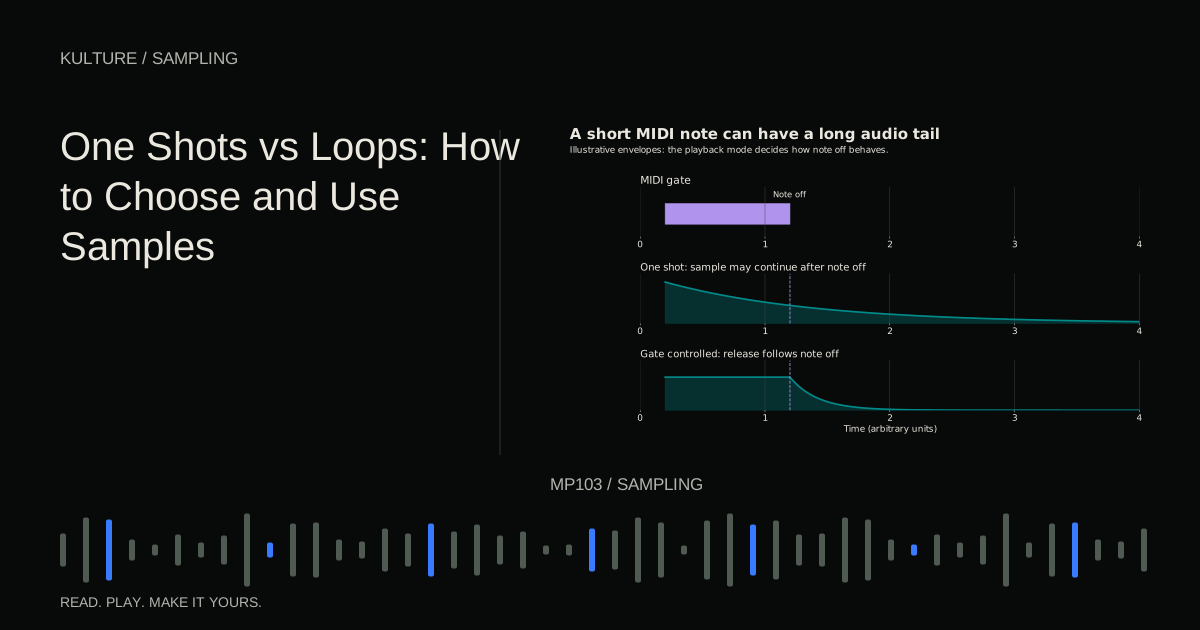
Set a suitable playback mode. If each trigger should play its full fragment, use the sampler's one shot or trigger behaviour. If note length should determine how much of the fragment plays, use a gated or envelope controlled mode.
Decide whether slices may overlap. A monophonic or choke group setup lets one slice stop the previous one, which can produce tight chopped phrasing. Polyphonic playback allows tails to overlap, which can sound smoother but may become crowded.
Build a two bar pattern
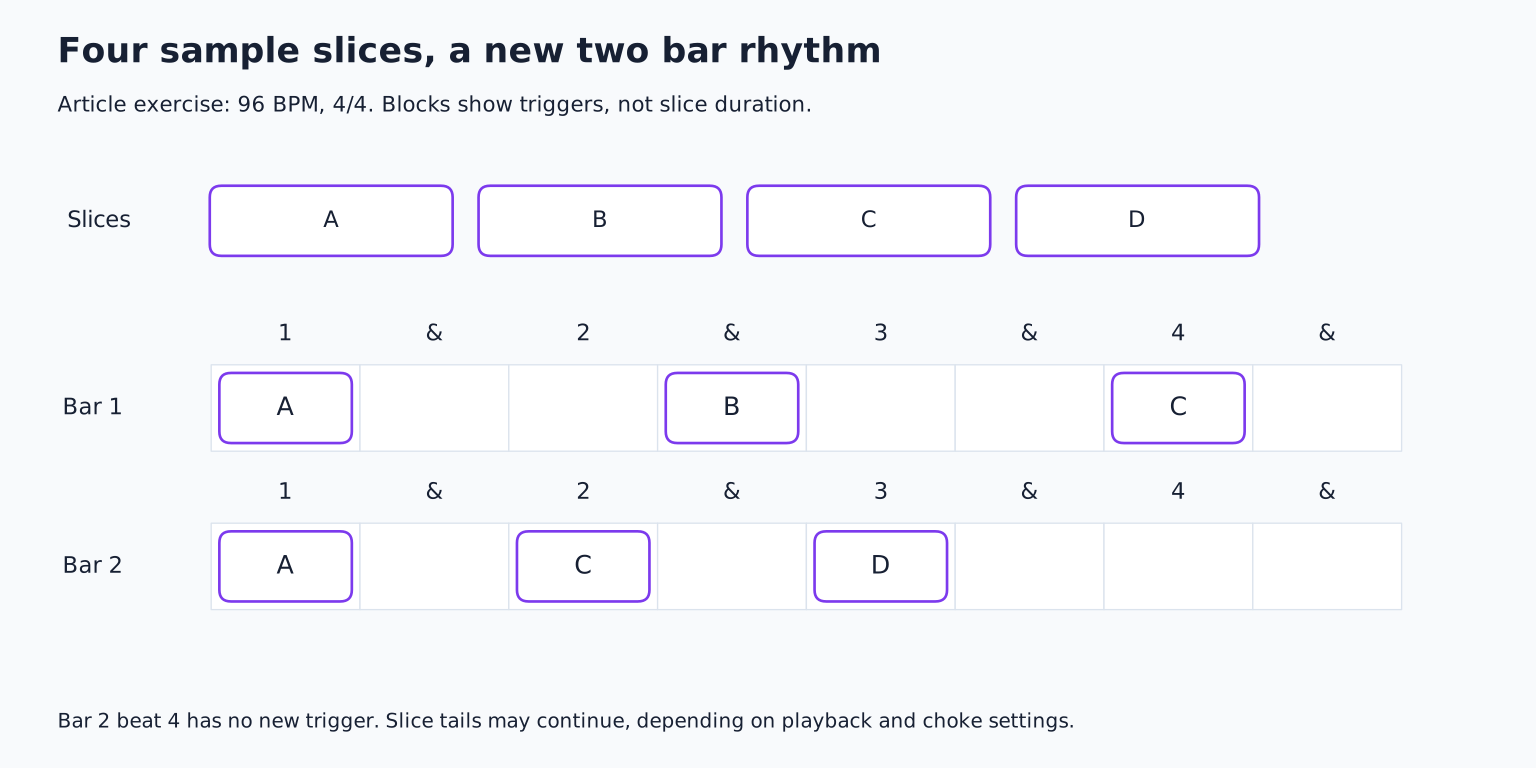
Set the project to 96 BPM in 4/4 for this example. In bar 1, place A on beat 1, B on the “and” after beat 2, and C on beat 4. In bar 2, place A on beat 1, C on beat 2, and D on beat 3, leaving the final beat open.
Count the bars aloud while playing the pads. The rest at the end is part of the rhythm, not unfinished space. It gives D's tail a chance to speak and makes the return to A feel deliberate.
Compare this with the original A, B, C, D order. If the new version sounds random, repeat A more consistently or simplify the last bar. Repetition gives the listener a reference from which variation becomes meaningful.
Make the rhythm fit the drums
Add a simple kick and snare pattern. Listen to whether your sample attacks reinforce or conflict with the backbeat. A busy chop landing on every drum hit can make the groove feel heavy; a response between hits can create more movement.
Try moving B by an eighth note or shortening C so it leaves space before the snare. Change one event at a time. You are composing relationships, not merely demonstrating that slices can be rearranged.
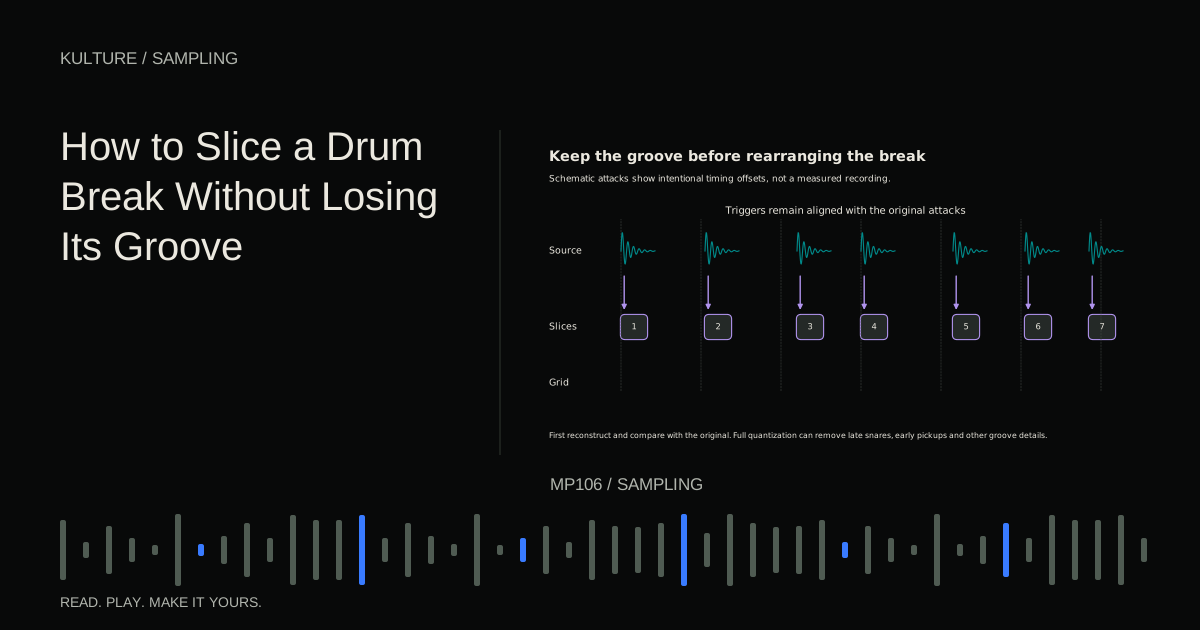
If a fragment's internal rhythm clashes with the project, choose between preserving it, stretching it, or cutting it into smaller meaningful pieces. Do not automatically quantize every internal detail. The original timing may be the source's most interesting feature.
Handle pitch and harmony explicitly
A slice can contain a single note, a chord, or several notes. Transposing it shifts all of that material together. A chord fragment does not become a different chord quality just because you move it up the keyboard.
For a simple melodic exercise, use slices recorded over one chord or a single note source. Then test transposition in small steps against the bass and chords. If the sample contains a strong bass note, make sure it does not conflict with your own bassline.
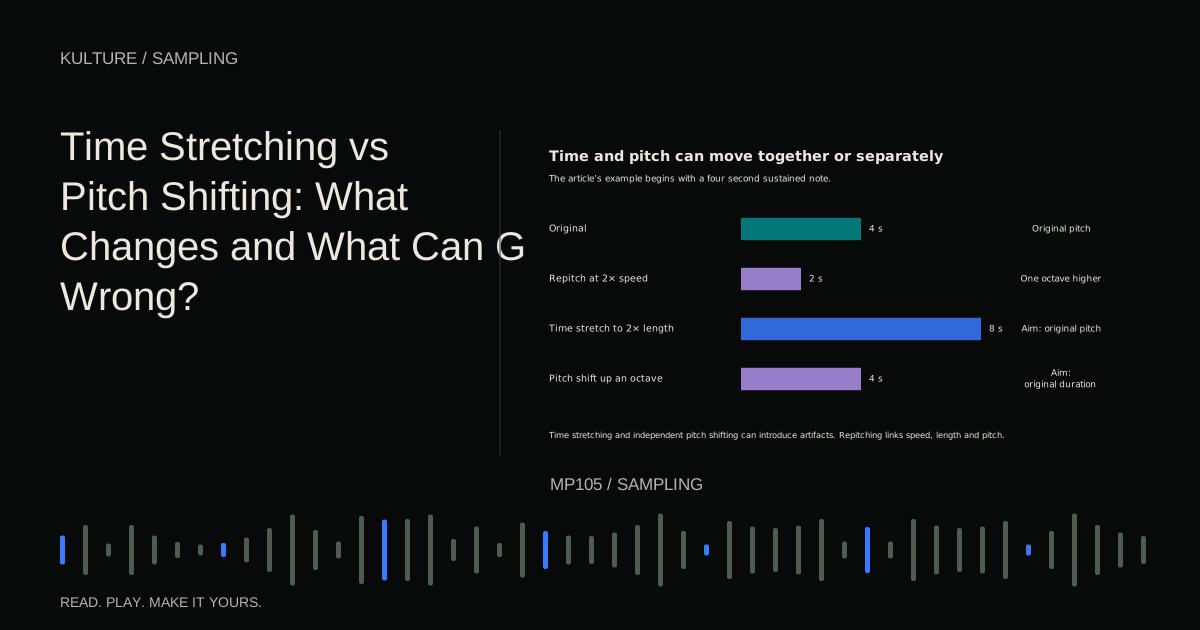
Traditional repitching changes duration along with pitch. Time independent pitch shifting tries to preserve length but may create artifacts. Time stretching versus pitch shifting explains when each approach helps.
Solve clicks, gaps, and messy tails
Clicks at slice starts often mean the boundary is abrupt. Move it slightly or add a short fade. Clicks at endings may need a brief release rather than a hard stop.
Unexpected gaps can come from short source material, gated playback, or a choke setting. Decide whether to lengthen the slice, allow overlap, add a little ambience, or keep the gap as part of the groove. Do not stretch every slice merely to fill all available space.
A muddy result may come from overlapping tails or several chord fragments sounding together. Shorten releases, reduce polyphony, or simplify the pattern. Filtering can help, but it should not be the only response to an overcrowded arrangement.
Turn the loop into a section
Make four repetitions of your two bar pattern. Keep the first two stable, remove one event from the third, and change the final D into a shorter ending or silence. Add a new layer only if the section needs development.
Save the sliced instrument and ensure its audio is included in the project. Keep the original recording and a rendered version of the pattern so the idea remains recoverable if a sampler is unavailable later.
For your exercise, make three patterns from the same four slices: sparse, syncopated, and energetic. Choose one based on the song rather than the most complicated performance. Continue with slicing drum breaks to learn how to preserve a source's timing while gaining this control.
TAKE IT INTO YOUR OWN MUSIC
Your next session.
Make four repetitions of your two bar pattern. Keep the first two stable, remove one event from the third, and change the final D into a shorter ending or silence. Add a new layer only if the section needs development.
Notes and progress stay in this browser.