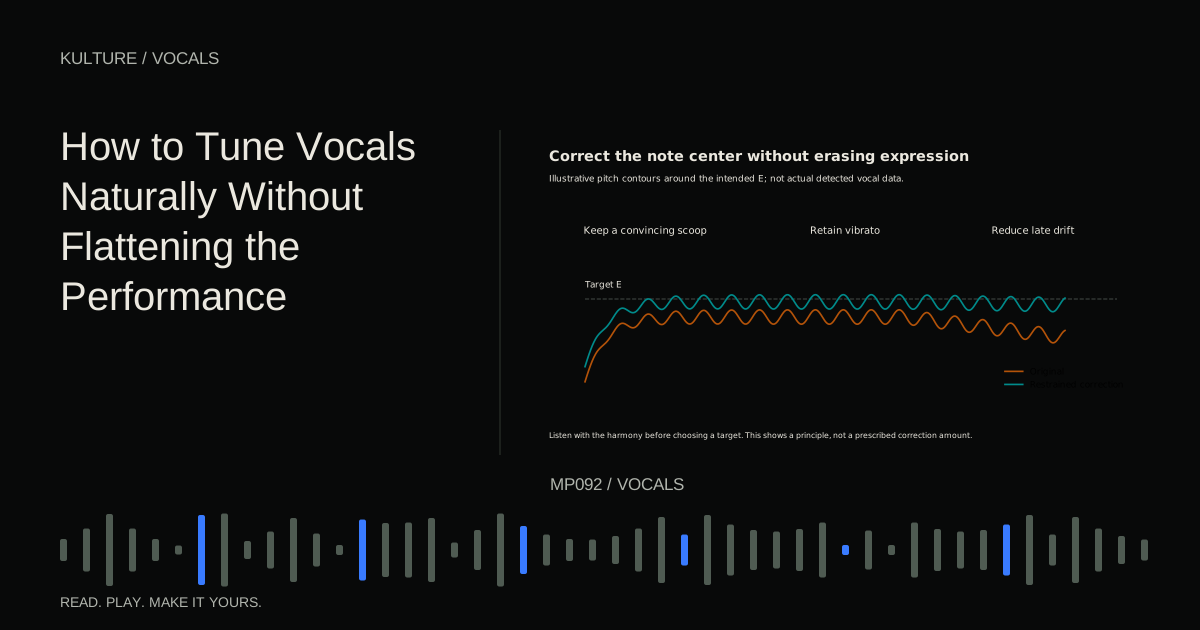
Pitch is the perceived highness or lowness of a sound. A vocal note is rarely a fixed frequency from beginning to end. It may begin with a scoop, settle around a centre, develop vibrato, and fall away. Some of that movement carries expression rather than error.
Decide whether correction is needed
Listen to the vocal with the chords and bass. A note that looks off centre in an editor may sound convincing in the song. Another may look near the grid but clash because the intended note is different.
Mark only moments that distract you: a held note that settles flat, an accidental overshoot, or an ending that drifts away from the harmony. If the whole phrase feels strained or disconnected, try another take before treating every note individually.
Comp the performance first when practical. Selecting the best takes can solve problems that pitch processing would only disguise. Keep an untuned version so you can compare the musical result honestly.
TRY IT HERE
Make it your session
Turn the steps into a plan you can save.
Ready when you are. Audio starts only when you press Play.
Keep experimenting in the sample pads LabUnderstand the main types of pitch movement
Pitch centre is the average area around which a note sits. Vibrato is a repeated fluctuation around that centre. Drift is a slower movement over the duration of a note. A transition is the motion from one note to the next.
These are different editing targets. Moving the centre can fix a generally flat note without eliminating vibrato. Reducing excessive drift can steady a held ending while leaving the onset expressive. Flattening modulation may remove the singer's character even if the note becomes mathematically tidy.
Celemony's pitch modulation and drift guide explicitly separates these types of movement. Other tools use different names, but the listening distinction remains useful.
Set musical targets carefully
If a plugin asks for a key and scale, enter the song's actual context rather than guessing from the first chord. A song can contain passing notes, borrowed chords, or a key change. Restricting the allowed notes too aggressively can pull a correct expressive note to the wrong destination.
For a simple exercise in C major, sing E over a C major chord, then F over an F major chord. The target changes with the phrase. Do not assume the nearest displayed line is always correct, especially during a slide between two notes.
When unsure, play the intended melody on a plain keyboard sound and compare it with the vocal against the accompaniment. Use your ears to establish the line before editing the display.
Check detection before correction
Graphical pitch editors divide audio into detected notes or segments. Detection can be confused by breathy attacks, growls, consonants, background bleed, and overlapping voices. A region may include two notes that should be separate, or split one smooth note unnecessarily.
Inspect the segmentation and listen. If a sustained syllable moves from E to F, treating the whole thing as one E can produce a strange bend. Correct the note boundaries or assignment using the tool's documented workflow before applying pitch changes.
Unpitched consonants and sibilants need different handling from vowels. Do not manually drag an entire word into a new pitch without checking what happens to its s, t, and breath components. Celemony's current editor documentation covers note detection and sibilant aware processing; features differ between products and editions.
A restrained manual correction example
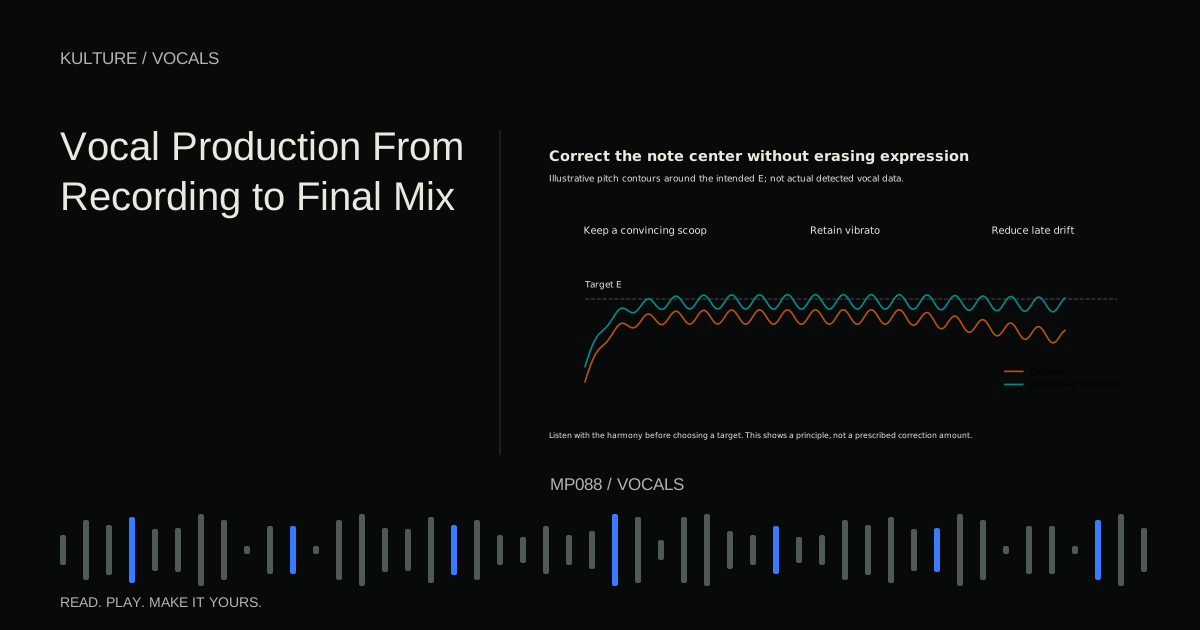
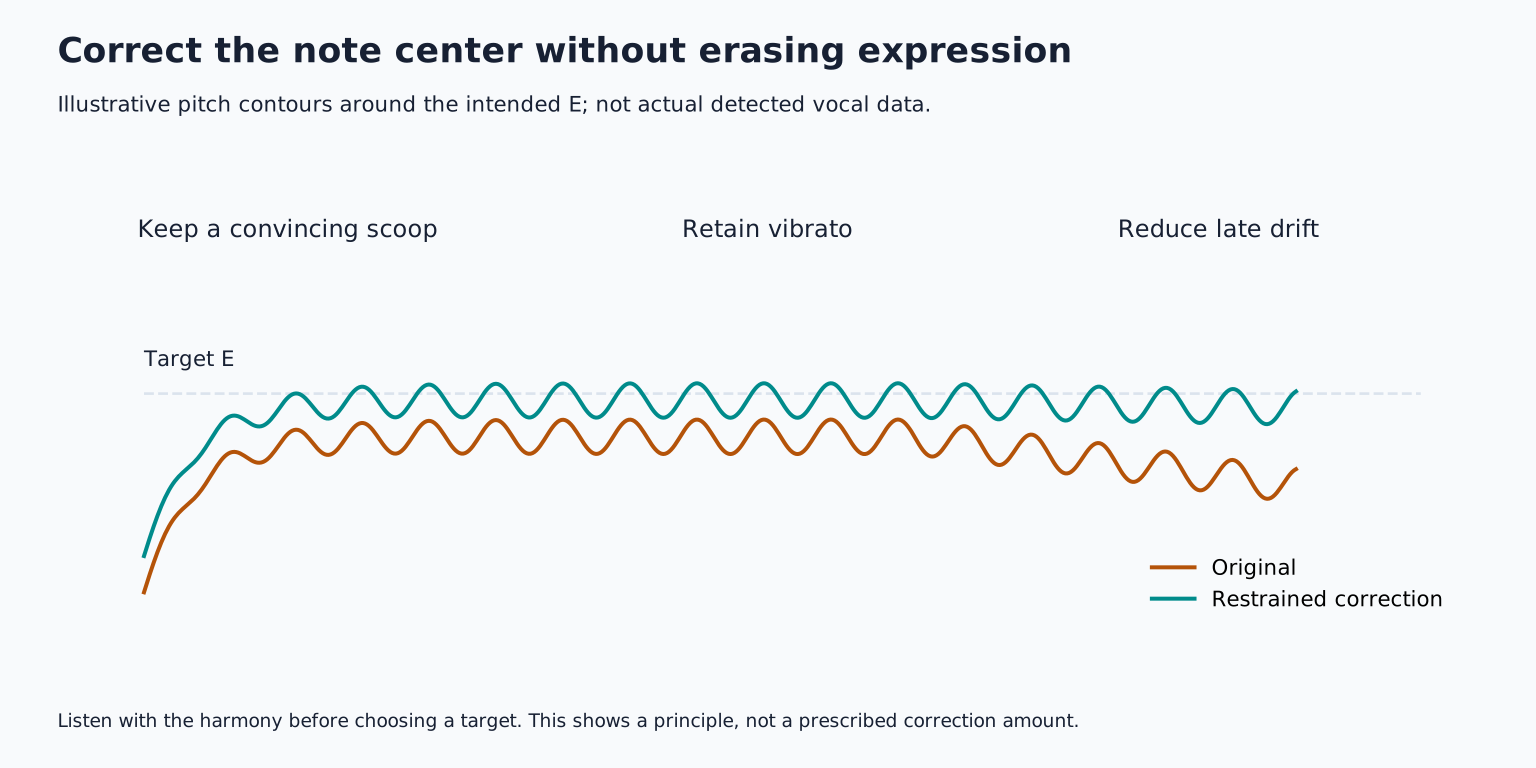
Suppose a singer holds an E at the end of a line. The onset scoops upward naturally, the middle settles a little low, and the final half second drifts down further.
First listen to the onset in context. If it leads into the note convincingly, leave it. Move the stable middle closer to the intended centre by only as much as necessary. Then reduce the distracting downward drift near the end without forcing the entire note flat.
Compare at the same playback level. Listen from the previous word through the next musical event, not only to the isolated held vowel. If the corrected ending sounds frozen or the transition becomes abrupt, back off. A small remaining deviation may sound more human and more musical.
Use automatic tuning as a controlled treatment
Automatic correction can work well when the target notes are clear and the desired result suits it. The speed or response control influences how quickly the vocal is pulled toward allowed notes. Very fast settings can create an obvious stepped effect; slower or more flexible settings may preserve transitions.
Control names and scales vary by plugin, so there is no universal “natural” number. Start conservatively and adjust while listening to scoops, vibrato, and fast melodic passages. A setting that works for a held chorus note may distort a quick verse run.
If available, automate or apply different treatment to different sections. You do not have to choose one correction strength for the entire song. Keep the effect obvious only where that is the artistic intention.
Preserve the vowel's character
Formants are resonant patterns that help give vowels and voices their recognizable colour. Large pitch changes can alter perceived vocal size or character unless the tool manages formants appropriately. Formant preservation is not a guarantee of artifact free transformation.
For a small corrective adjustment, listen for a new nasal, metallic, or hollow quality. If it appears, try a less extreme edit, a different algorithm suited to monophonic vocals, or another take. Monophonic means one note line at a time; a full vocal stack is not the same input as a solo lead.
Do not correct a stereo mix containing instruments as though it were an isolated vocal. The tool may affect other material or misidentify notes. Work from the clean individual track whenever possible.
Tune doubles and harmonies in context
Supporting voices may need enough correction to blend, but making every track identical can remove the natural width of separate performances. Align clear note targets while retaining some small differences in movement and timing.
Check harmonies against the chords, not just against the lead. A harmony that follows the wrong interval perfectly is still the wrong harmony. Recording doubles and harmonies explains how to build the parts before trying to repair them.
For practice, choose a short vocal with one distracting held note. Create three versions: untouched, modestly corrected, and deliberately overcorrected. Compare them with the backing track and describe exactly when the correction becomes audible. Keep the least intervention that solves the musical problem, then continue with vocal processing.
TAKE IT INTO YOUR OWN MUSIC
Your next session.
Suppose a singer holds an E at the end of a line. The onset scoops upward naturally, the middle settles a little low, and the final half second drifts down further.
Notes and progress stay in this browser.