A useful purchase is one that removes a real obstacle: you cannot connect a microphone, play a two handed part comfortably, or hear a recording without disruptive delay. A less useful purchase duplicates something your existing setup already does before you have learned to use it.
Start with a job, not a studio photograph
Write one sentence describing your next three projects. “I want to make instrumental beats with occasional vocals” leads to a different setup from “I want to record a drummer and guitarist playing together.”
Count simultaneous sources, not the total number of tracks in the finished song. A solo singer can record twenty vocal layers one at a time through one microphone input. Two people singing together on separate microphones require two microphone inputs at once. A stereo keyboard usually uses two audio inputs if you want to preserve its stereo output.
Make a small requirements list:
| Your immediate task | Minimum relevant capability |
|---|---|
| Draw drum patterns and synth notes | DAW with suitable instruments or samples |
| Record one vocal | Microphone plus compatible audio input |
| Record guitar directly | High impedance instrument input or suitable DI route |
| Record vocal and guitar on separate tracks simultaneously | Two suitable simultaneous inputs |
| Play piano parts with both hands | Controller with enough playable range |
| Record a band together | Enough inputs, microphones, monitoring, and room control |
This list is more valuable than a general “best beginner studio” shopping cart.
TRY IT HERE
Make it your session
Turn the steps into a plan you can save.
Ready when you are. Audio starts only when you press Play.
Keep experimenting in the sample pads LabThe computer you already have may be enough
Check your chosen DAW's current system requirements and supported operating systems. Processor speed, memory, storage space, and plugin demands all matter, but they interact with project size. A modest machine can handle a carefully managed small session; a powerful machine can struggle with an unnecessarily heavy one.
Before replacing it, make a test project containing the number of tracks you realistically expect. Use the instruments you intend to run, then record or play while watching the DAW's performance meter. Audio work must finish processing blocks on time, so overall operating system CPU percentage alone does not tell the whole story.
Keep sufficient free storage for recordings and backups. A fast system drive helps loading and general responsiveness, but buying storage does not cure incorrect audio routing or a poorly supported driver. Save a copy before changing the operating system in the middle of an important project.
Choose software you can finish a track in
A DAW is the central workspace. Included instruments, samplers, EQ, compression, and reverb are enough for many first productions. More plugins create more choices, installation work, compatibility concerns, and potential distractions.
Do not choose solely by a famous producer's preference. Check whether your version supports the functions you actually need: microphone recording, external plugins, enough tracks, and the required export formats. Editions with the same product name can have different limits.
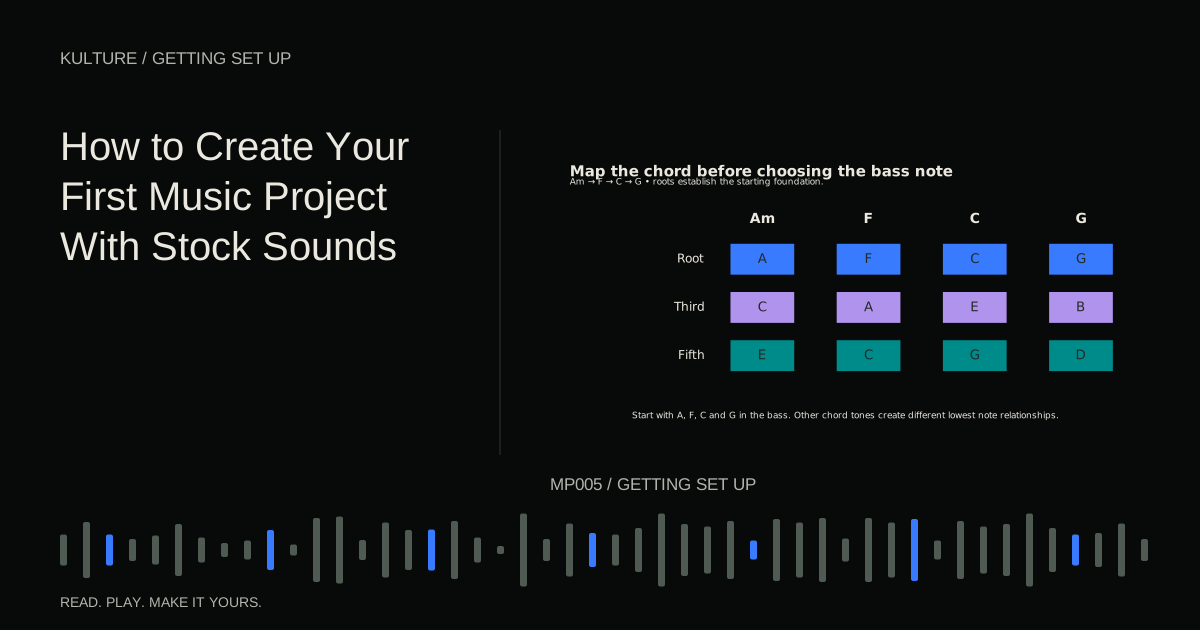
Try the same short task in a candidate program: create drums, add four chords, record one voice phrase if needed, and export a mix. The DAW selection guide turns that test into a practical comparison. For learning musical fundamentals without buying software first, Ableton's browser based learning environment lets you experiment with beats, bass, and chords.
When an audio interface becomes useful
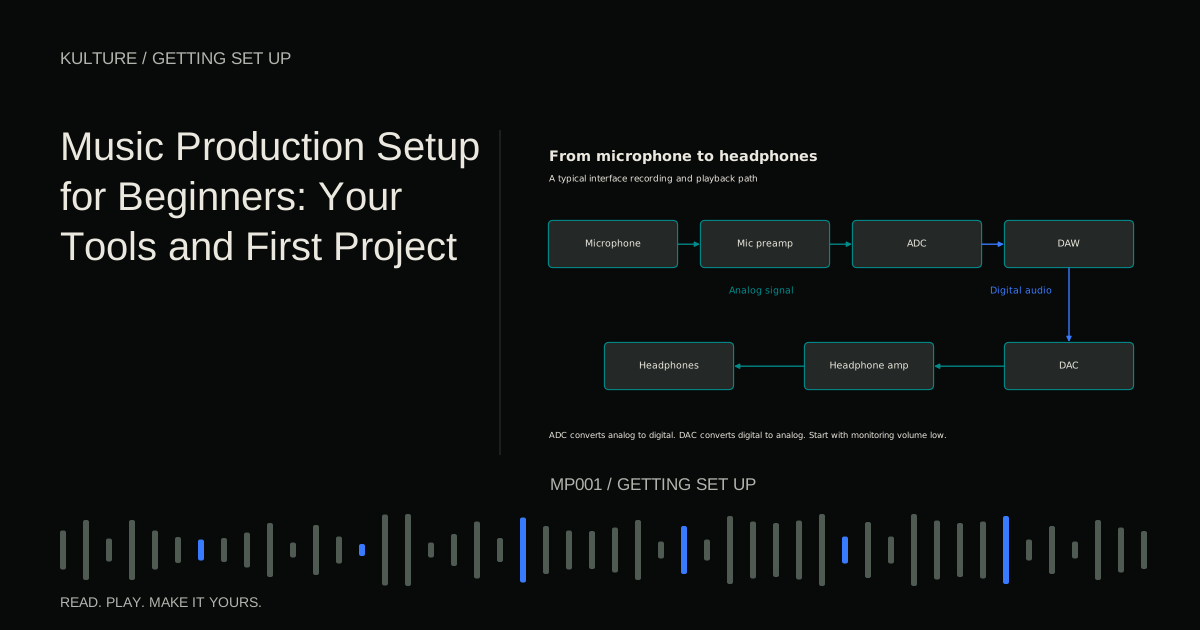
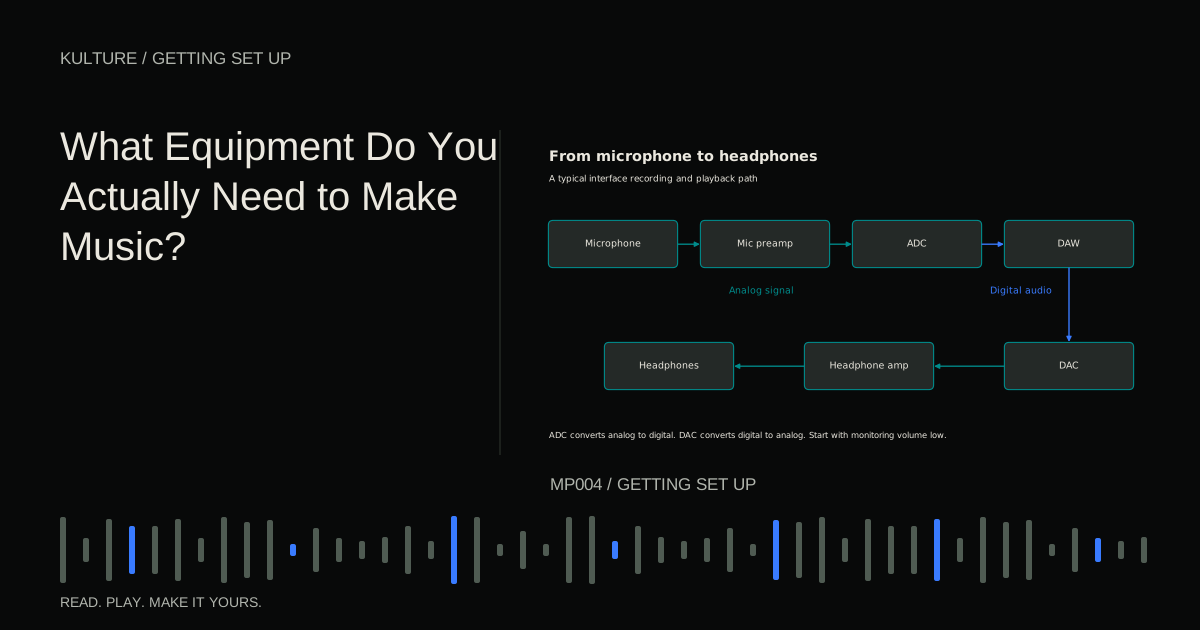
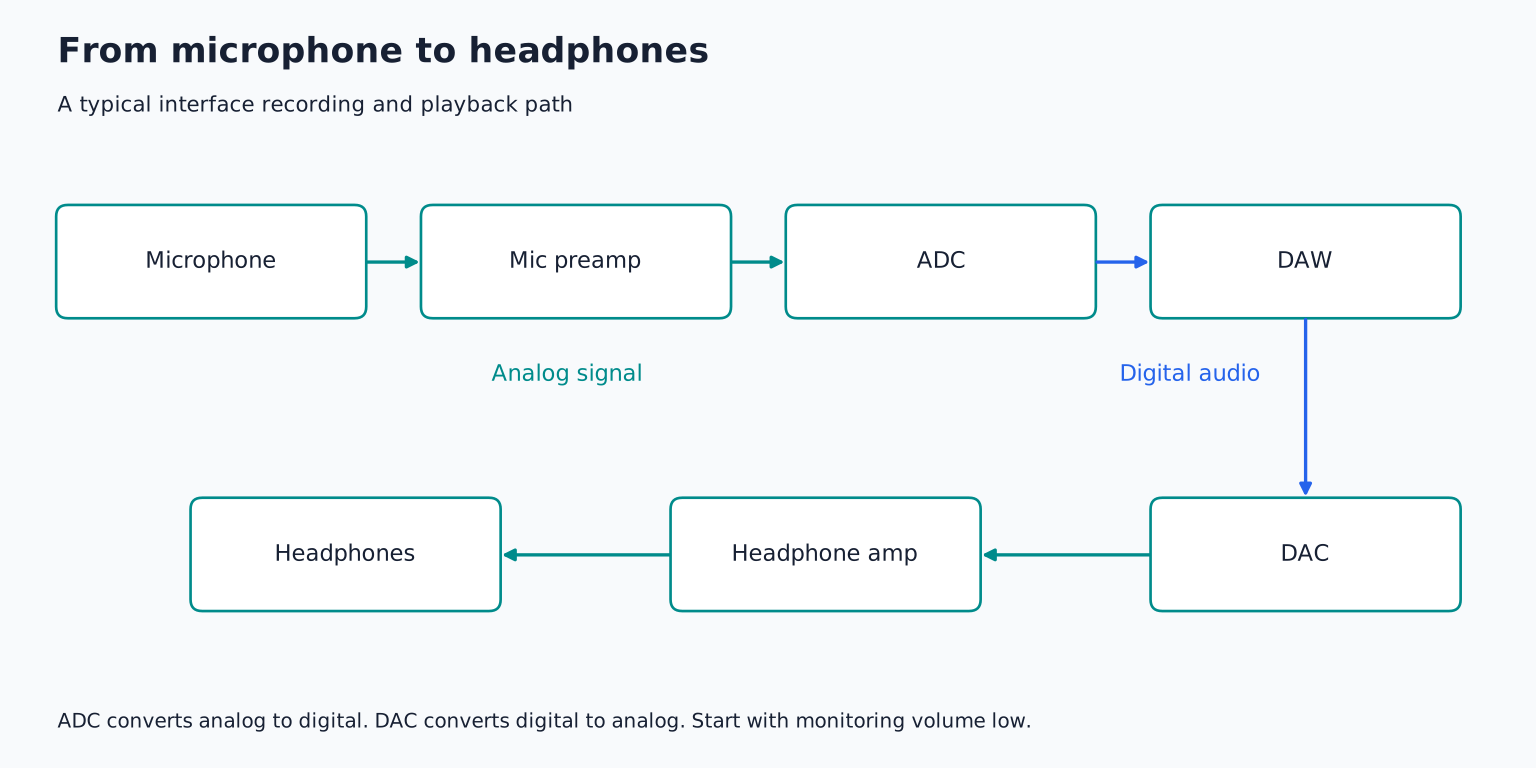
An interface provides appropriate audio inputs and outputs, along with conversion between analog signals and computer audio. Focusrite's introductory explanation describes this basic connection role.
You do not need a separate interface merely to draw MIDI notes and export a beat. It becomes valuable when you need microphone preamps, instrument inputs, dependable low latency operation, suitable monitor connections, or more capable headphone routing.
Read the input specifications carefully. Two sockets do not always mean two microphone preamps. A combo socket can accept different connector types, but its microphone, line, and instrument modes still have different functions. Digital expansion inputs are not additional analog microphone sockets without compatible equipment.
If your future recording plan is uncertain, buy for your known simultaneous input needs with modest room to grow. Paying for a large rack interface you never use is not automatically more economical than starting small.
A microphone includes supporting equipment
For an XLR microphone, budget for a cable, a stable stand, and a compatible interface or preamp. A pop filter may help control bursts of air from vocal consonants. Headphones allow the performer to hear the backing track without playing it loudly into the microphone.
A USB microphone combines several functions, including conversion and often headphone monitoring. It can simplify one person recording, but expanding to several independent USB microphones may be less straightforward than using a multi input interface. Confirm the actual monitoring and connection features before buying.
Microphone type alone does not determine how much room you hear. Distance, pickup pattern, placement, and the room's reflections all matter. A more expensive microphone can capture the same undesirable room with greater clarity. The microphone selection lesson explains how to test the match rather than treating price as a quality ranking.
Controllers are optional playing surfaces
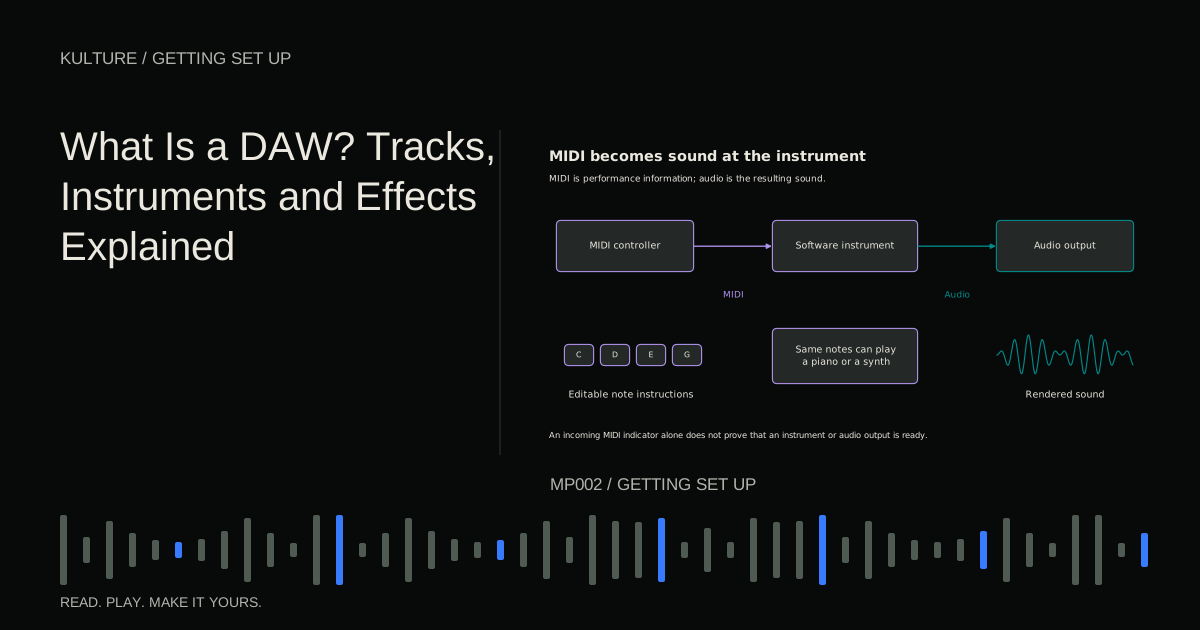
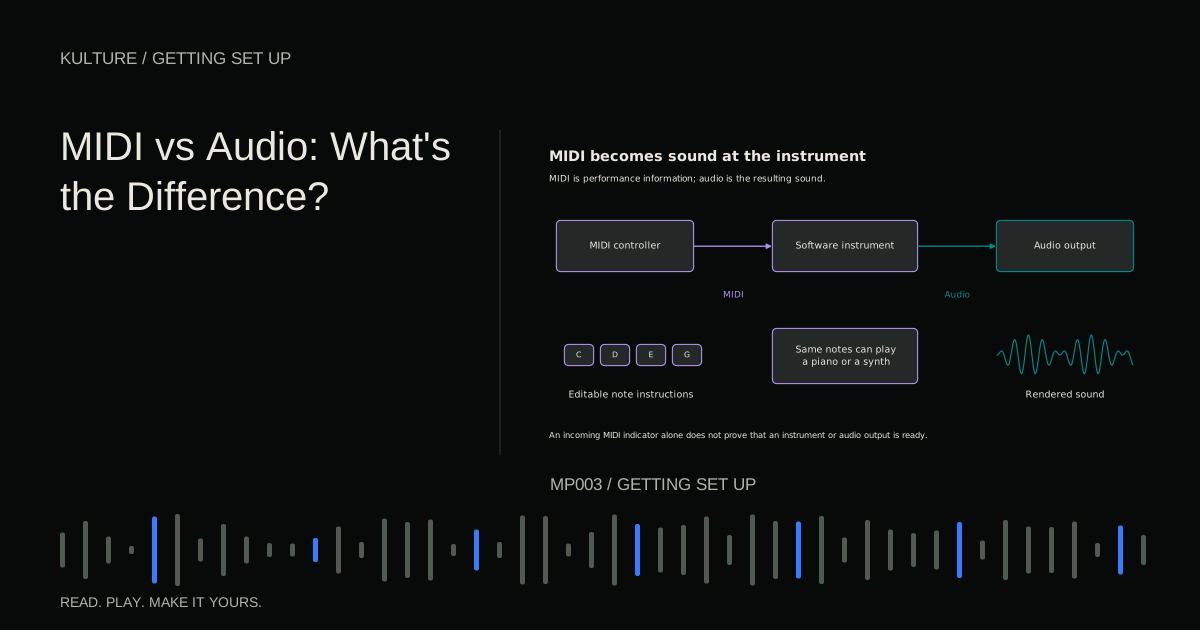
A MIDI keyboard or pad controller sends performance instructions; most controllers do not make sound by themselves. Keys are useful for melodies and chords. Pads can feel more natural for finger drumming. Knobs and faders can make hands on parameter changes convenient.
For a first purchase, prioritize the physical action and range you will use. A compact keyboard fits a small desk but requires more octave switching. A larger one makes two handed playing easier but consumes space. Extensive DAW integration is useful only if it works with your software and workflow.
Try drawing a week of music with a mouse first. If the specific frustration is “I can hear a rhythm but cannot enter it naturally,” a controller may help. If the frustration is “I do not know which notes belong together,” additional keys alone will not teach that skill.
Listening and room choices
Begin with reliable headphones at a comfortable level. Closed back designs often suit recording because they reduce leakage into the microphone. Open back designs can be useful for mixing in a quiet environment, but they leak sound and offer little isolation. Neither construction guarantees accurate frequency balance.
Studio monitors are speakers intended for production listening. Their usefulness depends heavily on placement and the room. Buying larger speakers for a small untreated space can introduce more low frequency uncertainty rather than solve it. Learn your current listening system with familiar references before assuming every translation problem requires new speakers.
Acoustic treatment reduces or controls reflections within the room. Soundproofing reduces sound transmission between spaces. Foam on a wall does not make a room isolated from neighbors. Basic noise management, sensible positioning, and a quieter recording time may improve your first recordings more than another plugin.
Run a no purchase rehearsal
Use the equipment you already have to complete a thirty second sketch. Write down each interruption in concrete terms: “I could not connect the guitar,” “the headphone cable pulled while singing,” or “the computer crackled when I played the piano preset.”
Then separate missing capabilities from settings problems. A missing instrument input may justify hardware. Crackles may require a buffer adjustment. A weak arrangement may require another writing session. Assign a budget only after you identify the obstacle.
Your next step is to choose one improvement that directly supports your next three projects. Include cables, stands, adapters, and return policy considerations in the total. Then finish another track before deciding on the next upgrade.
TAKE IT INTO YOUR OWN MUSIC
Your next session.
Use the equipment you already have to complete a thirty second sketch. Write down each interruption in concrete terms: “I could not connect the guitar,” “the headphone cable pulled while singing,” or “the computer crackled when I played the piano preset.”
Notes and progress stay in this browser.