Start by asking when the fault happens: at the first attack, at note off, when the next note begins, or at a loop boundary. That timing points toward the relevant control.
Build a diagnostic clip
Make four test events on one pitch: a short note, a long note, two separated short notes, and two overlapping notes. Leave enough silence between tests to hear the tail clearly.
Use a comfortable playback level, especially if you are investigating sharp clicks. Bypass distortion, compression, delay and reverb temporarily. If the raw instrument is clean, restore effects one at a time to locate the stage that introduces or exaggerates the problem.
Save a copy of the instrument before editing. You want to compare changes, not lose the original behavior while trying random fixes.
TRY IT HERE
Give the bass some space
Tap steps to add rests. Change the register or slide.
Ready when you are. Audio starts only when you press Play.
Keep experimenting in the synth LabClick at the beginning: inspect the start
A click can occur when playback jumps abruptly from silence to a nonzero waveform value. A sample may also contain an intentional sharp transient. First determine whether you are hearing a fault or part of the sound's design.
Zoom into the sample start if your editor allows it. Check for a hard cut, leading silence or a very sharp attack. Try a tiny fade in or a slightly longer amplitude attack. Increase it only until the unwanted click improves; excessive smoothing can remove the punch you wanted.
A zero crossing is a point where the waveform passes through zero amplitude. Starting near one can help with some edits, but it is not a guarantee of a perfect transition, especially with complex stereo material or mismatched slopes.
Image Line's Sampler documentation discusses declicking and sample boundary behavior in that instrument. Similar controls may be called fades or smoothing elsewhere.
Click at the end: avoid an abrupt stop
If the click happens exactly when the MIDI note ends, the amplitude envelope may be closing too sharply. Add a short release and listen again. Low frequency waveforms take time to complete cycles, so an instantaneous cutoff can be audible.
Do not solve the click by adding a huge release that makes every note overlap. Find the shortest fade that preserves the intended articulation cleanly. Its useful length depends on pitch and source shape, not a universal number.
If the sample itself ends with a hard cut, extending the envelope release may not create missing audio. Add an appropriate sample fade, choose a longer source, or use a looped sustain if the material supports it.
Click only when another note starts
A monophonic instrument may stop the previous voice abruptly when a new note arrives. That interruption can click even when each note sounds clean alone. Check voice stealing, retrigger and envelope settings.
Try a small gap between notes. If that fixes the click, you have identified a transition problem. Now decide whether the gap suits the music. If not, use a smoother voice transition or appropriate legato mode rather than forcing an unnatural rest.
A long release can also leave an old note active while the new one begins. If the instrument allows only one voice, its method of handling that overlap matters. “One voice” and “clean note transitions” are separate requirements.
Notes overlap despite short MIDI rectangles
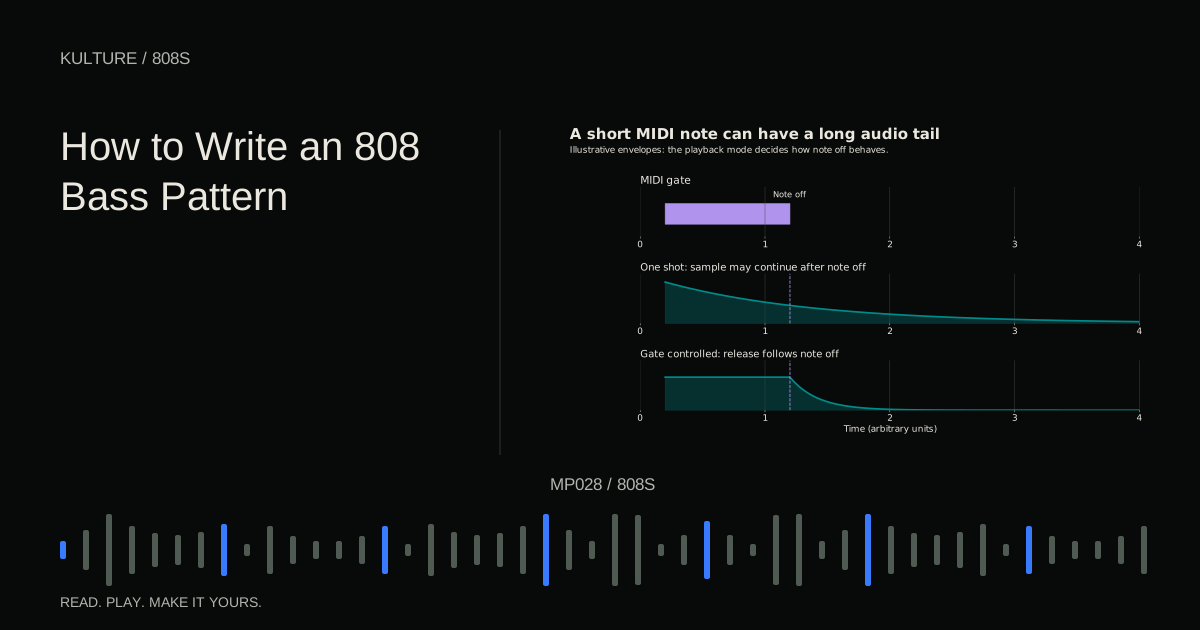
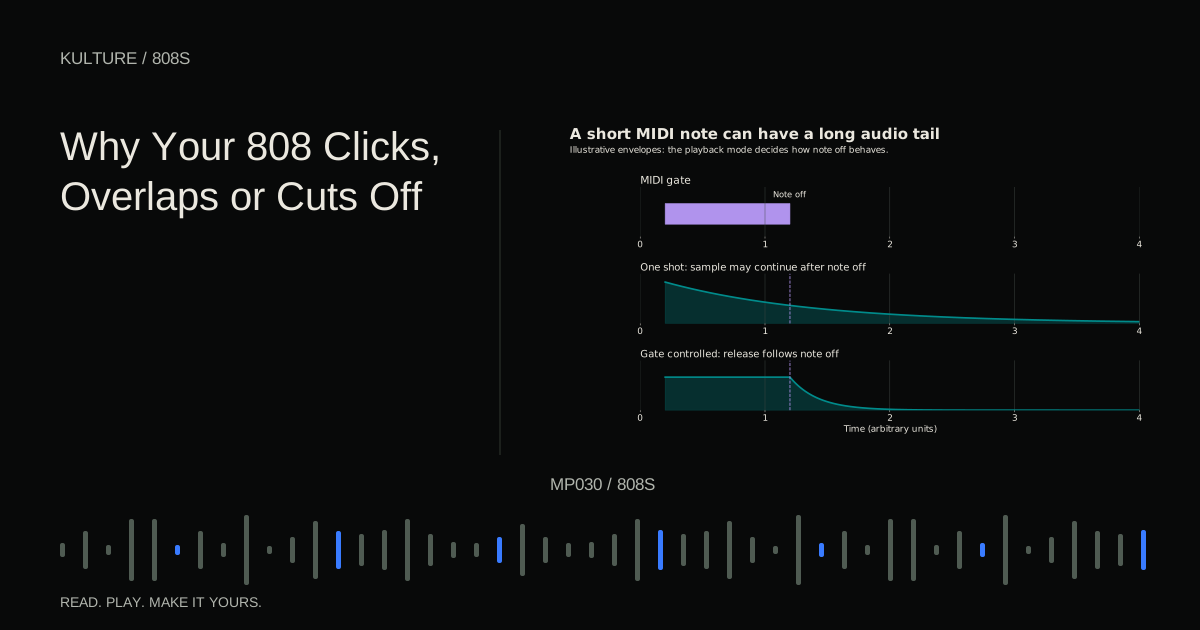
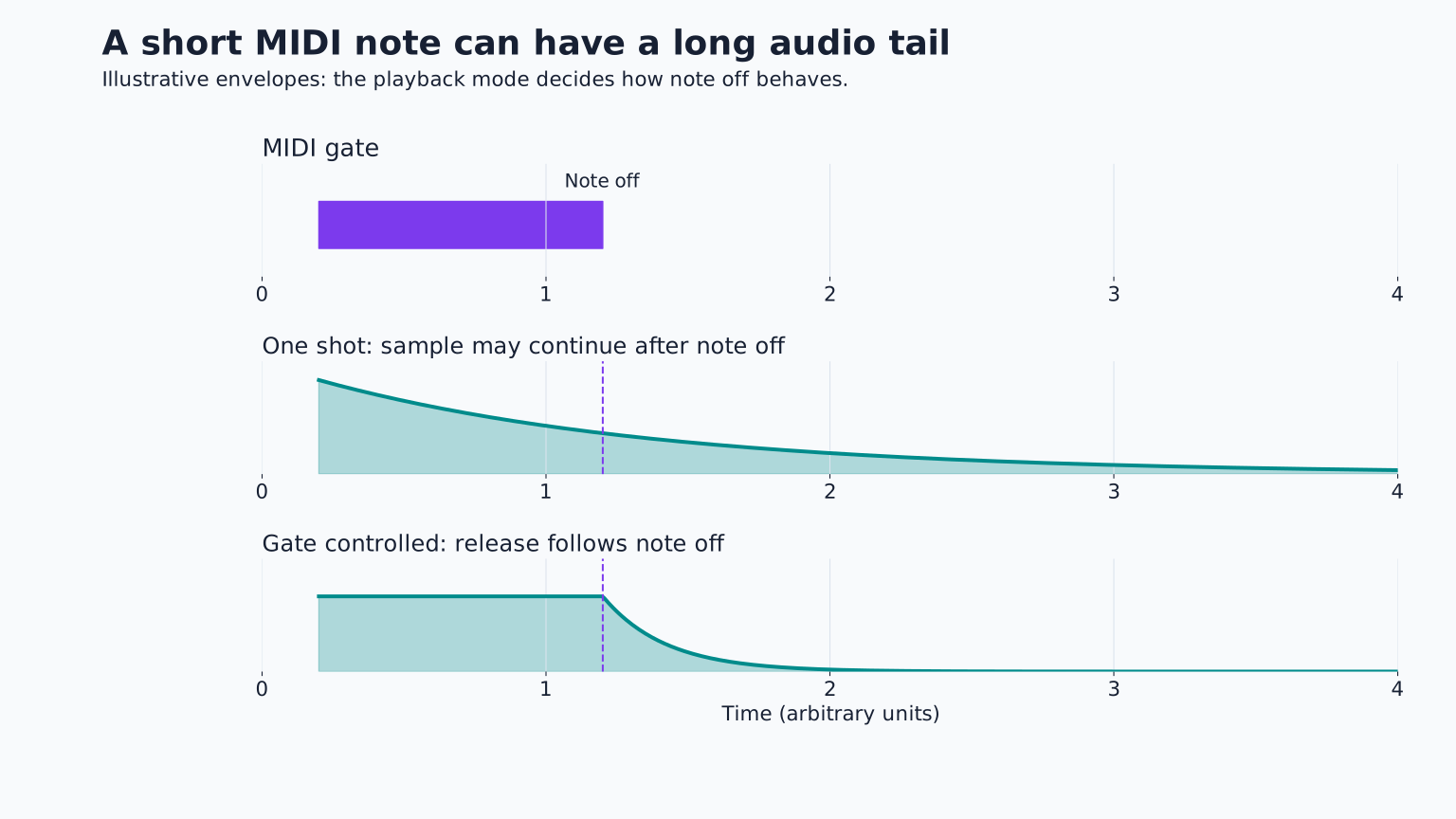
First test whether note off affects playback. Some one shot modes play the whole sample regardless of MIDI length. Enable a suitable amplitude envelope or choose a mode designed for held notes if you need the rectangle's end to control the sound.
Next inspect release time. The MIDI note may end correctly while the audible tail continues. Shorten release until the intended gaps become clear. Also check delay and reverb, which can create overlapping audio even after the dry bass stops.
Finally, check polyphony, the number of voices allowed simultaneously. Multiple long bass notes can form unintended low chords. Monophonic behavior may help, but verify whether it retriggers, glides or allows release tails.
Do not assume every cut group shortcut works everywhere
A cut or choke group lets one trigger stop another sound. This is useful for open and closed hats and can affect bass samples too. An accidental shared group may cause a drum hit to stop your 808.
In FL Studio, the official miscellaneous channel settings document important differences between step sequencer and piano roll behavior, and note that cut commands interact with release envelopes. Therefore, “turn on Cut itself” is not a universal explanation for every overlap problem.
Check the actual playback path and instrument mode. If another channel is cutting the bass, remove the unintended relationship rather than compensating with longer notes.
A long MIDI note stops too early
An envelope cannot sustain beyond the available sample unless the instrument loops, stretches or otherwise generates continuing sound. If the sample is short, a four bar MIDI rectangle will not automatically make it four bars long.
Inspect the waveform's endpoint. Then check whether the amplitude sustain is low, the decay is short, or a gate limits note duration. A key range setting can also make certain notes fail to play at all, which is a different symptom from early cutoff.
If the sound ends only when another note starts, inspect monophonic and choke behavior. If it ends at the same clock duration every time, source length or a fixed envelope is more likely.
Higher notes end sooner
With ordinary resampling, raising pitch increases playback speed. A sample played an octave higher can finish in roughly half the time. Lower notes can last longer and overlap more.
Compare the lowest and highest notes in your actual phrase. If their duration difference is a problem, investigate a suitable time stretch mode, adjust note lengths and envelopes, or choose a source designed for the range. Time stretching can introduce artifacts, so audition the result rather than assuming it is transparent.
Ableton's instrument reference documents sample playback and envelope options in its instruments. The same diagnostic question applies elsewhere: is pitch linked to playback speed, and how does the instrument sustain the source?
Loop clicks need a loop specific fix
A sustained sample loop repeatedly jumps from its loop end back to its loop start. If the waveform values or shapes do not join smoothly, you may hear a periodic click or buzz.
Move the loop points carefully and use a loop crossfade if available. Choose a relatively stable section rather than looping the pitch drop attack. Keep the original attack outside the sustain loop when you want one thump followed by a steady body.
If no loop region sounds natural, use another sample or a synthesized bass. Not every decaying drum recording contains material suited to a seamless sustained loop.
Verify the fix in context
After the diagnostic clip is clean, restore the real pattern and effects. Check rapid retriggers, slides, the lowest note and the loop boundary. A fix tested on one isolated note may fail during the busiest phrase.
For practice, deliberately compare one shot and envelope controlled playback, then make a short, long, short pattern with audible rests. Save the clean instrument as a starting preset. Return to 808 Bass Explained for the full setup, or 808 Slides and Glides if the remaining issue occurs only during pitch transitions.
TAKE IT INTO YOUR OWN MUSIC
Your next session.
After the diagnostic clip is clean, restore the real pattern and effects. Check rapid retriggers, slides, the lowest note and the loop boundary. A fix tested on one isolated note may fail during the busiest phrase.
Notes and progress stay in this browser.