For a first comparison, ask three questions: does the microphone suit the sound, can your equipment operate it properly, and can you place it where it works best? That is more useful than choosing a condenser because it looks like a studio microphone or a dynamic because someone called your room untreated.
What the two designs do
A common moving coil dynamic microphone uses a diaphragm attached to a coil moving in a magnetic field. A condenser uses a diaphragm and backplate that form an electrical capacitor. The condenser's electronics require power, supplied according to the product's design. Shure explains these operating principles in its dynamic versus condenser reference.
Those mechanisms influence engineering choices, but individual products vary greatly. A condenser can have a restrained, smooth sound. A dynamic can emphasize high frequencies. A microphone's published frequency response curve tells you more about its tonal tendency than a blanket category description.
Ribbon microphones are also a dynamic technology in the broader technical sense, but they need their own handling and power discussion. Do not assume advice for an ordinary moving coil stage microphone applies to every ribbon.
TRY IT HERE
Move the listening position
Explore geometry, not a measurement of your actual room.
Ready when you are. Audio starts only when you press Play.
Keep experimenting in the sample pads LabSensitivity is not the same as hearing more room
Sensitivity describes how much electrical output a microphone produces for a given acoustic input. A more sensitive mic may need less preamp gain. That does not mean it magically reaches farther into the room once you compare recordings at equal playback loudness.
Room pickup depends on where the microphone is, its polar pattern, the direction of reflections, and the relationship between the source and the background. A dynamic used very close to a singer can sound less roomy than a condenser used far away. That comparison changes two variables at once: design and distance.
To learn what is actually happening, compare both microphones at the same workable distance and level match playback. Then compare each at its best practical position. The first test reveals differences more fairly; the second answers which setup makes the best recording.
Pickup pattern changes your options
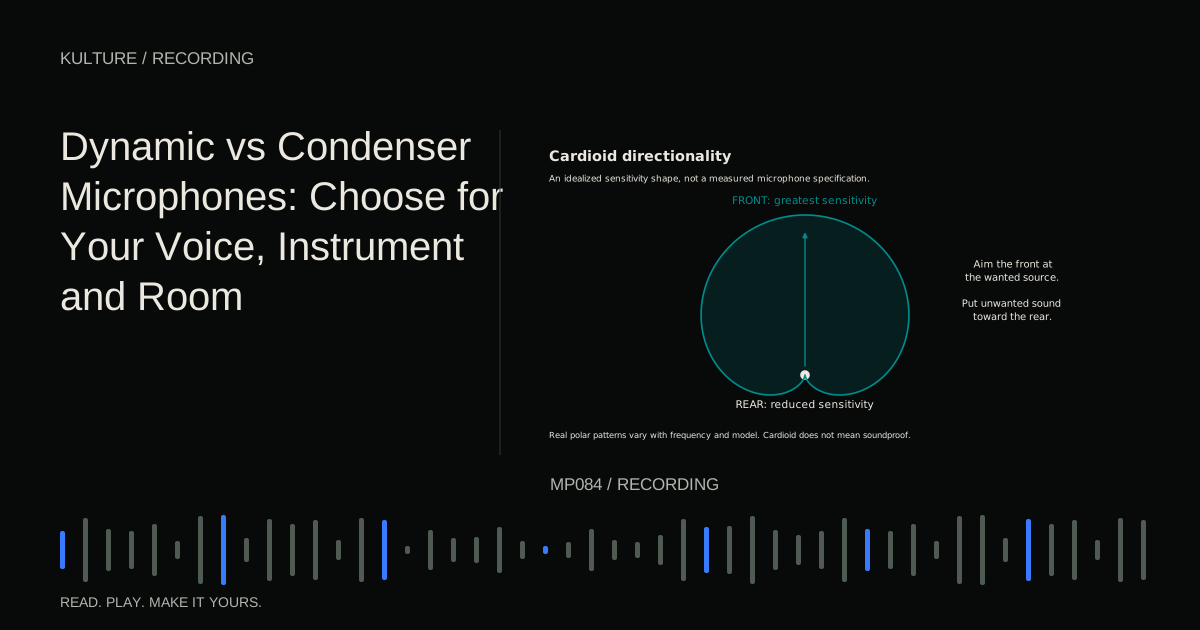
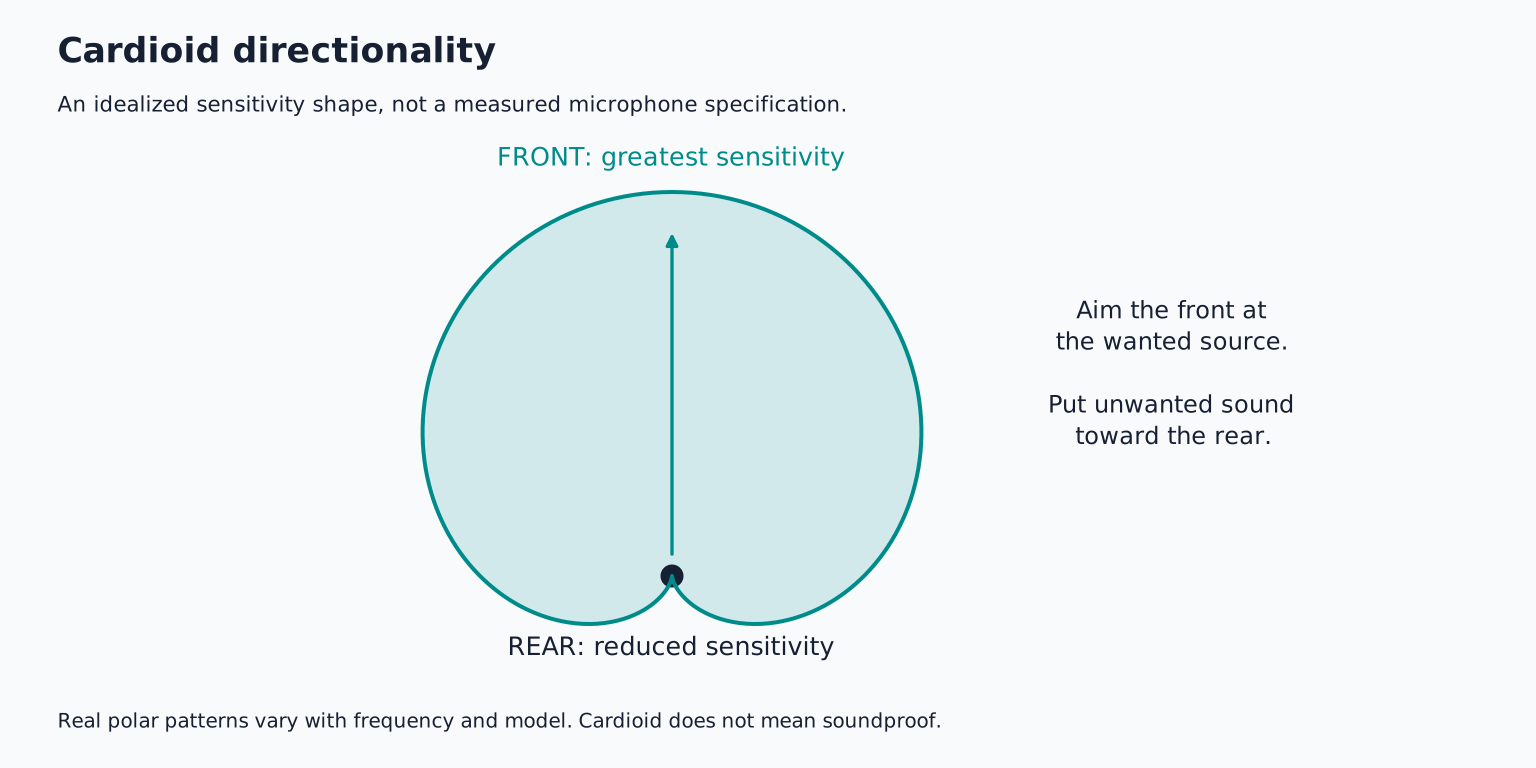
The polar pattern describes directional sensitivity. A cardioid generally favours sound from the front and rejects sound toward the rear. An omnidirectional mic receives sound around it. A figure eight pattern receives front and rear while rejecting the sides. Real patterns vary with frequency, so diagrams are guides rather than perfect walls around the microphone.
A cardioid can help reduce a computer fan when its rear is oriented toward the fan. It will not erase reflections arriving from the singer's direction. A figure eight ribbon may reject a nearby instrument at the side but hear a reflective wall behind it.
Confirm the mic's front. Some microphones are addressed at the end; others at the side. A side address condenser does not necessarily receive best through its top. An incorrect orientation can produce a quiet, dull recording that no amount of preamp gain fixes properly.
Compare a vocal without fooling yourself
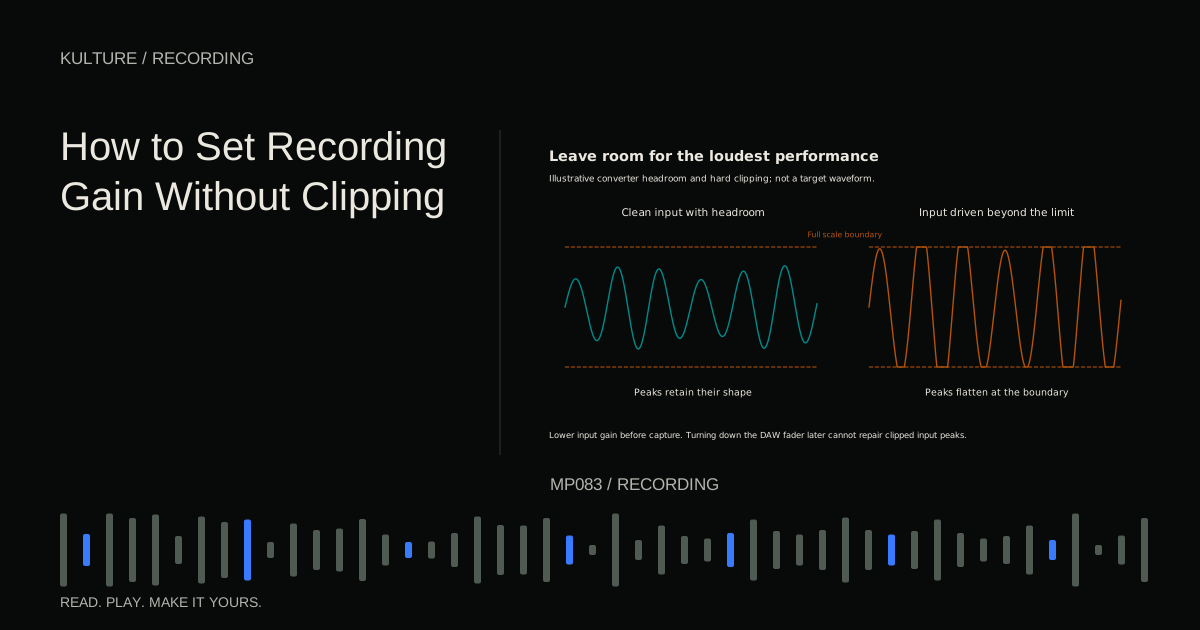
Choose a short passage containing a quiet line, a loud vowel, s sounds, and p or b sounds. Mark the singer's position. Place the first microphone at a reasonable working distance with a pop filter, then set gain for the loudest phrase.
Record the passage, change microphones safely, and repeat. Do not keep identical gain settings simply to make the test look fair: different sensitivities require different gain. Match playback loudness after recording.
Listen for intelligibility, harshness, low frequency buildup, breath noise, and how the voice sits against the backing track. If one mic sounds impressive alone but makes the vocal fight cymbals in the mix, that matters. If another needs a gentle tonal adjustment but captures a more comfortable performance, it may be the better choice.
Next, try small placement changes. Move back a little, turn slightly off axis, or shift the mic vertically while keeping the singer comfortable. Vocal microphone placement explains these tests in detail.
Instruments create different priorities
For acoustic guitar, consider whether you want string detail, body resonance, or a softer supporting texture. A condenser may make subtle fingerstyle details easier to capture, but the result still depends on position and the instrument. A dynamic can work well when its tonal balance supports the arrangement.
For an electric guitar cabinet, the sound level, speaker position, and desired midrange character may dominate the decision. A familiar moving coil microphone can be practical, but do not use its popularity as a substitute for listening. For percussion, the microphone and input must both tolerate the actual peaks.
A quiet instrument recorded from farther away raises another issue: noise. Compare microphone self noise, available clean preamp gain, and environmental noise. Buying a more sensitive mic will not silence a refrigerator. Moving closer may improve the useful signal relative to the room more than changing microphones.
Power and compatibility come first
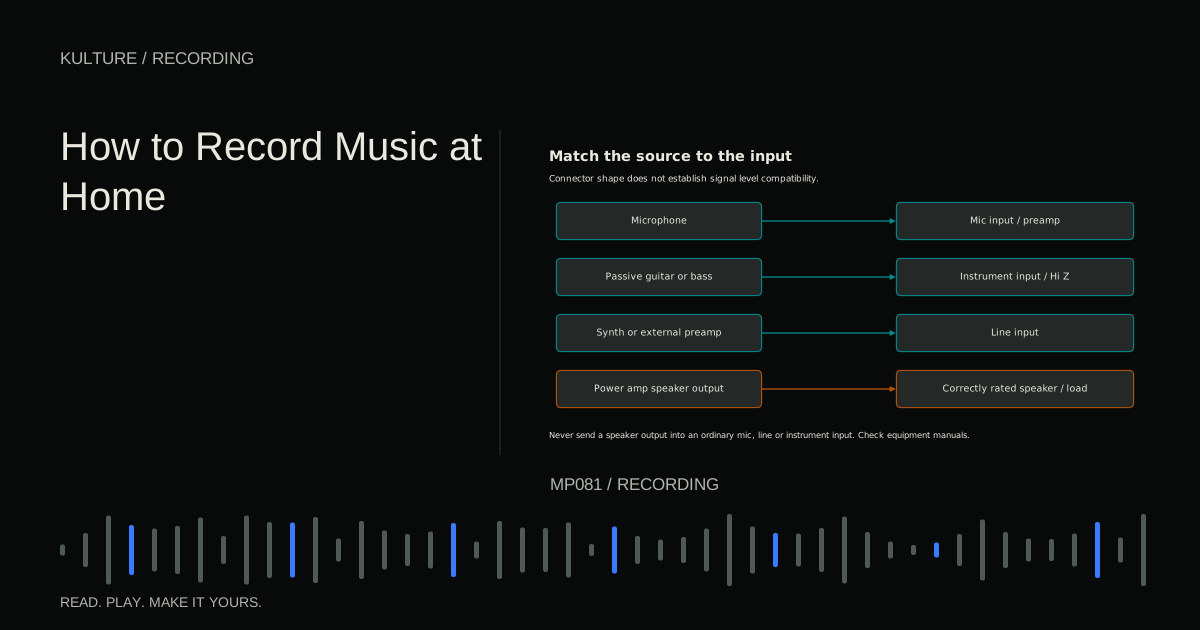
Many studio condensers require 48 V phantom power, but some use batteries, external supplies, or other arrangements. Read the exact manual. Ordinary passive moving coil microphones usually need no power. Active ribbons may require phantom power; passive ribbon compatibility depends on the model and connection.
Royer's ribbon microphone guidance makes clear why faulty wiring and connection conditions matter. Never use “phantom always destroys ribbons” or “phantom is always harmless” as a universal rule.
Mute monitoring before connection changes. Turn phantom off before plugging or unplugging, allow the manufacturer's specified discharge time, and verify everything attached to shared phantom power inputs. Avoid unknown adapters and unbalanced paths. Check any inline booster separately.
Budget for the recording system
A microphone also needs a stable stand, suitable cable, and sometimes a shock mount or pop filter. A very low output mic may reveal limitations in the interface's available gain. A heavy microphone may overwhelm a flimsy desktop arm. These practical details affect whether recording feels easy enough to do regularly.
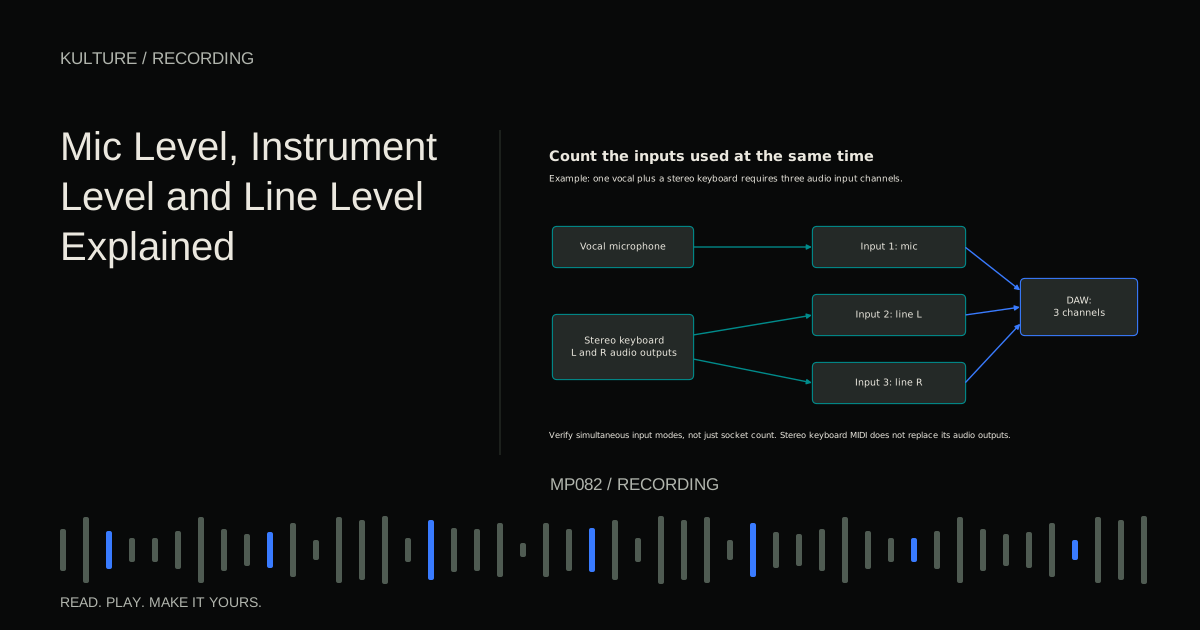
Do not assume a USB microphone and an XLR microphone fit the same workflow. A USB mic includes conversion and connects directly to a computer. An XLR mic normally needs an interface. Recording several USB devices together can involve clocking and driver complications; a multi input interface is often the clearer route for simultaneous sources.
For a broader purchase framework, see choosing a microphone for your voice, room, and budget.
Make a decision with one controlled exercise
Borrow or audition two suitable microphones if possible. Record the same passage, match playback loudness, and compare in the intended mix. Keep a note of distance, orientation, power requirements, and what each version makes easier or harder.
Choose the setup that needs fewer compromises for your work. If you already own one usable microphone, spend the next session exploring three positions before shopping. Then use the recording gain guide to make those comparisons dependable.
TAKE IT INTO YOUR OWN MUSIC
Your next session.
Borrow or audition two suitable microphones if possible. Record the same passage, match playback loudness, and compare in the intended mix. Keep a note of distance, orientation, power requirements, and what each version makes easier or harder.
Notes and progress stay in this browser.