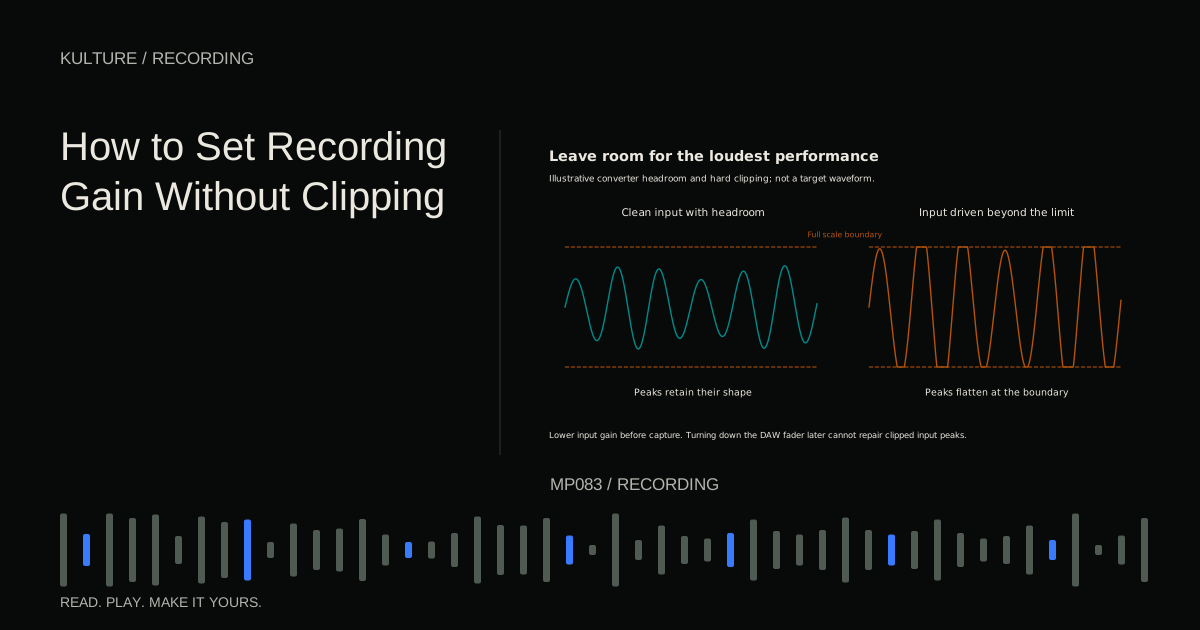
Gain is the amount of amplification applied to a signal. In a typical microphone setup, the interface's preamp gain controls the level going toward the analog to digital converter. The DAW track fader normally changes playback or monitoring level later in the path. These controls solve different problems.
Understand what clipping tells you
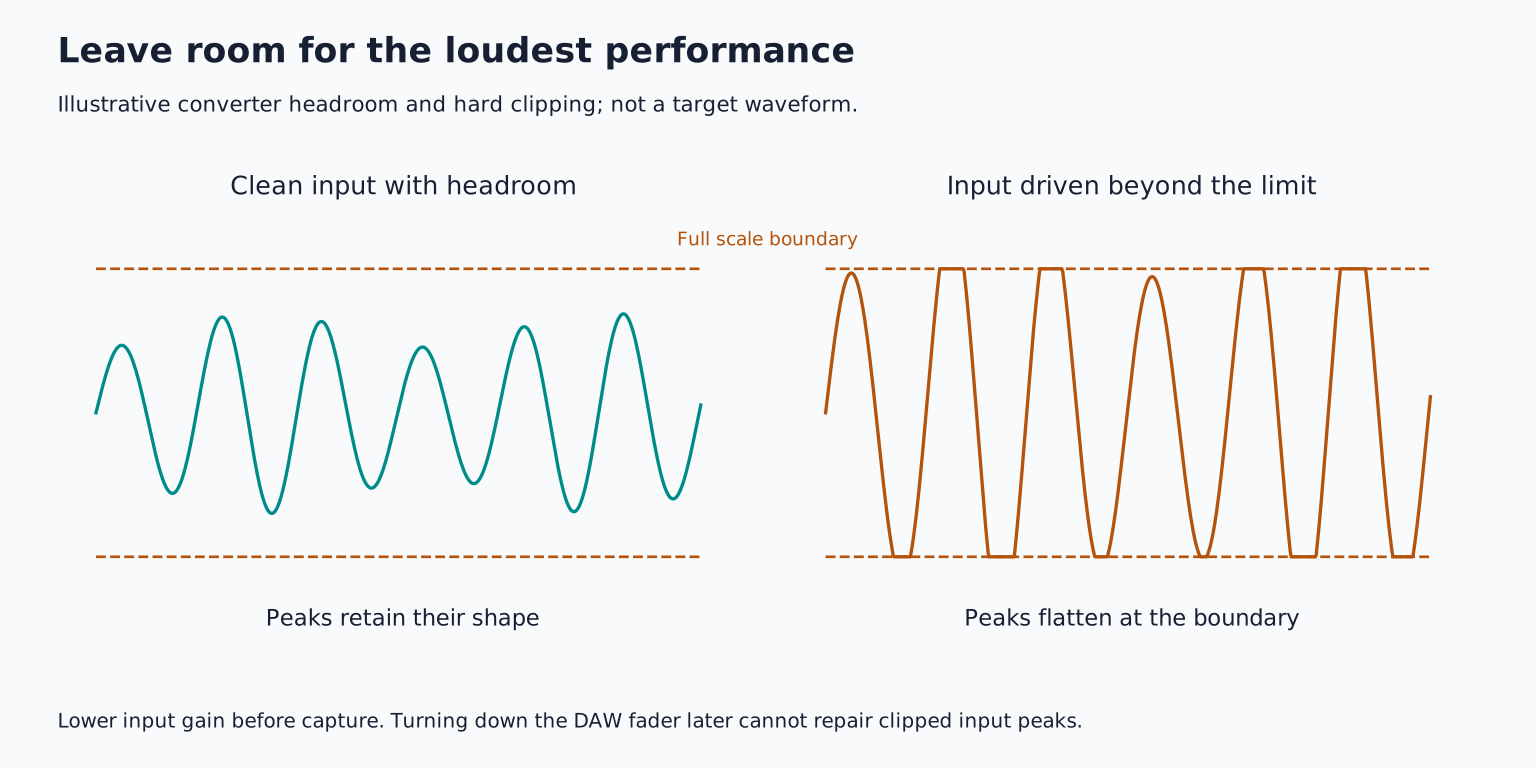
Clipping occurs when a stage cannot represent or pass the incoming signal cleanly. On a conventional digital recording meter, 0 dBFS is full scale. dBFS means decibels relative to full scale. A signal that exceeds the available range can have its peaks flattened, producing distortion.
Analog circuitry can also overload before the digital meter reaches full scale. A microphone's electronics, an external preamp, a pedal, or an interface input can be the problem. Therefore, a meter below zero is useful evidence, not a guarantee that every earlier stage is clean.
Focusrite's recording gain guidance explains why input gain depends on the source rather than a universal knob position. A loud guitar cabinet and a whispered vocal should not be expected to use the same setting.
TRY IT HERE
Leave room for the peaks
Raise input gain and see where the waveform clips.
Ready when you are. Audio starts only when you press Play.
Keep experimenting in the sample pads LabPrepare the path before measuring it
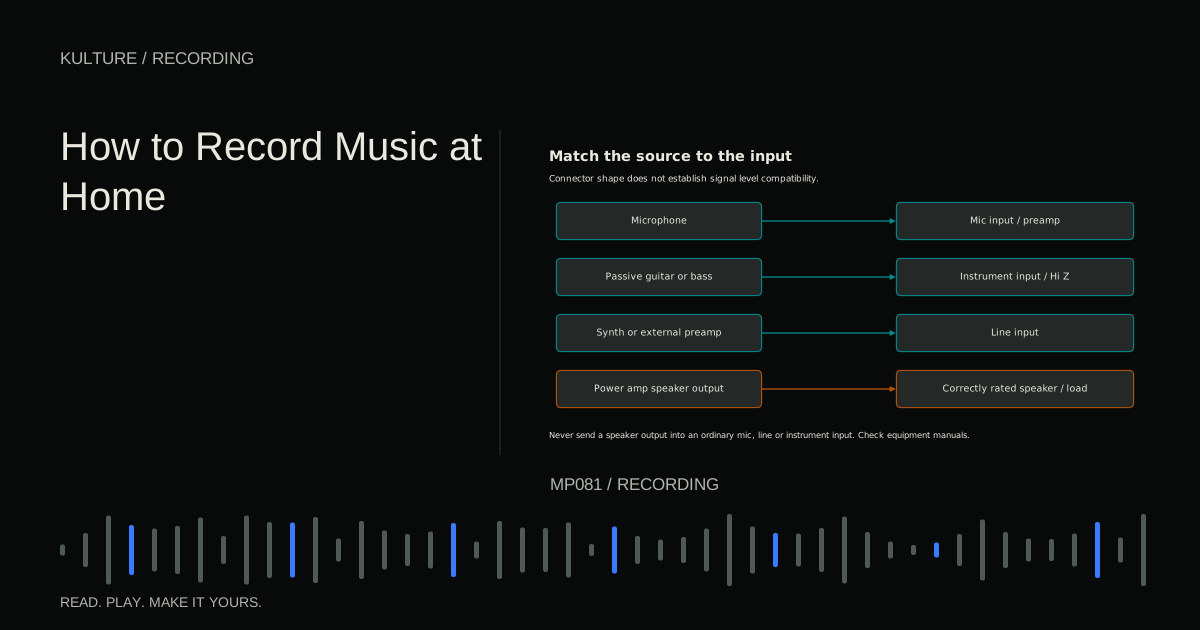
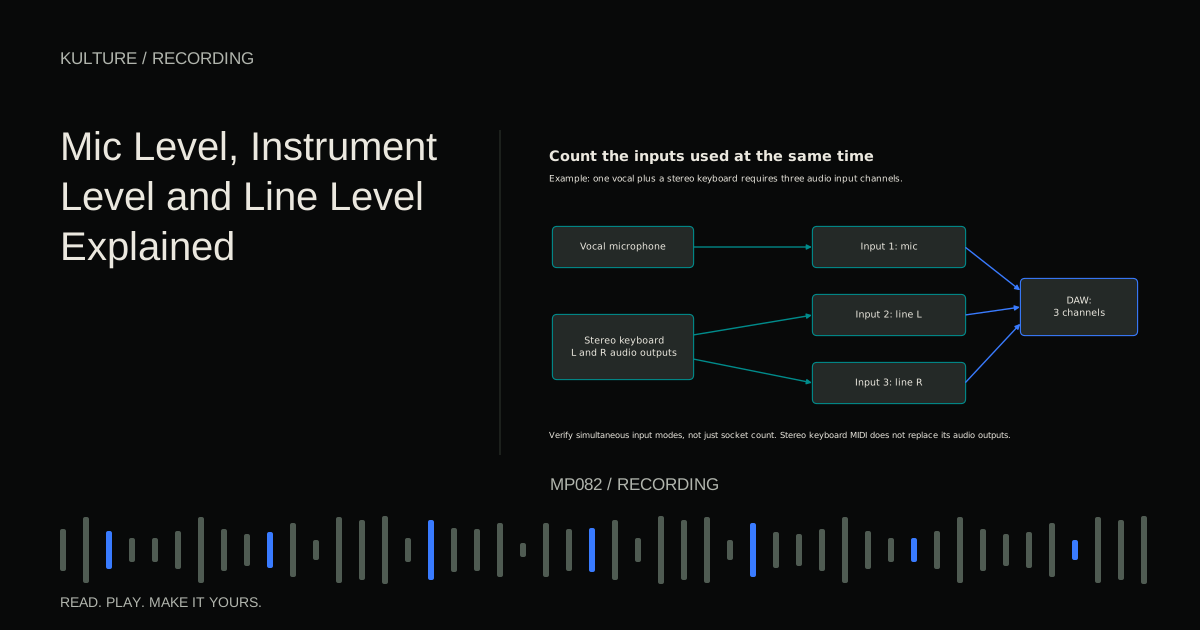
Connect the source to the appropriate input: mic, instrument, or line. Disable unnecessary processing while testing, especially distortion, compression, or automatic level adjustment that could hide what is happening. If an interface has an automatic gain feature, understand whether it merely sets a level during a test or continues changing gain during recording.
Create the correct mono or stereo track and display its input level. Confirm whether the meter is showing pre fader input or post fader playback; the exact behaviour depends on the DAW. If pulling down the fader makes the red warning disappear but the recorded file still sounds distorted, you may be watching the wrong point in the chain.
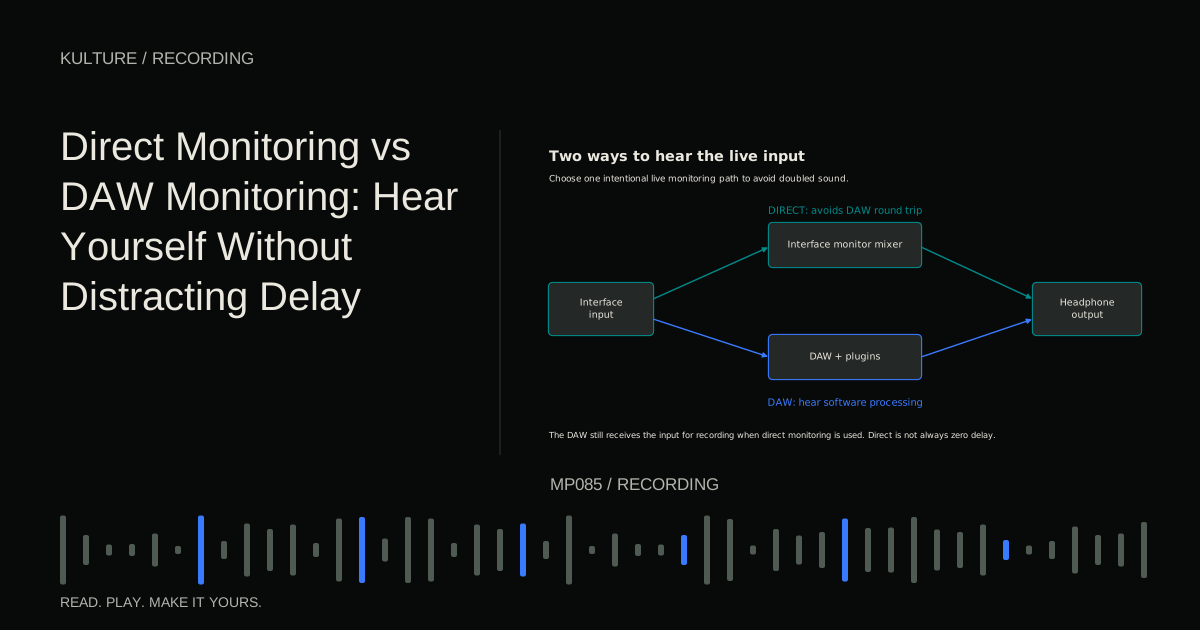
Set headphone volume low before checking. Monitor through a single path so duplicated monitoring does not confuse your assessment. Direct and DAW monitoring are explained separately.
Use a loud passage, not “check, one, two”
Have the performer play the strongest passage at performance intensity. For vocals, include the loudest sustained note and a forceful phrase. For guitar, include strong strums. For drums, include accents rather than only gentle taps.
Start with low gain and increase it gradually. Watch the highest peaks over several repetitions. For a normal 24 bit home recording setup, peaks around 12 dBFS can be a useful starting example; a very unpredictable performer may warrant more margin. A stable source may safely run higher. These numbers are starting decisions, not a required sound or a quality ranking.
Headroom is the space between the present peak and overload. If your test peaks at 12 dBFS and the singer becomes 6 dB louder in the real take, there is still room. If the test peaks just below zero, a small change can ruin an important moment.
Record a short test, then listen to playback. Watch and listen again during the first complete take because performers often become more energetic once the song starts.
Example: a quiet verse and loud chorus
Suppose the verse peaks near 24 dBFS and the chorus near 10 dBFS. That difference is not automatically a problem. It may represent the intended performance dynamics.
Do not raise the preamp for every quiet word and rush to lower it for the chorus. That can create inconsistent tone, handling noise, and unpredictable changes. Record with enough room for the chorus, then use clip gain or automation to balance the sections later. Clip gain changes the level of a recorded region; automation changes a parameter over time.
If the quiet verse is buried in room noise, solve the recording conditions. Move closer where musically appropriate, reduce noise at its source, choose a better position, or record sections separately when the artistic result allows it. Turning up gain raises the unwanted sound along with the voice.
If the performer deliberately changes mic distance for loud phrases, rehearse the movement. Moving away can also change bass response and room balance. It is a performance technique, not a guaranteed substitute for headroom.
A headphone problem is not a gain problem
A singer may ask for more of their voice while the recording level is already healthy. Change the cue mix, meaning the mix sent to their headphones. Reduce a loud backing track or increase the monitored vocal contribution within safe, comfortable listening levels.
Do not increase preamp gain just to compete with a mastered instrumental playing at near full level. That turns a monitoring request into a recording risk. The playback track can usually come down substantially without affecting the quality of its source file.
Similarly, a large waveform display may be only a visual zoom setting. If you need to see edits more clearly, change the waveform display scale rather than recording dangerously hot.
When the gain is already at minimum
If the input clips with the gain at minimum, confirm that the input mode matches the source. A keyboard's line output into a mic path can be too strong. An active instrument may need its output reduced or a suitable input pad. A loud source may require a microphone with adequate maximum level capability.
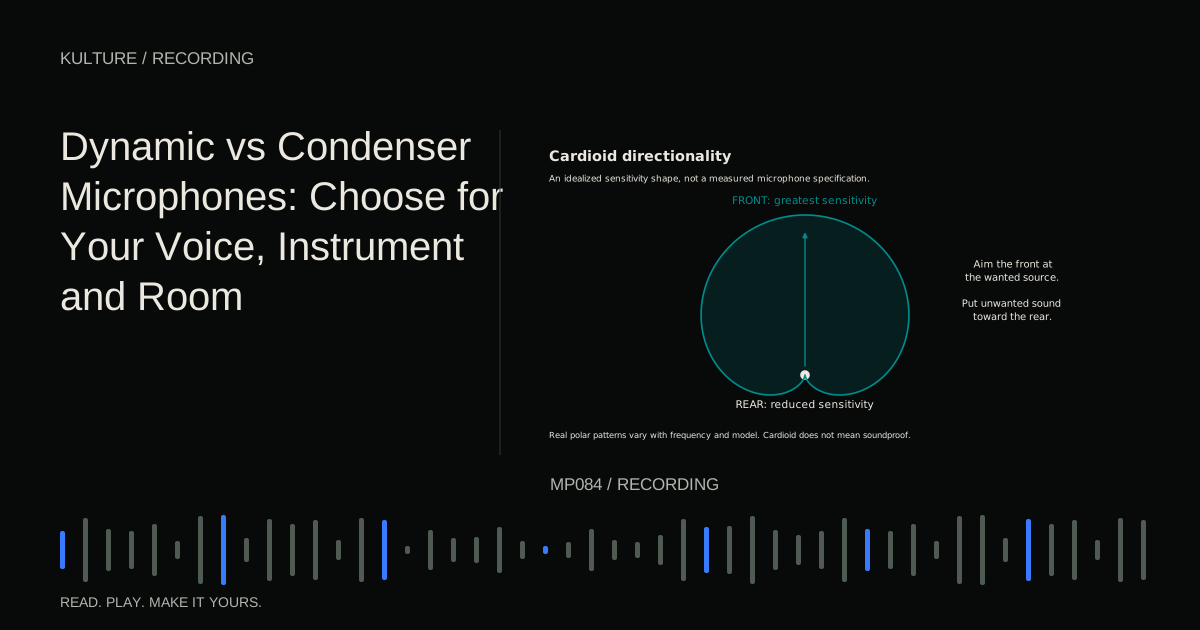
Use a pad only where the manufacturer permits it. If the microphone itself is distorting, an interface pad downstream cannot undo that distortion. If the interface input is overloading, a suitable attenuation stage before that input may help.
Do not improvise with speaker outputs. A power amp output must never go directly into a mic, instrument, or line input. Correct load box and speaker level systems are specialized equipment, not ordinary gain controls. Review signal levels before connecting unfamiliar gear.
What normalization and floating point cannot promise
Normalization changes a file's level according to a chosen target. It can make a quiet recording louder, but it also raises recorded noise and cannot reconstruct a clipped analog stage.
Some recording systems use 32 bit floating point files and specialized converter arrangements to provide unusually wide capture range. Their capabilities depend on the actual hardware. A floating point DAW session by itself does not prevent microphone, preamp, or converter overload. Follow your recorder's documentation instead of assuming the file format makes gain irrelevant.
Avoid relying on a limiter as insurance unless you understand where it sits. A software limiter after the input converter cannot protect an already clipped converter. It may reduce the visible meter while leaving the damage audible.
Check and keep a useful record
After a test, write down the microphone, approximate distance, input mode, and observed peak range. Photographing knob positions can help recreate a setup, but identical positions do not guarantee identical level with a different performance.
For practice, record the same eight bar phrase three times with progressively more conservative gain. Match playback loudness afterward. Compare noise, distortion, and the freedom the performer had to get louder. Keep the cleanest take, not automatically the loudest one.
Your next step is recording and comping multiple takes. Reliable gain makes that process easier because the takes differ mainly in performance rather than accidental overload or changing recording conditions.
TAKE IT INTO YOUR OWN MUSIC
Your next session.
Suppose the verse peaks near 24 dBFS and the chorus near 10 dBFS. That difference is not automatically a problem. It may represent the intended performance dynamics.
Notes and progress stay in this browser.