The advantage is interaction: musicians respond to each other's timing, dynamics, and energy. The tradeoff is that tracks are acoustically connected. A vocal may be audible in the drum microphones, and a guitar amp may appear in the vocal mic. Those connections affect editing and processing.
Decide what will be live and what can be replaced
Agree on whether the session is meant to preserve a complete performance or create a foundation for later overdubs. If the lead vocal is only a guide, plan how its bleed could affect a replacement. A loud guide coming through speakers can become embedded in every microphone.
A practical compromise is live drums, bass DI, and guitar, with a quiet guide vocal in headphones. Another is a fully live vocal when the interaction matters more than later isolation. Neither is universally better.
Write a simple input sheet with source, microphone or DI, input number, and monitor needs. Leave time for a rehearsal recording. A live session is not the moment to discover that the interface has fewer simultaneous mic inputs than expected.
TRY IT HERE
Move the listening position
Explore geometry, not a measurement of your actual room.
Ready when you are. Audio starts only when you press Play.
Keep experimenting in the sample pads LabArrange players before microphones
Place musicians so they can see and communicate with one another. Reduce unnecessarily loud amplifiers rather than compensating with increasingly loud headphones. Aim cabinets so their strongest sound does not point directly into vulnerable vocal or acoustic instrument mics.
Use distance and suitable barriers where they help, but do not destroy the band's ability to perform together. A barrier that blocks sightlines or creates a small reflective pocket may solve one problem while creating another.
Keep exits, cable paths, and walking space clear. Secure stands and avoid unstable improvised stacks. Amplifiers need appropriate ventilation, and speaker connections must remain correct. Never connect a power amp speaker output directly to an interface input.
Use microphone rejection intelligently
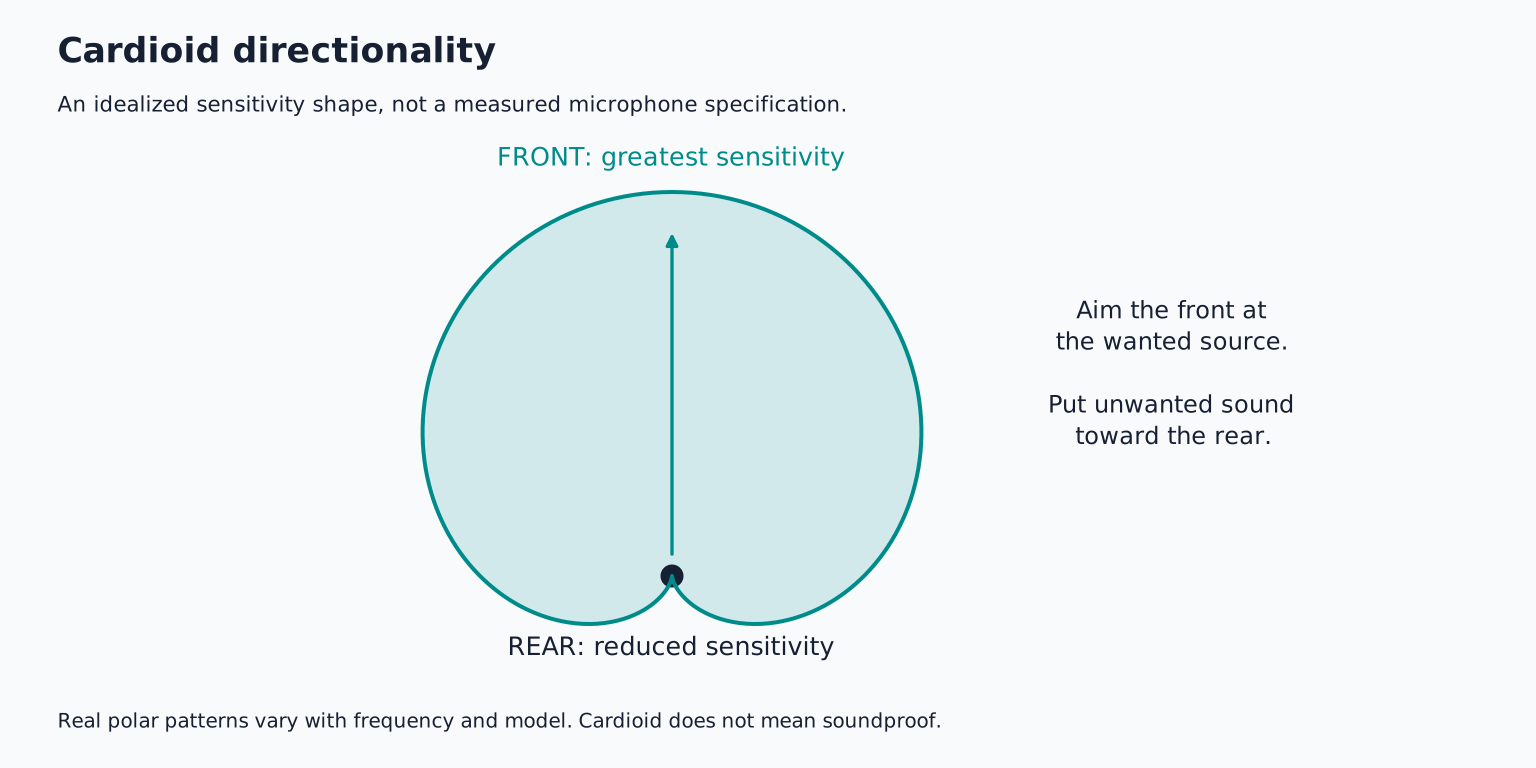
A directional microphone receives different amounts of sound from different directions. Orient its rejection region toward a troublesome source where practical, using the actual polar pattern rather than assuming every mic rejects directly behind it.
For example, a cardioid vocal mic can be arranged with its rear toward a loud source, but it will still hear reflections and sound arriving from other angles. A figure eight mic rejects at the sides but hears the rear strongly. Pattern choice changes the placement problem.
Shure's recording techniques guide discusses directional placement for reducing unwanted pickup. Treat rejection as assistance, not isolation equivalent to a separate room.
Build the cue mix around performance needs
Start with rhythm and pitch references, then add each musician's own source. Ask focused questions: “Can you hear the bass timing?” or “Is the vocal clear enough to phrase?” These are easier to answer than “Is the mix good?”
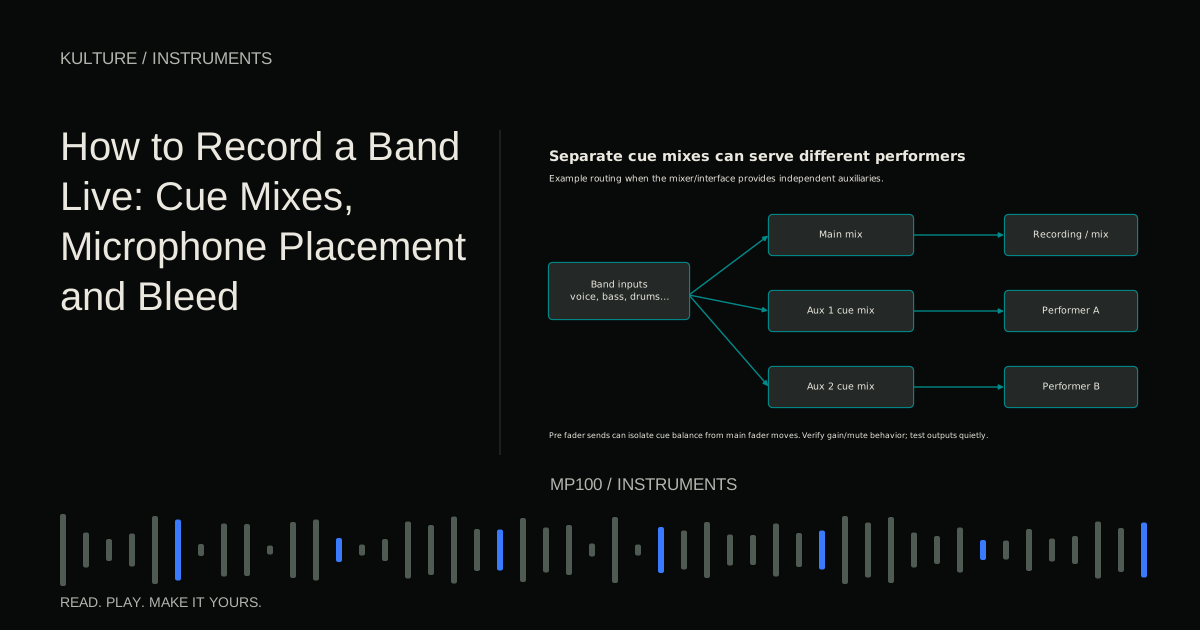
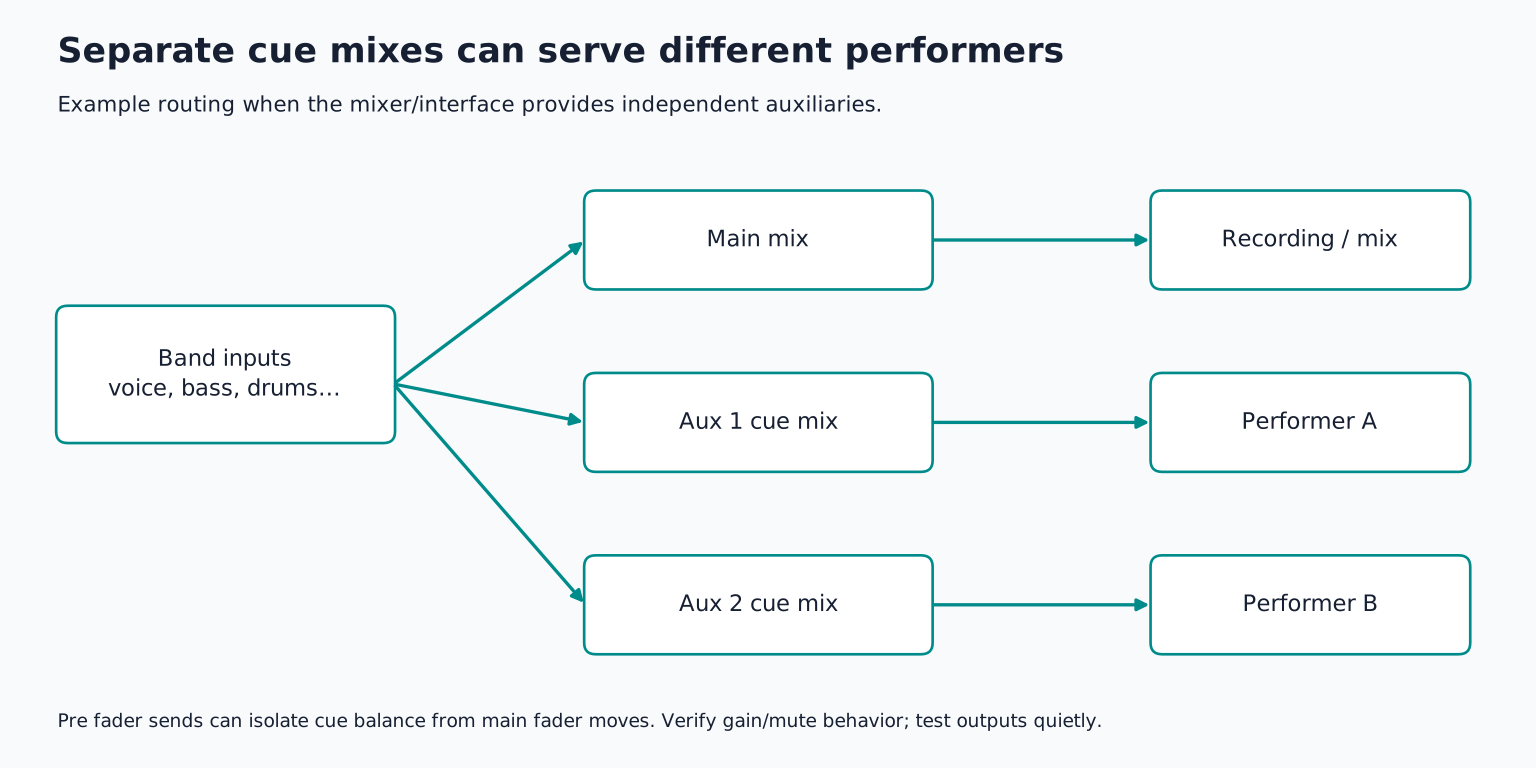
A shared headphone mix can work for a small ensemble. If needs conflict, use separate auxiliary mixes where the hardware supports them. A pre fader send usually allows monitor balance to remain independent of main fader adjustments, though gain, mute, and routing interactions vary by mixer.
Yamaha's aux sends and returns explanation describes these separate mixes. Verify the actual signal path rather than assuming a control labelled “aux” is always pre fader.
Test every headphone output quietly
Start each output at a low level and communicate before changes. Make sure one musician's request does not unexpectedly alter everyone else's mix. Label headphone feeds and keep a clear method for stopping the performance if there is a technical problem.
Use direct monitoring or a reliable low latency software path. Avoid duplicated direct and DAW monitoring, which can sound hollow or delayed. For software amp instruments, check that their latency remains playable while the whole session runs.
Do not solve a crowded cue mix by continually raising all channels. Lower competing sources and simplify. A clear mix at a comfortable level is more useful than a loud mix in which everything masks everything else.
Set gains during the whole band
Individual checks are useful, but the players may perform more forcefully together. Record a full band chorus or loud section and verify every input. Leave headroom for accents and changes in energy.
A microphone may receive substantial combined level from its intended source and bleed. Listen to the recording, not just the meters. Distortion can occur in a microphone, preamp, or upstream device before a final track meter makes the problem obvious.
If using phantom power, check every device on shared power groups. Make connection changes with monitoring muted and power handled according to the manuals. Ribbons, DIs, boosters, and unbalanced adapters require specific compatibility checks.
Judge bleed in the full mix
Bring up a rough mix using only level and panning. Listen for whether the bleed helps the group feel connected or creates distracting tonal buildup.
Then solo a track briefly to identify the source of a problem. A guitar mic with some drums in it is not automatically unusable. It becomes a problem if turning up the guitar also makes cymbals harsh, or if compression on the guitar raises drum spill unnaturally.
Try physical changes first: lower the amp, rotate it, move the vocal position, or adjust a mic angle. A gate cannot remove bleed while the intended source is playing, and aggressive gating can make the room sound pulse unnaturally.
Preserve related timing when editing
Group multi mic drums and other related sources. For a heavily interconnected live take, consider editing the ensemble together at musical boundaries rather than replacing individual notes independently.
If a guitar mistake is audible in several microphones, a clean replacement on the guitar track alone may leave the old mistake underneath it. Likewise, a new vocal can clash with guide vocal bleed elsewhere. Check the full mix before promising that every flaw can be fixed later.
Use complete takes as the starting point. A slightly imperfect but connected performance may outperform a technically polished assembly. Comping techniques remain useful, but the acoustic connections limit which edits are transparent.
Keep the session moving
Record complete passes, note useful sections, and give one clear piece of feedback at a time. Do not let troubleshooting become an unexplained silence while the band waits. If a problem needs time, say what is being tested and let the players rest.
After a strong take, save and back up before making major changes. Keep the input sheet and any important placement notes. Check the last note and room decay before stopping recording or moving microphones.
For practice, record a short live arrangement with the fewest inputs that still capture its essential roles. Make a rehearsal mix, change one placement or cue issue, and record two complete takes. Compare the performances before detailed editing. Then explore live show recording, where the same principles must coexist with an audience and a separate house mix.
TAKE IT INTO YOUR OWN MUSIC
Your next session.
Record complete passes, note useful sections, and give one clear piece of feedback at a time. Do not let troubleshooting become an unexplained silence while the band waits. If a problem needs time, say what is being tested and let the players rest.
Notes and progress stay in this browser.