You can organize most everyday effects by the dimension they change: frequency balance, level over time, space and repetition, harmonic texture, or movement. A single plugin may combine several of these. Learning the underlying jobs makes it easier to use stock tools and unfamiliar processors alike.
Start with a dry phrase
Create a two bar MIDI phrase at 100 BPM using a simple pluck or keyboard sound. Play C on beat one, E flat on beat two, G on beat three and B flat on beat four. In the second bar, play G, F, E flat and C. Leave a short gap between notes.
Disable built in reverb, delay and modulation so the source is easy to hear. Lower the instrument output if necessary and keep playback comfortable. Save this starting version before experimenting.
Each comparison in this guide uses that same phrase. Change one effect at a time, then return to the dry version. This prevents the common situation where several attractive plugins create an impressive sound but you no longer know which one is doing what.
TRY IT HERE
Build a little movement
Compare modulation on a short original tone.
Ready when you are. Audio starts only when you press Play.
Keep experimenting in the synth LabEQ and filtering change tonal balance
An equalizer, or EQ, changes level by frequency region. A bell can make a region more or less prominent; shelves adjust broad low or high regions. High pass and low pass filters reduce material toward the low or high end respectively.
On the pluck, try a small broad reduction in its thickest sounding region. Listen for less body, not simply “better sound.” Then remove that band and try a gentle high shelf. Listen for brighter articulation and any added sharpness.
The same adjustment can help in one arrangement and hurt in another. A full bodied keyboard may be ideal in a sparse song but mask the bass in a dense one. EQ for beginners teaches how to choose a change from a listening problem.
Filters also work creatively. Automating a low pass cutoff across a build can reveal more brightness over time. That is sound design rather than corrective mixing, although the same control performs both jobs.
Dynamics processors change level relationships
Compression reduces level according to a detector and response settings. Limiting is a more restrictive form of level control, often used to restrain peaks. Expansion increases level differences under specified conditions, while a gate can strongly reduce material below a threshold.
For the phrase, make alternating notes stronger and weaker. Add a compressor and lower its threshold until the stronger notes receive some reduction. Compare whether the phrase becomes more even, less expressive or both.
Attack and release shape how that reduction develops and recovers. Makeup gain raises the processed output, so match levels when comparing. A louder result is not proof that the dynamic change improved the music.
A gate can remove unwanted background between events, but aggressive settings may cut off quiet notes or natural tails. Before adding one, ask whether a simple edit or fade would solve the isolated problem more precisely.
Reverb adds a sense of reflected space
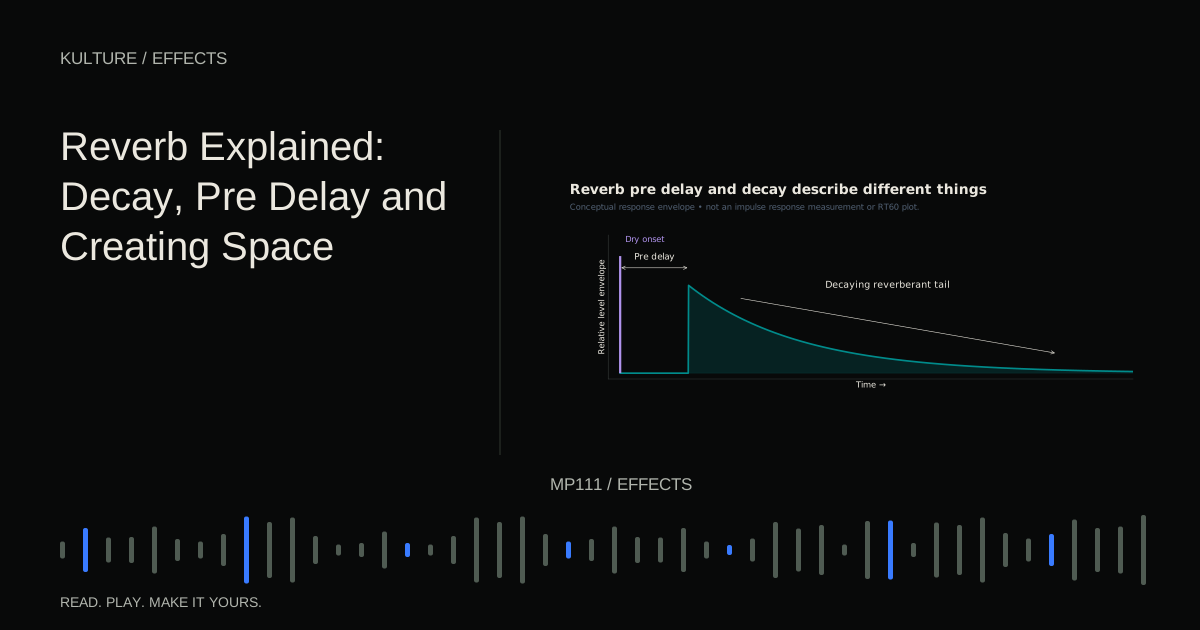
Reverb creates a collection of reflections and a decaying tail. It can suggest a room, chamber, hall, plate like texture or an unreal atmosphere. Size labels are starting descriptions; the audible density, timing and tone matter more than the preset name.
Add a short reverb to the pluck. Raise its amount until obvious, then lower it until the dry articulation remains clear. Increase decay and listen to the gaps between notes fill. At some point the phrase may lose definition even though the individual notes have not changed.
Pre delay separates the dry onset from the beginning of the reverb. It can help retain articulation, but it does not remove the accumulated energy of a long tail. Valhalla’s reverb control explanation gives manufacturer context for the distinction between pre delay, decay and early/late balance.
Use reverb as a placement decision: which parts should feel close, which can sit behind, and how much shared space helps them belong together?
Delay adds timed repetitions
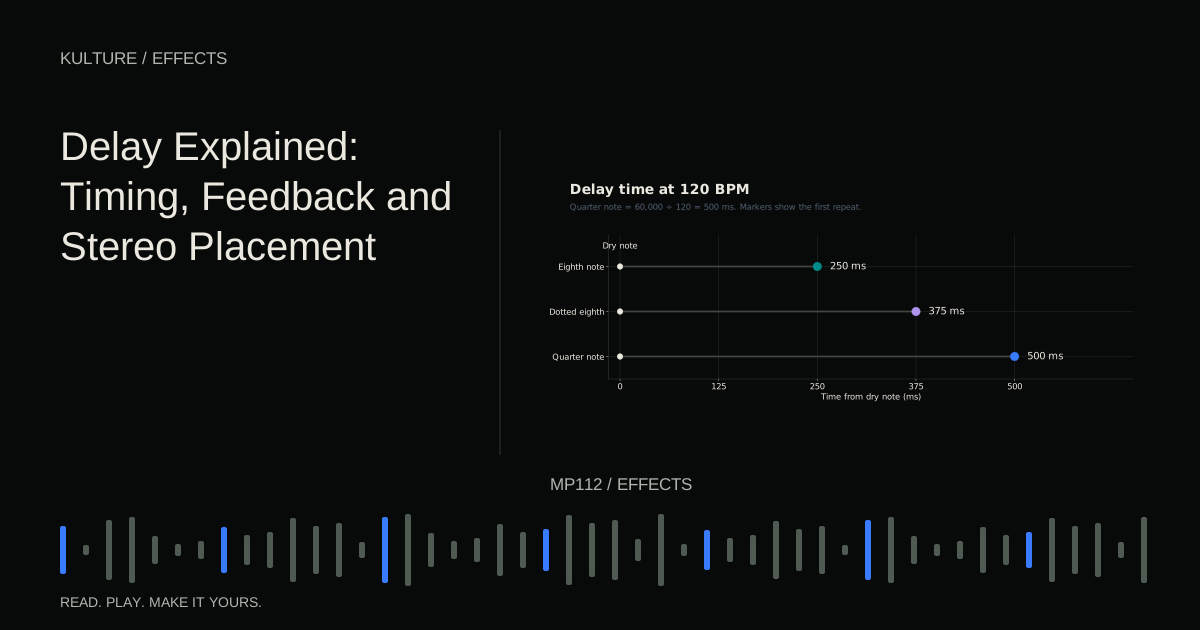
A delay plays a later version of the input. Time sets the spacing; feedback recirculates repeats; wet level determines how prominent the delayed signal is.
At 100 BPM, a quarter note lasts 600 milliseconds and an eighth note 300 milliseconds. Try an eighth note delay with low feedback on the phrase. You should hear a repeat between the original quarter note events. Now try a dotted eighth interval, which is 450 milliseconds at this tempo, and hear the different rhythmic placement.
Do not increase feedback carelessly. Some designs can build toward self oscillation or very high levels. Start low, keep output controlled and listen to how many repeats the arrangement actually needs.
A delay can replace a long reverb when you want space but clearer rhythmic detail. It can also create clutter if its repeats compete with the next phrase. Automating a send on the final note is often more effective than leaving the effect equally active everywhere.
Saturation and distortion change harmonic texture
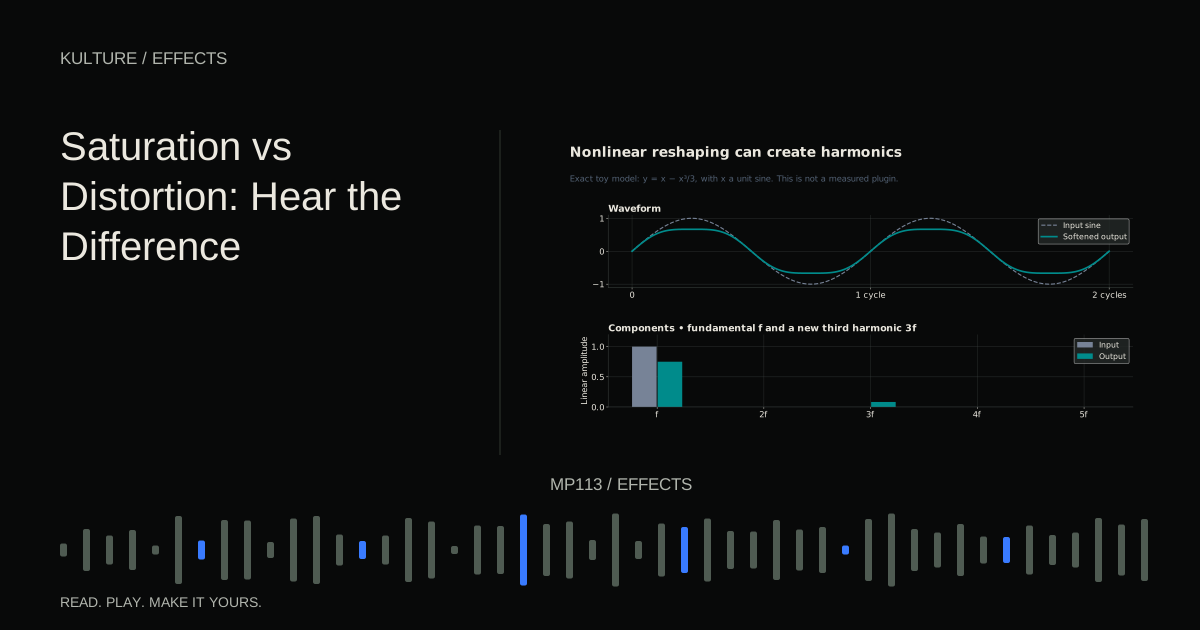
Nonlinear processing changes the waveform in ways that can add harmonics and alter dynamics. Saturation often describes a comparatively gentle or rounded form of this behaviour; distortion is the broader term and can include much more obvious reshaping.
Try a mild saturator on the pluck. Raise drive gradually, then lower output to compare at similar loudness. Listen for added edge, density or sustain. If the sound merely becomes louder, the comparison is not yet informative.
The incoming level and tone matter. A bright boost before distortion can drive high frequency material differently from the same boost after it. FabFilter’s Saturn documentation shows the range of distortion and saturation approaches available within one manufacturer’s tool; you do not need that specific plugin to learn the principle.
Use these effects intentionally. A little added harmonic content can help a bass remain audible on smaller systems, while heavy distortion may become the defining sound of a lead.
Modulation creates repeating or changing motion
Chorus, flanger and phaser all create movement, but through different processes. Chorus commonly blends modulated delayed copies for a doubled or ensemble like impression. Flanging uses very short delay relationships to produce a sweeping comb filter character. Phasing uses phase shifting filter stages mixed with the dry signal to create moving notches.
Try each separately on a sustained version of the phrase. Use a slow rate so the movement is easy to identify. Compare whether you hear thickening, a metallic sweep or a smoother hollow swirl.
Rate controls how fast movement occurs, depth controls its extent and feedback can make the character more pronounced where available. Stereo variants may create width, so check the result in mono before relying on them for an essential part.
Chorus, flanger and phaser gives a more focused comparison once you know which family interests you.
Understand dry, wet and routing
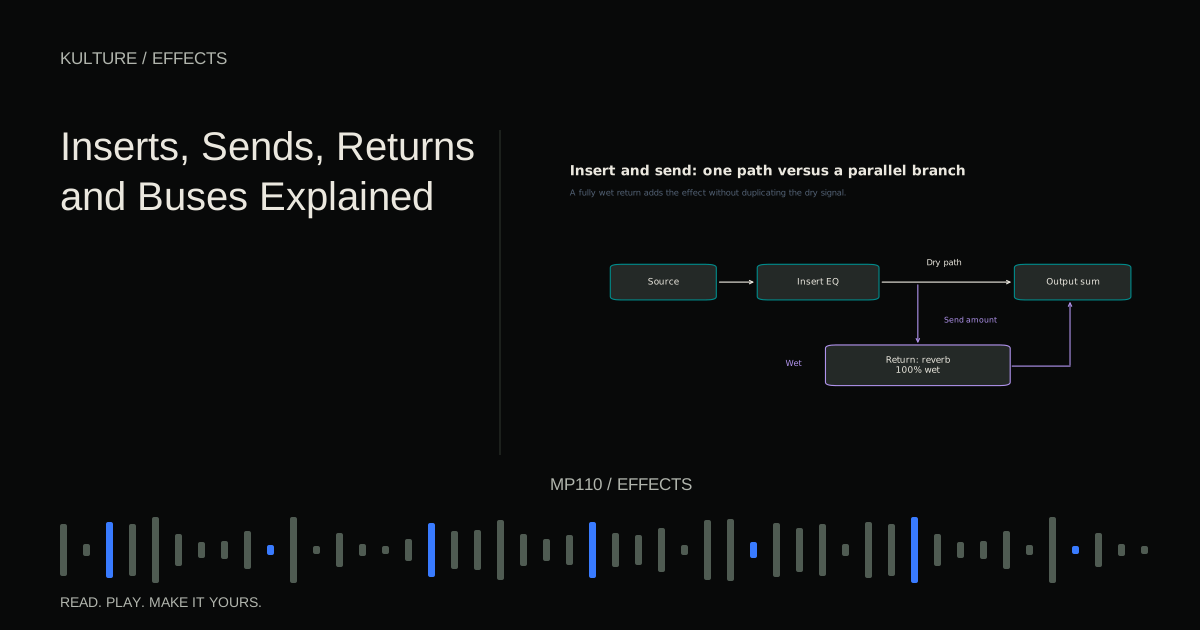
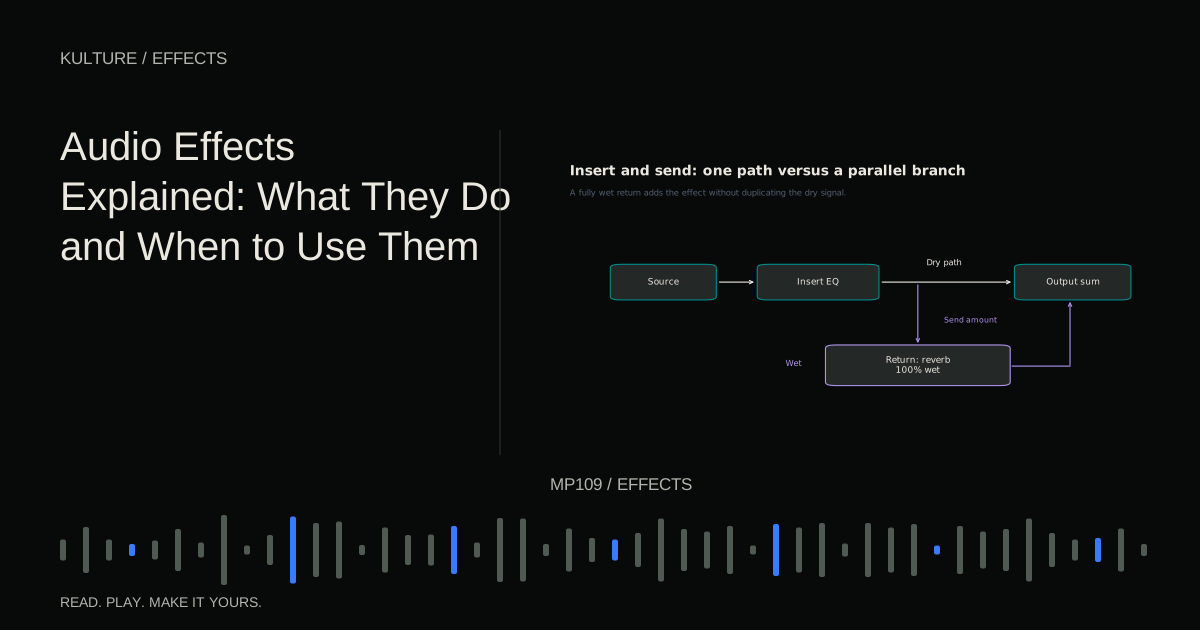
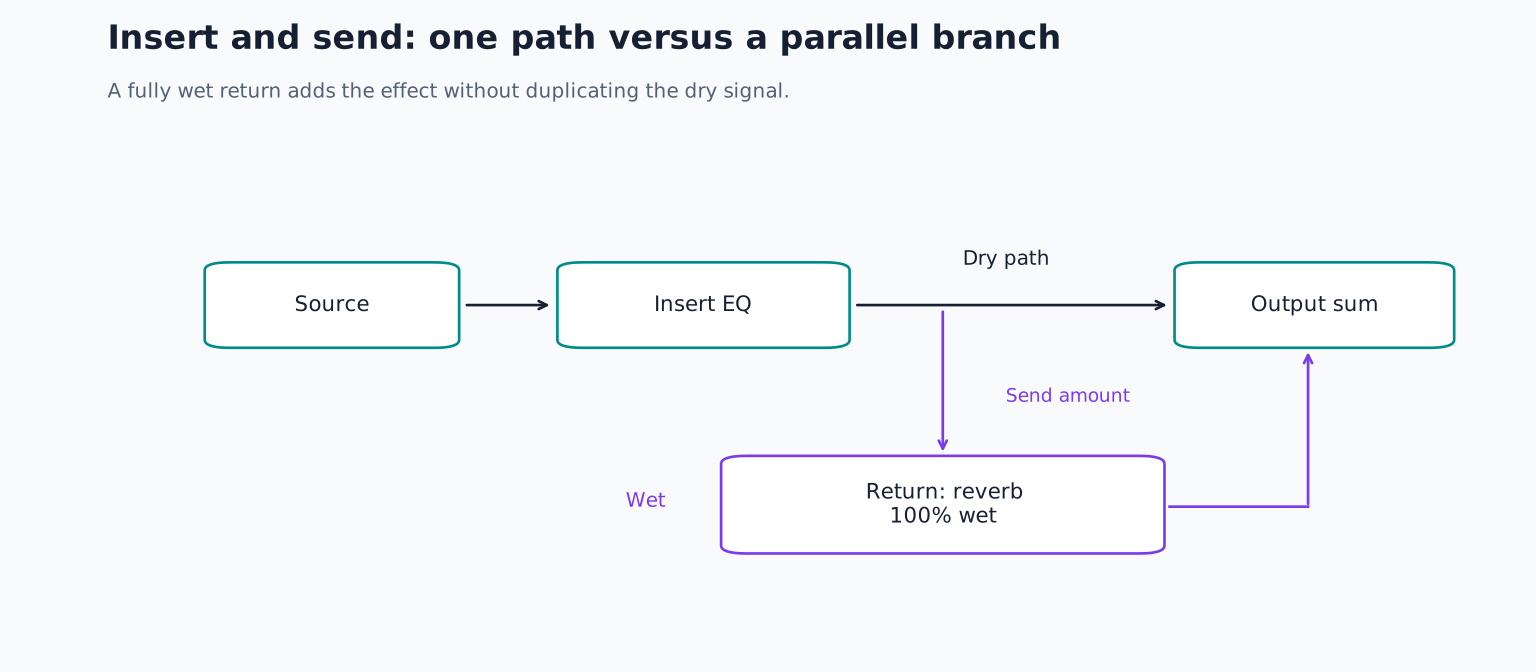
Dry means the unprocessed source; wet means the processed signal. An insert places an effect in a track’s path. A send branches some signal to a return, where it can be processed separately and blended with the original.
On a reverb or delay return, the effect is usually set fully wet because the source track already supplies the dry signal. On an insert, the plugin’s dry/wet control may handle that blend. Exact routing depends on the DAW and processor.
A bus combines several signals for shared control or processing. You might group drum tracks so one fader changes their collective level. Ableton’s routing reference illustrates these signal flow concepts in one DAW; use your own program’s manual for its controls.
Avoid accidentally feeding a return back into itself while learning. Feedback routing can create rapid level growth and is unnecessary for understanding ordinary sends.
Order changes what each processor receives
An effect reacts to the signal arriving at its input. Compression before reverb controls the dry performance feeding the space. Compression after reverb can respond to both the source and its tail. Distortion before delay produces echoes of a distorted sound; distortion after delay can reshape the combined overlapping events.
These are different musical choices, not a single correct chain. Some simple linear processes can commute under ideal conditions, but nonlinear and time varying effects commonly make order audibly important.
Save a version before rearranging a chain and match output levels. Keep the version that serves the part. Do not add every effect family merely because you have learned its name.
A useful first effects project
Make four versions of the same phrase: dry, one tonal adjustment, one space effect and one creative texture effect. Write a sentence describing the change in each. Then combine only two effects and explain why both are needed.
Listen in the full arrangement, not only in solo. If the processed part becomes less clear, reduce the amount or remove one stage. Continue with effect order comparisons and inserts, sends, returns and buses to turn these individual sounds into a dependable workflow.
TAKE IT INTO YOUR OWN MUSIC
Your next session.
Make four versions of the same phrase: dry, one tonal adjustment, one space effect and one creative texture effect. Write a sentence describing the change in each. Then combine only two effects and explain why both are needed.
Notes and progress stay in this browser.