You do not need an elaborate sample library. A few seconds of your own sustained humming, a struck object or a short synth chord can provide plenty of material. Use audio you recorded or have permission to use; transforming a recording does not remove its licensing restrictions.
Ableton’s Granulator III page describes a manufacturer’s granular instrument and its position and grain size controls. This lesson uses general terminology because granular instruments expose these ideas in different ways.
Choose a source that teaches you something
Record four seconds of a steady sung vowel or a sustained synth note. Keep the recording clean enough to recognize and leave a short lead in. You are not trying to capture a perfect performance. You need a source with a clear beginning, a stable middle and an ending so you can hear what position changes do.
Load it into a granular instrument. Disable reverb, delay and large pitch randomization initially. Set the playback pitch near the recording’s original pitch. If the instrument uses a root note setting, tell it which note the recording represents; otherwise the keyboard may transpose from an arbitrary reference.
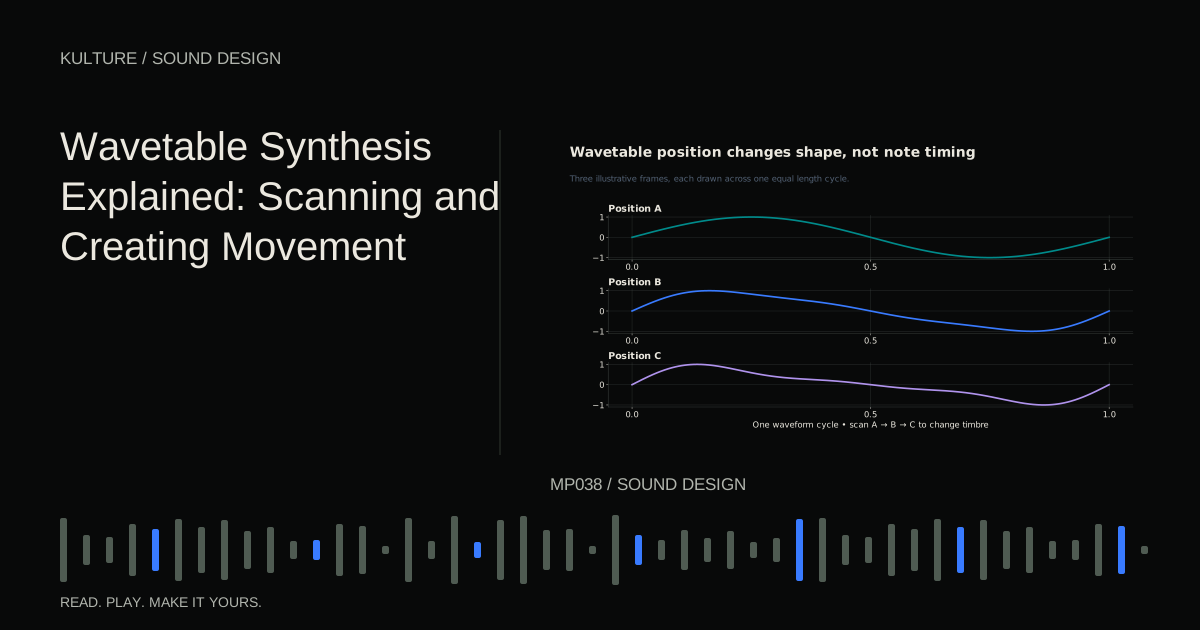
Hold a MIDI note and move the grain position control from the beginning toward the middle. At the beginning you may hear breath or an attack; in the middle you may hear a steady pitched texture. This is why source selection matters as much as the synth’s controls.
TRY IT HERE
Stretch a moment
Change grain length and spacing in an original synthetic source.
Ready when you are. Audio starts only when you press Play.
Keep experimenting in the synth LabGrain size changes the scale of detail
Grain size is the duration of each small piece. Try an illustrative sequence of 20, 80 and 200 milliseconds if your instrument uses milliseconds. Do not expect an identical result in every engine: grain windows, overlap and playback scheduling also shape the sound.
At short sizes, the source’s identity may blur into a buzzy or noisy texture. At larger sizes, recognizable gestures can return. A long grain taken from a spoken phrase may preserve a syllable, while a tiny grain can retain only a fragment of its tone.
The grain’s window shapes its beginning and ending to reduce abrupt discontinuities. A sharply cut audio fragment can click. If clicks appear, try a smoother grain shape, longer grain size or a less abrupt source position. Some intentionally percussive granular sounds use that roughness, so decide whether it serves the piece before removing it.
Keep level moderate when changing grain size or density. Some combinations produce much more overlapping energy than others.
Density and overlap create continuity
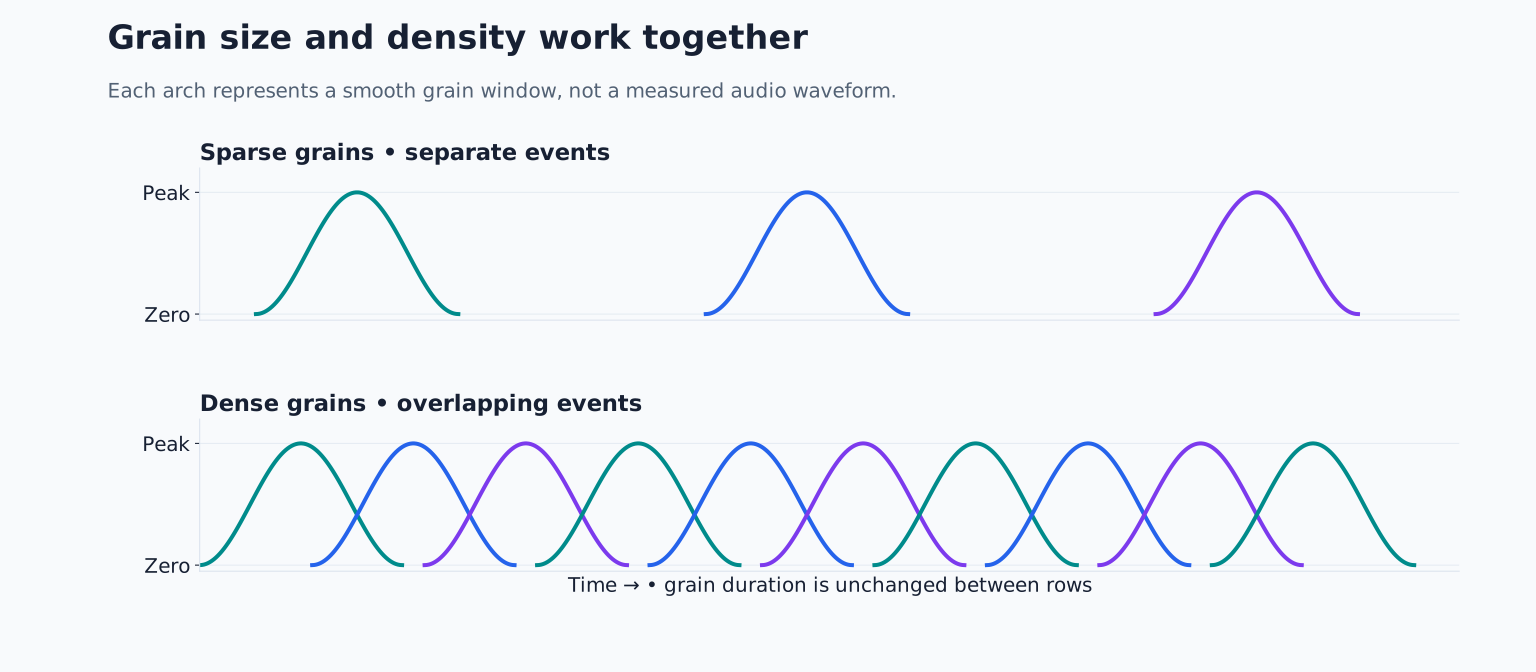
Density usually refers to how frequently grains are generated, though instruments may instead expose spacing, overlap or a related control. Sparse grains can sound like separate events. Many overlapping grains can merge into a continuous cloud.
Start with a sparse setting and increase it while holding the same note. Listen for the point where separate grains stop being obvious. Then return slightly below that point. This produces a useful intermediate texture that still reveals its construction.
If the sound becomes dramatically louder, compensate with output level before deciding whether greater density is better. More grains can also increase processing load. If the instrument crackles because the computer cannot keep up, reduce voice count or density before changing the audio itself.
Grain size and density interact. Long grains at high density create more overlap than short grains at the same rate. Treat them as a pair, rather than expecting one control to determine smoothness on its own.
Freeze one moment, then move through it
A frozen position repeatedly takes grains from approximately the same source location. This can turn a brief portion into a sustained texture. It is different from simply looping the entire recording.
Choose a stable part of your vowel recording. Set moderately overlapping grains and hold a note for eight seconds. Add a small amount of position variation if available, allowing grains to sample nearby material. Too much variation can pull in the attack, silence or other unwanted sections.
Now automate position slowly from the stable middle toward the ending over four bars. You should hear the source’s changing character unfold at a new timescale. If the sound vanishes too early, the position may have reached silence. Shorten the scan range rather than increasing the track fader.
Pitch variation is a separate decision. Begin with none, then try a small amount. Random pitch can create a cloud, but it can also make a harmonic part sound out of tune. For a pad supporting a clear chord progression, stability may be more useful than maximum randomness.
Build a four bar texture under a simple part
Create a 90 BPM project. Program a plain pluck playing C, E flat, G and B flat as quarter notes. Under it, hold one granular C note for four bars. Choose a grain position from the steady middle of the source and automate a narrow position range across the four bars.
Set the granular amplitude envelope to a slow attack and a gentle release. Lower it until it becomes background support rather than the main event. If the source is strongly pitched, check that its tuning agrees with the pluck. Playing a MIDI C does not guarantee a C result when the source’s root note is wrong.
In the final bar, reduce density to expose individual grains. This turns a static texture into a transition without requiring a large volume rise. Save one version dry and one with a restrained reverb so you can distinguish granular sustain from the reverb tail.
Troubleshoot the musical result
A texture can be fascinating alone and still obscure the song. If it hides the lead, reduce level, narrow the pitch range or move the granular part to a different register. If it lacks rhythm, try position jumps at deliberate beat locations instead of constant random motion.
If every note sounds identical, increase source variation before adding effects. If every note sounds unrelated, reduce randomization and retrigger the same scan when supported. Randomness is a controllable ingredient, not a requirement.
For practice, make one recognizable and one abstract patch from the same recording. Explain which three controls caused the difference. Then explore layering synth sounds and reverb to place the resulting texture in a mix without losing its detail.
TAKE IT INTO YOUR OWN MUSIC
Your next session.
A texture can be fascinating alone and still obscure the song. If it hides the lead, reduce level, narrow the pitch range or move the granular part to a different register. If it lacks rhythm, try position jumps at deliberate beat locations instead of constant random motion.
Notes and progress stay in this browser.