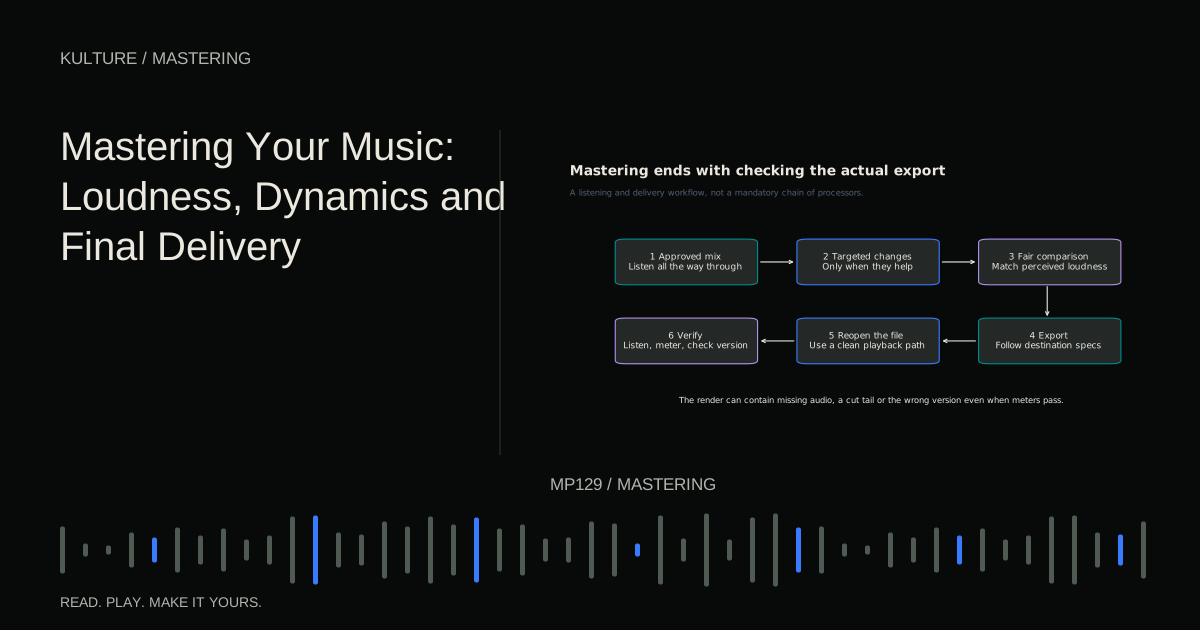
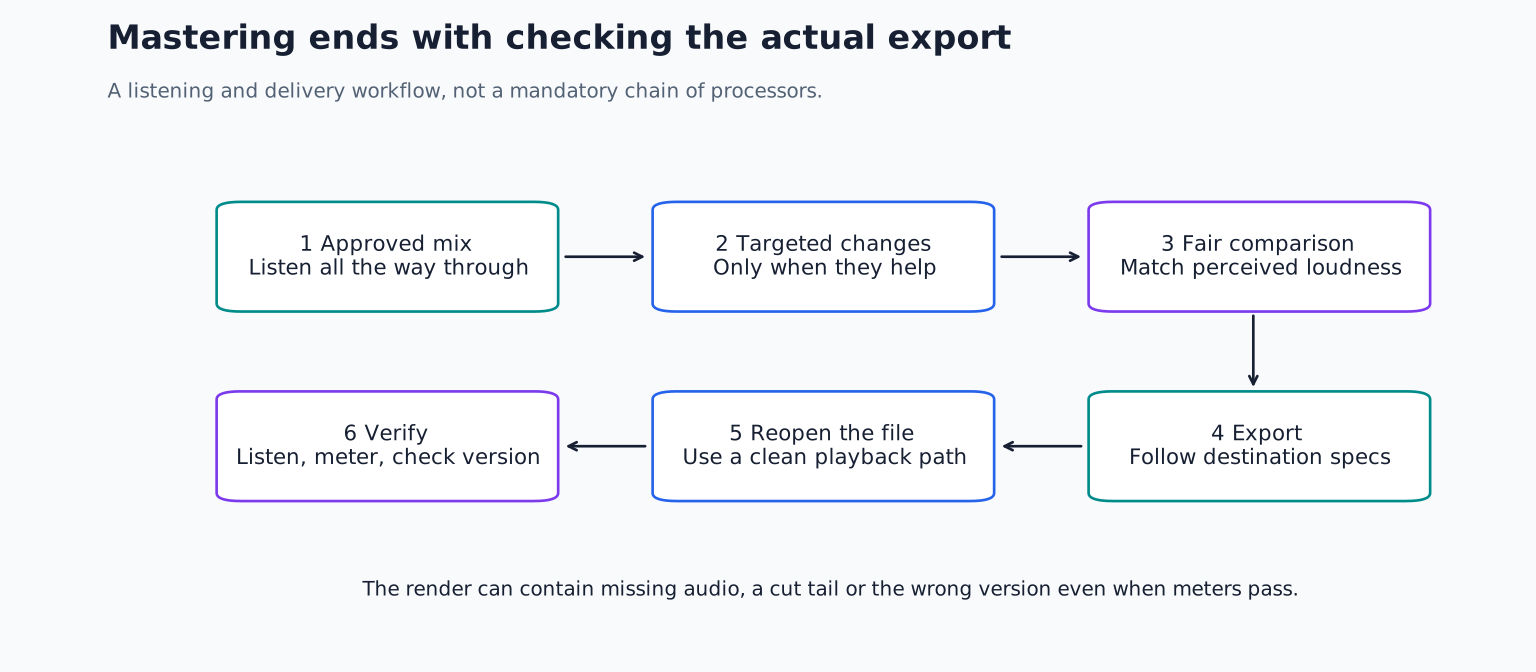
For a beginner, the most useful mastering approach is conservative: identify a problem, make a small change, compare at matched level, and verify the exported file. If the mix already works, you do not need to insert a long chain of processors merely because a tutorial does.
Decide whether the mix is ready
Mastering works on the combined result of the mix. A stereo EQ boost affects everything in its frequency region, not only the instrument you wish were clearer. If the vocal is too quiet, a stereo processor may help somewhat, but a vocal fader change in the mix is usually more direct.
Before mastering, listen from beginning to end and check edits, noise, arrangement, balance, and endings. Make sure the chorus does not reveal an unfinished transition. Confirm that the bass line is musically clear and that the vocal or lead instrument remains the focus where intended.
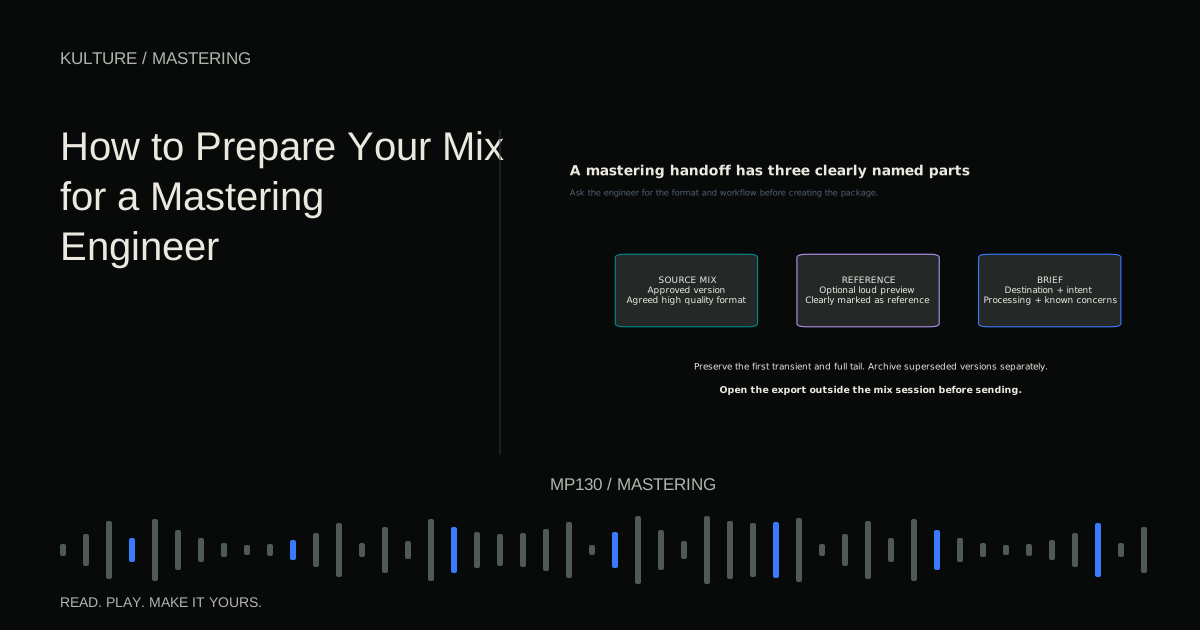
If you are sending the project to someone else, use mix preparation for a mastering engineer. Ask for their delivery requirements rather than following a mythical universal peak level.
TRY IT HERE
Explore the transfer curve
See how threshold and ratio change a steady input level.
Ready when you are. Audio starts only when you press Play.
Keep experimenting in the stem splitter LabSeparate the mastering session from the mix
Export the approved mix at its native sample rate and an appropriate high resolution format agreed for the workflow. Import it into a fresh session. This creates a useful boundary: you are judging the song as a whole rather than endlessly adjusting individual tracks.
Keep the original mix untouched. Label working versions clearly, for example Song_Master_v01 and Song_Master_v02. A separate session also makes it easier to audition the final file without accidentally processing it twice through the mix bus.
Leave enough space before and after the music to inspect the start and tail. Do not add an arbitrary long silence to every file; the intended release format and sequencing determine the final boundaries.
Listen before building a chain
Write a short assessment:
- Does the tonal balance support the arrangement?
- Do bass notes remain consistent across the song?
- Does the chorus feel meaningfully different from the verse?
- Are any moments harsh, distorted, or unexpectedly loud?
- Is there a click, truncated reverb, or unwanted count in?
Choose one or two priorities. “Slightly heavy low mids in the chorus” is actionable. “Needs professional warmth” invites random processing.
Use a relevant reference recording at similar perceived loudness. A mastered reference will often be louder than your premaster. Attenuate it before comparing; otherwise you may chase a level difference with unnecessary EQ. The level matched reference guide gives a repeatable method.
Understand the main tools
EQ changes frequency balance. A broad, small adjustment can help a whole mix, but narrow or extreme changes may indicate a problem better solved upstream. A low cut filter is not mandatory: it can remove useful musical energy or change the feel of the bottom end.
Compression reduces gain according to the signal's level and the processor's timing. It can shape movement and control density. It can also flatten drums or make ambience pump. Use it only when the change improves the song at matched level.
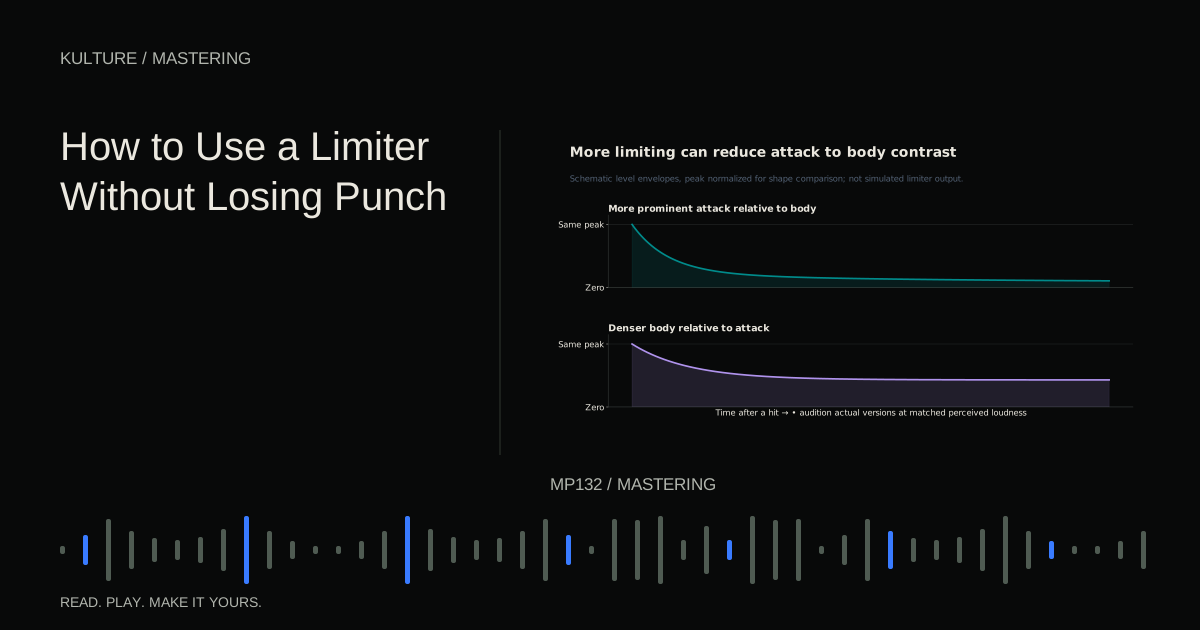
Limiting controls peaks near a ceiling and can increase average level. It is still a dynamics process, not a free loudness control. Excessive gain reduction can distort bass and soften attacks.
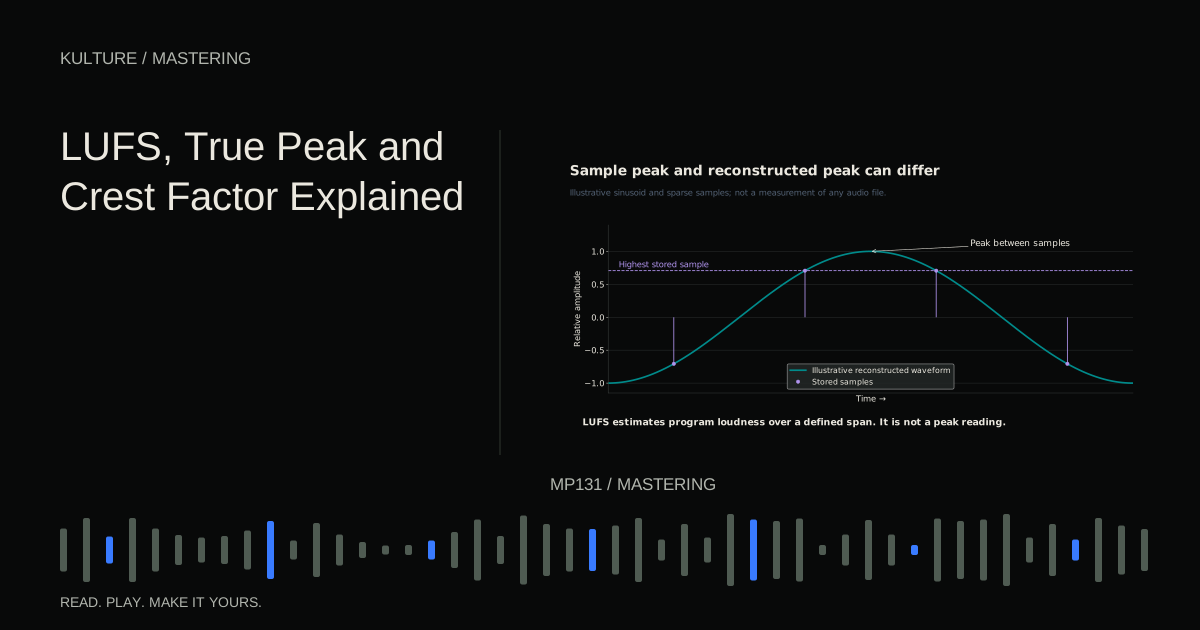
Metering describes aspects of the signal. LUFS estimates loudness, true peak estimates reconstructed peak level, and other meters show dynamics or stereo behaviour. ITU R BS.1770 is the primary standard behind widely used loudness and true peak measurement. No meter tells you whether the chorus is moving.
Choose loudness for the music and destination
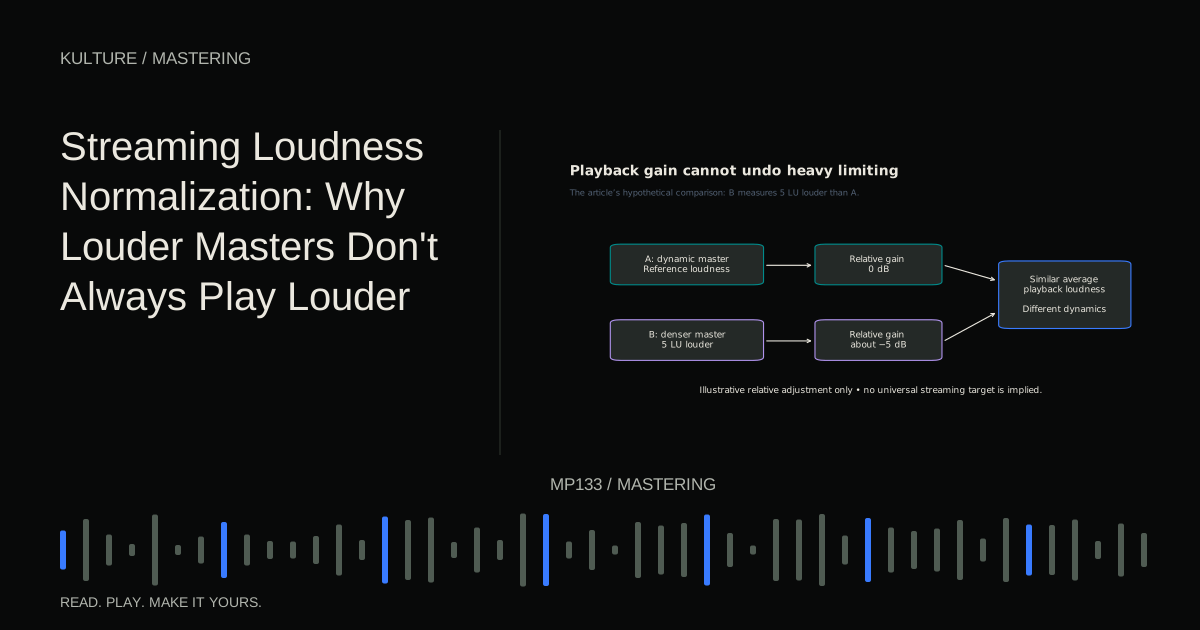
There is no universal requirement to master every song to -14 LUFS. Streaming services use different playback behaviours, user settings, and delivery guidance. Their normalization references are not a single artistic mastering law.
A dense dance track and a spacious acoustic performance may call for different dynamics. The right question is whether the chosen loudness preserves the sound you want while satisfying the destination's technical requirements.
Spotify's current guidance explains its playback normalization and mastering recommendations. Treat those as service specific guidance and verify requirements again when delivering. Do not assume one platform's playback target applies to every service, device, or release format.
For a practical comparison, make a moderate master and a more aggressively limited version. Turn the louder version down until they sound equally loud. If it loses punch or sounds rougher, the extra limiting has a cost that normalization will not undo.
A simple mastering example
Imagine a four minute electronic track with a strong kick, sustained bass, and a vocal. The mix sounds slightly thick, but the vocal balance is good.
Begin with no processing and note the loudest chorus. Try a broad low mid reduction of around 0.5 to 1 dB as an experiment, not a prescription. Match the output level and compare. If the track loses body, reduce or remove the cut.
Add a limiter with an output ceiling suited to the intended delivery specification. Increase its input gradually while listening to the kick, bass, and vocal consonants. If the kick begins to feel smaller, back off. If bass notes acquire a fuzzy edge, compare a different release behaviour or return to the mix to control the source.
Measure the complete song, then listen to the exported file. A successful master may use only subtle EQ and modest limiting. It may also need no EQ at all. The decision follows the audio.
Check the whole track, not only the chorus
A limiter that behaves well during dense music may reveal noise or distortion in an exposed ending. Listen to the quietest passage, the largest transition, and the final decay. Inspect the first transient so the opening is not clipped by a careless file boundary.
Check mono playback. Stereo processing can alter the relationship between channels, and a wide effect may disappear or change when summed. Do not make every bass element mono as a ritual; investigate compatibility and musical intent.
Try a second familiar playback system. You are looking for persistent issues, not expecting identical sound from every device. If one tiny speaker lacks deep bass, that does not prove the master needs a huge low frequency boost.
Export deliberately
Confirm file type, channel format, sample rate, bit depth, start, end, and version. Sample rate describes samples per second; bit depth relates to numerical resolution in fixed point PCM audio. These are different settings with different consequences.
Dither is low level noise used when quantizing to a lower fixed point resolution. Coordinate it with the final export rather than stacking dither at multiple stages without a plan. Ableton's audio fact sheet explains its rendering behaviour; consult the equivalent documentation for your software. The dedicated dither and conversion guide covers the decisions in more detail.
Do not export a lossy listening copy and then convert it back to WAV for delivery. Use the original high quality render. Converting the container does not restore discarded information.
Finish with quality control
Reimport the delivered file into a clean session and verify duration, stereo channels, loudness, peaks, and playback. Listen from start to finish without touching a control. Check filenames against the intended versions. A technically excellent explicit mix is still the wrong delivery if the request was for a clean version.
For an EP or album, judge track relationships and transitions together. Identical LUFS readings do not guarantee a natural sequence. A quiet interlude should not be inflated merely to match a dense single.
Your exercise is to master one finished mix using no more than two processors. Save the unprocessed version, compare at matched loudness, and write down what each processor improved. If you cannot explain the improvement, bypass it and listen again. A defensible decision is more valuable than a complicated chain.
TAKE IT INTO YOUR OWN MUSIC
Your next session.
Imagine a four minute electronic track with a strong kick, sustained bass, and a vocal. The mix sounds slightly thick, but the vocal balance is good.
Notes and progress stay in this browser.