
Perfectly regular drums can be musically effective. The problem is a mismatch between the intended feel and the programmed performance, not the existence of a grid.
Separate three controls that often get bundled together
Velocity describes how strongly a MIDI note is played. Depending on the instrument, it may control loudness, brightness, sample selection or several parameters. Timing describes when a hit begins. Swing changes the spacing of recurring subdivisions in a structured pattern.
A groove preset may modify all three, which makes it difficult to tell what helped. Ableton's groove documentation distinguishes timing, velocity and randomization, illustrating why these are separate decisions even when they share an interface.
Make a copy of your pattern before editing. Keep the original straight version available for comparison. If the groove becomes worse, you should be able to return to a clear baseline rather than trying to reverse twenty small changes by memory.
TRY IT HERE
Find the pocket
Tap the grid, change the tempo and hear your pattern.
Ready when you are. Audio starts only when you press Play.
Keep experimenting in the beat maker LabStart with an accent pattern
Create one bar of 4/4 at 100 BPM. Put kicks on beats 1 and 3, snares on 2 and 4, and closed hats on every eighth note. Set all hats to the same velocity and listen.
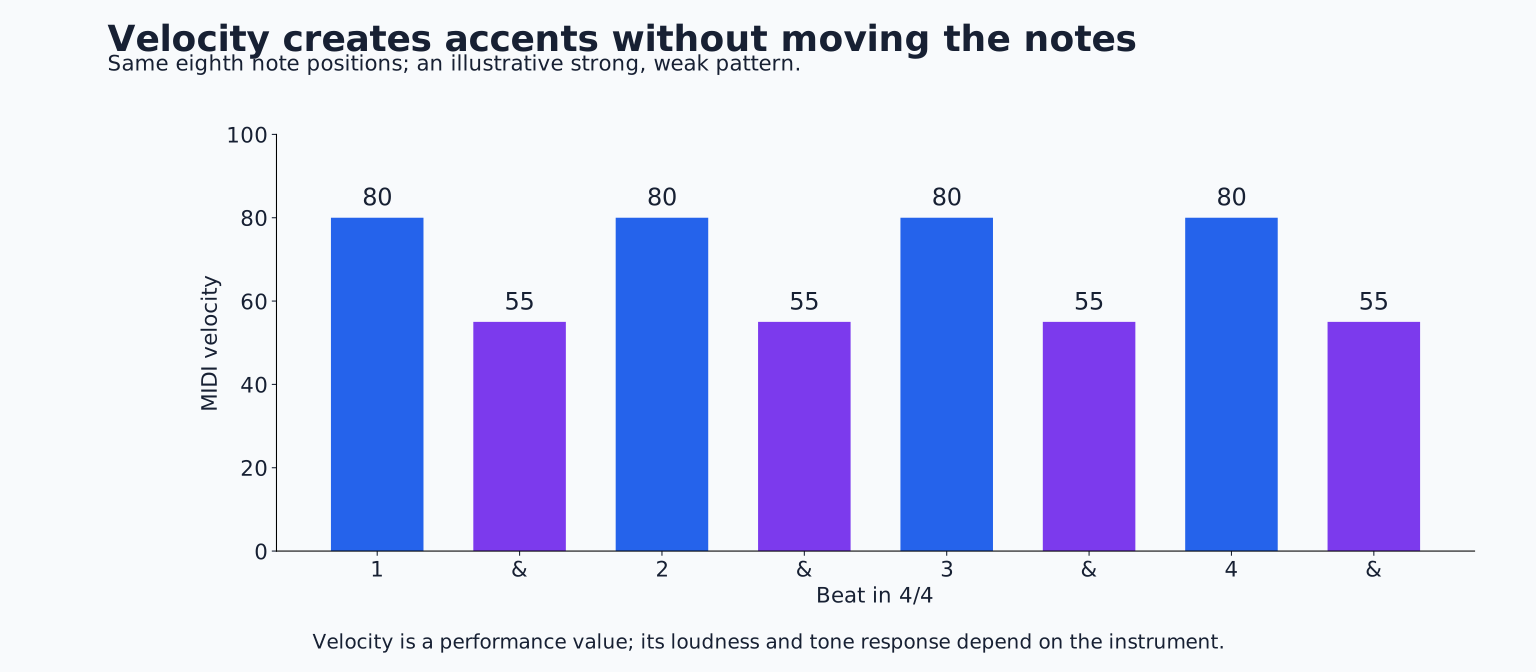
Now alternate stronger and weaker hats. For example, use 80 on the numbered beats and 55 on the “ands.” These values are merely a test; different instruments respond differently. Listen for a strong, weak grouping that helps your body follow the phrase.
Reverse the accents so the offbeat hats are stronger. The note positions are unchanged, yet the groove may lean differently. This is an important lesson: you can create movement without moving any notes off the grid.
Try a third version with the strongest hat on beat 1, a medium accent on beat 3 and softer supporting notes. That creates a larger two beat or four beat shape instead of a constant alternating pattern.
Use ghost notes as support
A ghost note is a quiet supporting hit, often on a snare, that adds motion without competing with the main accent. Add one on the last sixteenth before beat 4. On a sixteen step grid, that is step 12, followed by the main snare at step 13.
Lower the ghost note until it feels like a lead in rather than another backbeat. If your drum instrument has velocity layers, the quieter hit may sound softer in tone as well as level. If it only scales volume, you may need a different sample for a more natural contrast.
Remove the ghost note and compare. Keep it only if it improves the groove with the other instruments playing. A quiet note can still create clutter when its tail overlaps a busy melody or percussion part.
Understand what swing changes
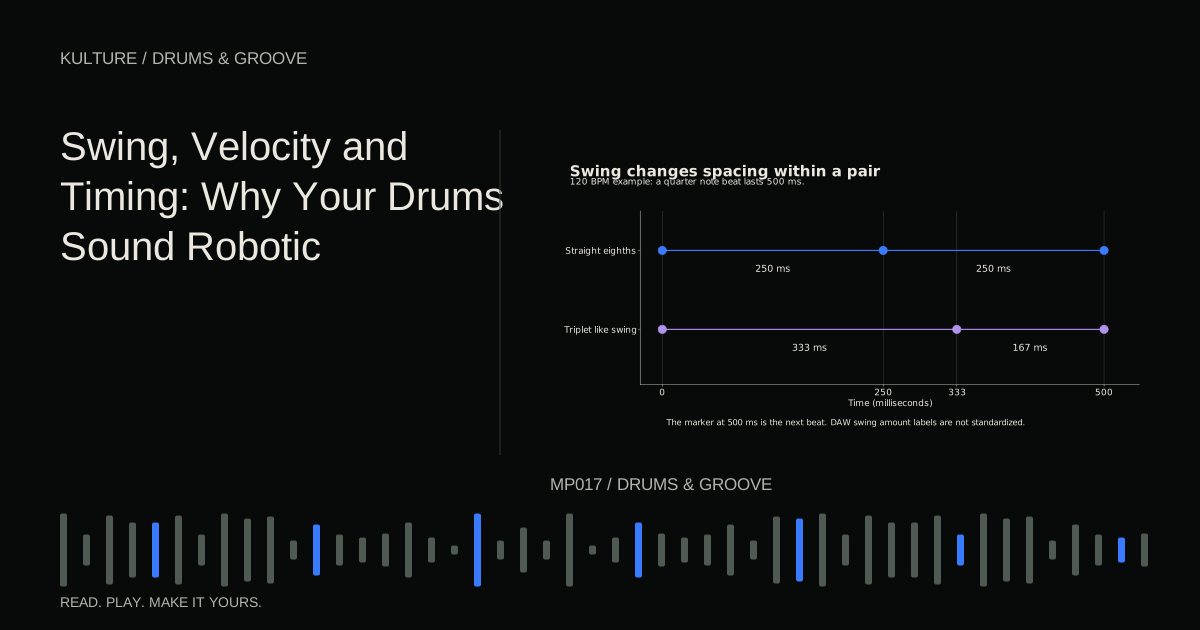
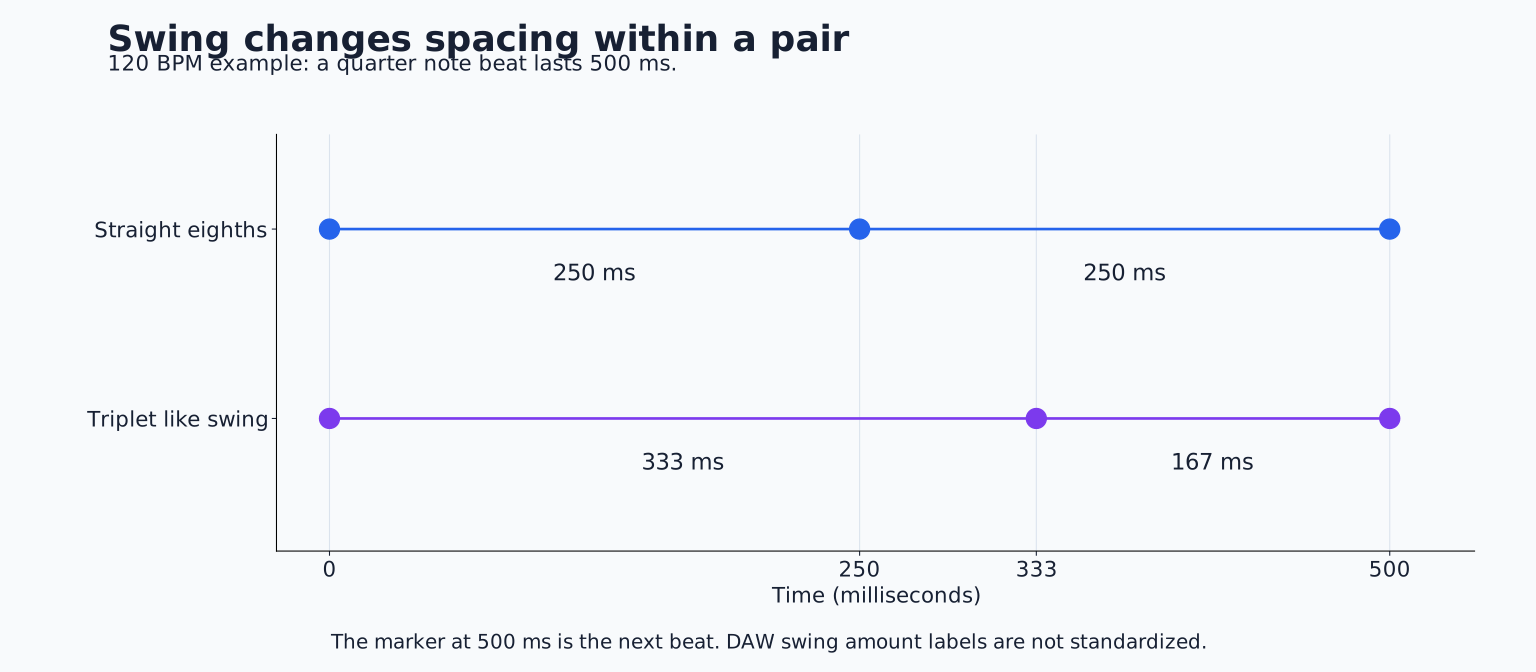
Straight eighth notes divide a beat equally. In an eighth note swing pair, the second note arrives later, making the first interval longer and the second shorter. Sixteenth note swing applies a similar idea to pairs of sixteenths.
Imagine a 500 millisecond quarter note beat at 120 BPM. Two straight eighth notes begin at 0 and 250 milliseconds. A triplet like long, short pair would place the second attack around 333 milliseconds. This is a timing illustration, not a universal swing setting: DAWs label amounts differently.
Swing is not the same as putting all notes on triplets. A triplet grid divides a beat into three equal parts; a swung pair still contains two main attacks with unequal spacing. Some swing feels approach triplet proportions, while others are subtler or vary with tempo and performance.
Match the swing base to the notes
If your hats occur only on eighth note positions, a sixteenth note swing algorithm that delays alternate sixteenths may leave them unchanged. Add hats on adjacent sixteenths to hear that algorithm work, or choose an eighth note swing base.
Apply swing to one lane first. Keep the kick and main snare as reference points. Then decide whether supporting percussion should share the same timing. A cohesive groove often involves related timing choices rather than a different random feel on every track.
If a bassline already has a distinctive shuffle, adjust the drums while listening to that bassline. A drum pattern that sounds attractive alone can feel disconnected when its delayed notes collide with the bass accents.
For the underlying count, revisit Beats, Bars and BPM.
Try small intentional offsets
Once velocity and swing are working, experiment with moving the main snare slightly later. At 100 BPM, begin with a small offset such as 8 milliseconds, then compare with no offset. This is an exploratory value, not a recommended universal delay.
Does the groove feel relaxed, or merely late? Restore the original if the change weakens the pulse. Try the same move on a hat lane instead. Different elements can tolerate different relationships to the beat.
Do not assume a positive offset is needed just because the MIDI looks exact. A sample can contain silence or a slow attack before its audible peak. The listener hears that acoustic timing, not the rectangle's left edge. Check the source sound before compensating with more MIDI delay.
Randomization should have a job
A small amount of variation can reduce repetitive sameness, but random timing is not equivalent to a skilled performance. A drummer's accents and timing are shaped by motion, phrasing and intention. Randomizing every hit independently can destroy those relationships.
If you use a humanize tool, constrain its range and protect important anchors. Try varying quiet hats while leaving the main kick and snare stable. Render or commit a version only when you have listened through the full phrase and found no awkward surprises.
Variation in sound can help too. Alternate suitable sample articulations if the instrument supports them, or vary filter brightness modestly. However, changing samples every hit can create an inconsistent kit if the timbres are too different.
Do not overlook note tails
A rigid pattern may actually suffer from constant overlap. Long hat tails can blur every subdivision into a continuous wash. Shorten some hits or use a choke relationship so the spaces become audible.
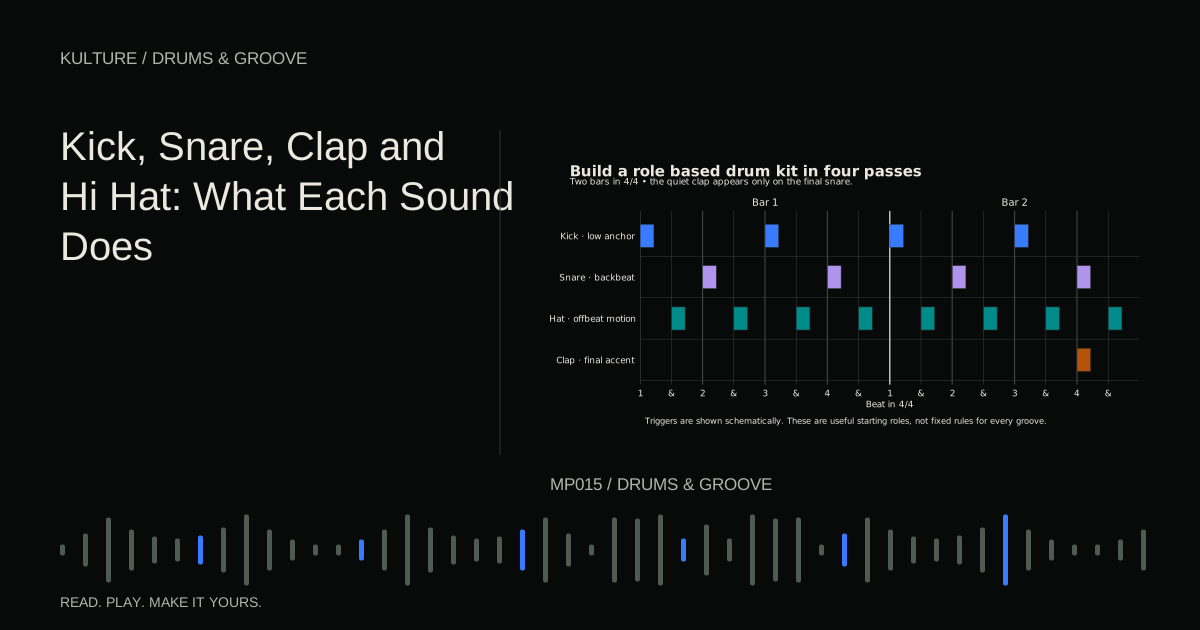
Conversely, extremely short notes with no supporting resonance may feel unnaturally clipped. Compare the instrument's one shot and gated behaviors, and check whether note length affects playback at all. Kick, Snare, Clap and Hi Hat explains how their shapes contribute to the groove.
A controlled listening exercise
Make four copies of the same two bar beat. Leave A unchanged. Give B a deliberate velocity pattern. Add suitable swing to C while keeping B's accents. Give D one small lane level timing adjustment.
Listen in changing order at comparable loudness. Write down which version supports the bass and melody best and why. It is entirely possible that B wins and the timing changes add nothing useful. Keep the improvement you can actually hear, then use How to Make Drum Fills to add phrase level variation.
TAKE IT INTO YOUR OWN MUSIC
Your next session.
Once velocity and swing are working, experiment with moving the main snare slightly later. At 100 BPM, begin with a small offset such as 8 milliseconds, then compare with no offset. This is an exploratory value, not a recommended universal delay.
Notes and progress stay in this browser.

![How to Make Drum Patterns: Rhythm and Groove for Beginners: Kick, snare and closed hat triggers on a sixteen step grid: [[1, 9], [5, 13], [1, 3, 5, 7, 9, 11, 13, 15]].](/assets/guide-art/how-to-make-drum-patterns-rhythm-and-groove-for-beginners-109f100272.svg)
![Beats, Bars and BPM Explained With Examples: Kick, snare and closed hat triggers on a sixteen step grid: [[1, 9], [5, 13], [1, 3, 5, 7, 9, 11, 13, 15]].](/assets/guide-art/beats-bars-and-bpm-explained-with-examples-c10817166b.svg)
![How to Make a Four on the Floor Beat: Kick, snare and closed hat triggers on a sixteen step grid: [[1, 5, 9, 13], [5, 13], [3, 7, 11, 15]].](/assets/guide-art/how-to-make-a-four-on-the-floor-beat-07323d4554.svg)